
How to Use Encrypted Document Operation Logs in Document Security Management - AnySecura Manual
This guide introduces you to the encrypted document operation logs within AnySecura's Document Security Management module. You'll learn how these logs provide a clear audit trail for critical actions like encryption, decryption, and file sharing across Windows, Mac, and Linux clients.
We'll then explore how to filter and examine these logs, showing you how to view detailed records and even access backup document copies. You'll also see how to efficiently export these logs and associated files for your own records or further analysis.
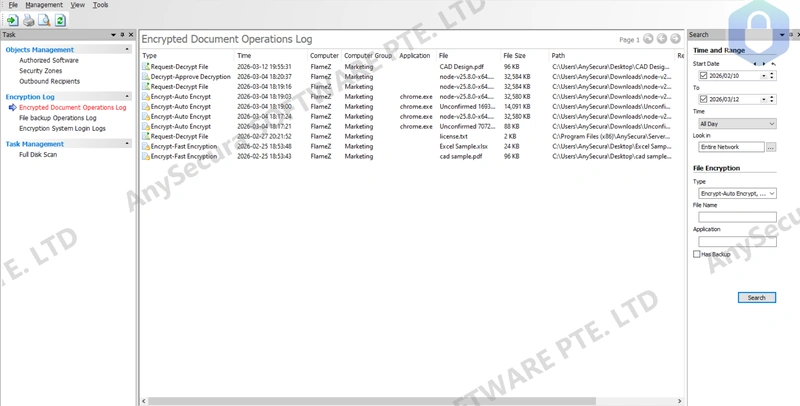
Encrypted document operation logs can record:
- On Windows clients: encryption, decryption, external document generation, document attribute changes, decryption requests, external document requests, and document attribute change requests.
- On Mac and Linux clients: encryption and decryption operations.
By default, all logs are displayed. Administrators can apply various query filters. Double-click a log to view details. If backup logs are available, document copies can be viewed in the details. Backup documents also support bulk export:
- Use the right-click menu "Export Backup Documents" to export selected or all backup records.
- Use "Export Logs and Backup Documents" to export both selected or all logs and backup files simultaneously.