
How to Force Update Policy in Windows Encrypted Client with AnySecura | User Guide
This guide shows you how to manually refresh your security policies using the Windows Encrypted Client. When managing many devices, automatic updates can sometimes take a moment to reach everyone.
You'll see how a simple right-click on the AnySecura system tray icon lets you instantly pull the latest rules from the server, ensuring your protection is always current. A quick confirmation pop-up will let you know the update was successful.
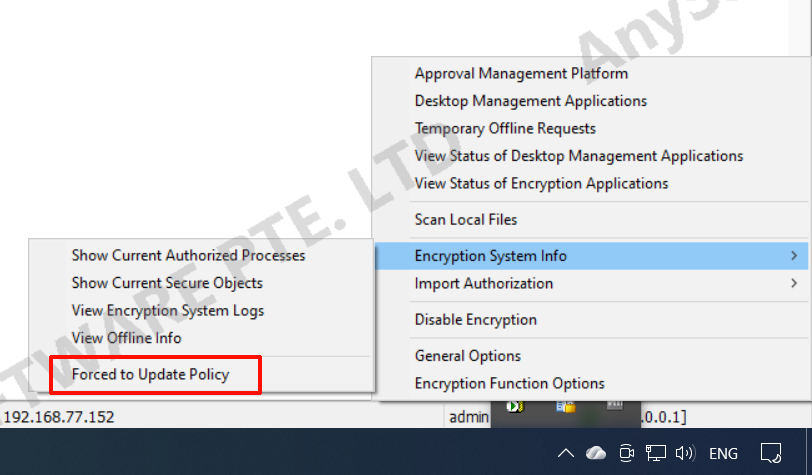
When the number of licenses is large, policy distribution may slow down. In this case, the client can right-click the system tray icon and select "Force Update Policy" to retrieve the latest policies from the server. A notification pop-up will appear once the update is successful.