





Exam Paper Risks

Exam Paper Security
Starts Early

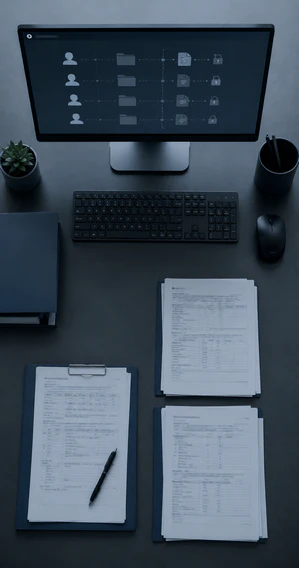
In schools, exam paper risk peaks during drafting, review, and printing—when files change hands most, more people are involved, and mistakes are most likely.

Personal Devices, No Oversight

Teachers share exam files via personal messaging apps or cloud drives. The school has no record, no way to trace.

Files Change Too Many Hands

One exam paper, a dozen people involved. Every email or USB transfer is an untracked risk.

The Print Room Is a Black Box

Staff access the full file unsupervised. Extra copies go unaccounted for. Most real-world leaks start here.

Screen Photography Goes Undetected

An insider photographs the screen in seconds. Conventional systems have no way of detecting this.

Permissions Too Coarse to Control

Access or no access — systems can't distinguish "view" from "edit," or log who opened a file and when.
Exam Paper Security

How AnySecura Secures the Exam Lifecycle

File Protection

Keep Files Useless Outside the Desk

As teachers draft exam papers, AnySecura applies transparent encryption to Word, PDF, and Excel files. Files work normally on authorized devices, but become unreadable once copied to USB drives, email, or messaging apps—protection follows the file instantly outside the secure environment.
Transparent Encryption
Files open normally on authorized devices, but are unreadable once outside the system.
Outbound Control
Blocks unauthorized copying, forwarding, or sharing, keeping files secure outside the system.
AnySecura Protect Exam Papers
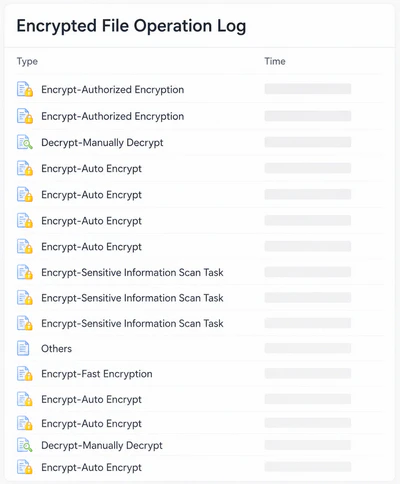
AnySecura Encryption logs
256
Bit AES Encryption
File Traceability

Track Every Move Across Departments

As exam papers move between question setters, academic affairs, and principals, AnySecura records every open, copy, forward, and print action — logging the user, timestamp, and device for each operation. Every action leaves a clear record, giving administrators full visibility into who accessed what and when.

Every Action
Tracked Across Departments

Exam Paper Security

Exam Files Fully Traceable

Controlled Printing

Lock Down the Print Room

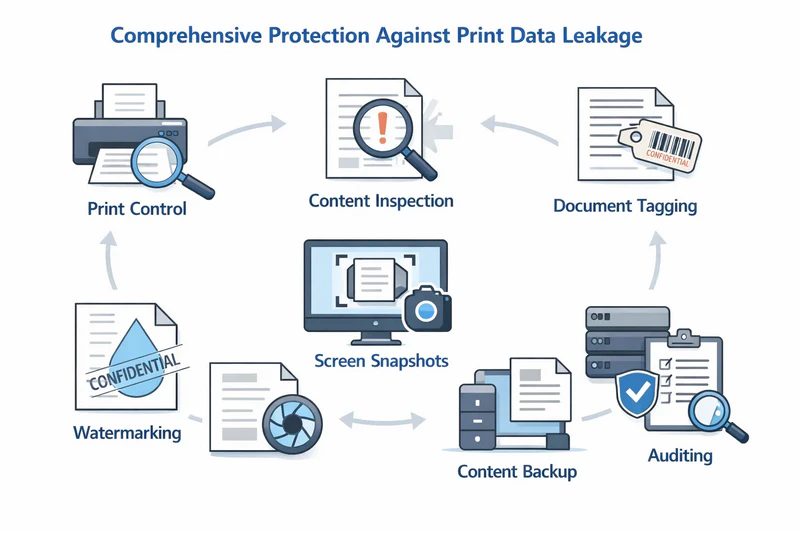
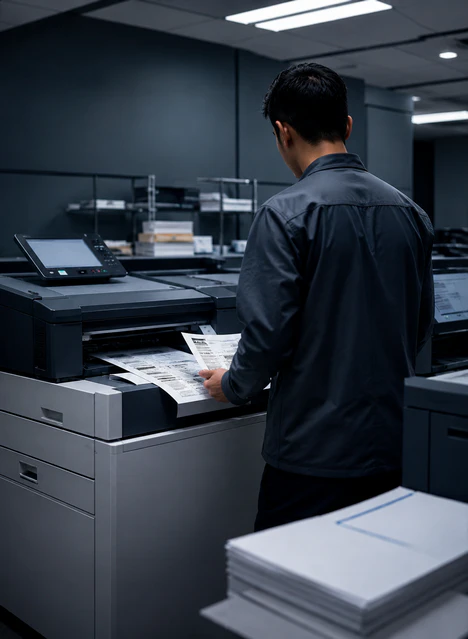
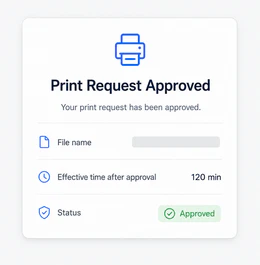
When print room staff submit a print request, approval from an authorized administrator is required before the job proceeds. Print time, copy count, and printer ID are automatically logged.

An invisible watermark containing the operator's username and print time is embedded in the source digital file — if the file is leaked externally, the origin can be identified. Any printed copy that goes missing can be traced through the print audit log — keeping exam paper security intact at every stage.
Print Control
Invisible Watermarking
AnySecura Print Control
AnySecura Print Approval
Visual Detection

Stop Screen Photos in Their Tracks

When a staff member opens an exam file and tries to photograph the screen
with a phone, AnySecura’s AI Visual Perception identifies it in real time and locks
the screen, preventing capture.

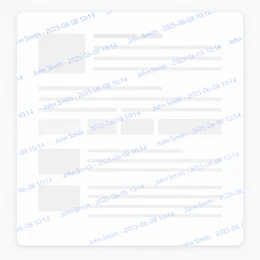
A dynamic watermark with username and timestamp is overlaid, so even if a
photo is taken just before the lock, the image carries traceable identity. All activity
is logged to the audit trail, ensuring accountability.
AI Visual Perception
Screen Watermark
Screen Watermark
Screen Watermark
Granular Permissions

Give the Right Access to the Right People

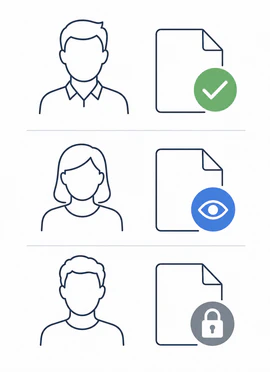
Throughout the exam paper lifecycle, different roles require different levels of access.
AnySecura supports flexible role-based, file-level, and time-bound permission policies: question setters can open and edit; academic affairs staff can view only; print room personnel can execute print jobs only within a defined time window. Once the exam is over, all associated permissions expire automatically — no manual revocation required.

Role-Based Access

Control who can view, edit, or print exam files.

Time-Limited Permissions

Grant access only during approved time windows.
Granular Permissions

Role Based
Access

Use Cases

Built for Every Type of Exam Environment

From K–12 schools to education authorities, AnySecura protects exam papers throughout drafting, review, printing, and distribution, helping organizations maintain consistent exam paper security across every exam workflow.
Why choose us

Why Choose AnySecura for Exam Paper Security

No Blind Spots
Every exam file action is recorded and traceable.
Controlled Access
Each participant sees only what they need to see.
Reduced Workload
Automate security throughout the exam lifecycle.
Prevented Leaks
Stop unauthorized sharing before content is exposed.
Exam Paper Security
Keeping every exam file secure and traceable
Reliable exam security for schools
Check AnySecura FAQs

Quick Answers for Exam Paper Security

  • 1. How can schools protect exam papers after they leave the exam management system?
    Existing systems manage storage and distribution but can't track files once they leave — through screenshots, USB copies, or prints. AnySecura secures every endpoint, helping schools protect exam papers throughout drafting, review, printing, and distribution.

  • 2. How can schools maintain exam paper security without disrupting teachers' work?
    Transparent encryption and permission controls run in the background. Teachers continue working normally while exam papers remain protected within the controlled environment.
  • 3. How can schools prevent exam paper leaks caused by screen photography?
    Dynamic watermarks embed user identity into every screen session. AI Visual Perception detects phone filming attempts and locks the screen immediately, helping schools prevent exam leaks before content is captured.
  • 4. How do schools investigate an exam paper leak and identify responsibility?
    Audit logs record every open, copy, forward, and print action with user, timestamp, and device information. Schools can quickly trace the source of a leak and identify the responsible party with verifiable evidence.

Protect Every Exam Paper.
Starting Now.