
How to Set a Login Password in Backup Encryption Server with AnySecura | User Guide
This guide will show you how to secure your backup server's administrative tools by setting a login password. You'll learn to use the AnySecura Backup Server's system tray menu to enable this essential layer of protection.
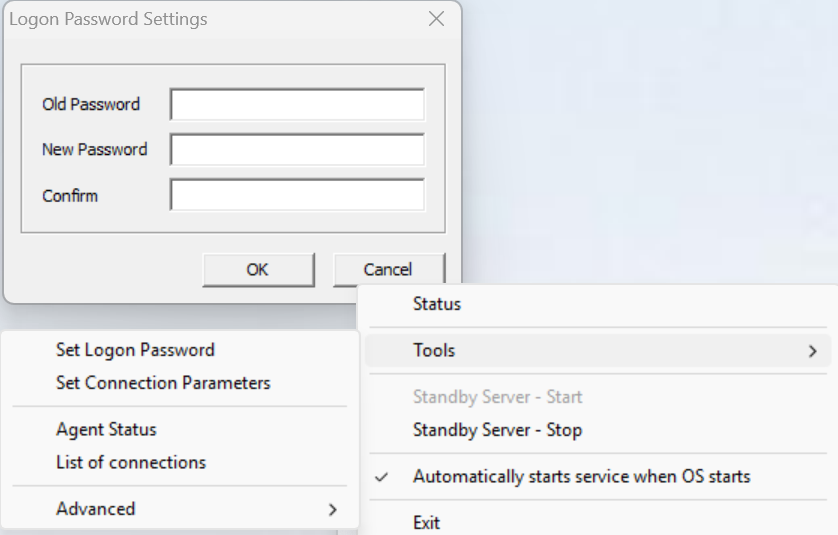
Right-click the backup server's tray icon, then go to Tools → Set Login Password to configure whether a password is required when using the backup server.
Once set, accessing any submenu under Tools in the backup server's right-click menu will require entering the password. The login password can be modified later through Tools → Set Login Password in the backup server menu.