
How to View Connection List in Backup Encryption Server | AnySecura Manual
When your primary server is unavailable, the AnySecura Backup Encryption Server seamlessly takes over, allowing client connections to continue without interruption. This guide shows you how to verify this successful transition.
You'll learn to use the Connection List feature, accessed from the server tray icon, to view all clients currently connected to your backup server. This provides immediate visibility into your system's resilience during a failover event.
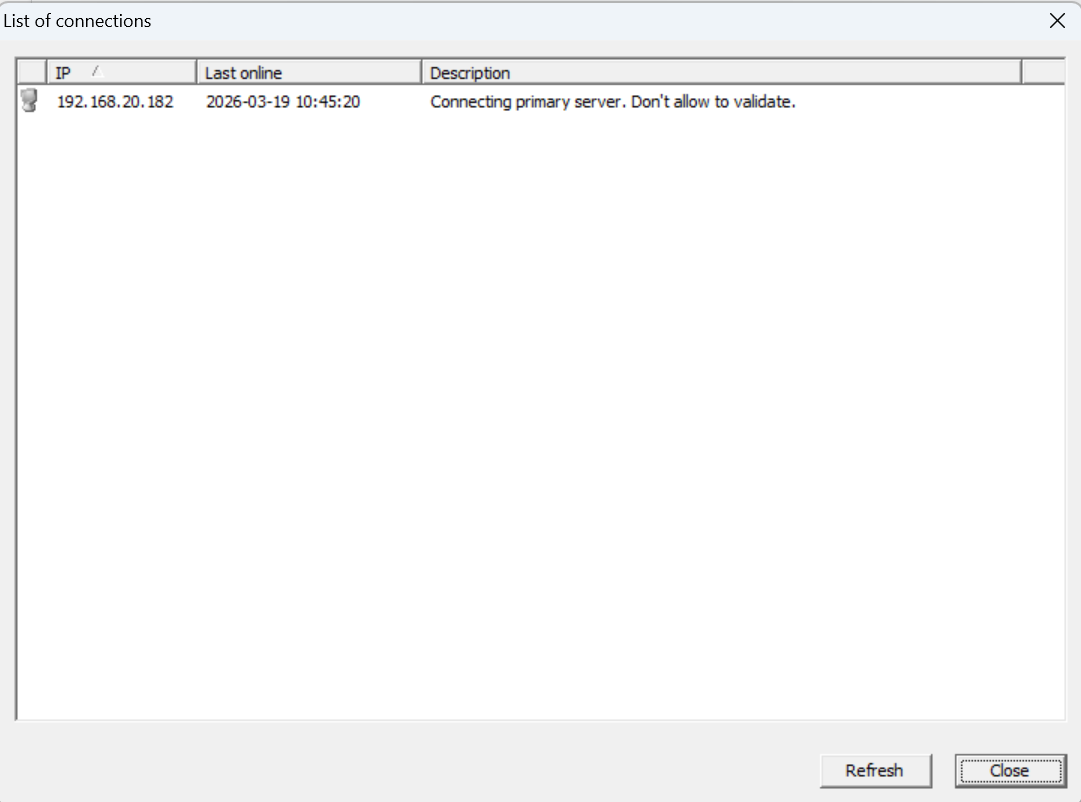
When the primary server fails, a backup server with valid backup authorization enters backup mode, and clients on the primary server also switch to backup mode, connecting to the backup server.
At this point, right-click the backup server tray icon and go to Tools → Connection List to view information on clients currently connected to the backup server.
Note:
- If the backup server was disconnected from the primary server (due to manual stop or network issues) for more than 30 minutes before the primary server stopped, it is considered not to have valid backup authorization, and clients will not connect to that backup server.