
How to Use Network Address Categories in Category Management - AnySecura Manual
This guide will help you master the Network Address categories within AnySecura's Category Management module. You'll learn how the system intelligently defines your Enterprise Network and Internet ranges, providing a foundational view of your digital landscape.
Building on that, you'll discover how to tailor these categories and create your own custom IP address groups. This knowledge empowers you to craft precise and effective policies for monitoring and controlling network traffic across your organization.
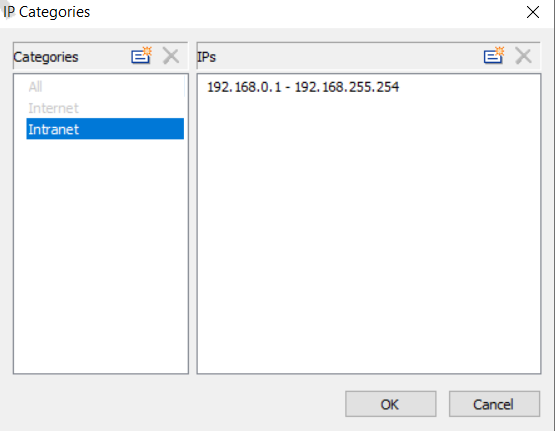
Go to Category Management → IP Address to define network address categories. The system provides the following defaults: All, Enterprise Network, Internet, LAN, and External Network. Since LAN and External Network cannot be modified, they are not displayed in Category Management.
The system automatically generates the Enterprise Network range based on the server's IP address. Administrators can adjust this range to match the organization's internal network. The Internet range is generated automatically, covering all IP addresses outside the Enterprise Network range. In addition to the system-defined categories, administrators can manually add new categories by specifying IP address segments.
Note
- LAN and External Network categories cannot be viewed in Category Management, but they are visible in Network Traffic Statistics, Traffic Control Policies, and Network Control Policies. A LAN refers to the subnet of a specific computer, while an External Network is any network outside that LAN.