
How to Use Backup Operation Logs in Cloud Document Backup Server - AnySecura Manual
This guide will help you navigate the backup operation logs within the AnySecura Cloud Document Backup Server. You'll learn exactly where to find these detailed records and what each piece of information means.
Understanding these logs allows you to monitor the health of your backups, from successful file uploads to troubleshooting any errors that occur. You'll gain the confidence to verify operations and ensure your critical data is securely protected.
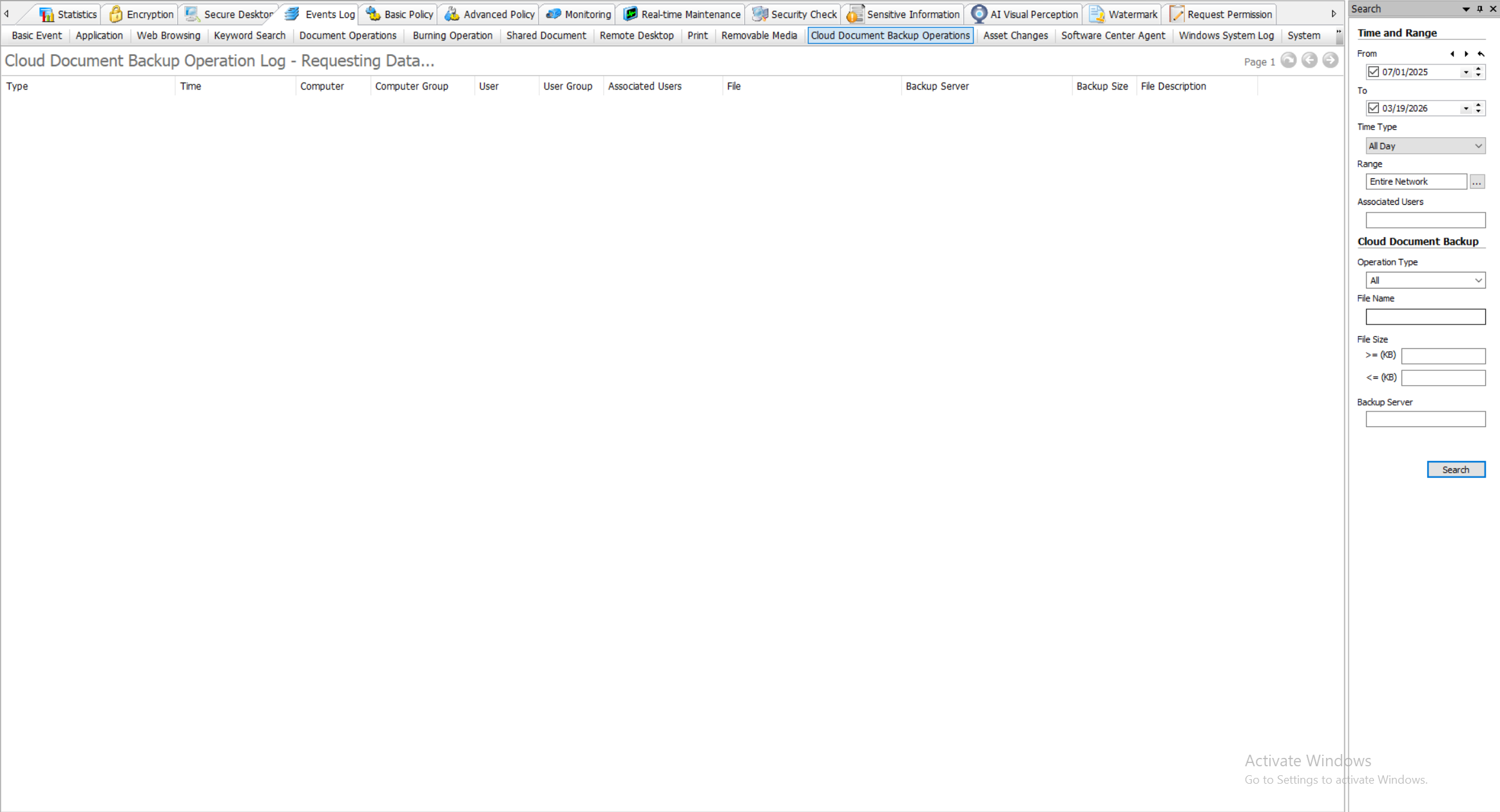
In the console, go to "Logs" -> "Cloud Document Backup Operations" to view backup operation logs.
The logs include the following information:
| Field | Description |
|---|---|
| Type | Upload log type, including Scan Start, Scan End, File Upload Start, File Upload Success, File Upload Failure, Upload Aborted. |
| Time | The time when this log entry was generated. |
| Computer | The name of the client computer. |
| Computer Group | The group the client computer belongs to. |
| User | The user logged in on the client computer when the log was generated. |
| User Group | The group of the user logged in when the log was generated. |
| Associated User | The associated user on the client computer. |
| File | The name of the file being backed up. |
| Backup Server | The Cloud Document Backup Server where the file is stored, including computer name and IP. |
| Backup Size | The size of the uploaded backup file. |
| Description | If the backup fails, displays the error reason and error code. |