
How to Use Logs in Web Console with AnySecura | User Guide
Welcome to the AnySecura Web Console, your central hub for security insights. This guide will show you how to use the Logs feature to gain a clear understanding of activity across your network, from user actions to system events.
You'll learn to easily query and review detailed logs for everything from document operations to application usage. By selecting any entry and viewing its details, you can quickly investigate incidents and verify policy effectiveness, putting powerful forensic capabilities at your fingertips.
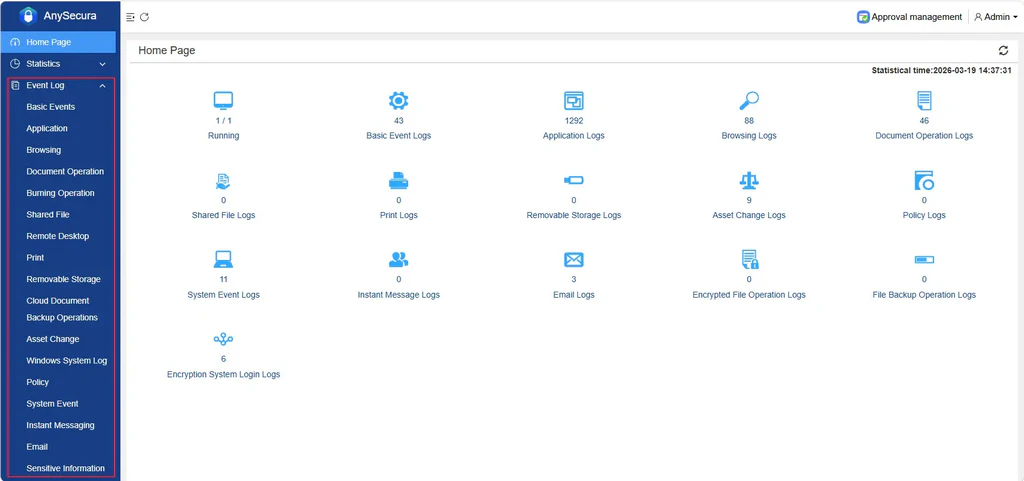
In the navigation bar, select "Logs" to query various operation logs, including:
- Basic event logs
- Application logs
- Website browsing logs
- Document operation logs
- Disc burning logs
- Shared document logs
- Remote desktop logs
- Document print logs
- Removable storage operation logs
- Document cloud backup operation logs
- Asset change logs
- Windows system logs
- Policy logs
- System event logs
- Instant messaging logs
- Email logs
- Sensitive information logs
Select a log entry and click "Details" at the end to view its specific content.