
When your IT team spends 40% of its time on repetitive tickets, struggles to troubleshoot remote employees’ issues, or misses security risks hidden in endpoint activities, productivity drops, and data risks rise. Modern help desk software isn’t just about “managing tickets”—it’s about streamlining workflows, securing devices, and supporting distributed teams efficiently.
Whether you’re a large enterprise needing ITIL-compliant processes, a mid-market company prioritizing fast setup, or a security-focused team wanting endpoint control, this 2026 guide breaks down the top 10 Help Desk tools’ strengths, use cases, and hidden limitations—so you can pick the right fit without trial and error.

You may also feel interested in: Comprehensive Remote Work Setup Guide for Business | AnySecura
Top 10 IT Support Help Desk Software (2026 Edition)
Quick Overview
| Tool | Best For | Deployment | Key Strength | Key Weakness |
|---|---|---|---|---|
| ServiceNow | Large enterprises | Cloud/SaaS | Enterprise-grade ITSM, customizable | High cost & complexity |
| Jira Service Mgmt | DevOps/tech teams | Cloud/on-prem | Developer integration, agile-friendly | Needs setup, less ITIL-ready out-of-box |
| AnySecura | IT + security-focused orgs | On-prem | Built-in DLP + monitoring | Not a full service desk (ticketing light) |
| BMC Helix | Regulated, large-scale IT ops | Cloud/on-prem | AI/automation, compliance strength | Complex setup, long deployment |
| Ivanti Neurons | Proactive IT + security | Cloud/on-prem | Automation + endpoint insights | Clunky UI, steep learning curve |
| ManageEngine SDP | SMBs needing ITIL on budget | Cloud/on-prem | Full-featured, affordable | Dated UI, less scalable |
| Freshservice | SMBs/mid-market needing fast setup | Cloud/SaaS | User-friendly, quick time-to-value | Limited for large/complex orgs |
| SolarWinds SD | IT teams using SolarWinds tools | Cloud/SaaS | Clean UI, easy monitoring integration | Limited depth for enterprise needs |
| TOPdesk | Public sector/shared services | Cloud/on-prem | Multi-department support, easy setup | Basic automation, less global scalability |
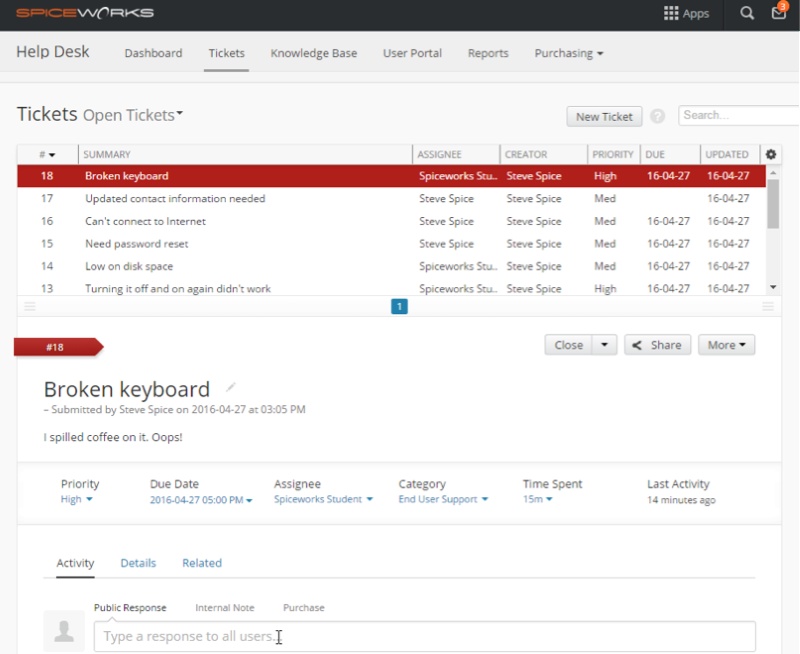
| Spiceworks | Tiny IT teams/startups | Cloud/on-prem | Free + simple asset tracking | Lacks advanced features/support |
ServiceNow
ServiceNow is known for offering a unified platform that can handle complex ITIL processes (incidents, changes, problems, etc.) and even extend into non-IT domains (HR, facilities). ServiceNow stands out by reducing silos and providing a structured framework at scale, ideal for complex, multi-department service environments. It targets organizations that require deep customization, broad integration, and the ability to support thousands of users with robust workflows.
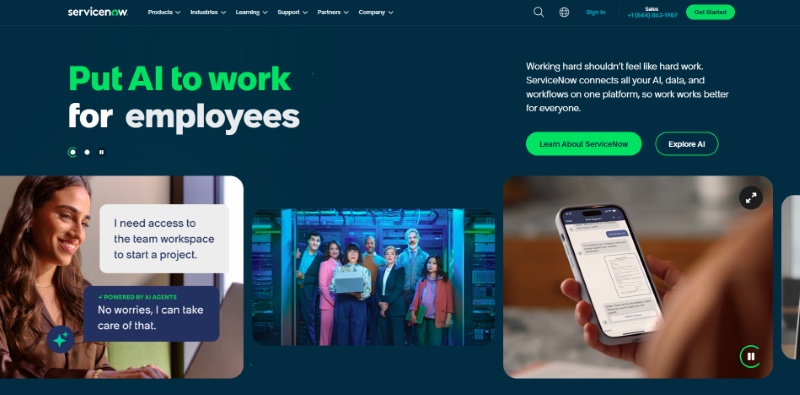
The platform's greatest strength is its comprehensiveness and scalability. ServiceNow can function as a one-stop-shop for enterprise IT operations: it integrates seamlessly with infrastructure monitoring, identity systems, and business applications, giving IT a real-time, holistic view of services. The breadth of modules and the ability to customize almost any aspect means ServiceNow can be tailored to fit very specific business processes. In short, for large enterprises navigating complexity, ServiceNow reduces fragmentation and increases visibility while supporting operations at scale.
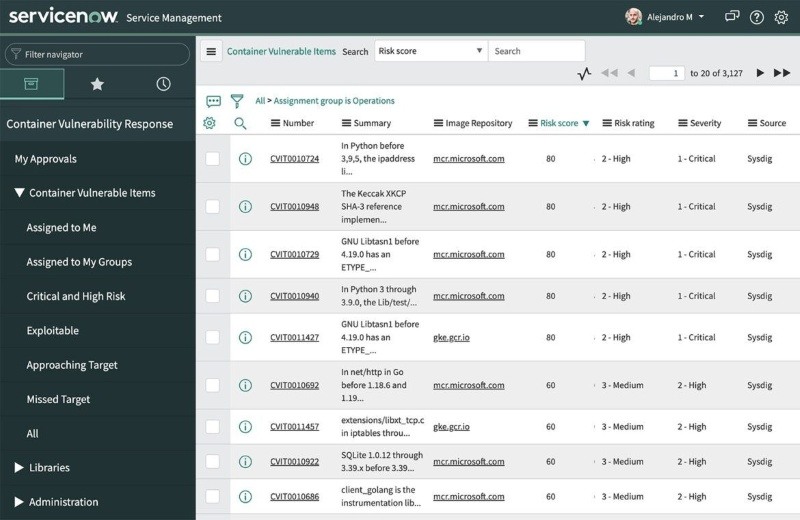
ServiceNow's rich functionality comes at a high cost and complexity. It is one of the most expensive help desk solutions on the market, which can put it out of reach for smaller companies or those who don't need its full capabilities. Implementing and maintaining ServiceNow requires skilled administrators and significant up-front effort; the configuration process is complex and lengthy. In practice, organizations often need dedicated personnel (or consultants) to manage the platform's ongoing development and governance. This means time-to-value is longer, and without careful planning the tool can feel overwhelming or underutilized.
 When to choose
- Large enterprise needing deep ITIL automation.
- Want a scalable platform across departments.
- Have budget and staff for complex setup.
When to avoid
- Small or mid-sized team with limited resources.
- Need a fast, plug-and-play solution.
- Can't afford high total cost of ownership.
Jira Service Management
Atlassian Jira Service Management (JSM) is designed for mid-size businesses and tech-focused teams, especially those already using Atlassian tools. It extends the popular Jira issue-tracking software into a full IT service desk, making it a natural fit for organizations practicing DevOps or agile methodologies. JSM targets IT support teams that want to work closely with development and operations, for example, IT incidents can be linked to software issues or deployed changes. What differentiates JSM in the market is its integration with development workflows and tools (like Jira Software and Confluence).
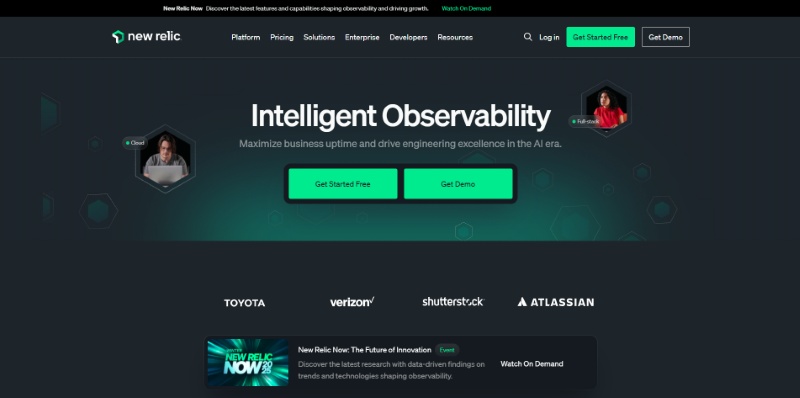
Because it's built on the Jira platform, JSM allows support teams to collaborate closely with developers, issues can smoothly escalate from a service ticket to a Jira software bug or user story. It includes customizable workflows and a rich marketplace of 3rd-party apps. Teams benefit from JSM's high configurability and strong tie-ins with other Atlassian products, meaning if you use tools like Bitbucket, Opsgenie, or Confluence, JSM can create an end-to-end loop for incident management and knowledge sharing.
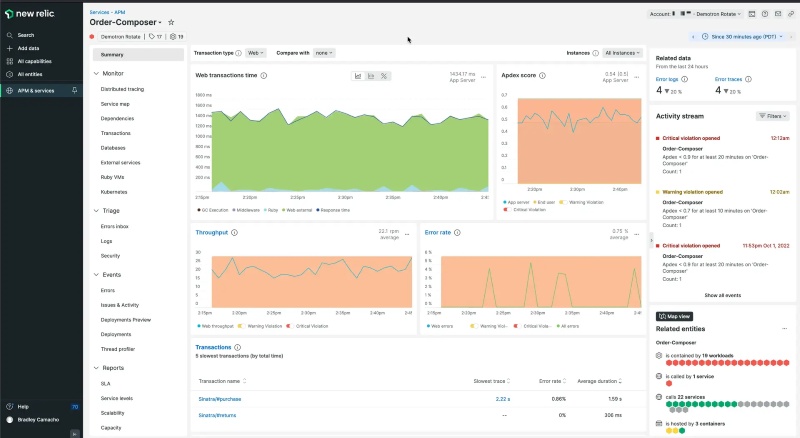
Jira Service Management's flexibility can become a weakness for those expecting a plug-and-play ITIL solution. JSM is somewhat basic in terms of ITIL features, for example, it doesn't include a built-in service catalog or asset management module without additional configuration or add-ons. Achieving more advanced ITSM capabilities often requires customization, which in turn demands a certain level of technical expertise. Additionally, if you're not already invested in Atlassian's ecosystem, you might find JSM's approach (and its terminology like "issues” and "projects”) a bit different from classic help desk software.
When to choose
- IT and development teams work closely.
- Already using Atlassian tools (Jira, Confluence).
- Need a flexible, customizable service desk.
When to avoid
- Need full ITIL coverage out of the box.
- Team lacks technical setup experience.
- Not using the Atlassian ecosystem.
AnySecura
AnySecura is an all-in-one IT support and endpoint management platform that focuses on remote maintenance and system management. Rather than functioning as a traditional ticketing tool alone, it provides IT teams with an integrated environment where they can:
- Monitor endpoints in real time: including running applications, background processes, system services, hardware/software inventory, and performance metrics.
- Provide secure, user-approved remote desktop access: enabling IT staff to troubleshoot issues directly, offer remote assistance, or deliver live technical training.
- Manage files and software remotely: including secure file transfers, software installation or uninstallation, patch deployments, and collection of logs or diagnostic samples.
- Control and audit from a central console: with a single-pane-of-glass interface to manage endpoint fleets, apply system policies, enforce security settings, and maintain full audit logs of remote sessions.

Unlike traditional ITSM or help desk software that focus on ticket workflows and may require separate tools for endpoint management or security, AnySecura combines these aspects into one platform. This consolidation means an IT team can monitor activity, enforce policies, and remotely support users without switching systems. For example, an admin can receive a real-time alert about a risky action and immediately take remote control of the PC or block the activity through AnySecura, something standard help desks can’t do on their own. In short, AnySecura enables a proactive support model: it not only logs incidents but can prevent them by applying controls in real time (e.g. blocking unauthorized applications or USB devices). It also provides full asset visibility (hardware/software inventory and patch status) within the same console , which helps IT support quickly diagnose issues and ensure devices are up to date.

AnySecura's main limitation is that it is not a full-featured ITIL-style service desk. The feature set focus on remote maintenance tasks, not built-in ticket queues, SLA tracking, or user-facing portals. Organizations that require advanced service-desk features, such as comprehensive ticket management, automated escalations, or customer self-service portals, will need to supplement AnySecura with another solution.
When to choose
- Need to support remote or distributed employees efficiently.
- Endpoint security and compliance are top priorities
- Want any troubleshooting to be done remotely.
When to avoid
- Just need a basic ticketing or request system.
- Already have security tools in place.
- Want traditional ITSM workflows and portals.
BMC Helix
BMC Helix (the modern cloud-based evolution of BMC Remedy) is positioned for large enterprises and highly regulated industries that need an ITSM solution comparable to ServiceNow in power. It targets organizations undergoing digital transformation that require not only IT service management, but also integration with IT operations management (ITOM) and advanced automation. It's often chosen by companies in sectors like finance, healthcare, and government, where compliance and multi-cloud management are key.
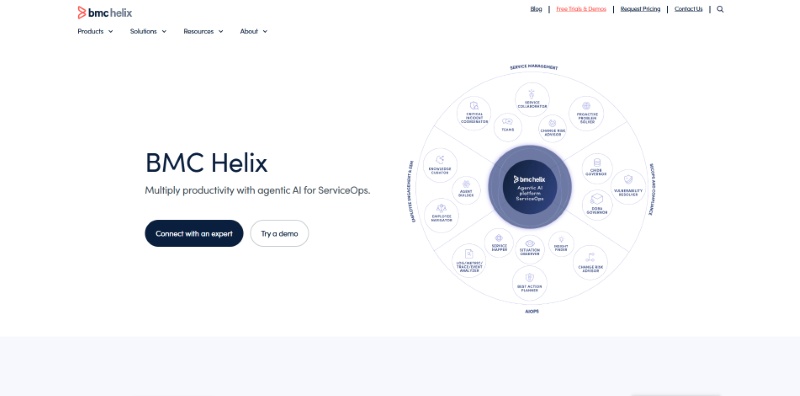
BMC has infused Helix with AI and supports end-to-end service and operations management in one platform. Companies can leverage BMC Helix to handle complex workflows, multi-cloud orchestration, and even integrate AIOps for proactive issue resolution. In practice, this means Helix can excel at driving down manual work through automation and handling scale, it's proven in big organizations with distributed, complex infrastructure. Another strong point is BMC's focus on security and compliance features, which are often cited as benefits in regulated environments.

BMC Helix's flip side is that it shares many of the challenges of other large enterprise ITSM suites. Implementing Helix tends to require significant planning, expertise, and time. The platform's richness can mean a steep learning curve and heavy administrative overhead. For organizations without a dedicated ITSM admin team, BMC's offering might feel unwieldy. Additionally, the cost and effort to maintain BMC Helix can be high, while BMC often competes on price with ServiceNow, mid-market firms still find the total cost of ownership substantial.
When to choose
- In a regulated industry needing strong compliance.
- Want enterprise-grade automation and AI.
- Need a non-ServiceNow alternative with scale.
When to avoid
- Smaller team with limited configuration resources.
- Need a modern UI and fast deployment.
- Can't support a complex platform long-term.
Ivanti Neurons
Ivanti's ITSM offerings (which now encompass Cherwell and HEAT acquisitions) differentiate by emphasizing hyperautomation and "self-healing” capabilities. The platform is often used in industries like government, manufacturing, and transportation, where distributed workforces and endpoint management are critical. Its all-in-one approach (spanning ITSM, ITAM, and endpoint security) is a key positioning point, aiming at customers who find point solutions fragmented or who desire an alternative to the big two (ServiceNow/BMC) with a strong automation focus.
The biggest advantage of Ivanti Neurons is its emphasis on automation and intelligent remediation. The platform leverages AI and machine learning to enable things like predictive analytics and automated resolutions (e.g., devices fixing certain issues on their own). This can significantly reduce ticket volumes and improve response times for recurring issues. Additionally, Ivanti's heritage (including Cherwell) means it offers a highly customizable, no-code workflow builder and strong capabilities in areas like governance and risk (GRC) and multi-department workflows. For organizations aiming to infuse AI-driven automation into IT support, Ivanti is a leading choice.
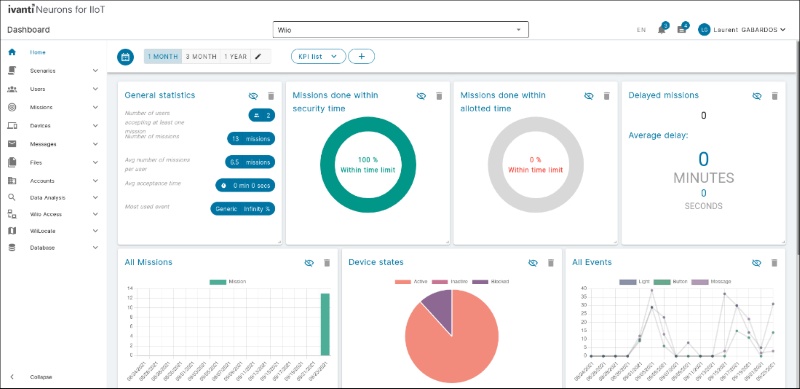
Ivanti's power can come at the cost of user-friendliness and swift deployment. A commonly reported drawback is that the user interface can feel clunky or outdated, which means agents and admins require significant training to use it effectively. The advanced automation (like AI models and self-healing) also needs careful setup and tuning, which can take time and expertise. In other words, organizations may not fully leverage Ivanti's depth if they don't invest in the proper implementation effort.
When to choose
- Need combined ITSM and endpoint management.
- Looking for heavy automation and remediation.
- Familiar with Cherwell and want workflow flexibility.
When to avoid
- Lack internal resources to configure automation.
- Prefer modern UI and simplicity.
- Don't need tight device security integration.
ManageEngine ServiceDesk Plus
ManageEngine targets sectors like education, healthcare, local government, and mid-market companies that need full ITIL modules (incident, problem, change, CMDB, etc.) without the high cost or complexity of enterprise solutions. What differentiates ServiceDesk Plus is its integration with a larger ecosystem of ManageEngine products (for things like endpoint management, network monitoring, and desktop management), making it attractive to organizations that already use those or want a tightly integrated IT toolkit.
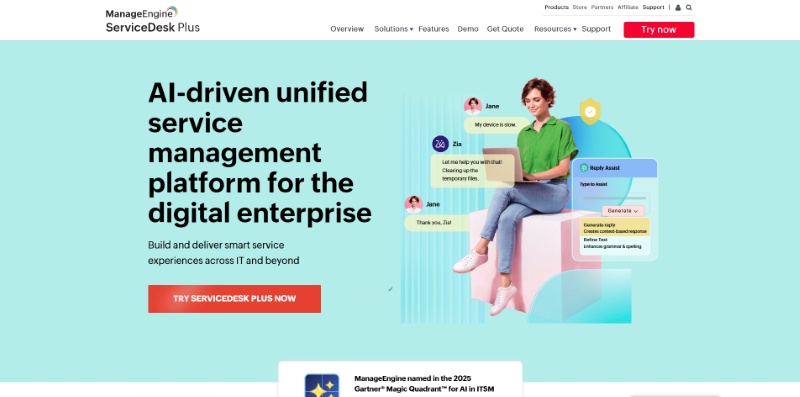
The primary advantage of ServiceDesk Plus is its value for money and comprehensive feature set for the price. It provides a surprisingly broad range of ITSM capabilities, incident management, a self-service portal, asset tracking, change management, purchase and contract management, at a fraction of the cost of enterprise tools. Many small and mid-size IT teams find that ServiceDesk Plus hits a "sweet spot”: it's relatively easy to deploy and maintain, and comes with a lot of functionality out-of-the-box. The availability of a free edition and several affordable tiers means even very budget-conscious teams can start using it.
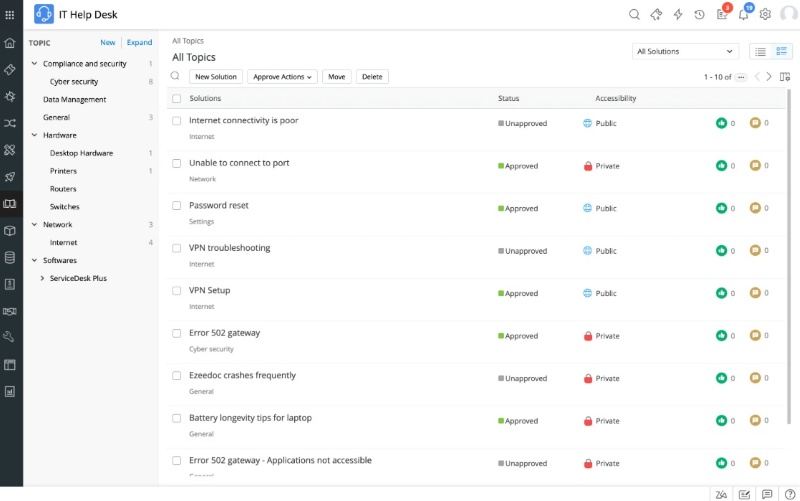
The biggest drawback of ServiceDesk Plus is that it lacks the polish and scalability of higher-end solutions. While it covers core ITIL processes, it has limited flexibility for very large or complex enterprise scenarios, for instance, organizations requiring extensive integrations, advanced analytics, or multi-region setups might find ServiceDesk Plus limiting. Customization is available but not as deep as in tools like ServiceNow or Cherwell, and certain advanced features (AI support, sophisticated change workflows, etc.) are either rudimentary or absent.
When to choose
- SMB with budget constraints needing ITIL features.
- Prefer or require on-premise deployment.
- Already using other ManageEngine tools.
When to avoid
- Expect modern UX or enterprise-grade design.
- Need heavy customization and integrations.
- Operate at global enterprise scale.
Freshservice
Freshservice is a cloud-based IT service management tool that targets organizations of all sizes. It markets itself on quick deployment, user-friendly interface, and affordability, making it popular among fast-growing tech startups, digital-native businesses, and even teams in education and retail. What sets Freshservice apart is its focus on being "right-sized” and intuitive, it aims to deliver a lot of capability (incident, problem, change, asset management, etc.) with minimal configuration or training needed.
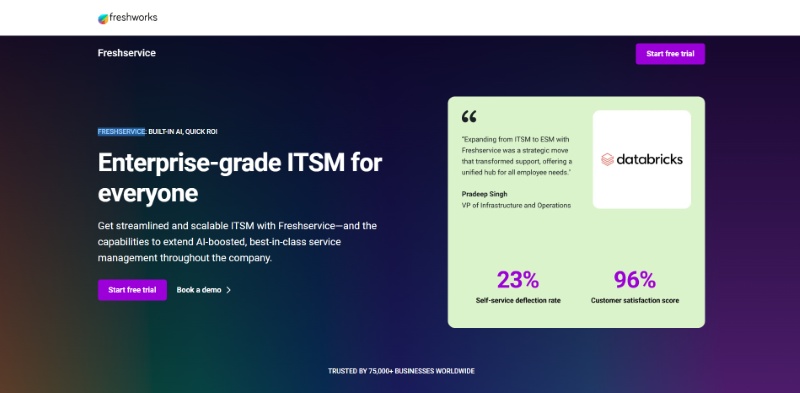
For many organizations, Freshservice provides 80-90% of what an enterprise ITSM tool does, at a fraction of complexity, all while being cloud-native and continuously updated. The platform is often praised for an intuitive interface that both agents and end-users find easy to navigate. This means companies can roll it out quickly and start seeing benefits with little training. The system comes with useful features enabled from the start, for example, a well-designed self-service portal and knowledge base, automated ticket routing, and a decent set of canned reports. Freshservice also offers transparent, affordable pricing (with per-agent SaaS plans)
The trade-off for Freshservice's simplicity is that it may not handle very complex or specialized workflows as deeply as some competitors. For instance, organizations with intricate change management procedures or large-scale configurations might find Freshservice's native capabilities a bit limited or in need of workarounds. Some advanced features (like more granular reporting, orchestration, or certain automations) might require higher-tier plans or add-ons, which increases cost.
When to choose
- Want a quick, cloud-based ITSM setup.
- Growing business with standard support needs.
- Like built-in AI and broad integrations.
When to avoid
- Need complex workflows or on-premise setup.
- Require deep platform extensibility.
- Operate under strict data residency rules.
SolarWinds Service Desk
SolarWinds Service Desk is a cloud-based IT service management solution that is particularly well-suited for small and mid-sized IT teams. SolarWinds Service Desk often appeals to those who may also be using SolarWinds' IT operations products (like network and systems monitoring tools). The integration with SolarWinds' monitoring suite means it's a compelling choice for IT departments that desire alignment between service desk tickets and alerts from their infrastructure. It is also a solid mid-market option for those who don't need a massive enterprise system.
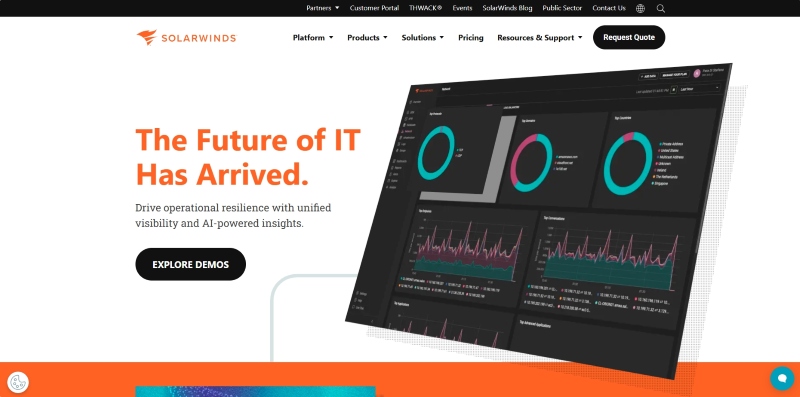
The key advantage of SolarWinds Service Desk is native integration with SolarWinds' IT management tools, for example, an alert from SolarWinds Network Performance Monitor can automatically generate a ticket in SolarWinds Service Desk. This is beneficial for IT teams who want unified visibility into issues from monitoring to resolution. The system also offers good reporting and an asset management capability, giving mid-sized organizations a well-rounded feature set.
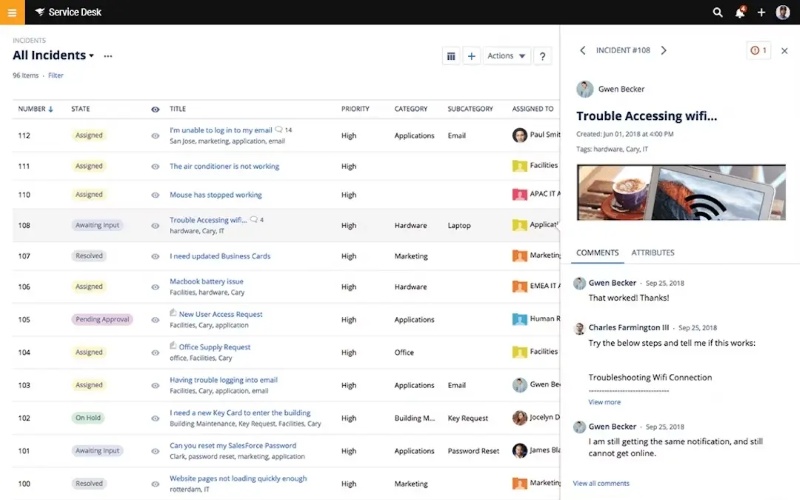
The biggest disadvantage of SolarWinds Service Desk is that its feature set may not scale well for very large or complex organizations. It covers the basics but lacks some depth at scale, for instance, highly intricate change management workflows or multi-department service processes might be challenging to implement. Customers have also reported that as their usage grows, they bump into limitations. The tool's simplicity comes at the cost of advanced features, it's not as richly configurable or AI-driven as some competitors, making it less suitable if you need cutting-edge ITSM capabilities or extremely fine-tuned processes.
When to choose
- SMB looking for fast, simple ITSM deployment.
- Use SolarWinds for infrastructure monitoring.
- Prefer out-of-box functionality and clear UI.
When to avoid
- Need advanced workflows or customization.
- Concerned with vendor's past security issues.
- Run complex, regulated IT environments.
TOPdesk
TOPdesk is an ITSM solution originating from the Netherlands, known for serving mid-size enterprises, public sector organizations, and educational institutions. It is designed to enable shared service management, not just IT, but also facilities, HR, and other support teams can use the platform under one roof. TOPdesk's positioning highlights its user-friendly self-service portal and knowledge management, as well as its capability to support multiple departments on a single instance. It offers both cloud and on-premise versions, appealing to organizations that might have data control requirements.
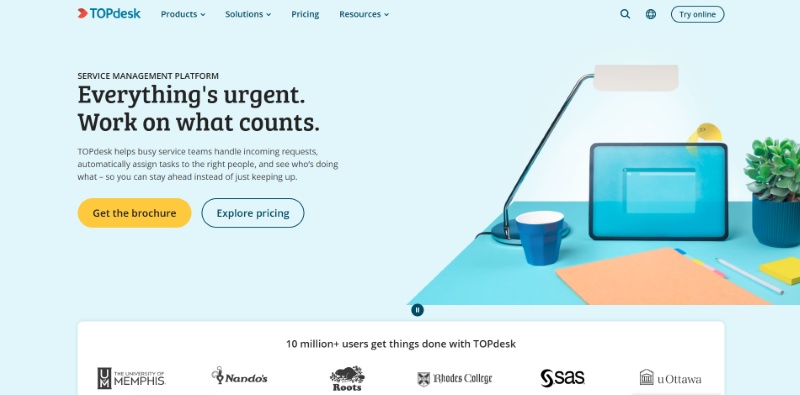
The main advantage of TOPdesk is its strength in supporting multiple service teams and its low learning curve. It has well-implemented ITIL-aligned modules (like incident, problem, change, etc.) and makes it straightforward to extend these processes to non-IT departments (for example, handling facility maintenance requests alongside IT tickets). TOPdesk's self-service portal is highly regarded, it's easy to set up a knowledge base and FAQ for end-users, which can reduce ticket volume. Additionally, TOPdesk provides 90+ integrations with popular third-party applications, which helps connect it with tools like email, monitoring systems, or HR databases.
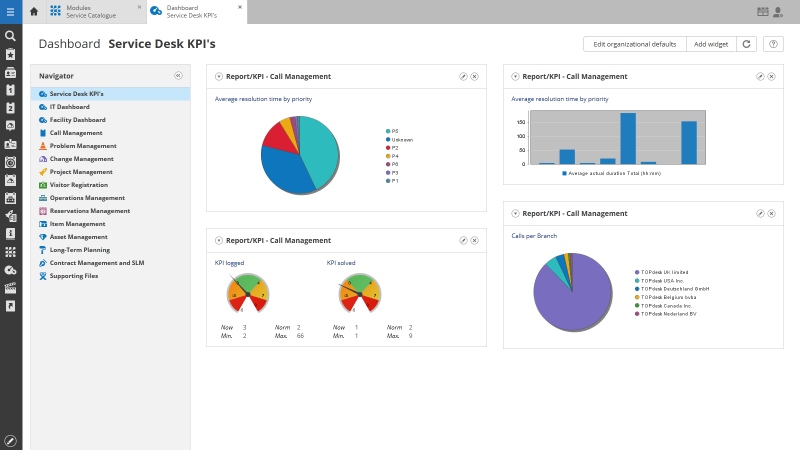
TOPdesk's biggest disadvantage is that it doesn't offer the extreme flexibility or cutting-edge features that some other ITSM tools do. For example, if an organization requires extensive automation or highly complex integrations, TOPdesk may come up short, its extensibility for deep automation is limited. Large global enterprises might find that TOPdesk cannot easily handle very high volumes or multi-region customization to the level they need; it's generally better suited for mid-range complexity. The initial setup, while straightforward for basic use, can become complex if you try to bend TOPdesk beyond its intended design, some users mention that advanced reporting or tweaking the UI beyond standard options is challenging.
When to choose
- Want to support multiple departments on one system.
- Mid-size public or nonprofit organization.
- Need a quick-start ITIL service desk.
When to avoid
- Require advanced automation or analytics.
- Run large-scale or multi-region IT.
- Need deep customization and AI features.
Spiceworks Help Desk
Spiceworks gained popularity over the years through its free on-premises help desk software and vibrant IT professional community. Today, it offers a cloud-based help desk (while still maintaining some on-prem tools) with the same free-to-use model supported by ads and sponsored content. The product is focused on internal IT support and comes with an integrated asset discovery/inventory capability.
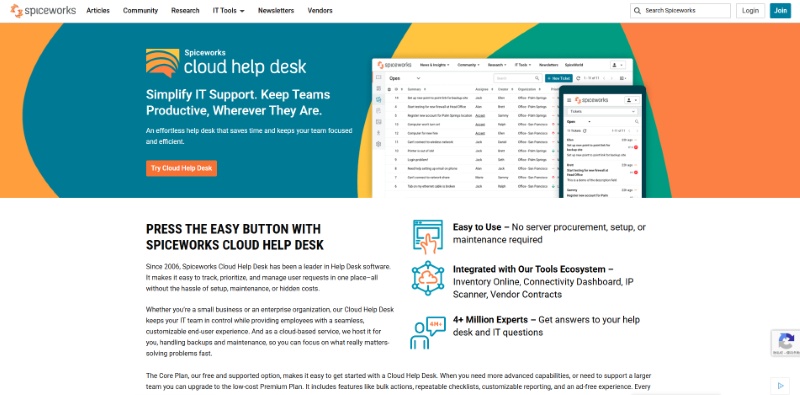
The obvious advantage of Spiceworks is that it's free of licensing costs, which is extremely appealing for small businesses, nonprofits, or IT teams with no budget for software. Despite being free, it provides a solid set of basic features: email ticketing, a web portal for users to submit tickets, knowledge base, and even network/device discovery to populate an asset list. It's relatively quick to set up, especially the cloud version, you can literally start receiving tickets in minutes after creating an account. Another strength is the Spiceworks community. There's an active user forum where IT pros share tips, plugins, and help each other solve problems, effectively supplementing the tool with community-driven support.
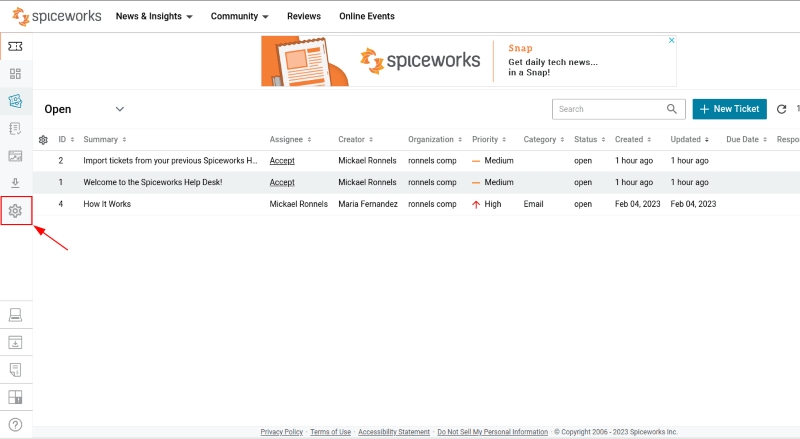
The biggest downside to Spiceworks is that it lacks many advanced or enterprise-grade features. For example, Spiceworks Cloud Help Desk is not fully ITIL-compliant and doesn't offer modules like change management or formal SLA management/enforcement. Reporting and analytics are minimal, which can be an issue if management needs detailed metrics. TAdditionally, there is no official Spiceworks technical support line to call, you largely rely on community forums or DIY troubleshooting if something goes wrong. Organizations get what they pay for: it's great for starting out, but as needs become more complex, Spiceworks can show its limitations.
When to choose
- Small IT team with zero budget.
- Need a basic ticketing system right away.
- Okay relying on community support.
When to avoid
- Need SLAs, advanced reporting, or change mgmt.
- Want ad-free software with vendor support.
- Scaling beyond a few agents or offices.
How to Choose best IT Help Desk Software for your team
Use this guide to decide which tool best fits your organization’s IT support needs. Consider your team size, security requirements, budget, and whether you prioritize simplicity, integrations, or deep control over devices and data.
Related article: 10 Best Free Remote Desktop Software 2026
For Large Enterprises (with complex IT operations)
- Choose ServiceNow: if you need full ITIL workflows, customization, and enterprise-scale service management across departments.
- Choose BMC Helix: if you want strong automation, AI insights, and compliance-ready ITSM for regulated industries.
For Security-Focused IT Teams
- Choose AnySecura: if you want to blend IT support with built-in DLP, endpoint monitoring, and remote control in one secure platform.
- Choose Ivanti Neurons: if you need smart automation, asset management, and device health visibility alongside ITSM.
For Fast-Growing Mid-Market Companies
- Choose Freshservice: if you want a modern, user-friendly, cloud-based tool with strong ITIL features out of the box.
- Choose ManageEngine ServiceDesk Plus: if you want affordability plus full ITIL support with the option to deploy on-premises.
- Choose SolarWinds Service Desk: if you already use SolarWinds tools and want seamless integration with your monitoring stack.
For Agile/Tech-Oriented Teams
- Choose Jira Service Management: if you work closely with software developers and need agile workflows and DevOps integration.
For Public Sector, Education, or Shared Services
- Choose TOPdesk: if you want a single service desk across IT, facilities, and HR, with low training overhead and on-premise options.
For Small Teams or No Budget
- Choose Spiceworks: if you're a small IT team or startup needing a simple, free help desk and asset inventory tool.
Tip: Don't just choose based on feature lists, think about how much setup your team can handle, whether you need compliance/security support, and if integrations with your existing tools are critical.
FAQs about Help Desk Software
What problems does Help Desk Software actually solve?
Help Desk Software centralizes IT requests, automates repetitive workflows, reduces ticket backlogs, and gives teams better visibility into incidents and asset health. It helps organizations respond faster, track accountability, and prevent issues from escalating.
Is Help Desk Software the same as ITSM or IT service management?
Not exactly. Help Desk Software focuses on handling support tickets and service requests, while ITSM platforms cover broader processes such as change management, problem management, and service catalog design. Many modern help desk tools offer ITSM modules, and some ITSM platforms function as help desks.
Can Help Desk Software support remote or hybrid teams?
Absolutely. Modern cloud-based help desk tools are designed for distributed workforces and offer features like remote asset visibility, automated ticket routing, and collaboration tools. Pairing them with endpoint monitoring enhances support for remote environments.

Compare top endpoint management software in 2026, including Intune, Workspace ONE, ManageEngine, Ivanti, and AnySecura, for secure device management and DLP. Learn more>>
Conclusion
Each Help Desk Software on this list shines in different scenarios, some prioritize enterprise-grade ITIL processes, others focus on speed of deployment or DevOps alignment. But if you want to go beyond ticket handling and gain security visibility, stronger endpoint control, and actionable insights into user behavior, pairing your Help Desk platform with AnySecura delivers a more complete operational ecosystem
If your goal is not only to solve incidents but also to prevent data risks, detect unusual activity, and protect sensitive assets, then AnySecura is the ideal companion to your IT support workflow.


