
How to Use Asset Change Log in Logs - AnySecura Manual
Keeping track of your network's evolving hardware and software is essential for security. This guide shows you how the AnySecura Asset Change Log automatically records these modifications, giving you a clear history of what has been added, removed, or updated across your enterprise.
You'll learn how to navigate to this log and use its filters to quickly pinpoint specific changes. Understanding this feature helps you maintain accurate asset information and strengthens your overall security posture.
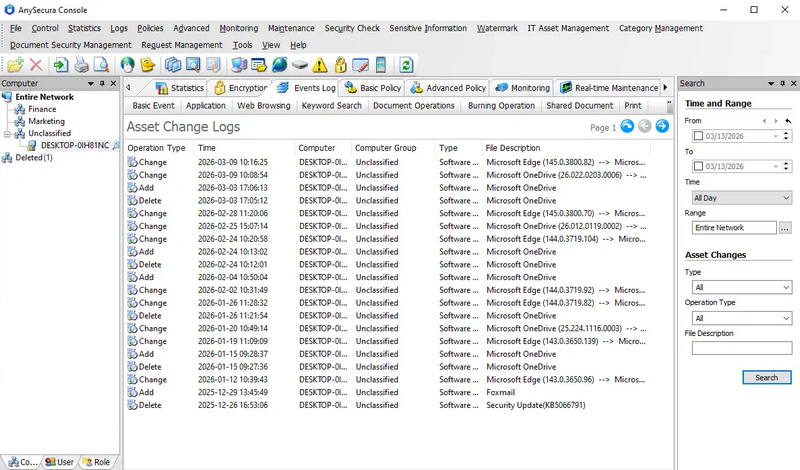
The Asset Change Log records hardware and software changes on client machines, helping administrators manage and maintain enterprise asset information.
Select Logs → Asset Change to view all hardware and software change logs:
| Attribute | Description |
|---|---|
| Operation Type | Indicates whether the asset was added, removed, or modified. |
| Type | Specifies whether the change is hardware or software related. |
| Description | Describes the asset that has changed. |
The Asset Change Log can be queried using the following conditions:
| Condition | Description |
|---|---|
| Type | Filter by asset type to view hardware changes or software changes separately. |
| Operation Type | Filter by change type: added, removed, or modified assets. |
| Description | Search by asset description to locate specific changes. |