
Custom Configuration Policies for Advanced Feature Management in AnySecura
This guide will help you master custom configuration policies within the AnySecura Policies module, a powerful tool for centrally managing specialized or newly added features. You'll learn how these flexible policies extend your administrative control beyond standard settings.
We'll walk through the simple process of selecting a feature, setting its specific values, and even defining entirely new ones. By the end, you'll be confident in tailoring AnySecura to meet your organization's unique security requirements.
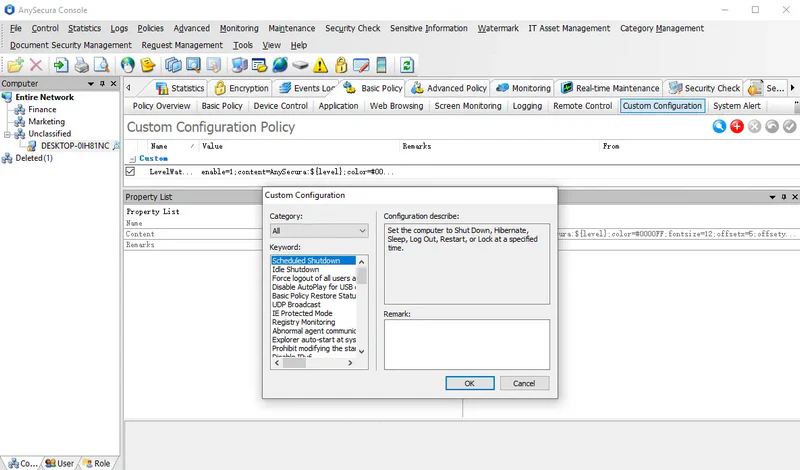
Custom configuration policies primarily supplement other policy functions, allowing newly added or minor features to be managed centrally. Each feature has its own attributes, depending on the specific function.
To create a policy, select the target feature from the provided keywords, then set the required values in the properties panel on the right. Notes are optional. If the feature is not included in the existing keyword categories, choose Category: Custom, enter the feature name in the keywords field, and input the corresponding value in the Content section of the properties panel.
Note:
- 1. Each custom configuration policy is independent.
- 2. Since custom configuration policies may involve many features not yet included in existing keyword categories, please consult our technical support for guidance on the features and corresponding values.