
How to Use Security Check Logs - AnySecura Manual
This guide will show you how to access and interpret the detailed security check logs within AnySecura's Security Check module. You'll learn exactly where to find this vital information to understand the compliance status of your computers.
By reviewing these logs, you'll be able to quickly see which systems passed their checks and, more importantly, diagnose any failures by examining the specific conditions that were not met. This insight is key to maintaining a strong security posture across your entire network.
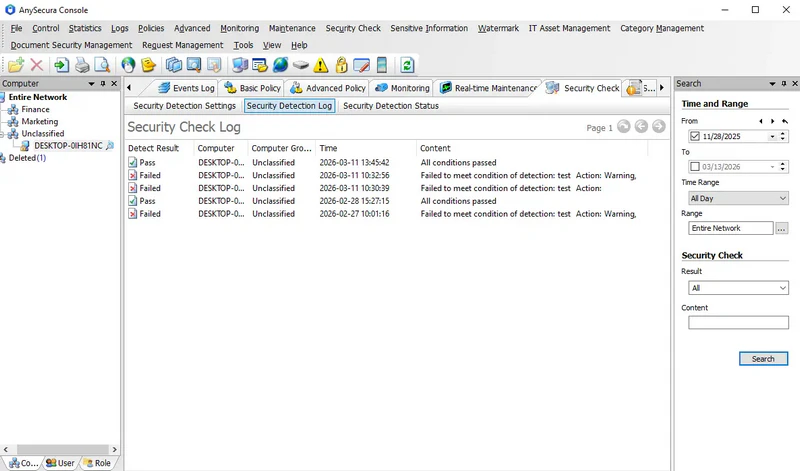
Go to the menu Security Check -> Security Check Logs to view the security check log details for computers.
The log includes the following attributes:
| Attribute | Description |
|---|---|
| Result | The outcome of the security check: either Pass or Fail. |
| Computer | Name of the computer. |
| Computer Group | Name of the group the computer belongs to. |
| Time | Timestamp of the log entry. |
| Content | Details of the check result. If passed, it shows "All conditions passed." If failed, it lists the unmet conditions and corresponding actions. |