
How to Use Local & Remote Sensitive Content Scanner in Sensitive Information - AnySecura Manual
This guide introduces you to the powerful scanning tools within the AnySecura Sensitive Information module. You'll learn how to discover files containing sensitive data, whether they are stored locally on your management console or on remote client computers across your network.
Once these files are identified, you'll see how the AnySecura scanner enables you to take immediate action to secure them. This includes the ability to encrypt, decrypt, or adjust document properties, giving you direct control over your organization's critical information wherever it resides.
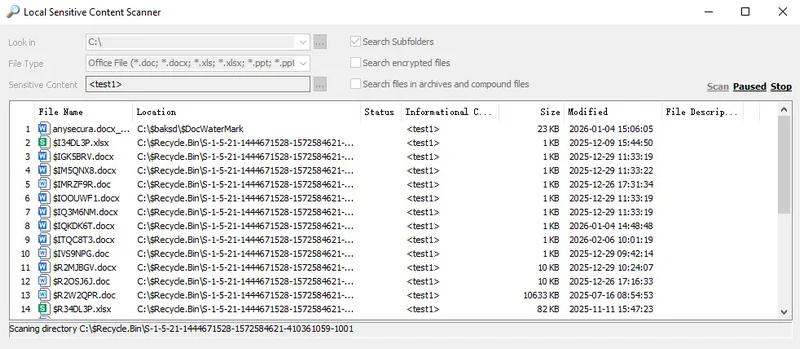
10.8.1 Local Sensitive Content Scanner
Select Sensitive Information → Local Sensitive Content Scanner to scan files on the console’s computer. The tool identifies files containing sensitive content and allows actions such as encrypting, decrypting, or modifying document properties on the identified files.
10.8.2 Remote Sensitive Information Scanning
In the computer tree, select a computer and choose Right-Click → Sensitive Content Management → Remote Sensitive Content Scan to scan files on the selected client. The tool identifies files containing sensitive content and allows remote encryption, decryption, or modification of document properties on these files.
Note:
- Remote scanning can only be performed on online clients.