
How to Use Policy and Library Synchronization Management - AnySecura Manual
Keeping your client machines up to date is effortless with AnySecura's Policy and Library Synchronization Management. This tool gives you a clear view of which clients have received the latest security policies and library data from the server.
You can easily check synchronization status, filter for specific results, and drill down into detailed information for any client. This ensures your entire network is consistently protected with the most current AnySecura configurations.
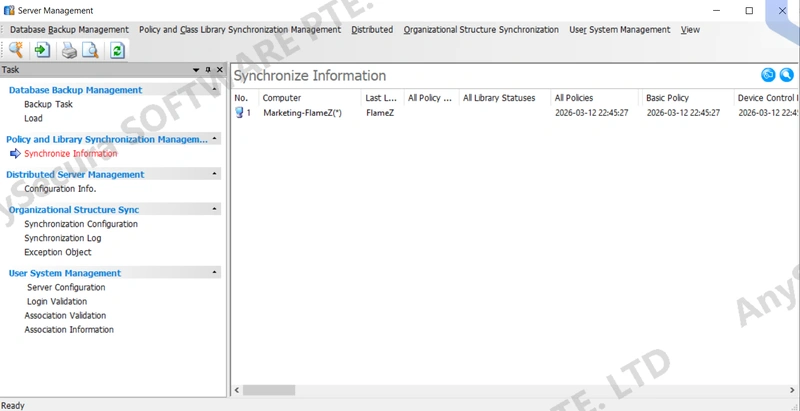
When library information changes, the server synchronizes the latest policies and library data to client machines.
Select Tools -> Server Management -> Policy and Library Synchronization Management to view the synchronization status of policies and libraries on each client.
By default, online clients with policies or library status marked as Not Synchronized are displayed. Click the Query button  to modify search criteria and quickly locate specific results. In the Query Results dropdown menu, you can choose which data columns to display.
If a client’s policy or library synchronization time is earlier than the corresponding modification time, the status shows Not Synchronized, and the synchronization time is displayed in red, indicating the client has not received the latest policies or library updates.
Click the icon button  to view the library’s last modification time. Double-click a client in the synchronization view to see detailed synchronization information for that machine’s policies and libraries.