
How to Use Policy Application Query - AnySecura Manual
Welcome to the Policy Application Query tool, your central hub for managing security configurations across your network. This feature within the AnySecura Tools module provides a clear, at-a-glance view of every policy applied to your clients, helping you maintain oversight and consistency.
You'll be able to quickly see which AnySecura policies are active for specific users or computers, review their detailed settings, and even search by name to find exactly what you need. This clarity empowers you to verify your security posture and make informed adjustments with confidence.
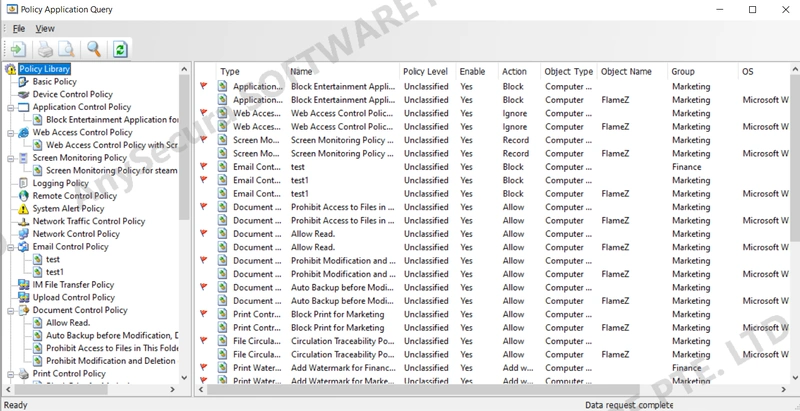
Click Tools > Policy Application Query to view all configured policies. Through the policy library, administrators can clearly see which policy is applied to which client, as well as the policy details, such as whether it is enabled and whether it applies to computers or users. Administrators can search policies by name.