
How to Decrypt Files in Windows Encrypted Client with AnySecura | User Guide
This guide will show you how to easily restore access to your protected files using the Windows Encrypted Client. You'll see how the integrated Document Encryption System puts decryption just a right-click away in your daily workflow.
Whether you're working in File Explorer or the AnySecura scan tool, you can confidently decrypt individual files to make them usable again. This simple action helps you maintain control over your sensitive data whenever you need it.
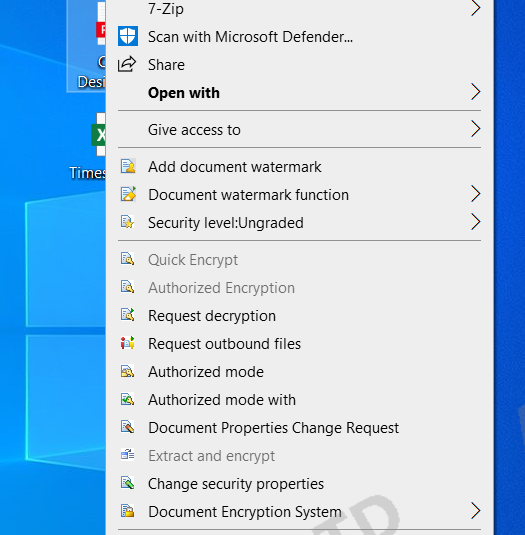
In File Explorer, select an encrypted file, right-click, and choose Document Encryption System -> Decrypt File to decrypt the file.
In the scan tool, right-clicking an encrypted file and selecting Decrypt File also performs decryption.