
Reliable networks are the backbone of modern business operations. When systems slow down or fail, productivity, revenue, and customer satisfaction all take a hit. Gartner estimates that unplanned downtime costs organizations an average of $5,600 per minute. As a manager, you don't need to troubleshoot routers, but you do need the visibility and confidence that your network is healthy and secure.
This guide breaks down what network monitoring software does, what managers should look for, and how five major tools compare based on their capabilities, strengths, and limitations.
You may also feel interested in: Top 10 Remote Management Tools 2026 for Modern Teams and IT Management
Why Network Monitoring Matters for Business Performance
Most tasks depend on the network: email, online meetings, cloud systems, CRM, finance software, even warehouse or factory systems. If the network is slow or broken, work slows down or stops completely.
Without network monitoring, managers are almost “blind.” You only know there is a problem when employees complain or when a customer calls to say, “Your system is not working." At that point, you are already losing time, money, and trust.
With network monitoring software, the situation is very different. Your IT team can see what is happening on the network in real time. They can spot warning signs early, such as high traffic on a link, a device that is close to failing, or a service that is responding slowly. This allows them to fix small issues before they become big outages.
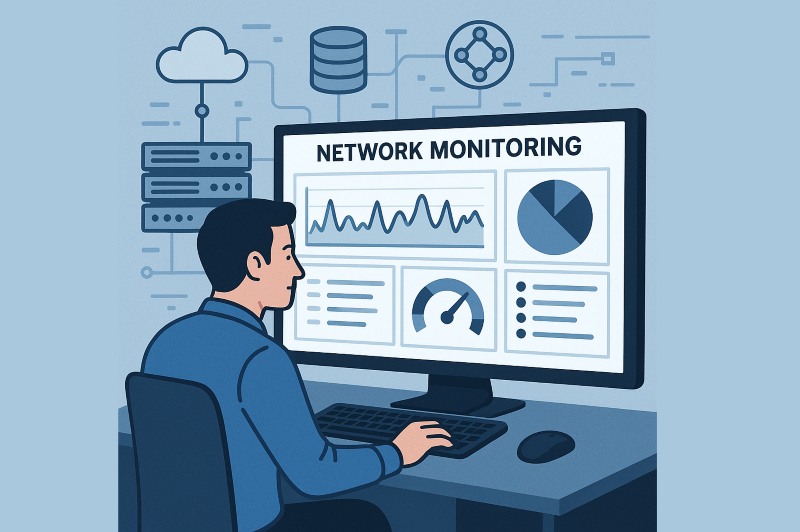
For tech decision makers, this brings several clear benefits:
- Stabler operations: Fewer sudden disruptions to sales, customer support, and internal processes.
- Faster problem solving: IT can see exactly where the issue is, instead of guessing and trying many things.
- Better decisions about spending: Real network data shows where you truly need more bandwidth, new hardware, or new tools.
- More trust from customers and teams: When systems “just work,” people notice, even if they do not talk about it.
Curious what DRP meaning really is? Get quick, actionable steps to recover from outages and see how AnySecura automates backups.Learn more>>
In simple terms, network monitoring turns your network from a black box into something you can understand, control, and improve. This makes your whole business more reliable and easier to manage.
Now let's look at the tools that can help you achieve these outcomes.
Top 5 Network Monitoring Software in 2026
SolarWinds Network Performance Monitor
SolarWinds Network Performance Monitor (NPM) is a full-featured network monitoring software built for organizations with many network devices, multiple locations, and high reliability needs. It gives managers and IT teams a clear picture of how the network is performing, where performance is dropping, and which components are causing slowdowns. Instead of showing only basic “up or down” status, NPM builds a living map of routers, switches, firewalls, and cloud connections so you can understand the real health of your environment at a glance.
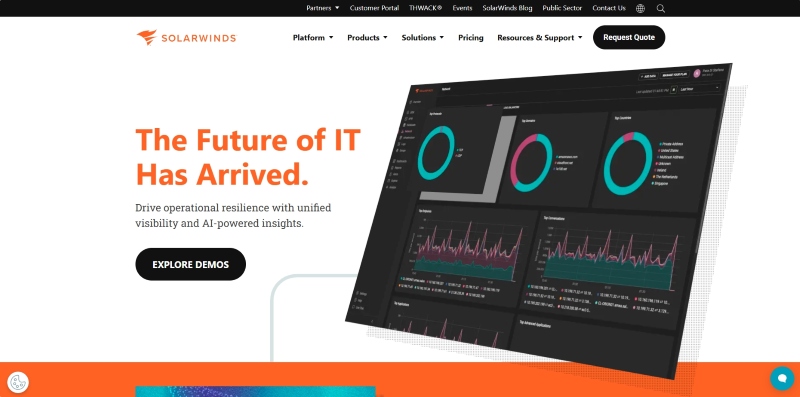
SolarWinds NPM continuously collects performance data from your network equipment and turns it into easy-to-read visual dashboards. Its well-known features, NetPath® and PerfStack®, go deeper than standard tools. NetPath® shows the exact journey your traffic takes from a user to a cloud application, hop by hop, highlighting where latency or packet drops occur. PerfStack® lets your team compare different metrics (CPU, bandwidth, response time, device load) on the same screen, which makes root-cause analysis much faster. If someone reports, “The system feels slow,—NPM helps your team quickly determine whether the issue is inside your network, at the ISP, or with the cloud service provider.
SolarWinds provides broad visibility across multi-vendor equipment. When something goes wrong, it can also offer deep diagnostic insight. Many network monitoring softwares can tell you that a device is overloaded, SolarWinds can show exactly which part and why. It is also designed for hybrid environments , so companies with on-prem infrastructure can monitor everything from one place.
 Pros:
Pros:- Excellent diagnostic depth, especially for multi-site or hybrid cloud networks
- Mature platform with strong reporting and integrations
- Helps reduce troubleshooting time and improves operational transparency
Cons:- Higher cost than lightweight or open-source monitoring tools
- Works best when IT staff can spend time tuning dashboards and alerts
- Can feel overly complex for small or simple networks
Who should consider it
SolarWinds NPM is a strong network monitoring software for organizations that cannot afford network uncertainty, financial services, healthcare, manufacturing, SaaS providers, or any business with distributed offices and mission-critical systems. If you need deep visibility, fast troubleshooting, and professional-grade analytics, this tool delivers. If your network is small, static, or budget-constrained, a simpler tool such as PRTG or Zabbix may be more practical.
AnySecura
AnySecura is a network monitoring software and traffic control platform that focuses strongly on security and employee productivity. Instead of looking only at whether devices are “up” or “down” it helps you see who is using the network, which applications they are using, and how much bandwidth each activity consumes. This gives managers and IT teams a way to connect network usage with real business needs.
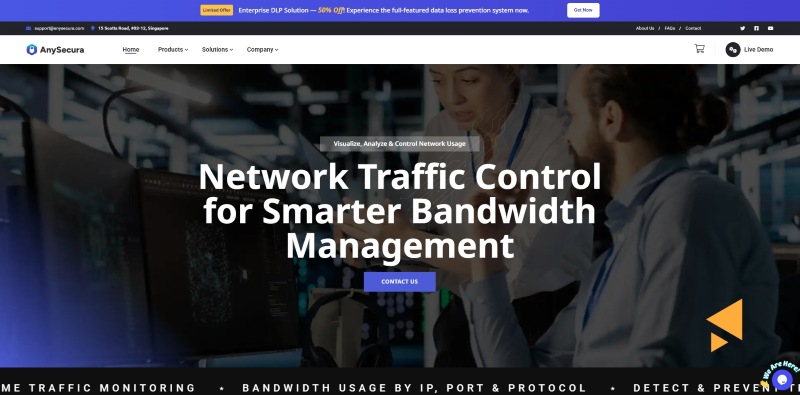
When abnormal patterns emerge, such as large data uploads to unknown servers or unusual access attempts outside regular working hours, the system can immediately flag them for review. In addition to providing clear insight into network changes and their causes, AnySecura enables your team to set flexible policies, such as prioritizing ERP and CRM traffic, limiting video streaming during office hours, or completely blocking high-risk applications. Over time, these capabilities help build a clear, detailed picture of your network's day-to-day usage.
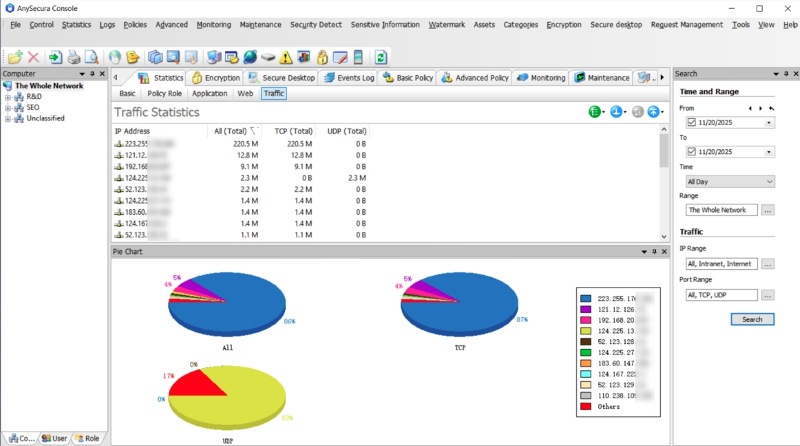
Compared with classic network monitoring tools that focus on device health and link status, AnySecura sits closer to the security and governance side. Because it combines monitoring, behavior analytics and bandwidth control in one place. That means you can not only see problems, but also act on them by adjusting policies. For managers, this is particularly useful when you need to reduce non-business traffic, support hybrid work, or prove that your company is taking reasonable steps to protect data and critical systems.
Pros:- Very effective for reducing non-business traffic and preserving bandwidth for key applications
- User-level and application-level visibility supports security, compliance, and HR discussions
- Can detect suspicious connections and unusual usage patterns before they become incidents
Cons:- Less focused on deep hardware diagnostics than tools like SolarWinds or OpenNMS
- Works best in organizations that care about traffic governance and usage control, not just uptime
- May be more than you need if your main goal is simple device monitoring in a very small network
Who should consider it
AnySecura is a strong network monitoring software for companies that worry about employees using the network for non-work activities, potential data leakage, or bandwidth waste across multiple offices or departments. It is especially useful in environments with strict compliance rules, shared internet links, or heavy reliance on cloud business systems where performance must stay consistent. If your main question is “what is going on with our network and how do we control it?— AnySecura is worth serious consideration.
Discover top 5 employee monitoring software in 2026. Compare pros and cons to find the perfect tool for workforce management.Learn more>>
Zabbix
Zabbix is an open-source network monitoring platform that companies use when they want strong control and don't want to pay high license fees. It can monitor thousands of devices, servers, applications, and services from a single central system. Because it is open-source, you are not locked into one vendor's roadmap or pricing model, which is attractive for many IT and operations teams.
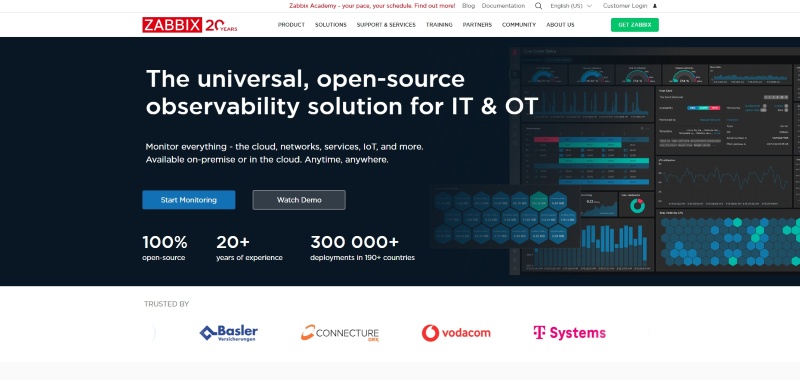
Zabbix collects metrics from your devices and systems using built-in agents, SNMP, APIs, and other methods. Your IT team can create custom dashboards to show the health of critical systems, from core routers to business applications. When something crosses a threshold (for example, high CPU, low disk space, or a service going down), Zabbix can trigger alerts by email, chat, or ticketing tools. Over time, you can build a very detailed view of how your infrastructure behaves, and you can use that data to plan upgrades or spot recurring problems.
The biggest difference between Zabbix and many commercial tools is the level of flexibility. You can customize almost everything: what you monitor, how you alert, what the dashboards look like, and how you integrate it with other systems like CMDBs, ticketing, or automation tools. There is no per-device license, so it is easier to scale up to very large environments without worrying that each new device will raise your software bill. Zabbix also has a large global community that shares templates and best practices, which helps reduce setup time if your team is willing to learn.
Pros:- No licensing cost, which makes it attractive for budget-conscious organizations
- Highly customizable and scalable for large, complex environments
- Active community, shared templates, and regular feature updates
Cons:- Requires a skilled internal team; the learning curve can be steep
- The interface and configuration may feel complex for non-specialists
- Enterprise-grade support usually depends on your own staff or paid partners
Who should consider it
Zabbix is a strong network monitor software if your company has a capable IT or DevOps team, wants to avoid high licensing costs, and expects the environment to grow or change frequently. It is less suitable if you have a very small IT team, need something that “just works” out of the box, or prefer a fully supported commercial product with guided onboarding.
PRTG Network Monitor
PRTG Network Monitor is a commercial monitoring tool designed mainly for small and mid-size businesses that want a clear view of their network without a long, complex setup. It brings devices, servers, cloud services, and traffic into one central dashboard, so managers and IT teams can quickly see if anything is unhealthy or overloaded.

PRTG uses a “sensor-based” model. A sensor is one specific check, such as monitoring the ping time to a server, the bandwidth on a switch port, or the response time of a website. Your team adds sensors for the most important systems, and PRTG starts collecting data and raising alerts when values go outside your defined limits. Because the interface is very visual and guided, many IT teams can get basic monitoring running in a single day and then expand step by step as they learn more about their environment.
Compared to heavy enterprise platforms, PRTG focuses on ease of use. The web interface and default dashboards are simple enough for non-experts to understand, which is helpful in smaller organizations where the “network person” may also handle servers, security, and helpdesk. The sensor licensing makes budgeting easier: you know how many checks you have, and you can add more when your network grows, instead of paying for features you do not yet need.
Pros:- Very user-friendly, with quick initial deployment and guided setup
- Good all-in-one view of devices, servers, cloud services, and bandwidth
- Sensor-based licensing makes costs more predictable and scalable
Cons:- Less suitable for extremely large or highly complex enterprise networks
- Sensor limits can force an upgrade earlier than planned if you expand quickly
- Customization and deep tuning options are more limited than tools like Zabbix or OpenNMS
Who should consider it
PRTG is a strong network monitoring software if you are a small or mid-size company that wants clear visibility fast, with limited internal resources for complex setup. It is ideal for IT managers who prefer a practical, “plug and monitor” approach rather than a highly customized open-source stack. If you already run a very large network with many sites, or you need carrier-grade features, you may be better served by SolarWinds NPM or OpenNMS.
OpenNMS
OpenNMS is an open-source monitoring platform built for very large and distributed networks. It was originally created with telecom operators and service providers in mind, so it is comfortable handling thousands of devices spread across many countries or data centers. Instead of focusing mainly on single-site corporate networks, OpenNMS is designed for environments where the network itself is a core product or a mission-critical backbone.
OpenNMS collects metrics and events from your routers, switches, servers, and services using a mix of protocols and agents. One of its key strengths is its distributed architecture. You can deploy remote pollers or collectors in different regions or data centers and have them send data back to a central system. This means your monitoring stays reliable and efficient even when your network is huge or heavily segmented. Operations teams can see global health on a single screen while still being able to drill down into each region, customer segment, or service.
Unlike simpler tools that focus on a single office or a moderate number of devices, OpenNMS is built from the ground up for carrier-grade scale. It is comfortable with complex topologies, multiple tenants, and overlapping services. Being open-source, it also gives you flexibility to integrate with your own OSS/BSS systems, ticketing tools, and automation pipelines. For organizations that want to own their monitoring stack and adapt it to very specific workflows, this level of control is a major advantage.
Pros:- Handles very large, distributed environments with many sites and devices
- Well suited for ISPs, telecoms, managed service providers, and global enterprises
- Open-source model gives strong flexibility and integration options
Cons:- More complex to design, deploy, and maintain than tools like PRTG
- Overkill for small or single-site companies with simple networks
- Commercial support and “hand-holding” may be more limited than with vendors like SolarWinds
Who should consider it
OpenNMS is a good network monitor software if your organization runs a network at provider scale, many branches, data centers, customer networks, or even wholesale connectivity. It makes sense for IT leaders and network operations teams who see monitoring as a strategic platform that needs to be customized and deeply integrated. If you are mainly managing one or a few offices and want quick, simple visibility, a tool like PRTG or AnySecura will likely be easier and more cost-effective.
How to Choose the Right Network Monitoring Software
Choosing the right network monitoring software starts with aligning the tool to your environment size, IT maturity, and security requirements. Use the following framework to shortlist the best option for your business.
1. Large or Complex Enterprise Environments
If you manage a multi-site, hybrid, or high-density network, prioritize scalability and deep diagnostics.
✅️ SolarWinds NPM: Suitable for enterprises that want a commercial, feature-rich solution with advanced SNMP monitoring, path analysis, and ready-made dashboards.
✅️ OpenNMS: An open-source, enterprise-grade platform ideal if you need high scalability and are comfortable customizing and maintaining the stack in-house.
2. Full Control and Deep Customization
If you want to standardize monitoring across a heterogeneous environment and design your own metrics, alerts, and workflows:
✅️ Zabbix: A powerful, open-source monitoring solution that supports SNMP, agent-based, and agentless monitoring. It's ideal for teams that want fine-grained control over triggers, escalations, and integrations.
3. Fast Deployment and Simplicity
For small to mid-sized businesses or lean IT teams, ease of use and quick time-to-value matter most.
✅️ PRTG Network Monitor: An all-in-one, sensor-based monitoring platform that offers automatic discovery, intuitive dashboards, and straightforward alerting.
4. Network Visibility with Policy Enforcement
If you need both network visibility and policy enforcement, especially in regulated or security-sensitive environments:
✅️ AnySecura: Combines real-time monitoring with traffic control, port blocking, access restrictions, and data protection capabilities, helping you govern how traffic flows and how sensitive data is used.
FAQs about Network Monitoring Software
Q1: Do I need network monitoring software if my team is small?
Yes. Even small outages can impact productivity, and monitoring tools prevent issues early.
Q2: Are open-source network monitoring software reliable?
Platforms like Zabbix and OpenNMS are widely used by global enterprises when properly maintained.
Q3: How long does implementation take?
PRTG can be deployed in hours, while larger network monitor software like SolarWinds may take weeks to optimize.
Q4: Does network monitoring software improve security?
Yes, especially tools like AnySecura, which track suspicious traffic and user-level activity.
Conclusion
Choosing the right network monitoring software isn't just about collecting metrics, it's about finding the right balance between visibility, control, and reliability. Whether your goal is to improve uptime, speed up incident response, or gain clearer insight into traffic and capacity, the right platform can make your entire infrastructure more stable and efficient.
We hope this guide helps you identify the solution that best fits your company's goals, scale, and IT maturity. If you're looking for a comprehensive, security-driven option that combines real-time network visibility, traffic governance, and powerful reporting, AnySecura stands out as a strong choice.
Take control of your network's performance and security today, and give your business a monitoring foundation it can confidently build on for the future.


