
If you're running a small IT team, managing endpoints across multiple offices, or supporting remote employees with limited resources, you already know the challenge: too many tools, too little time, and constant pressure to keep everything running securely and efficiently.
This guide is built for you. It compares 11 popular remote management tools and highlights a lean, high-value toolkit designed to give small and mid-sized IT teams complete coverage with fewer moving parts. Whether you're building from scratch or trimming down your stack, this will help you choose tools that match your priorities.

Top 11 Remote Management Tools in 2026
Quick Guide: 11 Remote Management Tools and Their Core Use Cases
| Tool Name | Core Purpose |
|---|---|
| Avica | Very low latency performance for both screen transmission and input |
| NinjaOne | Modern all-in-one RMM for endpoint monitoring, patching, and automation |
| AnySecura | Endpoint management + security: patching, DLP, user monitoring, remote support |
| TeamViewer | Fast, secure remote desktop access and support across platforms |
| Microsoft Intune | Cloud-based UEM/MDM for securing and managing remote and mobile devices |
| ManageEngine Endpoint Central | UEM: patching, remote control, asset inventory |
| Atera | Budget-friendly RMM+PSA for small MSPs |
| Slack | Real-time team communication and integration hub |
| PRTG Network Monitor | Network monitoring: bandwidth, uptime, performance tracking |
| Lansweeper | Agentless asset discovery and inventory tool |
| LogMeIn Rescue | Enterprise-grade remote support for helpdesks and external users |
Avica
Avica is a cross-platform remote access and screen control solution that allows users to connect PCs, Android devices, and even stream iPhone screens. It supports device control through both desktop and mobile apps, enabling remote desktop access, file transfer, screen mirroring, and multi-device monitoring. With no complex configuration required, both casual users and IT administrators can start using it quickly.
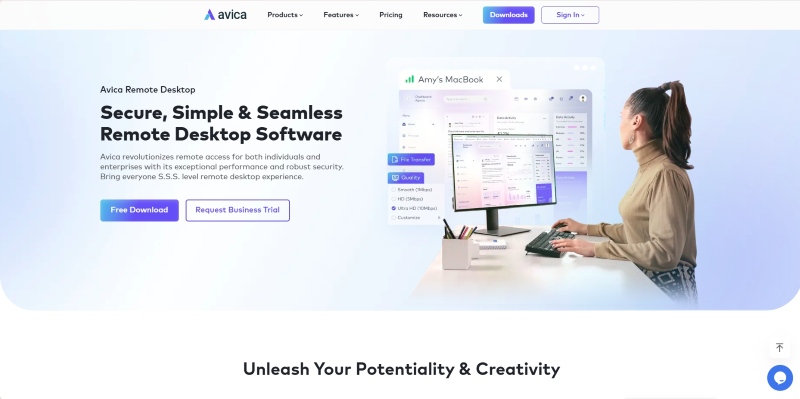
Avica’s core advantages include ultra-low latency (under 0.1s) and a gamepad mapping feature, making it suitable not only for IT remote support but also for gaming scenarios—something rarely seen in traditional remote tools. Unlike many common remote management solutions, Avica supports gamepad input pass-through, multi-device simultaneous viewing, and even remote access to Android/iOS screens. The interface is clean and intuitive, setup is simple, and its performance—especially in visual quality and input responsiveness—places it among the top performers in its class.
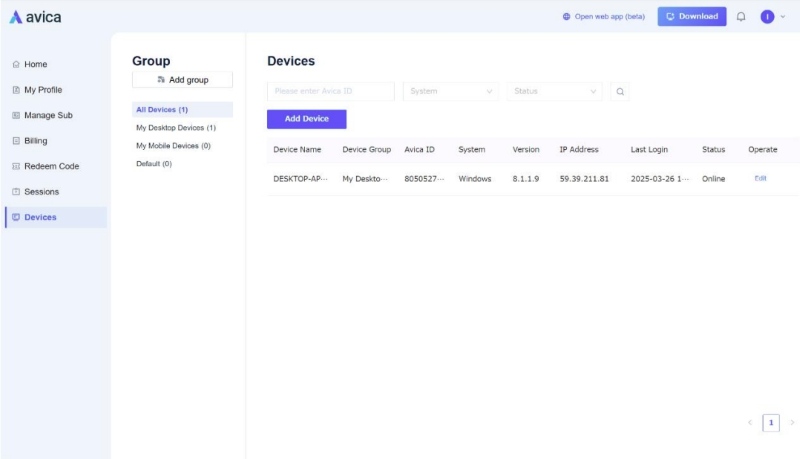
While Avica excels in fluid device-to-device control, it lacks deeper enterprise-grade remote management functionality: no asset inventory, automation scripting, policy-based security controls, or patch management. Its limited language support and incomplete MDM capabilities, especially on iOS, mean it may not suit enterprise IT teams needing strict compliance or endpoint oversight.
 When to choose
- You need ultra-smooth remote access for support or control.
- You're managing a few devices and value visual fidelity and responsiveness.
- You want a tool that can connect PCs and mobile devices, including Android and iOS.
When to avoid- You require RMM features like patch management, software deployment, or endpoint health checks.
- Your IT policy demands fine-grained user access controls or audit logs.
- You support a large team and need native multi-language and enterprise SSO integration.
NinjaOne
NinjaOne (formerly NinjaRMM) is an all-in-one remote management platform aimed at managed service providers and internal IT teams. It provides a single cloud-based console for endpoint monitoring, patch management, remote access, antivirus, backup, and even ticketing. NinjaOne is designed to streamline IT operations, from automating software updates and scripts to handling helpdesk tickets, making it popular for small-to-mid size managed service providers and companies that want broad IT management capabilities without juggling multiple tools.
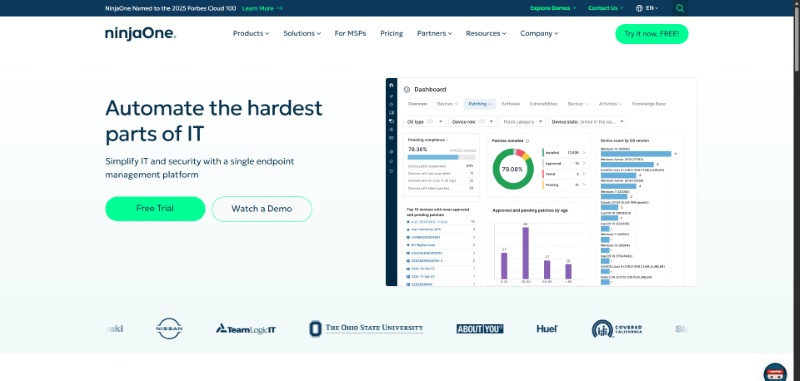
NinjaOne's biggest advantage is its user-friendly, unified platform that consolidates many IT tasks. Users praise its intuitive interface and easy automation of routine jobs (like patching) which significantly improve efficiency. Because NinjaOne replaced the need for several separate tools in many environments, it simplifies workflows and reduces overhead. Its cloud-based design means quick deployment and access from anywhere, and built-in integrations (with tools like ConnectWise, Slack, etc.) further extend its functionality.
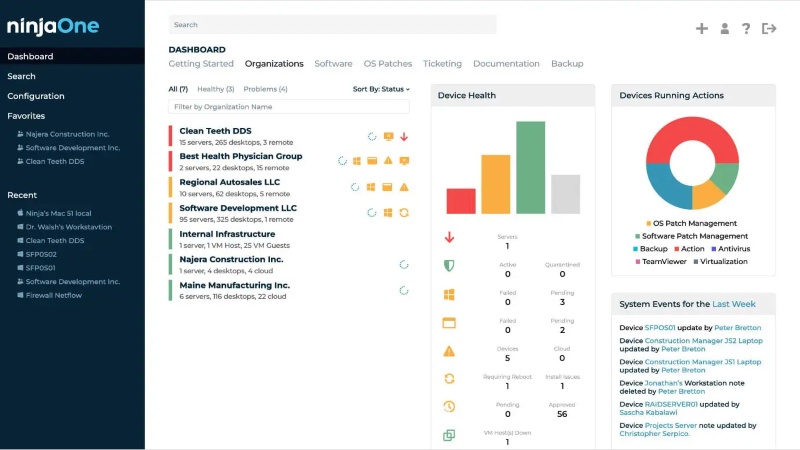
The main limitation with NinjaOne is that, as a newer unified platform, some features aren't as deep as specialized tools. For example, the ticketing module is not as full-featured as dedicated PSA/helpdesk systems, and reporting can be limited (e.g. exporting all device details easily).
When to choose
- You're a small or mid-sized MSP needing unified RMM
- You want simple patching, monitoring, automation in one cloud platform
- You don't want to juggle separate tools for basic IT tasks
When to avoid
- You need advanced PSA features like full helpdesk ticket routing
- Your setup includes a lot of non-Windows/macOS endpoints
- You want deep reporting or custom dashboards (some limitations)
AnySecura
AnySecura is an all-in-one endpoint management and security platform designed for companies that need remote management and devices protection. Compared with competitors like NinjaOne or Avica, AnySecura stands out by offering not only patching, software deployment, remote support, and asset management, but also built-in DLP capabilities—including USB control, file encryption, and sensitive data transfer monitoring—together with full user activity auditing.
It's mainly targeted at security-conscious organizations that want a single tool to both manage and monitor remote endpoints across Windows networks. Its agent-based model makes it especially useful for mid-sized enterprises or teams with distributed employees using company devices.

AnySecura combined endpoint management and built-in security auditing. Unlike traditional remote management tools that focus purely on operations (patching, remote control, monitoring uptime), AnySecura adds advanced DLP tools, real-time user activity tracking, USB/file control, and encrypted document protection, all under the same console. This gives IT and security teams deep visibility and control over what users do on company devices, helping to prevent data leaks, unauthorized access, and compliance violations.
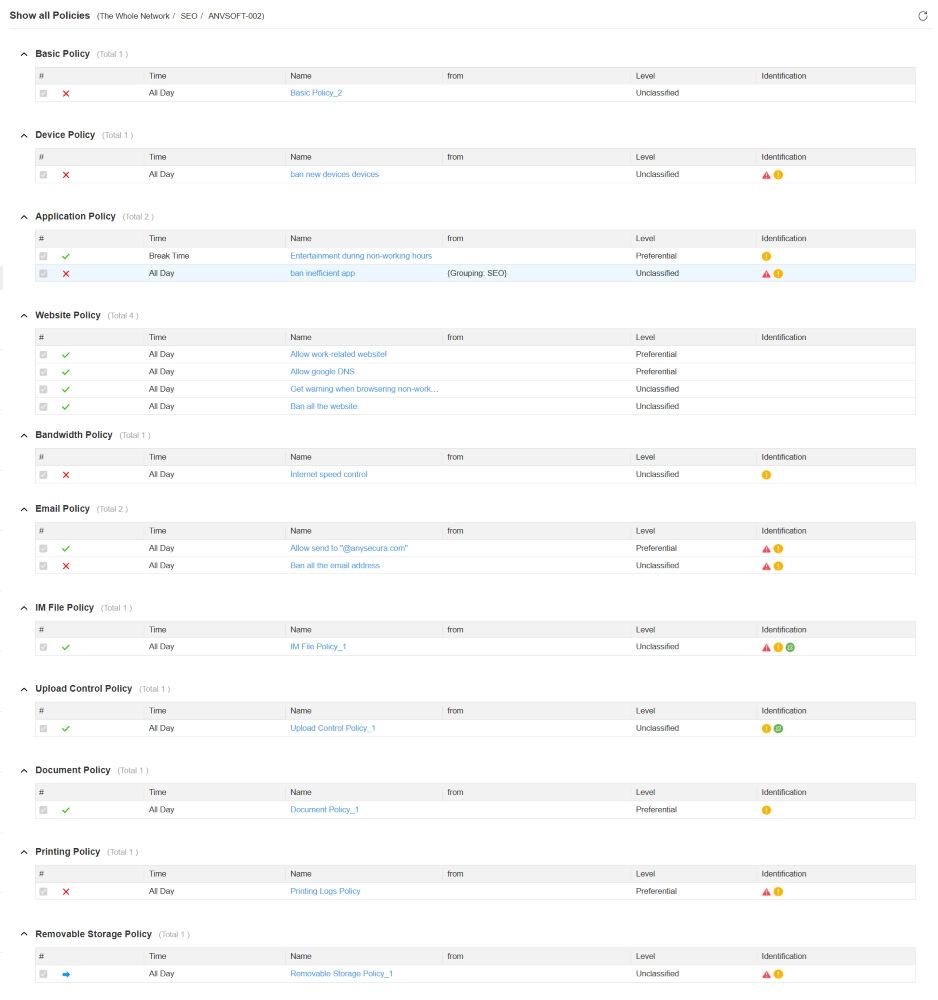
The main drawback is that it requires its agent to be installed on all devices, which limits flexibility for supporting third-party users or unmanaged systems. Also, its UI and platform design are more focused on enterprise-level management, so small teams or non-technical users might find the interface a bit heavy.
When to choose
- You want a single tool for patching, software deployment, asset tracking, and remote support
- You're managing a distributed Windows endpoint environment and want unified control
- You want built-in user visibility and change tracking for compliance or troubleshooting
When to avoid
- You need to support devices without installing agents (like ad-hoc third-party support)
- Your environment is mostly macOS, Linux, or mobile (limited support outside Windows)
- You already have highly specialized tools and don't want to consolidate
Discover how DLP software delivers compliance, prevents insider threats, and secures sensitive information across endpoints, cloud services, and networks. Learn more>>
TeamViewer
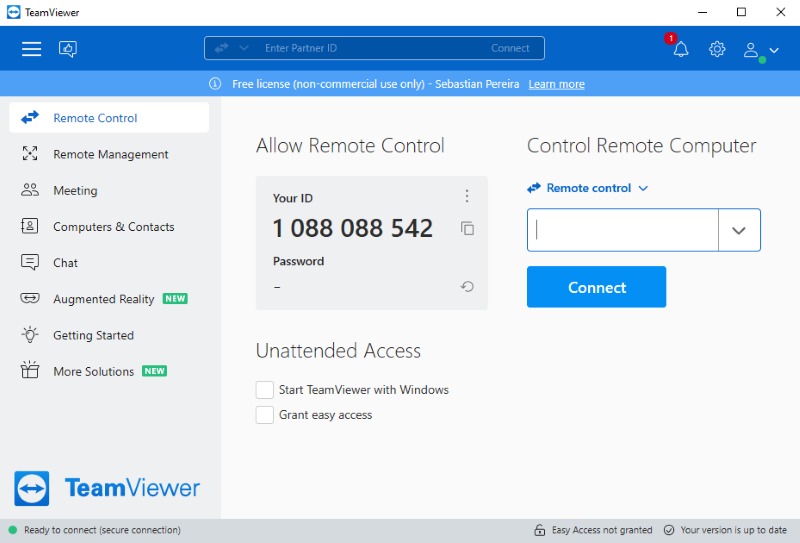
Similar to Avica, TeamViewer is also a remote desktop access and support tool used by individuals and IT teams alike. It enables you to remotely control computers and mobile devices across Windows, macOS, Linux, iOS, and Android platforms. Businesses and managed service providers use TeamViewer to troubleshoot client issues from anywhere, while personal users rely on it to access home or office PCs on the go. Its cross-platform compatibility and ease of setup make it a go-to for fast, ad-hoc support sessions and collaborative remote work.
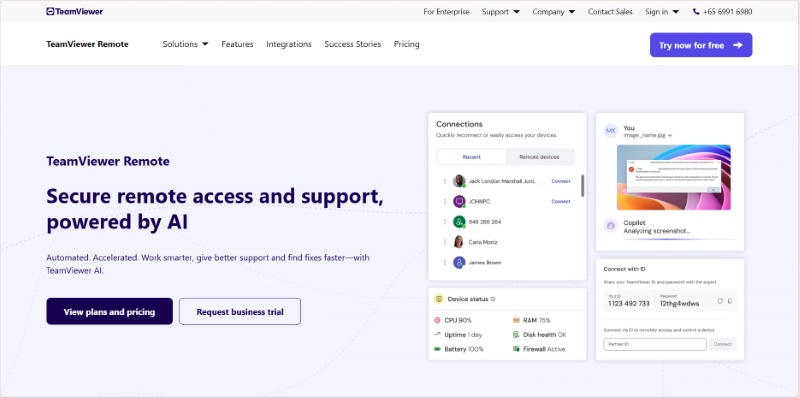
TeamViewer's greatest strength is its comprehensive feature set. It offers strong security (end-to-end AES-256 encryption and two-factor authentication) and an array of tools beyond basic screen control, including file transfer, VPN alternatives, multi-user meetings, and chat integration. The software also supports unattended access, multi-monitor navigation, and even mobile device control, giving IT support staff an all-in-one solution for remote assistance. Its broad platform support and communications features make it especially valuable for medium and large businesses that need secure, collaborative remote support.
The main downside of TeamViewer is its cost and complexity for business use. While free for personal use, its commercial licenses are relatively expensive, which can be prohibitive for small organizations. Additionally, with so many features, the interface can feel cluttered or overwhelming to new users. TeamViewer's performance also depends on internet quality, on slow connections , users may experience lag or occasional disconnects. These factors mean that very small teams or those on tight budgets might find leaner tools more suitable.
When to choose- You need to support external users who don't have pre-installed agents
- You want fast, ad-hoc remote access with minimal setup
- You work across platforms (Windows, Mac, mobile, Linux)
When to avoid- Your team mostly accesses managed internal devices (can be handled by cheaper tools)
- You need full IT lifecycle management (e.g. patching, inventory)
- Budget is tight—commercial licenses are expensive
Microsoft Intune
Microsoft Intune is a cloud-based unified endpoint management and mobile device management service. It enables organizations to remotely manage and secure their workforce's devices and applications. Intune is part of Microsoft Endpoint Manager and tightly integrated with Azure Active Directory and Microsoft 365. With Intune, IT admins can enforce security policies, deploy applications or configurations, and perform actions like remote wipe on Windows PCs, Macs, smartphones, and tablets. It's primarily targeted at medium to large enterprises (or any Microsoft-centric organization) that want to manage devices via the cloud, particularly for remote and BYOD scenarios.
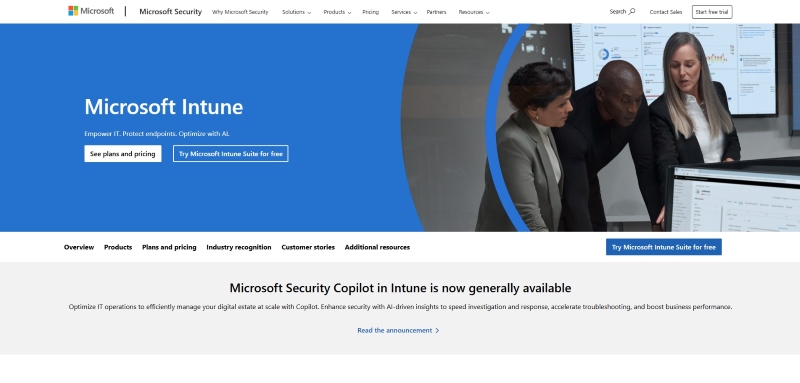
Intune's biggest advantage is its seamless integration into the Microsoft ecosystem. For organizations already using Azure AD and Office 365, Intune works hand-in-glove, policies, user credentials, and device compliance tie directly into your existing Microsoft environment. This allows, for example, conditional access policies that only let compliant, Intune-managed devices access corporate email or data. Being cloud-based, it also scales globally and eliminates the need for on-prem servers, which is great for remote/hybrid work, IT can push updates or configurations to devices anywhere with internet.
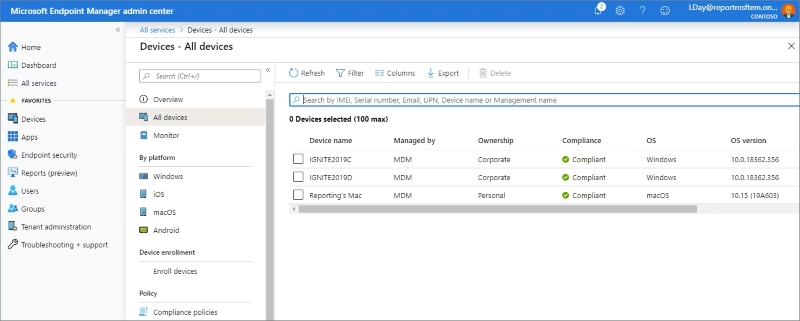
However, Intune is complex. Setting up Intune can be daunting, there are many configurations and a new paradigm (especially for admins used to traditional AD + Group Policy or SCCM)—comes with a steep learning curve. Without prior experience or training, one can struggle with configuring policies and app deployments, and troubleshooting can be non-trivial due to the cloud sync nature (changes aren't instant and logs can be less accessible than on-prem tools).
When to choose
- You're invested in Microsoft 365 or Azure AD environments
- You want cloud-based policy enforcement for laptops/mobile/remote users
- You need BYOD support, compliance, and conditional access
When to avoid
- You have a small IT team and need something easier to learn
- You mostly manage non-Windows devices or don't use Azure
- You want immediate device changes (cloud sync can delay)
ManageEngine Endpoint Central
ManageEngine Endpoint Central is a unified endpoint management platform that allows IT departments to centrally manage desktops, laptops, mobile devices, and servers. It offers features like automated patching, software deployment, remote control, IT asset inventory, configuration management and even endpoint security add-ons. It's positioned for organizations that want an on-prem or cloud solution to handle the full lifecycle of IT assets, particularly those in Windows-centric environments who need a cost-effective alternative to Microsoft's System Center or multiple point solutions.
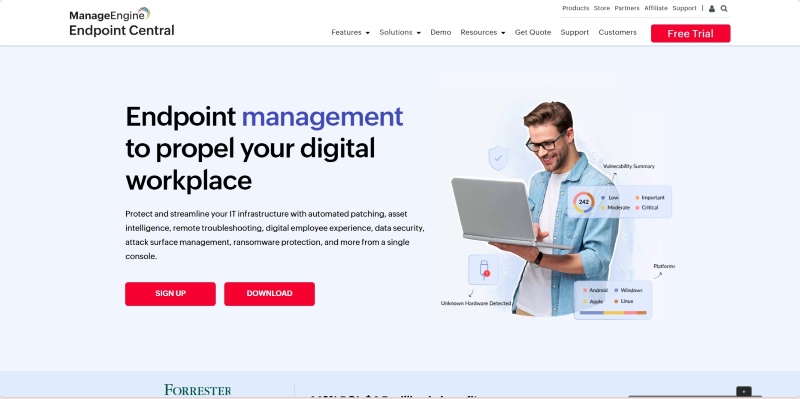
Users often highlight its excellent patch management and software deployment features, which save significant time once configured. Compared to "big player" tools like Microsoft SCCM/Intune, ManageEngine's solution is noted for being more affordable and simpler to manage while still doing nearly all the same tasks. This makes it appealing to mid-market companies that need enterprise-like features without a huge budget or dedicated infrastructure.
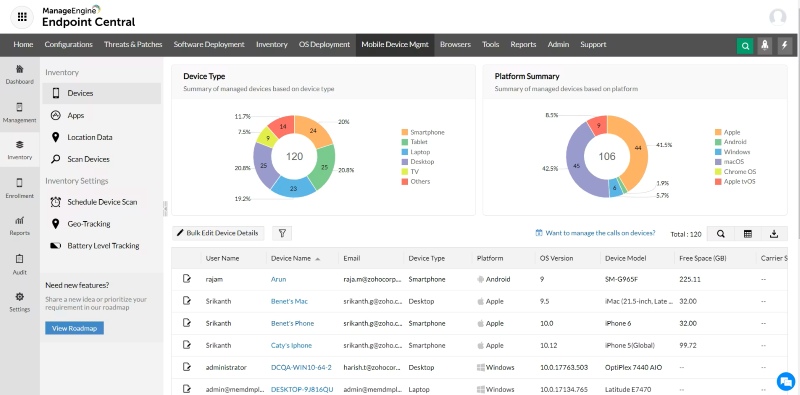
While powerful, Endpoint Central can feel a bit "rough" in usability and requires careful setup and maintenance (including managing its frequent updates). For example, the remote control module is functional but can be "click-heavy" and less smooth compared to standalone remote desktop tools. Also, some administrators have reported that certain tasks (like updating the on-premise server or navigating multi-monitor remote sessions) are more cumbersome than they should be.
When to choose
- You manage many Windows endpoints and need central control
- You want SCCM-level features without SCCM's complexity
- You need remote control, patching, inventory, and deployment in one
When to avoid
- Your team isn't technical, setup and updates can be complex
- You manage mostly mobile or cloud-based endpoints
- You want lightweight or quick-start tools (UI is heavy)
Compare top endpoint management software in 2026, including Intune, Workspace ONE, ManageEngine, Ivanti, and AnySecura, for secure device management and DLP. Learn more>>
Atera
Atera is a combined remote management and PSA platform tailored for small and mid-sized managed service providers. It provides remote monitoring & management (for devices and networks) alongside professional services automation features like helpdesk ticketing, time tracking, and billing. Atera's unique selling point is its per-technician pricing model: instead of charging per device, it allows unlimited endpoints under a single user license. This makes it especially attractive to growing managed service providers or IT consultants who support many computers but have a limited number of staff.
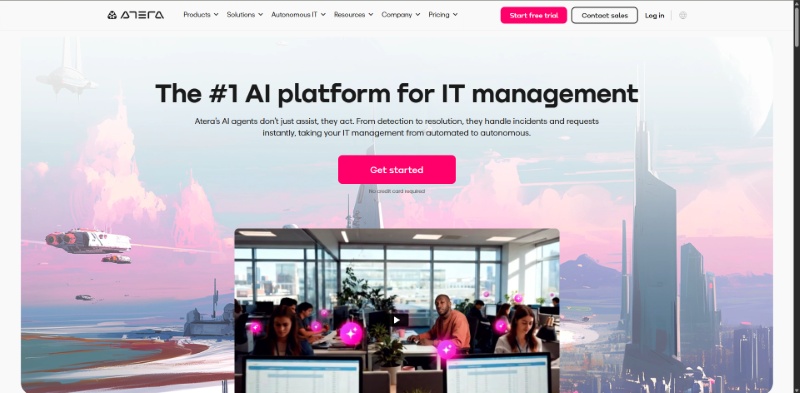
It packs in essential tools, remote access via Splashtop/AnyDesk, patch management, network discovery, alerts, automation and a built-in ticketing system, which cover the basic needs of IT management in one accessible package. For a small managed service provider just starting out, Atera can dramatically lower the barrier to entry by providing "one stop" software at a predictable price.
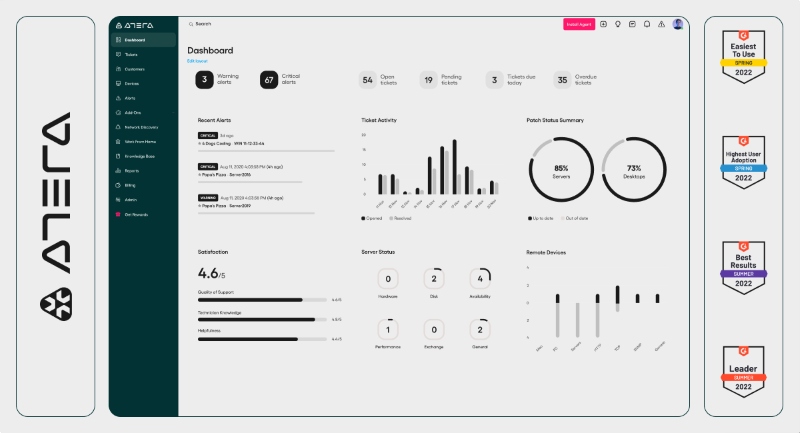
The trade-off with Atera's all-in-one approach is that some features aren't as advanced or robust as dedicated solutions. Users note that certain "advanced features [that] larger managed service providers need" may be lacking or still in development. For example, reporting and customization options are limited compared to more mature competitors. There have also been critiques of its support for non-Windows devices (Mac and Linux agents are "super limited" and can have stability issues ).
When to choose
- You're a solo IT provider or small MSP needing RMM + PSA
- You want predictable pricing (unlimited devices per technician)
- You need built-in ticketing, billing, and monitoring
When to avoid
- You need full-featured helpdesk workflows or integrations
- You rely on strong Mac/Linux support (limited agent stability)
- You need detailed asset tracking or advanced reports
Slack
Slack is a real-time communication and collaboration platform used by remote and in-office teams to stay connected. While not a traditional "IT management" tool, it serves the vital role of remote collaboration, enabling team members to chat in organized channels, share files, integrate with development/IT apps, and hop on huddle calls. Slack is popular across industries for replacing long email threads with quick messaging, which is particularly useful for distributed teams that need to discuss issues, coordinate support, and maintain visibility into ongoing work.

Slack's strongest point is its extensive third-party app integration ecosystem, it connects with tools like Google Drive, Trello, GitHub, Zendesk, and hundreds more, bringing updates and workflows from those apps into your channels. This means IT and support teams can get alerts (server down notifications, ticket updates, etc.) directly in Slack and act on them without switching context.

While Slack offers a free tier, its limitations (like only 90-day message history and limited integrations) push most businesses to paid plans, and the per-user pricing can add up quickly for large organizations. Large organizations may find Slack’s pricing adds up quickly, especially compared to alternatives bundled with existing services.
When to choose
- You want a modern, fast way for your remote/hybrid team to communicate
- You integrate alerts or notifications from your IT tools (e.g. monitoring, CI/CD)
- You want to reduce email clutter and silos in team discussions
When to avoid
- Your organization uses Microsoft 365 and prefers to consolidate into Teams
- You require structured communications with audit/compliance features
- You struggle with "too many messages" and need less real-time interaction
PRTG Network Monitor
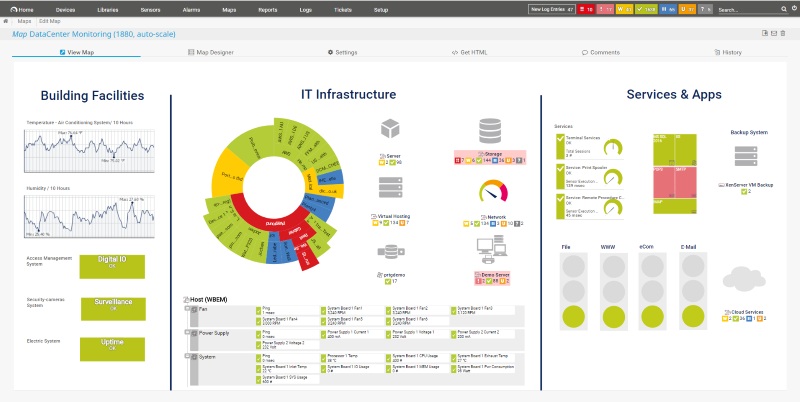
Paessler's PRTG Network Monitor is a network and infrastructure monitoring tool that gives IT administrators visibility into their entire network's performance. services. PRTG enables IT teams to monitor and respond to infrastructure issues across remote environments. Even for branch offices or distributed networks, PRTG offers centralized real-time alerting, automated performance tracking, and visual dashboards that help teams act before users are affected. While it doesn't offer remote control, it provides remote visibility and proactive response capabilities.
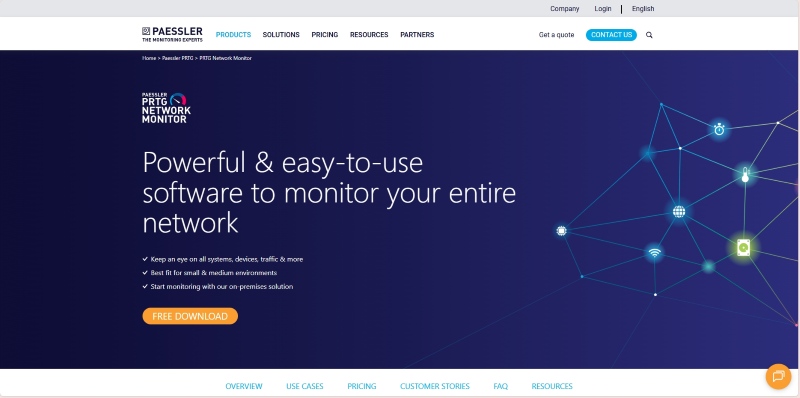
PRTG is easy to deploy for small-to-mid sized networks. It covers a wide range of monitoring out of the box (supporting SNMP, WMI, flow protocols, ping, etc.), so you can monitor everything from traffic and server hardware to application availability in one tool. Users often highlight that PRTG is much simpler to set up compared to enterprise frameworks, installation is quick, and auto-discovery finds devices and applies sensors without much manual effort.
PRTG's sensor-based licensing and architecture can struggle at very large scales. Each metric (sensor) monitored counts against a license limit, and as networks grow, managing sensor counts can become a "painful recurring battle". For example, a single switch with many ports might consume dozens of sensors for detailed stats, meaning large environments can quickly hit licensing limits or need multiple PRTG servers. Users and comparisons note that for "a large scale network, PRTG is not feasible and not effective," as performance might degrade when monitoring thousands of devices or metrics. For very large networks, more scalable platforms—such as SolarWinds Orion—tend to perform better.
When to choose
- You want all-in-one network/server/application monitoring
- Your team needs alerts for bandwidth, uptime, disk health, etc.
- You want an affordable, self-hosted solution with wide protocol support
When to avoid
- You manage very large infrastructures (sensor model doesn't scale well)
- You need modern dashboards or integrations with cloud-native tools
- You only need endpoint/device monitoring (use RMM instead)
A practical 2025 guide for tech decision makers to choose the right network monitoring software based on scale, needs, and business goals.Learn more>>
Lansweeper
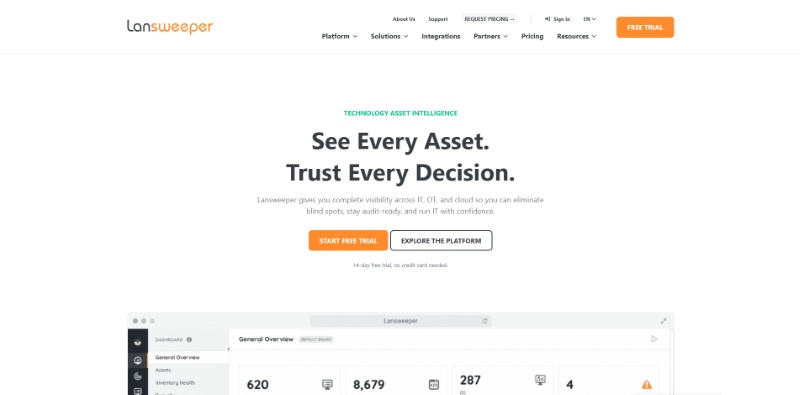
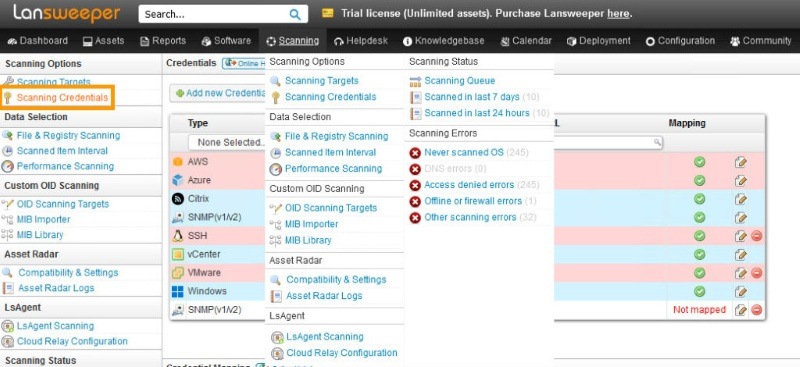
Lansweeper is an IT asset management and network inventory tool that helps organizations build a comprehensive, remote-accessible inventory of their entire IT environment. Lansweeper allows IT teams to maintain visibility into hardware specs, OS versions, software installs and warranty information without physically touching devices. It is especially useful for tracking remote office hardware or home-based endpoints. This passive but complete visibility enables remote auditing, planning, and compliance enforcement across distributed environments.
Lansweeper's biggest limitation is that it is primarily a passive asset tracker and not a full management tool. It's great at telling you what you have, but it doesn't actively manage those assets (no remote control, patching, or software deployment features beyond basic scripting). In fact, some reviews caution that "it is NOT an asset tracker" in the sense of maintaining historical records, if you replace a machine and reuse its name, by default Lansweeper will overwrite the old record with the new one. (That behavior can be managed, but it illustrates that Lansweeper is geared toward current inventory rather than life-cycle history.)
 When to choose
- You want to auto-scan and inventory all devices in your network
- You need asset/license visibility for audits or planning
- You want an agentless solution that's easy to deploy
When to avoid
- You need remote control, patching, or active management
- You want to track asset lifecycle events like replacements or retirements
- You primarily manage cloud/mobile devices, not on-prem assets
LogMeIn Rescue (GoTo Rescue)
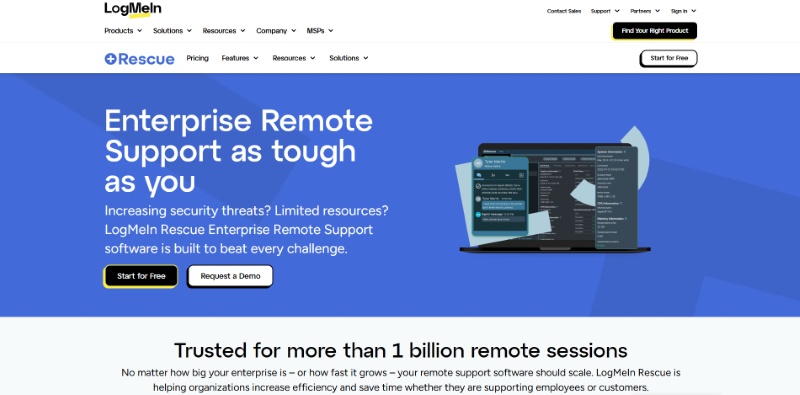
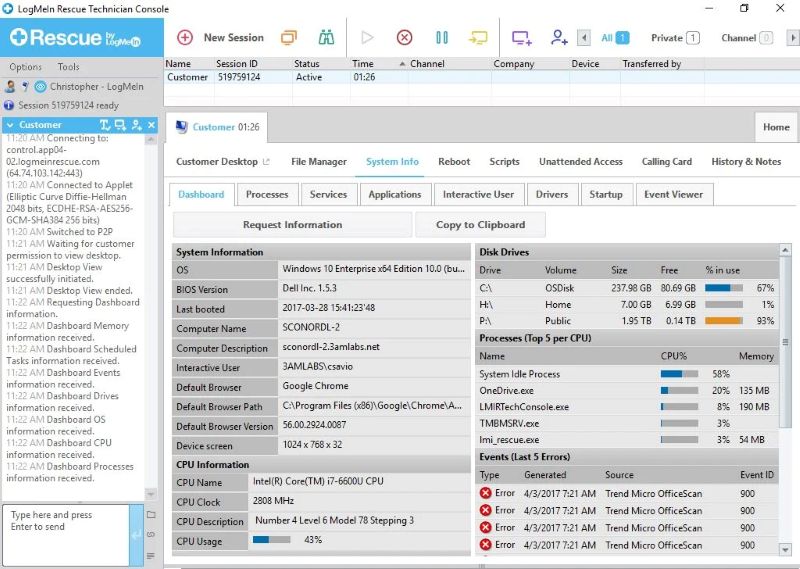
LogMeIn Rescue (now part of GoTo) is a remote support software tailored for help desks and customer support teams. Unlike general remote desktop tools, Rescue is built for on-demand support, technicians can quickly connect to a user's computer or mobile device by having the user run a temporary applet (often via a PIN code or emailed link). It provides a management console for support organizations to handle multiple sessions, route requests, and even integrate with ticketing systems. LogMeIn Rescue is aimed at IT service desks, software vendors, or managed service providers that regularly assist end-users remotely and need a reliable, secure way to do so without pre-installing clients on every machine.
LogMeIn Rescue is expensive, especially for smaller businesses. It is a premium product, pricing starts around $100+ per technician per month, which can be hard to justify if only occasional remote support is needed. There are more budget-friendly alternatives (like TeamViewer, Splashtop, etc.), though they might not match Rescue's overall capabilities. Another limitation is that end-users must download/run a small app each session, and some less tech-savvy users can find the download and permission steps confusing.
 When to choose
- You need a secure, enterprise-ready remote support platform
- You provide live helpdesk support to external users or clients
- You want advanced features like session recording, mobile support, or technician routing
When to avoid
- Your support needs are occasional or limited to internal staff
- You have a small team and can't justify the high licensing cost
- You want unattended access instead of live support sessions
Choosing the Right Remote Management Tools for Your IT Stack
With so many remote management tools available for remote IT management, it can be hard to decide which ones truly fit your organization's needs. The table below compares 11 leading solutions across key capabilities such as remote access, patch management, asset visibility, and security.
Remote Management Tools Feature Comparison Table
| Remote Desktop Support | Software Deployment & Patching | Asset Inventory & Visibility | RMM for MSPs | Network Monitoring | Security / DLP / Monitoring | User Behavior Analytics | Mobile Device Management | Collaboration / Messaging | Helpdesk & External Support | |
|---|---|---|---|---|---|---|---|---|---|---|
| Avica | Yes | |||||||||
| TeamViewer | Yes | |||||||||
| NinjaOne | Yes | Yes | Yes | Yes | ||||||
| AnySecura | Yes | Yes | Yes | Yes | Yes | Yes | ||||
| Endpoint Central | Yes | Yes | Yes | Yes | ||||||
| Atera | Yes | Yes | Yes | Yes | Yes | |||||
| Slack | Yes | |||||||||
| PRTG Network Monitor | Yes | |||||||||
| Lansweeper | Yes | |||||||||
| LogMeIn Rescue | Yes | Yes | ||||||||
| Microsoft Intune | Yes | Yes | Yes | Yes | Yes |
While many tools specialize in specific areas, only a few offer broad coverage.
- AnySecura stands out as the most comprehensive remote management platform, combining patching, software deployment, asset tracking, remote support, and user activity monitoring in one solution.
- TeamViewer and LogMeIn Rescue are ideal for instant remote support, especially when helping users outside your network.
- Tools like NinjaOne and Endpoint Central provide solid coverage for IT operations, but lack built-in user oversight or advanced security controls.
- PRTG Network Monitor serves a different purpose by focusing entirely on monitoring network infrastructure
- Slack stands apart as a communication tool that supports team coordination but not device management.
- Microsoft Intune is particularly valuable for organizations with cloud-based or mobile device environments and deep Microsoft 365 integration.
Best Remote Management Tool Kit for Small IT Teams
While the full comparison table above gives you a broad view of what each tool offers, sometimes you just need a smaller set of tools to get the job done efficiently. The “Essential Toolkit” below is a curated selection of four tools that together provide complete coverage for most small to mid-sized IT teams.
| Tool | Reason |
|---|---|
| AnySecura | Covers endpoint management, patching, DLP, and user monitoring in one. |
| TeamViewer | Best for ad-hoc remote support to unmanaged/external devices. |
| Slack | Essential for real-time team communication and tool integration. |
| LogMeIn Rescue | Adds professional-grade support for external or unmanaged users. |
FAQs about Remote Management Tools
Are remote management tools safe to use?
Yes, when properly configured, most remote management tools use strong encryption, access controls, and audit logs to protect your systems. However, it's critical to enforce two-factor authentication (2FA), restrict access by role, and monitor usage regularly to avoid misuse or security gaps.
Can these tools support hybrid or fully remote teams?
Absolutely. All the tools discussed in this guide are built with remote-first or hybrid teams in mind. Whether you're supporting in-office devices, BYOD laptops, or a fully remote workforce, these solutions help you manage endpoints, support users, and communicate across locations.
What if my company needs strict monitoring or auditing?
Tools like AnySecura, Microsoft Intune, and Lansweeper offer detailed logging, change tracking, and activity monitoring that can support internal audits or compliance frameworks. Look for features like user behavior tracking, file access history, and system change logs to meet your specific policy requirements.
Conclusion
Remote management is no longer just about fixing problems from afar, it's about control, visibility, security, and operational efficiency. While many tools promise all-in-one features, no single platform is perfect for every scenario. The key is to combine just enough capabilities to meet your team's real needs without overpaying or overcomplicating your stack.
By choosing a core platform like AnySecura, adding purpose-built tools like Slack or LogMeIn Rescue, and avoiding unnecessary overlap, small IT teams can confidently support remote users, monitor infrastructure, and stay ahead of risks with less effort. The best toolkit is the one that balances flexibility, coverage, and simplicity, and this guide is your starting point.


