
Imagine the following situations:
- A developer uses a free online debugging platform to quickly test an idea.
- Finding the company’s file-sharing system inconvenient, an employee saves work reports to a personal cloud drive so they can edit them at home.
- A team discovers an extremely useful online form tool and immediately uses it to collect customer feedback—without informing the IT department.
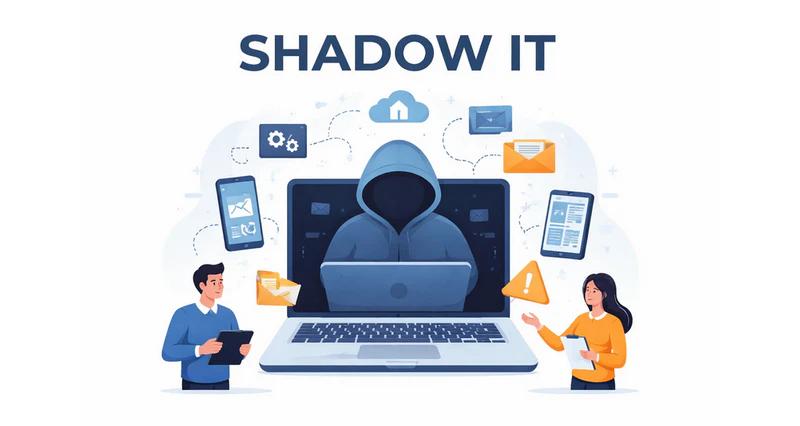
These scenarios are far from unusual. In fact, they represent everyday behavior in many organizations. Such technology usage, carried out without IT department approval yet widely practiced across teams, is known as Shadow IT.
Simply put, Shadow IT refers to employees using software, websites, cloud services, or devices that have not been officially approved by the company—usually with the intention of working faster and more efficiently. While these activities often remain hidden within daily workflows, from a security perspective they signal a serious issue: critical corporate data may already be operating outside the organization’s control.
Why Does Shadow IT Exist?
Shadow IT is rarely the result of employees intentionally trying to bypass company rules. More often, it emerges because internal IT management can no longer keep pace with real business needs. In practice, this usually happens for three main reasons.
1. Complex Internal Processes
When a great idea needs immediate testing, or a client urgently requests a proposal, but obtaining a new tool or permission from IT requires filling out multiple forms and waiting several days for approval, employees naturally look for instantly available alternatives.
In fast-moving business environments, speed often outweighs compliance—especially when the approval process feels disconnected from actual work demands.
2. External Tools Are Simply Easier to Use
Outside corporate systems exists a vast ecosystem of modern, well-designed, and user-friendly tools. Compared to them, many enterprise tools feel outdated or cumbersome.
If an external tool is easy to use and clearly improves productivity, employees are unlikely to wait through lengthy approval processes. Instead, they tend to use the tool first and worry about compliance later.
3. The Rise of Remote Work
Remote and hybrid work models have made employees more dependent on personal devices and home networks. In these environments, people naturally gravitate toward tools they are already familiar with—such as personal email, messaging apps, or personal cloud storage.
After all, few employees want to sacrifice efficiency simply to remain “compliant” with tools that are difficult or inconvenient to use.

What Is a malicious insider? Learn how to identify different types, spot warning signs, and use effective strategies to protect your organization’s data and systems. Learn more>>
3 Common Types of Shadow IT
Shadow IT can appear in many different forms within an organization, most commonly in the following areas.
1. Software and Cloud Services
The most common type of Shadow IT involves unapproved software and cloud services. Examples include storing files in personal cloud drives, using private AI accounts to write content or analyze data, or relying on unknown online tools to convert file formats.
Because these tools have not gone through corporate security assessments, IT teams lack visibility into where data is stored, who can access it, and how it is protected—making compliance extremely difficult to guarantee.
2. Hardware and Personal Devices
Another common form of Shadow IT involves personal hardware, such as laptops, tablets, smartphones, or USB storage devices used to access company data.
These devices are typically unmanaged and not regularly patched, making them potential entry points for security vulnerabilities and data leaks, while also increasing the operational burden on IT teams.
3. Data Processing and Sharing Behaviors
The most hidden form of Shadow IT lies in everyday data-handling habits. Saving internal files on personal computers for after-hours work or storing customer information in personal cloud accounts may seem harmless, but these behaviors quietly open multiple backdoors for data leakage.
When a security incident occurs, organizations may find it impossible to trace where the data went or who accessed it. Shadow IT can infiltrate software usage, devices, and data workflows, creating blind spots in enterprise security and weakening Zero Trust and DLP strategies.
Beyond data leakage, it also exposes organizations to serious compliance risks—for example, storing customer data in unapproved cloud services may violate regulations such as GDPR or local data protection laws.
Additionally, because these tools are unmanaged, IT teams cannot provide effective support when problems arise, which can ultimately slow work down rather than speed it up. Left unchecked, Shadow IT can grow into a risk that organizations can no longer afford to ignore.
How to Manage and Control Shadow IT?
Shadow IT is not just a risk—it is also a signal. It indicates that employee needs are not being fully met or that working methods are changing. While Shadow IT can improve efficiency and reduce collaboration friction, attempting to eliminate it entirely is neither realistic nor effective. A better approach is to make Shadow IT visible, controllable, and manageable.
1. Use Technology to Control Risk
The core challenge of Shadow IT is invisibility. When something goes wrong, hidden tools and data flows are difficult to investigate.
Organizations need technology that can surface hidden activity, block high-risk behavior, and ensure data remains traceable wherever it goes.
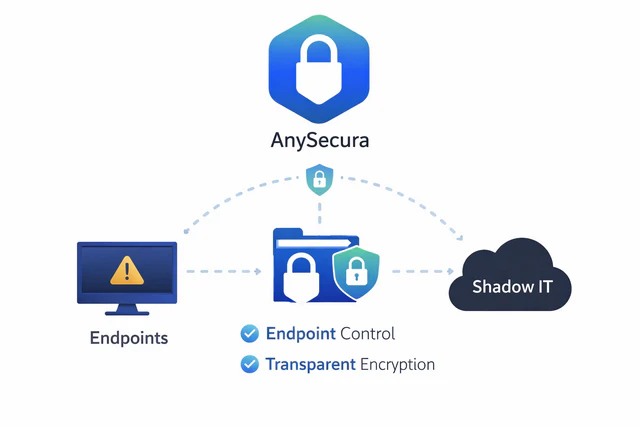
This is where tools like AnySecura Endpoint Management come into play. By monitoring endpoint activity, managing permissions, and protecting data throughout its lifecycle, AnySecura brings Shadow IT back into a controlled and compliant framework—without disrupting everyday work.
With real-time visibility into installed software, cloud service access, and data exports, AnySecura can detect unapproved tools such as personal cloud drives or unauthorized collaboration platforms and respond according to predefined policies by issuing alerts or blocking actions when necessary.
Its transparent encryption capabilities act like an “invisible lock” on sensitive documents. Files such as contracts and proposals are automatically encrypted during creation, modification, and sharing, without requiring additional effort from employees. At the same time, all access and transfers remain fully traceable, ensuring accountability even when data moves beyond approved environments.
2. Establish Clear IT Policies
Clear and accessible IT policies help define the boundaries between what is allowed and what is not. This includes listing approved applications and services, defining usage scenarios, and setting permission limits.
Equally important is a transparent and efficient process for requesting new tools. When employees know how long approval takes and can obtain compliant tools quickly, they are far less likely to seek unauthorized alternatives.
3. Provide Effective Internal Alternatives
At its core, Shadow IT often exists because internal tools are difficult to use or inefficient. Providing flexible, user-friendly enterprise tools that genuinely support business needs is one of the most effective ways to reduce reliance on personal solutions.
4. Guide Employees Toward Better Practices
Employees should be encouraged to submit tools for evaluation rather than adopting them first. In daily work, using approved software and secure access methods—such as corporate VPNs or compliant cloud storage—can preserve productivity while minimizing risk.Training and awareness programs can help make secure behavior a natural habit rather than a forced rule.
Conclusion
Ultimately, Shadow IT is not about employees intentionally breaking rules—it reflects a very real desire to work faster and better. While it supports efficiency and innovation, it also introduces serious data security and compliance risks.
By acknowledging its existence and addressing it through technology (such as AnySecura’s endpoint control capabilities), clear policies, and employee-friendly tools, organizations can strike a sustainable balance between security and productivity. Turning Shadow IT into a controlled and manageable practice is not only achievable—it is a win for both the business and its employees.


