
"Dear User, your account will be deactivated within 24 hours. Please click this link to verify your information immediately, or you will lose access to the company system."
Have you ever received an email like this? Such messages often look urgent and official, but they may actually hide the risk of phishing scams. Every day, a large number of employees get phishing emails disguised as legitimate communications. If you let your guard down and click the link, you could face account theft or data leaks at best. At worst, ransomware could sneak in, causing serious trouble for both individuals and the company.
This article will help you understand what phishing emails are and how to spot a phishing email, so you can identify suspicious emails right away and protect your information.
What Is a Phishing Email?
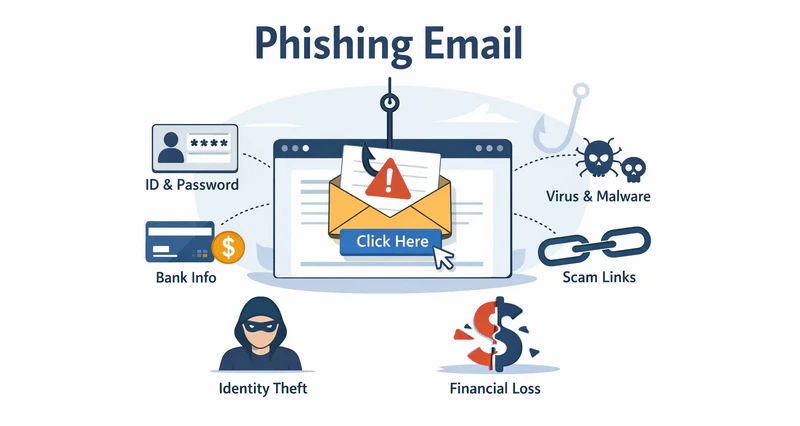
A phishing email is a type of cyber fraud. Attackers pretend to be trustworthy individuals or organizations and send emails to trick recipients into taking certain actions. These actions include clicking malicious links, downloading virus-infected or malicious attachments, or disclosing sensitive information such as ID numbers, account passwords, and credit card details.
The core goal of these emails is to fool you. Believe it or not, once they get in, attackers can steal sensitive data, break into systems without permission, or—worst case—run the company’s business processes themselves. Common targets for impersonation include:
- Corporate executives or managers: Attackers pretend to be company leaders and send urgent instructions like "Transfer funds immediately" or "Submit this file now."
- IT or technical support teams: Emails may say, “Your account has a security issue. Log in immediately to update your password.”
- Banks or financial institutions: Emails may warn, "Your account has unusual transactions. Please click the link to confirm your information."
- Cloud service platforms: Such as Google Drive, OneDrive, or Dropbox. Emails may contain "shared document links" to trick users into opening malicious files.
Unlike regular spam, phishing emails are targeted and have a clear intent to deceive. Spam is mostly mass-sent advertisements. Phishing emails, however, use social engineering tactics to manipulate recipients’ psychology. They take advantage of urgency or curiosity to induce actions and launch attacks.
👉Want to learn more about Business Email Compromisem(BEC)? Click to read.How to Spot a Phishing Email At Work?
In a work setting, email phishing attacks are often carefully disguised as "normal business emails". The key to identifying them lies in checking the details. Here are 10 practical tips to help employees judge if an email is risky:
Suspicious Sender Email Address
Phishing emails usually forge seemingly credible senders, but their email addresses often have subtle irregularities. For example, there may be an extra letter, a public email domain is used, or the domain does not match the company’s official one.
For instance, the legitimate IT support email should be [email protected]. But the suspicious email may come from [email protected] or [email protected]. So when receiving an email, employees should not only check the display name but also verify the full sender address.
Urgent or Threatening Language
Phishing attacks often exploit panic. These emails are designed to freak you out a bit. They push you to click without double-checking. Like, you might get a message saying: 'Verify your account within 24 hours or lose access forever.' But here’s the thing—legit company notices never try to scare you into acting fast.
Misspellings and Poor Grammar
Many phishing emails are mass-sent by non-native speakers. As a result, the content often has obvious spelling mistakes and unnatural sentence structures. For example, “Please update you account informaton immediatelly.” Such basic errors are very rare in professional business emails. If you notice them, be on alert.
Vague or Unclear Content
Phishing emails rarely mention specific departments, real projects, or clear backgrounds—they only use vague statements. For example, "we have detected unusual activity on your account. Please act quickly." If an email does not specify the exact problem or which system it relates to, you need to be wary.
Unexpected or Suspicious Attachments
Watch out—phishing emails love to hide malware in attachments. If you see a .exe, .zip, or .html file pop up unexpectedly, even from someone you know, don’t just click it. A quick private chat to confirm can save a lot of trouble.
Mismatched URLs
Links in phishing emails are often disguised as legitimate websites, but they actually point to malicious domains. For example, the link text may show https://login.microsoft.com, but hovering over it reveals an unfamiliar domain. So before clicking any link, hover your mouse over it to check if the actual URL is correct.
Requests for Sensitive Information
Any email asking for passwords, verification codes, or financial info is likely phishing. For example, “Please reply with your login password to complete verification.” IT, banks, and cloud services will never ask for sensitive info by email. Be alert if you see this.
Unusual Timing or Context
Attackers often send phishing emails outside working hours. They count on the fact that you cannot verify the request with colleagues or leaders right away. For example, receiving an urgent email about payment or system error handling late at night or on weekends. Employees should judge if the email is reasonable based on the timing and business context.
Fake Login Page
Clicking a phishing email link may redirect you to a highly realistic fake login page, tricking you into entering your account and password. The page may look exactly like your company’s email or cloud storage login page, but its URL is not the official domain. If you need to log into a system, it is better to manually type the official address instead of using links from emails.
Would You Actually Expect to Receive This Email?
This is the simplest and most effective step to identify a phishing email. Ask yourself: " Should I really receive this email?" For example, if you didn’t request a password reset but receive a “reset successful” notification, it is likely phishing. If the email content does not align with your actual actions or job responsibilities, it is probably a phishing email.
Learn the key differences between data breaches and data leaks to protect your business.Learn more>>
Why Phishing Emails Are So Dangerous?
Phishing emails are hard to defend against and have become the most common cyber threat to companies. The reason is that they do not target software—they exploit the weakest link: people. A seemingly ordinary email can trigger a series of problems:
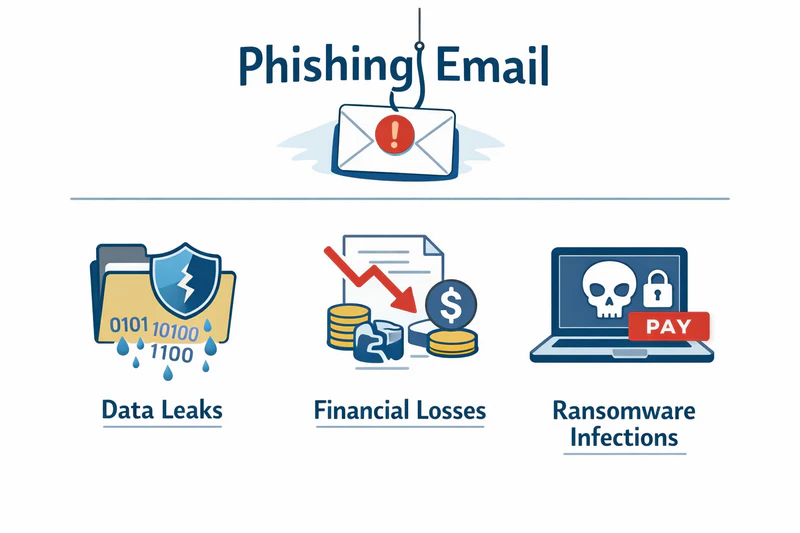
- Data leaks: This is the most direct and common consequence. Attackers can trick employees into entering passwords or opening malicious attachments, gaining access to customer data, contracts, internal emails, financial reports, and other sensitive information. Once this data is leaked, it is not only hard to recover but may also be resold multiple times.
- Financial losses: Many email phishing attacks are disguised as payment notices, bank alerts, or executive instructions. They trick financial staff into making transfers or modifying receiving accounts. These attacks are often urgent and forceful in tone. If no verification is done before taking action, companies may suffer direct financial losses in a short time.
- Ransomware infections: Phishing emails are a major entry point for ransomware attacks. Malicious attachments or malicious links hidden in emails can automatically download and run ransomware when clicked. This can encrypt end devices, paralyze business systems, and even force companies to pay large ransoms to recover data.
For these reasons, phishing scams are not "low-level attacks". They are comprehensive threats that can trigger risks related to data, funds, and business continuity. Companies must take them seriously and implement continuous prevention measures.
How Employees Should Respond to Phishing Emails
Do Not Click Unknown Links or Attachments
Employees are the first and most important line of defense. When receiving a suspicious email, avoid clicking unknown links or downloading attachments, even if it seems to come from someone familiar, especially if it doesn’t fit regular workflow.
Verify Sensitive Requests Through Multiple Channels
For sensitive requests involving payments, account changes, or file access permissions, employees should verify the request through various means instead of making decisions based solely on the email content. Always check with the sender or relevant person in charge to confirm validity before taking action.
Proactively Report Suspicious Emails to The IT or Security Team
If you find a phishing email, report it to IT or security. This helps the team analyze threats, stop spread, and protect others.
Therefore,regular employee security awareness training is essential. Companies should conduct regular phishing email identification training and simulation drills. These activities help employees understand common attack methods, the latest phishing trends, and correct response procedures. Using real cases and hands-on exercises can significantly improve employees’ ability to identify phishing emails and reduce the chance of accidental clicks.
How Organizations Can Prevent Phishing Attacks
Relying solely on employees’ personal vigilance is not enough to fully block evolving email phishing attacks. To effectively reduce the risks posed by phishing scams, companies can build a protection system from technical perspectives.
Companies need more refined control over email and endpoint behaviors. For example, with AnySecura’s email control features, companies can set up email blacklists and whitelists and enforce CC rules for certain emails. For attachments containing sensitive information, direct blocking of transmission is possible. Even if an employee accidentally clicks a phishing link, core files can be prevented from leaking.
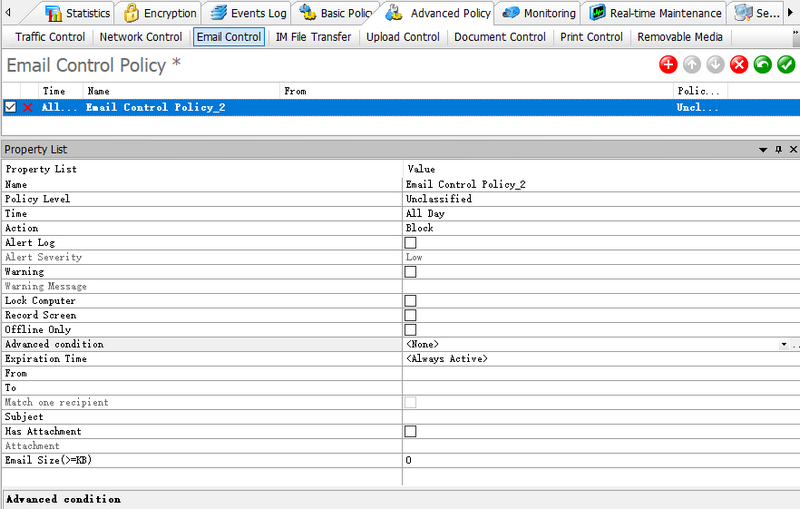
Meanwhile, AnySecura can encrypt important files. Even if attackers obtain files through phishing, they cannot view the plaintext content without authorization. This reduces the risk of data leakage and further spread.
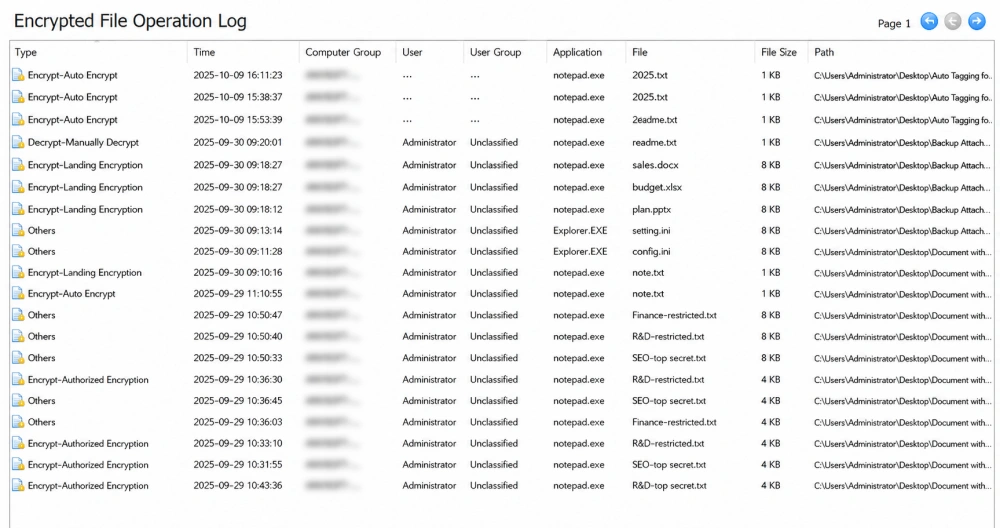
In addition, comprehensive endpoint auditing capabilities are crucial. By continuously monitoring file access, data transmission, and abnormal operations on endpoints, companies can detect potential phishing attack traces in a timely manner. After a security incident occurs, they can quickly determine the scope of impact, reconstruct the attack process, and provide reliable evidence for subsequent handling and compliance audits.
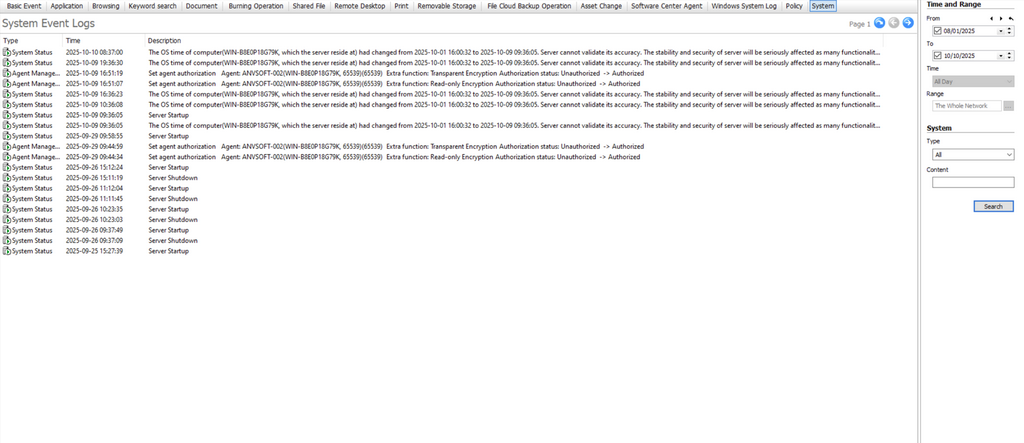
By implementing technical protections, companies can build a multi-layered defense system against phishing attacks. This shifts the approach from passive response to active prevention and significantly improves overall information security levels.
Discover top 5 employee monitoring software in 2026. Compare pros and cons to find the perfect tool for workforce management. Learn more>>
FAQ About Phishing Email
How to Tell If an Email Is a Phishing Email?
Check details: sender address, urgent or threatening language, spelling or grammar errors, attachments, link mismatch, sensitive info requests, timing, fake login pages, and whether you were expecting the email. These features help identify most phishing emails.
What Happens If an Employee Clicks a Link In a Phishing Email?
Clicking a malicious link or downloading an attachment can steal accounts, leak sensitive files, or trigger ransomware. In companies, it can also break audit logs, affect compliance, and cause financial or data loss. Disconnect from the network and report to IT immediately.
How Should Companies Prevent Phishing Attacks?
Regular employee training and phishing simulations improve awareness. Using endpoint security tools, like AnySecura, helps detect and stop suspicious actions. AnySecura offers email control, file encryption, and endpoint monitoring, creating multi-layered defense and reducing phishing risk.
Conclusion
Phishing emails remain a major cyber threat to businesses. However, by raising employee security awareness, mastering the skills of how to spot a phishing email, and leveraging features like AnySecura’s email control, transparent encryption, and endpoint behavior auditing, companies can effectively reduce risks. Learning to identify suspicious emails not only protects personal account security but also safeguards the company’s core data and the normal operation of business.


