
Trellix is a cybersecurity vendor offering a broad security portfolio that spans Endpoint Security, Data Security, Network Security, Email Security, and Security Operations. For organizations looking to protect endpoints, data, and networks through a fairly comprehensive platform, Trellix is a common starting point.
But not every business needs the same security stack. Some organizations already rely on Microsoft, CrowdStrike, or other tools, while others are more focused on DLP, cloud security, XDR, or endpoint data protection specifically.
That's why many businesses evaluating Trellix also compare it against other solutions. This article covers 8 notable Trellix competitors and alternatives, each with a different security focus, to help you figure out which option best fits your environment.

Top Trellix Alternatives by Core Focus and Best Use Case
| Trellix Competitor | Best For | Core Focus |
|---|---|---|
| AnySecura | Endpoint data control and employee activity management | Endpoint DLP, device control, document security, endpoint management |
| CrowdStrike Falcon | Threat detection and response | Endpoint Security, EDR, XDR |
| Microsoft Defender | Microsoft ecosystem security | Endpoint, Identity, Email, Cloud, XDR |
| Forcepoint DLP | Enterprise data security strategy | Enterprise DLP, data discovery, data protection |
| Netskope One | Cloud and SaaS environments | SSE, Cloud Security, SaaS, Data Protection |
| Palo Alto Cortex XDR | Threat detection across security domains | XDR, Endpoint, Network, Cloud Security |
| Proofpoint Enterprise DLP | Email and insider data risk | Email Security, DLP, Insider Risk |
| Safetica | SMB data loss prevention | DLP, Insider Risk, Employee Activity |
The main difference between these Trellix competitors is their security focus. Some concentrate on endpoint threats and XDR, while others focus on enterprise DLP, cloud security, email protection, insider risk, or endpoint data control.
What Is Trellix?
The Trellix Security Platform
Trellix was formed through the merger of McAfee Enterprise and FireEye, built around a "living security" approach. Its product line spans Endpoint Detection and Response (EDR), Extended Detection and Response (XDR), email security, network security, and Data Loss Prevention (DLP) — positioning it as an all-in-one security operations platform for mid-size to large enterprises.
Trellix Endpoint Security and DLP
When people search for Trellix competitors, Endpoint Security and Data Loss Prevention (DLP) tend to be the two areas they're most interested in comparing.
Trellix Endpoint Security provides endpoint threat protection, EDR, device control, application control, and centralized management.
Trellix DLP, on the other hand, is designed to protect sensitive information across endpoint, email, web, and network channels. In other words, Trellix isn't a standalone DLP product — it's part of a broader platform spanning multiple security domains.
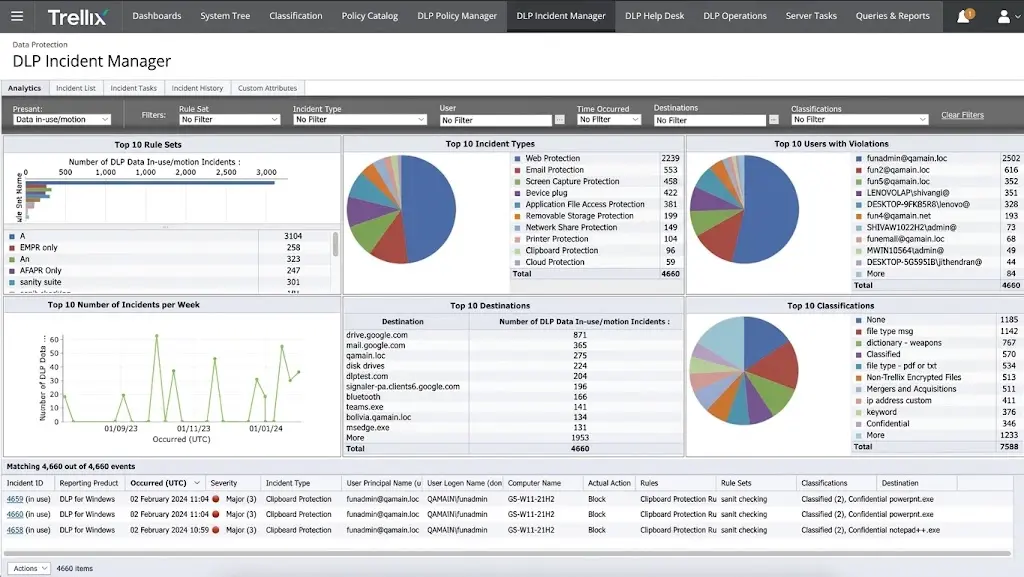
Source: Trellix
Why Are Businesses Looking for Trellix Competitors?
Looking for Trellix competitors doesn't necessarily mean Trellix falls short on security. More often, it reflects businesses re-evaluating their existing security architecture or trying to find a solution that better fits their technical environment and long-term strategy.
Here are four common reasons.
1. Existing security tools already cover part of the need
Many organizations already run Microsoft, CrowdStrike, Palo Alto Networks, or other security products.
Take a company that's already running heavily on Microsoft 365 and Azure. Chances are, Microsoft's own tools are already covering a good chunk of their endpoint, identity, email, and cloud security needs. Adding another all-in-one platform on top of that just means paying for overlapping coverage.
So when comparing Trellix competitors, businesses aren't necessarily looking for "more features" — they're often trying to avoid redundant investment and get more value out of the tools they already have.
2. Businesses are reconsidering their security vendor mix
As the number of security tools grows, security teams often end up managing endpoint security, DLP, email security, network security, identity security, and security operations across multiple separate platforms.
That adds real overhead to management, maintenance, and day-to-day operations.
As a result, some organizations start a process of security vendor consolidation — reassessing which products to keep, which capabilities can be merged, and whether a different platform fits their existing tech stack better.
In this context, comparing Trellix competitors isn't just about feature checklists — it also involves how well each platform integrates with the rest of the stack and how much it disrupts the security team's existing workflows.
3. Security architecture is shifting toward cloud and XDR
IT environments are changing. As more employees rely on SaaS applications, cloud platforms, and remote work setups, traditional network- and endpoint-centric security architectures are being rethought.
Some businesses are shifting toward cloud-native security, Security Service Edge (SSE), or XDR architectures that correlate data across endpoints, networks, cloud, and other security systems.
For these organizations, platforms like Netskope, CrowdStrike, Microsoft Defender, or Cortex XDR often become alternatives worth comparing against Trellix.
4. Data protection priorities are becoming more specific
Not every business prioritizes data security the same way.
Some care most about endpoint DLP and device control. Others are more focused on sensitive data moving through email. Still others prioritize SaaS applications, cloud data, or insider risk.
If what a business actually needs is one specific data security capability, a broad multi-domain platform isn't necessarily the best — or only — fit.
For example, if the main goal is controlling how employees handle files, USB devices, printers, and applications, and protecting sensitive documents on endpoints, a product that's more narrowly focused on endpoint data protection and control may be a better match.
8 Best Trellix Competitors and Alternatives
1. AnySecura
If what keeps a company up at night is not knowing where sensitive files have ended up once they leave an employee's laptop, AnySecura is usually one of the first names that comes up.
Its capabilities include:
All of this runs through a central console paired with an agent installed on endpoint devices, which makes it faster to deploy and easier to get up and running than most traditional enterprise DLP platforms.
The platform is also modular, so companies don't have to adopt the entire suite at once. A business can start with just the capabilities it actually needs, like device control and print control, and add other modules later as requirements grow, instead of paying for and managing a full-scale DLP deployment from day one.
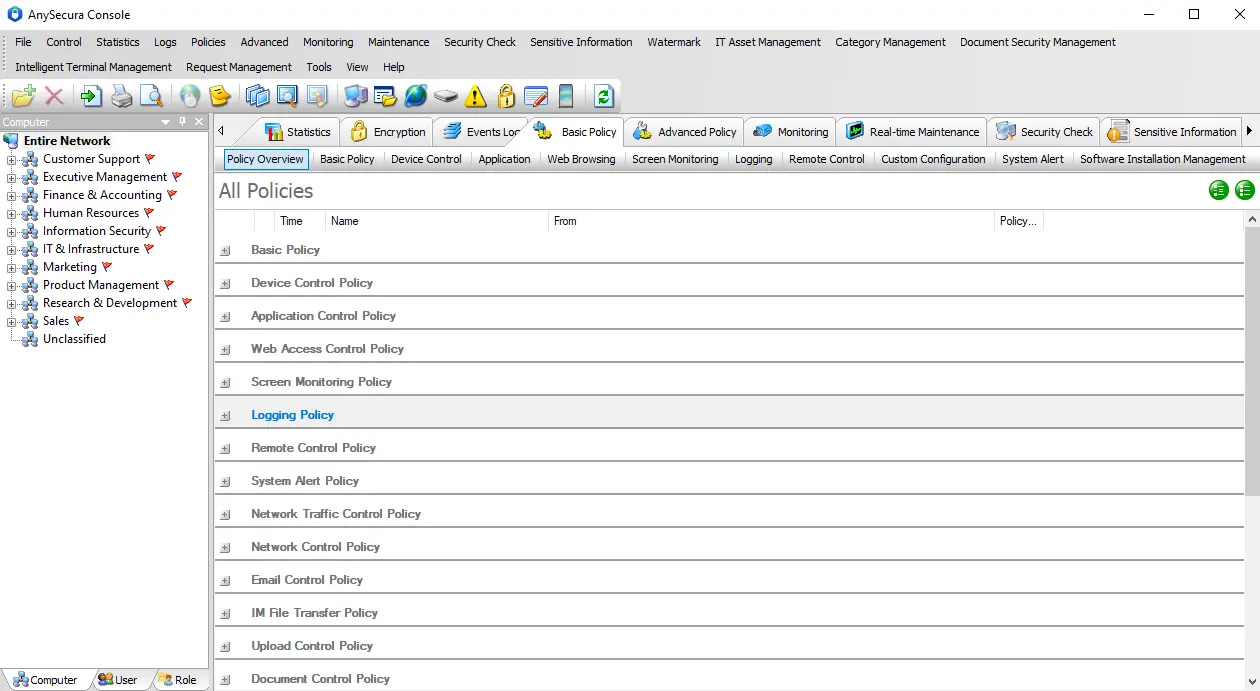
Source: AnySecura
 Who Should Choose AnySecura
- Your biggest risk is employees copying, emailing, or printing sensitive files — not outside attackers breaking in.
- You want protection that travels with the file itself, even after it leaves the company network.
- You'd rather start small, like just device control and print control, and add more modules as you grow.
Who Should Not Choose AnySecura- You need to detect and stop external attacks like ransomware or zero-day exploits — that's a different job.
- You're after a single platform that also covers network- and cloud-level threat detection.
- You already have a solid EDR/XDR tool and just need something else, not a replacement for it.
2. CrowdStrike Falcon
While AnySecura focuses on what employees do with data, CrowdStrike Falcon is built to answer a different question: has an attacker already gotten in.
It relies on a large-scale threat intelligence network and real-time telemetry to catch abnormal behavior early in the attack chain, which is part of why it's consistently well-regarded for ransomware and advanced persistent threat defense. The platform processes massive volumes of telemetry from customers worldwide every day and uses that data to train its detection models and recognize patterns of malicious behavior.
Its agent is designed to be lightweight, so it generally doesn't need frequent reboots or signature updates to keep protection current, which is one reason it's outpaced a lot of legacy antivirus products. The platform also offers threat hunting, where a dedicated security team actively searches customer environments for potential threats rather than relying entirely on automated detection.
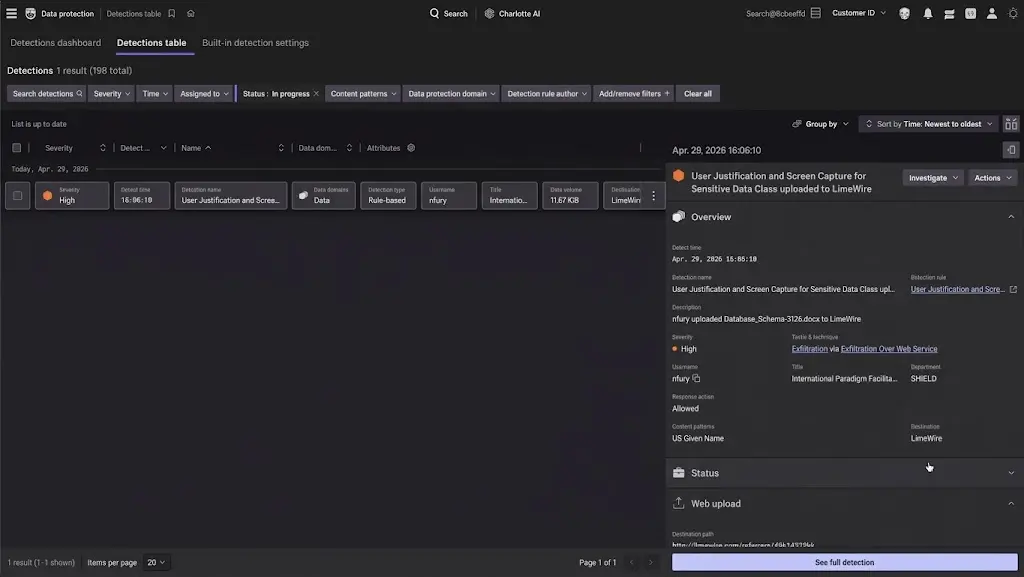
Source: CrowdStrike Falcon
Who Should Choose CrowdStrike Falcon- You're more worried about attackers getting in than about employees mishandling data.
- You want fast, automated threat detection and response without needing a huge security team to run it.
- You need broad coverage — endpoint, identity, and cloud — under one platform.
Who Should Not Choose CrowdStrike Falcon- Your main concern is controlling what employees do with sensitive files, not catching outside attackers.
- You're a smaller team without analysts to make full use of threat hunting and telemetry.
- Budget is tight, and Falcon's pricing can add up quickly once you start adding modules.
3. Microsoft Defender
A lot of companies pick Microsoft Defender not because its detection is exceptional, but because it's the path of least resistance: no need to bring in an entirely separate security stack.
For organizations already running Microsoft 365, Defender lets them build out endpoint, identity, email, and cloud security on top of tools they're already paying for and already familiar with, which keeps migration and training costs down.
Defender is really a collection of products bundled under one name. Defender for Endpoint handles endpoint protection, Defender for Office 365 covers email and collaboration security, and Defender for Identity handles identity threat detection, and companies can turn these on based on their licensing tier. That modular structure means a business doesn't have to buy everything upfront — it can start with the most urgent gap and expand from there.
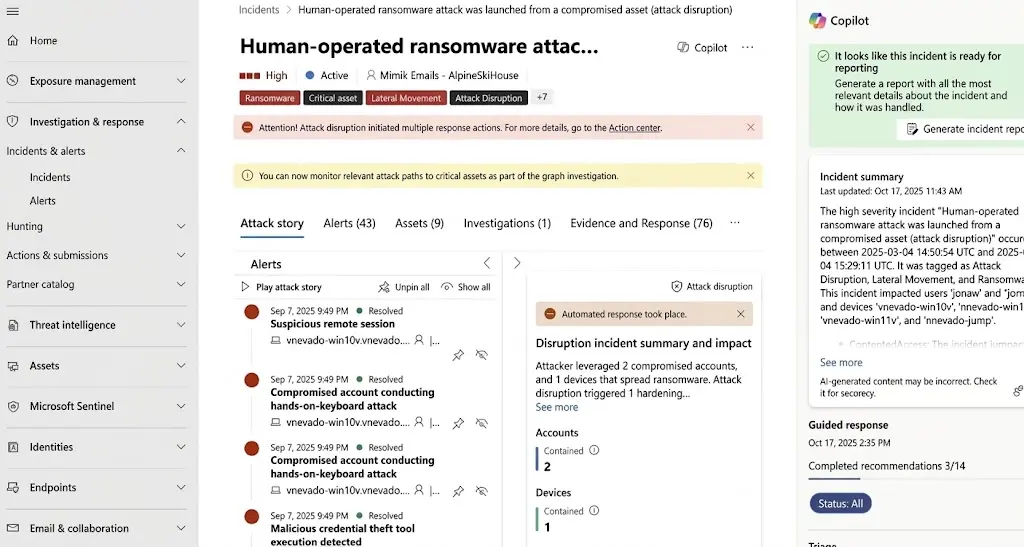
Source: Microsoft Defender
Who Should Choose Microsoft Defender- You're already running Microsoft 365, Azure, and Intune, and want security that plugs right in.
- You'd rather use what's already in your licensing than pay for a separate platform.
- You want to start small, like just endpoint protection, and turn on more modules later.
Who Should Not Choose Microsoft Defender- Your environment is mostly non-Microsoft, and you don't want to be boxed into one ecosystem.
- You'd rather manage security from one unified console instead of several Defender products.
- You need best-in-class threat hunting and incident response, not just solid built-in protection.
4. Forcepoint DLP
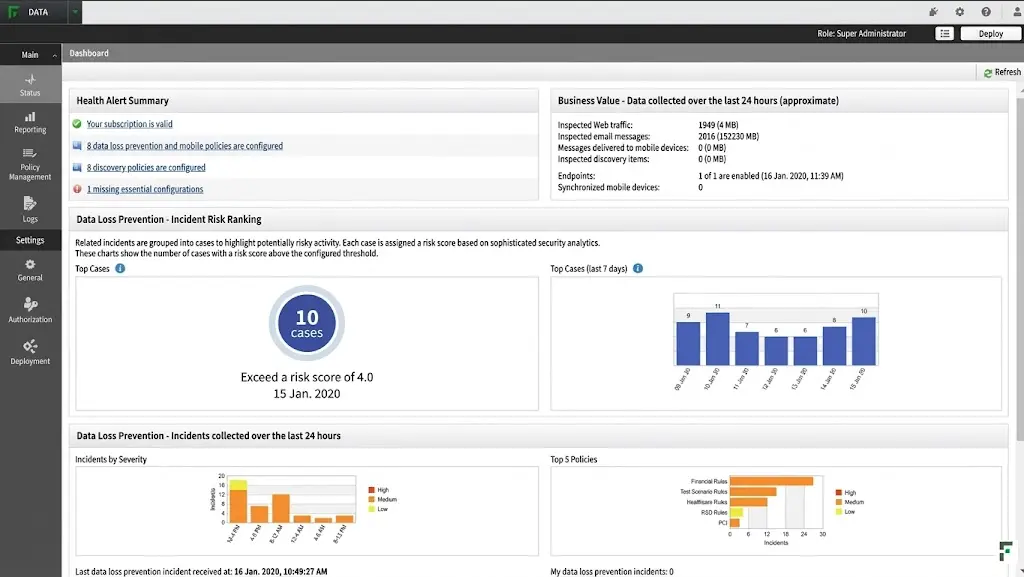
Not every employee carries the same level of risk, and that's the whole premise behind Forcepoint DLP: security policy should adapt to each user's risk level instead of applying the same rules to everyone.
On compliance, it comes with more than 1,700 built-in classifiers and policy templates covering regulatory requirements across 80-plus countries, so companies can pull in ready-made templates for GDPR, HIPAA, and similar regulations instead of writing rules from scratch, which cuts down significantly on configuration errors. This is different from the static logic most DLP products use, setting rules first and catching violations after — Forcepoint continuously scores each user's risk level. The higher the score, the tighter the controls, while low-risk users are left largely undisturbed.
In recent years, Forcepoint has also added an AI assistant called ARIA to the product, which recommends and deploys the right security policies based on industry, region, and real-time risk signals, reducing the manual configuration work for security admins. The whole system supports cloud, on-premises, and hybrid deployment, and unifies policy across AI applications, cloud, web, email, and endpoint channels.
Source: Forcepoint DLP
Who Should Choose Forcepoint DLP- You manage a large, spread-out workforce and need policies that adapt to each person's risk level.
- Compliance across multiple countries is a real headache, and ready-made templates would save time.
- You'd rather have AI (ARIA) do some of the policy work instead of configuring everything by hand.
Who Should Not Choose Forcepoint DLP- You're a small team without the resources to manage a full enterprise DLP rollout.
- You need something you can set up in a day, not a platform that takes real configuration time.
- Your main concern is endpoint threats, not data loss policy enforcement.
5. Netskope One
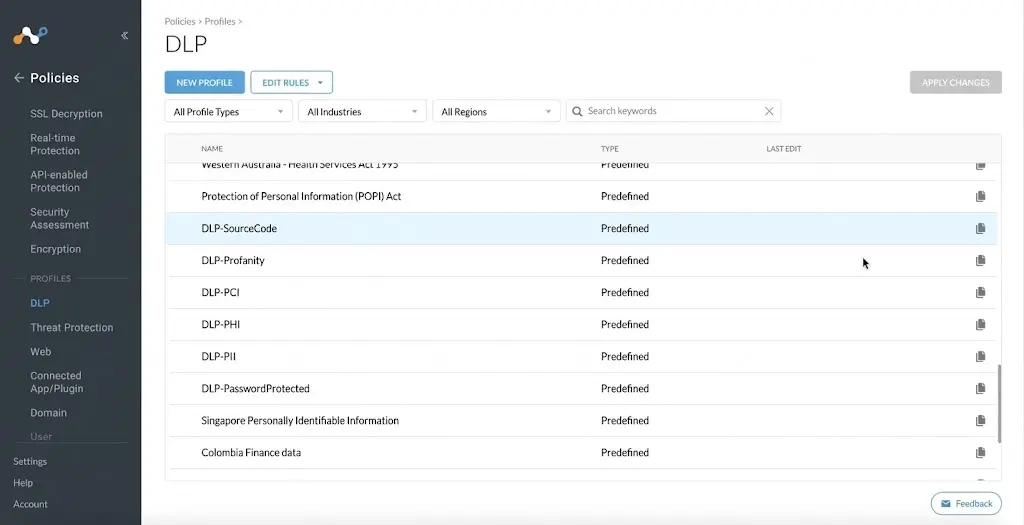
Traditional DLP watches what's on an employee's hard drive. Netskope One watches something else entirely: how data moves between the cloud and the SaaS applications people use every day.
Its core capabilities span Cloud Access Security Broker (CASB), Secure Web Gateway (SWG), Zero Trust Network Access (ZTNA), and cloud firewall, all running on its own private cloud network architecture that applies consistent policy across these different services. In effect, it moves the security perimeter from the corporate network out to the point where users access the cloud and SaaS apps. Netskope has also been named a Leader in Gartner's Security Service Edge (SSE) Magic Quadrant for several years running.
Source: Netskope One
Who Should Choose Netskope One- Most of your sensitive data lives in SaaS apps and the cloud, not on local machines.
- You want your security perimeter to follow users wherever they log in, not just the office network.
- You care about SSE and CASB capabilities backed by strong analyst recognition, like Gartner's Leader rating.
Who Should Not Choose Netskope One- Your data mostly sits on local devices and endpoints, not in cloud services.
- You want a DLP tool built around protecting files on the device itself.
- You'd rather have a lighter, simpler setup than a full SSE platform.
6. Palo Alto Cortex XDR
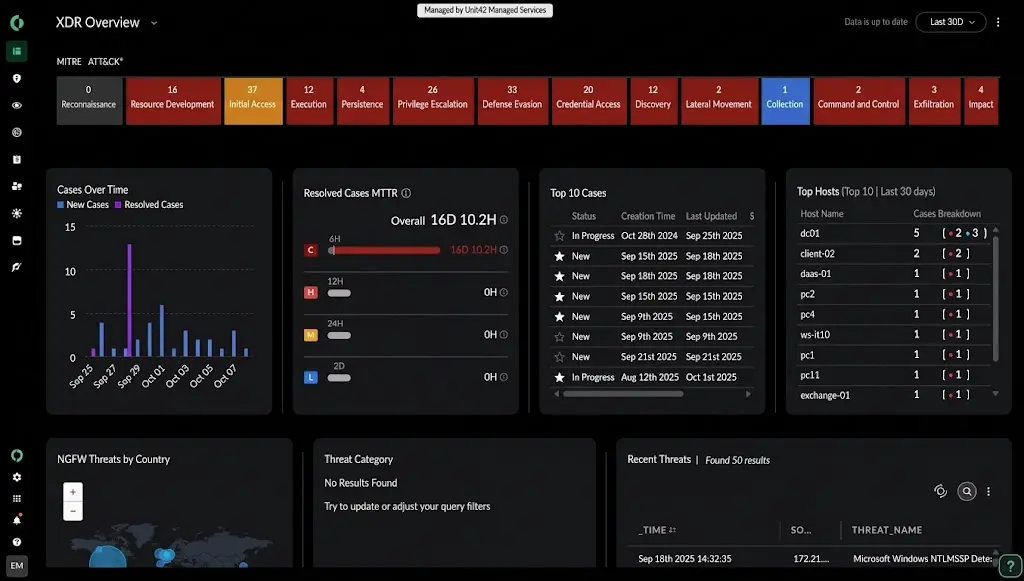
An attack rarely leaves just one clue. There might be a small anomaly on an endpoint, an odd blip in network traffic, and a strange login on a cloud account, all at once. Cortex XDR's job is to pull those scattered signals together and look at them as one picture.
Many security incidents aren't isolated events — they span endpoint, network, and cloud all at once. Cortex XDR's correlation capabilities help security teams get to the root cause faster and reconstruct the full attack chain with a single click, instead of switching between separate tools to piece things together manually.
On third-party benchmarks, it scored 100% for both protection and detection in the 2023 MITRE ATT&CK Evaluation, and again scored a perfect result in SE Labs' 2026 ransomware-specific testing — the kind of independent validation many companies weigh heavily during evaluation.
Source: Palo Alto Cortex XDR
Who Should Choose Palo Alto Cortex XDR- You already have some security operations maturity and want a real XDR strategy, not just endpoint alerts.
- You need to correlate signals across endpoint, network, and cloud to catch multi-stage attacks.
- Independent test scores, like 100% in the MITRE ATT&CK Evaluation, matter to your evaluation process.
Who Should Not Choose Palo Alto Cortex XDR- You're looking for a dedicated DLP product, not a threat detection and response platform.
- Your team is small and doesn't have the bandwidth to run a full XDR setup.
- You want something simpler than correlating data across multiple security domains.
7. Proofpoint Enterprise DLP
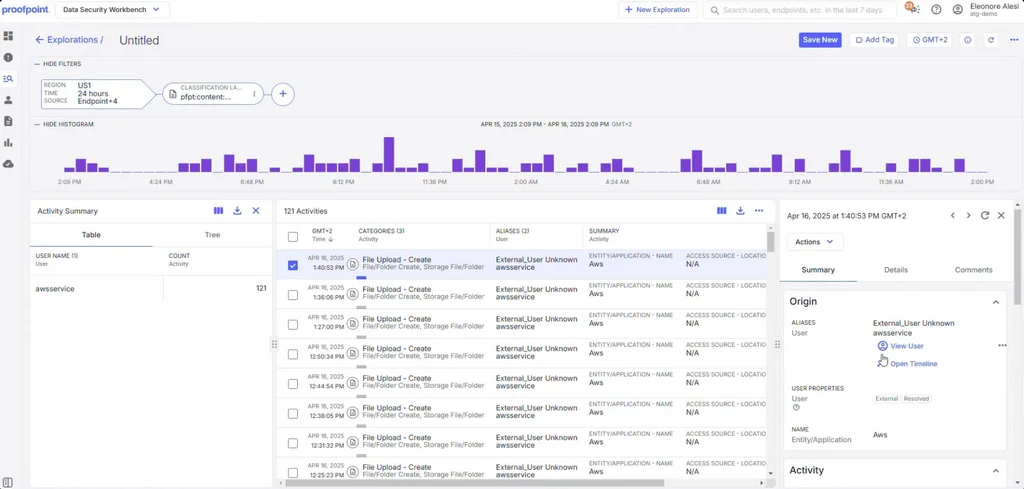
For most companies, if you trace a data leak back to its source, it usually starts with an email. That's exactly where Proofpoint Enterprise DLP comes in: it looks at email threats and data leakage as one connected problem instead of two separate ones.
This builds on Proofpoint's long-standing strength in anti-phishing, anti-spam, and email threat protection, with Enterprise DLP extending that foundation into data protection.
Its product philosophy has always been "people-centric," built on the idea that most data leaks and security incidents ultimately come down to human behavior — an employee clicking a phishing link, or accidentally sending a file to the wrong person. So its detection logic puts real weight on user behavior and risk profiles, not just blocking sensitive data outright.
Source: Proofpoint
Who Should Choose Proofpoint Enterprise DLP- Most of your data leak risk comes through email and collaboration tools, not the endpoint.
- You like a people-centric approach that factors in user behavior, not just blanket blocking.
- You want DLP and email threat protection working together instead of as separate tools.
Who Should Not Choose Proofpoint Enterprise DLP- Your risk is mostly about what happens on the device — USB drives, printing, local files — not email.
- You need broad endpoint or network threat detection, which isn't Proofpoint's focus.
- You'd rather have file-level protection that travels with the document itself.
8. Safetica
Not every company needs a DLP system complicated enough to require a dedicated specialist to run it. Safetica is built for the businesses that want data leak protection but don't have the budget or headcount for that.
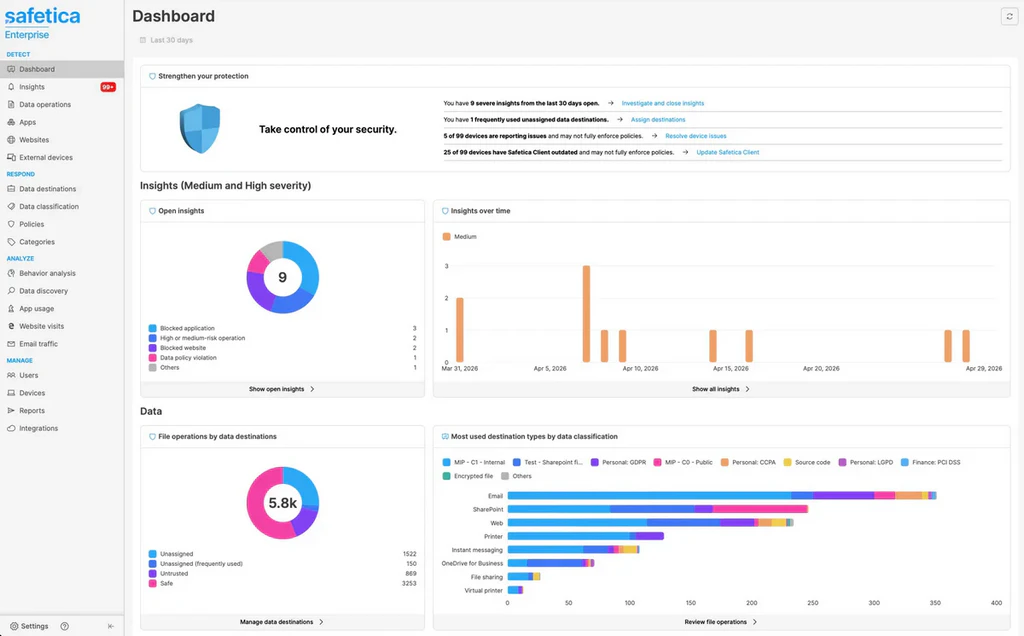
It combines DLP with visibility into employee activity, showing both where sensitive data is going and which user behaviors might be risky. Overall setup and management are noticeably simpler than enterprise-grade platforms like Forcepoint. The product is modular, so companies can pick specific capabilities like USB control or web and cloud DLP instead of buying the full package upfront. Safetica is also a member of the ESET Technology Alliance and the Microsoft Partner Network, which allows for some level of integration with security tools these companies commonly already use.
Source: Safetica
Who Should Choose Safetica- You're an SMB with a limited budget and no dedicated security specialist to run a complex DLP system.
- You want to pick specific modules, like USB control, instead of buying a full package upfront.
- Integration with tools you likely already use, like ESET or Microsoft, is a nice bonus.
Who Should Not Choose Safetica- You're a large enterprise that needs deep, centralized DLP across many countries and teams.
- You need advanced threat detection and response, not just DLP and activity visibility.
- Your data protection needs go beyond what a lighter, SMB-focused tool can realistically cover.
Want a closer, head-to-head look at some of these DLP vendors? See how they compare on features, pricing, and deployment. Learn more>>
How to Choose the Right Trellix Competitor?
When choosing a Trellix competitor, start by identifying the problem you're actually trying to solve — not just comparing which product has the longest feature list.
If endpoint threat detection, EDR, and XDR are your top priority, CrowdStrike Falcon and Cortex XDR are worth comparing closely.
If you're already deeply invested in Microsoft 365 and Azure, Microsoft Defender will likely integrate more smoothly into your existing environment.
If DLP and data protection are the main focus, Forcepoint DLP, Proofpoint Enterprise DLP, and Safetica are all worth evaluating.
If your organization is moving toward cloud and SaaS environments, Netskope One is worth a closer look.
And for organizations focused on endpoint data protection, device control, document security, and centralized endpoint management, AnySecura is a Trellix alternative worth considering.
Before making a final decision, it's worth comparing across a few key dimensions:
- Core security focus: DLP, Endpoint Security, XDR, Cloud Security, or Insider Risk
- Deployment model: Cloud, on-premises, or hybrid
- Endpoint control capabilities: Device, application, removable media, print, and web control
- Data protection capabilities: DLP, encryption, sensitive content inspection, and document security
- Security operations capabilities: Threat detection, investigation, response, and third-party integrations
- Existing tech stack: Microsoft, cloud, network, endpoint, and identity environments
- Management fit: Whether the platform matches your security team's size and day-to-day workflows
FAQ
What is Trellix used for?
Trellix is used primarily for endpoint security, data security, network security, email security, and security operations. Its product portfolio spans Endpoint Security, EDR, DLP, data encryption, network security, and email security.
What Are the Best Trellix Competitors in 2026?
Notable Trellix competitors in 2026 include AnySecura, CrowdStrike Falcon, Microsoft Defender, Forcepoint DLP, Netskope One, Palo Alto Cortex XDR, Proofpoint Enterprise DLP, and Safetica.
That said, each product has a different focus. The best choice ultimately depends on whether your priority is Endpoint Security, DLP, Cloud Security, XDR, Email Security, or Endpoint Control.
Is Trellix an EDR, DLP, or XDR Solution?
Trellix isn't limited to just one of these categories.
It's a multi-domain security portfolio that includes Endpoint Security, EDR, DLP, XDR, Data Security, Network Security, Email Security, and Security Operations.
That means businesses searching for Trellix competitors may actually be looking for very different types of security products, depending on which part of Trellix's coverage they're trying to replace.
What Is the Best Trellix Alternative for DLP?
There's no single DLP product that fits every organization.
If enterprise-grade DLP is the priority, Forcepoint DLP is worth considering. If email and insider risk are the bigger concern, Proofpoint Enterprise DLP is a strong fit. For SMBs looking for a more practical DLP and insider risk management solution, Safetica is also worth evaluating.
If you want Endpoint DLP, Device Control, Document Security, Endpoint Activity Monitoring, and Centralized Endpoint Management combined in one platform, AnySecura is worth a closer look as well.
Conclusion
Trellix covers a lot of ground, but choosing a security platform isn't just about which vendor has the most features. What matters more is whether the platform fits your existing security architecture, your team's way of working, and the specific problems you need to solve.
If you're exploring Trellix competitors mainly because you want stronger control over data and activity on employee endpoints, AnySecura is worth a closer look. It brings together endpoint DLP, device and application control, document protection, and centralized endpoint management in a single platform.
Want to see if AnySecura fits your environment? Start a free trial, or request a custom demo to see the platform in action.