
If you're looking at Teramind alternatives, something has usually changed. The renewal quote grew with your headcount, the rules never got tuned, employees or a works council objected to screen recording, or you need to block files at the USB port, not just see them in a report. Each of those reasons points to a different kind of tool, so the right replacement depends less on feature lists than on why you're leaving.
We compared eight Teramind alternatives on the same criteria and grouped them by the problem they solve: productivity analytics, insider-risk investigation and endpoint data protection. AnySecura publishes this page and is one of the eight, so we hold it to the same criteria, list its limitations and don't rank it first. The order within each group is not a ranking.

- For productivity analytics, ActivTrak and Insightful are lighter and publish lower per-user prices.
- For insider-risk investigation, Veriato, Syteca and Proofpoint ITM are closest to what Teramind does.
- For blocking files on endpoints with on-premises control, compare Safetica, CurrentWare and AnySecura.
Teramind Alternatives Compared
Here are the eight Teramind alternatives side by side, grouped by the problem each solves best.
| Tool | Best for | Deployment | Systems | Starting price (vendor site, Nov 18, 2026) |
|---|---|---|---|---|
| Insider-risk investigation | ||||
| Syteca | Insider risk plus privileged-access monitoring | SaaS or on-premises | Windows, macOS, Linux | Quote only |
| Veriato | Behavior analytics and risk scoring | Cloud or on-premises | Windows, Mac, Chrome, Android | $18/user/month, billed annually |
| Proofpoint ITM | Enterprises already using Proofpoint | SaaS or on-premises | Windows, macOS, Linux | Quote only |
| Endpoint data protection | ||||
| Safetica | Mid-sized teams wanting DLP in cloud or on-premises | Cloud or on-premises | Windows, macOS | From $72/user/year (cloud) |
| AnySecura | Blocking and encrypting files on Windows, data kept on-premises | On-premises | Windows (full); macOS and Linux (fewer modules) | From $216/seat/year, priced by module |
| CurrentWare | USB control and web filtering on a budget | SaaS or on-premises | Windows; macOS (activity tracking only) | $12/user/month for AccessPatrol |
| Productivity analytics | ||||
| ActivTrak | Productivity analytics with a free tier | Cloud | Windows, macOS, ChromeOS | Free for 3 users; paid from $10/user/month |
| Insightful | Hybrid-work productivity analytics | Cloud; on-premises at extra cost | Windows, macOS, Linux | $8/seat/month, billed annually |
Read the billing unit before comparing totals. Safetica and AnySecura price per user or seat per year, the others per month, and CurrentWare has a $1,440 annual minimum.
If you want a Teramind alternative with transparent pricing, six of the eight publish at least one price on their own site: Veriato, Safetica, AnySecura, CurrentWare, ActivTrak and Insightful. Syteca and Proofpoint sell by quote only.
Prices in this market also move fast. In the three weeks before we published, Insightful restructured its plans and Safetica moved its published prices to its cloud edition. Treat any figure here, ours included, as a starting point for a quote.
How We Evaluated Teramind Alternatives
Teramind does two things well: it records what users do in detail, and it responds to risky activity with rules that warn, block or alert. A replacement only has to match the part you actually use, so we looked at each tool through the questions a Teramind customer asks before switching.
| What we looked at | The question behind it |
|---|---|
| Data protection | Can it block USB copies, printing and uploads, or only record them? Can it encrypt or watermark files? |
| Investigation | Will analysts still have the logs and evidence to reconstruct an incident? |
| Deployment | Cloud, on-premises or private cloud, and where do the logs live? |
| Supported systems | Does the agent cover your Windows, Mac and Linux machines with the same features? |
| Pricing | Is the price public, what is the billing unit, and is there a minimum? |
| Privacy controls | Can you collect less than Teramind does, and explain it clearly to employees? |
Why Companies Look for Teramind Alternatives
The reasons teams give for leaving Teramind fall into four groups, and each group ends up in a different part of this list.
- Cost grows with headcount. Teramind prices per seat with a five-seat minimum, and the plan that includes DLP costs more than twice the entry plan. If you only use part of the product, the bill gets hard to justify.
- Setup takes time. Teramind's rule engine is its strength, but writing and tuning rules is ongoing work. A small IT team without a dedicated analyst may never get to it.
- Employees and works councils push back. Screen recording and detailed activity tracking raise privacy questions, especially in the EU. Some teams want a tool that simply collects less.
- Recording isn't enough. Other teams need more control, not less: blocking files at the USB port, the printer and the browser, and keeping files protected after they leave. That calls for endpoint DLP features such as device control and file encryption.
The first three groups usually move to lighter tools. The fourth moves toward endpoint data protection, and that's where this comparison goes deepest.
Teramind Pricing in 2026: The Baseline
Review and pricing sites list different Teramind prices, mostly because some quote annual billing and others monthly. These are the figures on Teramind's own pricing page on November 19, 2026:
| Teramind plan | Billed annually | Billed monthly |
|---|---|---|
| Starter | $14 per seat per month | $15 per seat per month |
| UAM (user activity monitoring) | $28 per seat per month | $30 per seat per month |
| DLP | $32 per seat per month | $35 per seat per month |
| Enterprise | Quote only | Quote only |
Every plan needs at least five seats. A 100-person team on the DLP plan, billed annually, pays $38,400 a year before any Enterprise add-ons.
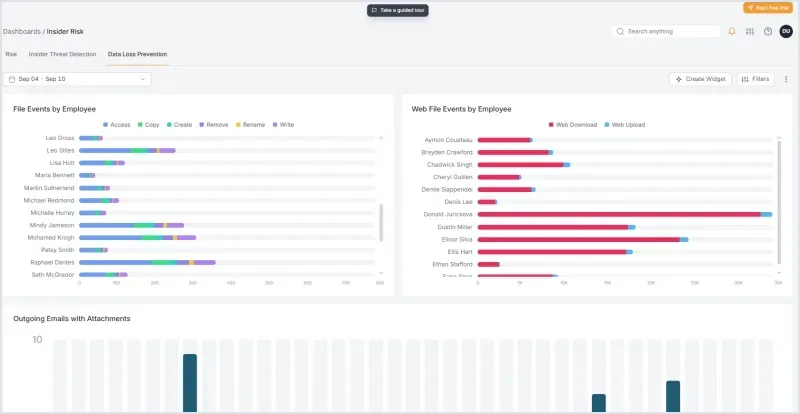
That price buys a capable product. Teramind runs in the cloud, on-premises or in your own AWS or Azure account, and it blocks USB devices based on risk levels. Its rules can warn, block or notify a manager, and the Enterprise plan adds OCR, which reads text inside screenshots and images. Measure any alternative against that, not against a weaker product you imagine Teramind to be.
Data Protection Capabilities Compared
This table shows which tools can block files on each channel and which can only log them. If you need a Teramind DLP alternative, because data leaving the company is your main reason for switching, start here.
| Tool | USB and devices | Printing | Web and cloud uploads | File encryption | Watermarks | Exceptions |
|---|---|---|---|---|---|---|
| Teramind (baseline) | Block | Block by rule | Block by rule | — | — | Manager override |
| Syteca | Block, or hold for admin approval (not on macOS) | — | Alert, warn or block | — | — | Admin approval for USB |
| Veriato | Log | Log | Block FTP uploads; log others | — | — | — |
| Proofpoint ITM | Block | Block, or ask for a reason | Block | — | — | User justification |
| Safetica | Block | Block | Microsoft 365 and Google Drive sharing; website policies | — | — | Override with a reason |
| AnySecura | Block | Block | Block | Transparent encryption | Screen, print, document | Multi-level approval |
| CurrentWare | Full, read-only or blocked | Block printers at device level | Block by file type and site category | No (works with encrypted drives you supply) | — | Temporary access codes |
ActivTrak and Insightful aren't in this table. They measure how work gets done and don't offer a DLP plan, so these controls don't apply to them.
Among the rest, the split follows the groups. Veriato mostly records what happens, while Syteca and Proofpoint can also block USB transfers and uploads. The endpoint DLP tools block across more channels, and AnySecura is the only tool in this comparison that also encrypts and watermarks files, so protection continues after a file has left.
The 8 Best Teramind Alternatives
The three tools below stay closest to Teramind's core: they record user activity in detail so analysts can reconstruct what happened. Start here if investigations are your main use case and blocking is secondary.
1. Syteca
👍 Best for
Teams that need to monitor privileged sessions and regular users in one tool.
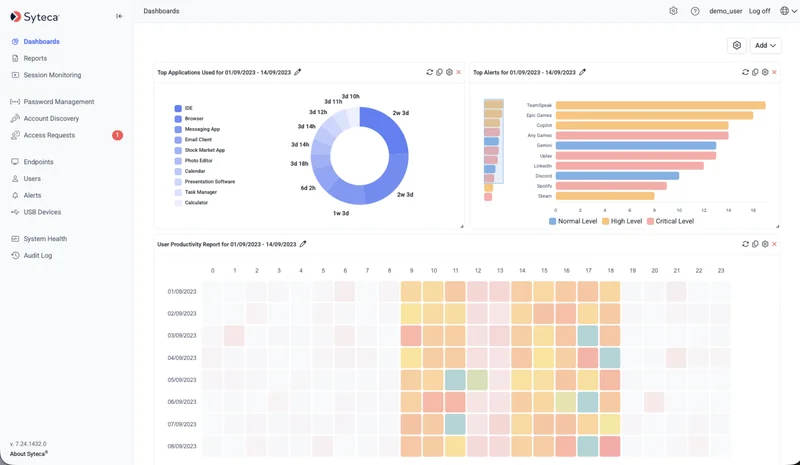
Syteca, formerly Ekran System, combines user activity monitoring with privileged access management. It suits organizations where the riskiest users are administrators, contractors and third-party vendors with access to servers.
Why it's a Teramind alternative
Syteca keeps what Teramind customers rely on for investigations, recorded sessions you can search and replay, and adds controls built around privileged accounts. If the people you most need to watch are admins and outside vendors logging into servers, that focus is the reason to switch. You give up a public price list, and macOS clients get fewer controls.
Key features
- Session recording: Records user sessions with searchable metadata, so an analyst can jump to the moment an alert fired.
- USB device rules: Blocks selected USB device classes, or holds a storage device until an approver grants access.
- Upload alerts: Alert rules can notify, warn or block when a file upload matches your criteria.
- Privileged access management: Password management, account discovery and access requests for privileged accounts, in the same console.
- One tool covers both regular employees and privileged users.
- Runs as SaaS or on your own servers.
- Agents for Windows, macOS and Linux.
- No public pricing.
- USB blocking and approval work on Windows only, as does automatic user blocking.
Integrations
Sends session events, alerts and audit logs to SIEM tools such as Splunk, IBM QRadar and ArcSight over Syslog, and connects to Active Directory through LDAP or LDAPS.
Pricing and free trial
Quote only, licensed per endpoint. A 30-day trial covers a small number of desktops and servers.
2. Veriato
👍 Best for
Teams that want risk scoring and activity monitoring without a full DLP rollout.
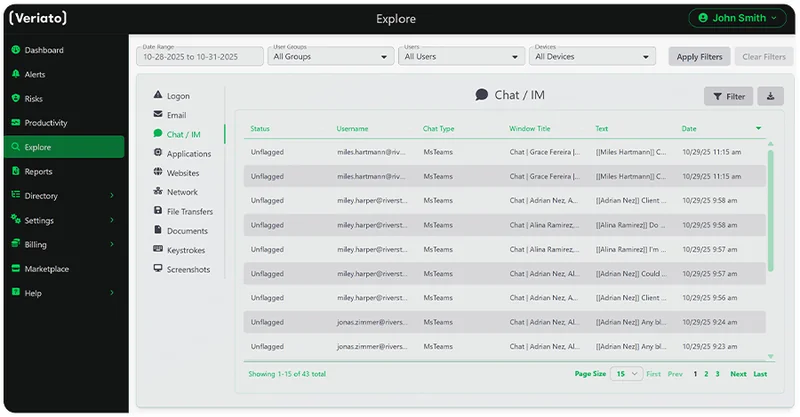
Veriato focuses on behavior analytics. It records activity across endpoints and gives each user a risk score, so analysts know where to look first.
Why it's a Teramind alternative
Veriato is the closest like-for-like swap if you mainly used Teramind's monitoring plans. It records activity and scores risk in a similar way, and its published monitoring price, $18 per user per month, sits below Teramind's $28 UAM plan. Don't expect it to replace Teramind's DLP plan: Veriato records USB and print activity rather than blocking it.
Key features
- Activity recording: Logs email, chat, applications, websites, file transfers and documents in one searchable view.
- Risk scoring: Ranks users by daily risk, so the riskiest activity surfaces first.
- Internet access blocking: Blocks websites, email protocols and FTP uploads on monitored computers.
- Microsoft 365 visibility: Brings in Teams, OneDrive, email and calendar activity through Microsoft Graph.
- Public price for the monitoring product.
- Cloud or on-premises.
- Agents for Windows, Mac, Chrome and Android.
- USB and print activity are logged, not blocked.
- The Insider Risk Management (IRM) product is quote-only, with a 20-user minimum.
Integrations
Microsoft 365 through Microsoft Graph, a REST API, and export to SIEM tools such as Splunk and ArcSight.
Pricing and free trial
UAM $18 per user per month, billed annually, five-user minimum; IRM by quote. A seven-day trial includes two UAM licenses.
3. Proofpoint Insider Threat Management (ITM)
👍 Best for
Large organizations that already buy from Proofpoint.
Proofpoint ITM is the insider-threat product in Proofpoint's information protection line. If you already use Proofpoint for email security, ITM shares the same vendor and console.
Why it's a Teramind alternative
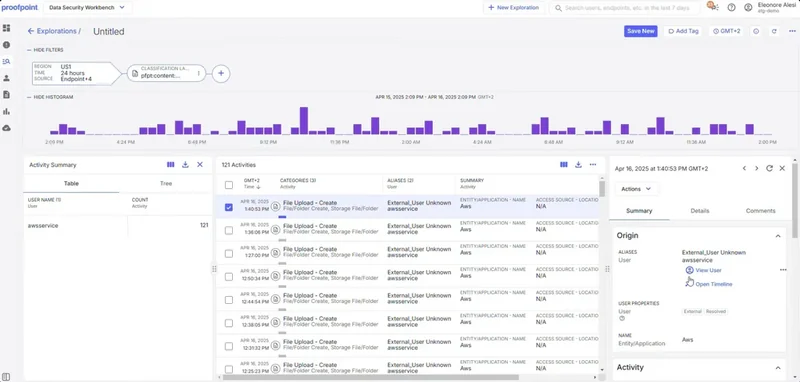
For a Proofpoint customer, ITM replaces Teramind with one fewer vendor to manage. It covers similar ground to Teramind's DLP plan on USB, cloud, web and print channels: it can block risky transfers to USB devices, cloud sync apps, web uploads and GenAI tools, and it captures screenshots as evidence. The trade-off is price transparency: pricing comes only through a sales conversation.
Key features
- Endpoint prevention rules: Block USB copies, cloud sync uploads, web uploads and printing, or ask the user for a reason before allowing them.
- Cross-channel visibility: Tracks risky activity across endpoints, email, cloud, web and GenAI tools.
- Investigation evidence: Captures screenshots and activity context around an alert.
- Prevention and investigation in one product.
- User justification lets low-risk exceptions continue without an admin.
- Shares a vendor and console with Proofpoint email security.
- No public pricing.
- Blocking web uploads on Mac requires Proofpoint's ZenWeb browser extension.
Integrations
Sends alerts to SIEM and SOAR tools, including Splunk and ServiceNow, through webhooks and REST APIs.
Pricing and free trial
Quote only. Proofpoint offers demos rather than a self-service trial.
The next three tools focus on what Teramind treats as an add-on: stopping sensitive files from leaving through USB drives, printers, email and uploads. Read on here if your main problem is data leaving, not productivity or investigation.
4. Safetica
👍 Best for
Mid-sized teams that want DLP in the cloud or on their own servers.
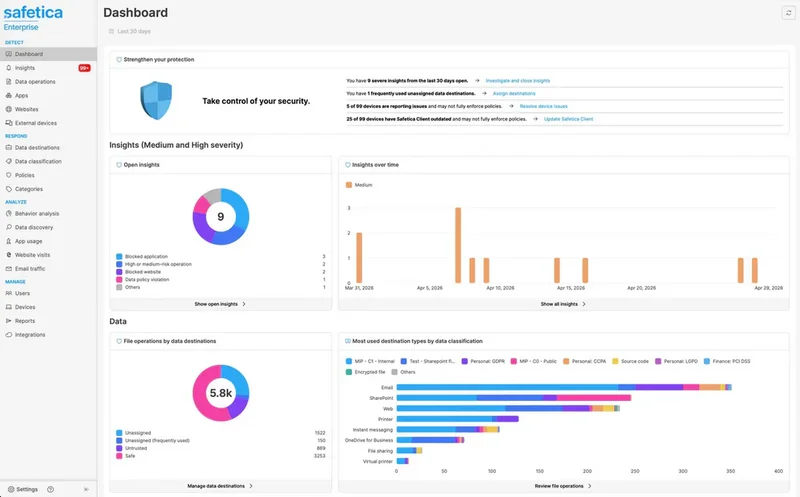
Safetica is a data loss prevention product for small and mid-sized organizations. It classifies sensitive data and applies policies to the channels that data can leave through.
Why it's a Teramind alternative
Safetica moves the focus from watching people to protecting data, which suits teams that chose Teramind's DLP plan for the data protection rather than the monitoring. Its cloud edition starts at $72 per user per year, about $6 a month, against $32 a month for Teramind's DLP plan. You give up Teramind's detailed activity recording, and Mac users get fewer controls.
Key features
- Data classification: Finds sensitive files and labels them, so policies can follow the data.
- DLP policies by channel: Covers external devices, email, printing and website destinations.
- Block with override: Approved users can continue a blocked action after giving a reason, which is recorded for review.
- Microsoft 365 and Google Drive protection: Applies policies to files shared from SharePoint, OneDrive, Teams and Google Drive.
- Public cloud pricing, well below Teramind's DLP plan.
- Cloud and on-premises editions.
- Overrides keep work moving without opening a ticket.
- On-premises pricing is quote-only.
- On macOS, device policies cover USB storage only, and website policies work only in Safari, Chrome, Opera and Edge.
- Safetica 11 dropped BitLocker management.
Integrations
Entra ID and Microsoft 365 on all cloud plans; SIEM tools such as Splunk, QRadar and FortiSIEM through webhooks on Premium, Enterprise and On-Prem; Active Directory sync on On-Prem.
Pricing and free trial
Standard $72, Premium $96 and Enterprise $144 per user per year (cloud); on-premises by quote. A free trial is available from the pricing page.
5. AnySecura
👍 Best for
Windows environments where data must stay on-premises, and where blocking and encryption matter more than productivity reports.
AnySecura is an endpoint data protection and insider risk platform that runs entirely on your own servers. It's built for organizations that need to block data at the endpoint and keep files protected after they leave.
Why it's a Teramind alternative
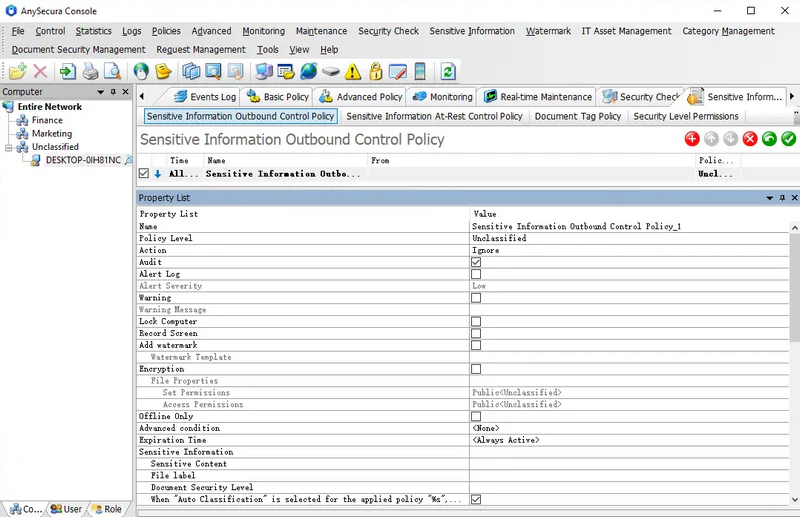
Teramind's published controls act at the moment a file moves. AnySecura adds protection that stays with the file afterwards: files stay encrypted and readable only on authorized machines, and watermarks trace a leaked document or printout back to its source. Pricing is modular, so you pay for the controls you use: device, print and upload control start at $216 per seat per year, and transparent encryption is included from $420. You give up cloud deployment, full support for Mac and Linux, and productivity reporting.
Key features
- Device control: Sets permissions by device type, from USB storage to Bluetooth and network adapters, and can block any newly connected device.
- Outbound content control: Applies one sensitive-information policy to USB, email, instant messaging and uploads, with a choice to audit, warn, block or encrypt.
- Transparent encryption: Keeps files encrypted at rest, opens them normally on authorized machines, and makes them unreadable anywhere else.
- Screen, print and document watermarks: Adds watermarks and circulation records, so a leaked copy can be traced to its source.
- Blocking, encryption and watermarking in one product.
- Data and logs stay on your own servers.
- Multi-level approval for exceptions such as decryption requests.
- We offer on-premises deployment only, with no SaaS version.
- Windows gets the full feature set; our macOS and Linux clients cover fewer modules.
- Productivity analytics isn't our focus, so teams that mainly want time and activity reports will be better served by ActivTrak or Insightful.
Integrations
Authenticates users against Active Directory or LDAP servers.
Pricing and free trial
Priced by module. Published plans start at $216 per seat per year for device, print and web control, $336 with sensitive content inspection and watermarking, and $420 with transparent encryption, billed annually with volume discounts. Other module combinations are available through sales. A free trial is available from our download page.
For investigation workflows, see our insider risk management solution.
Already shortlisted both? See the full feature-by-feature comparison. Learn more>>
6. CurrentWare
👍 Best for
Small teams that need USB control and web filtering on a budget.
CurrentWare sells four modules separately: web filtering, browsing reports, USB control (AccessPatrol) and power management. A small team can buy only the controls it needs.
Why it's a Teramind alternative
Some teams bought Teramind mainly to stop USB copies and block risky websites, and ended up paying for a full monitoring suite. CurrentWare lets you buy those two controls on their own, from $12 per user per month for USB control. It isn't built for reconstructing user sessions the way Teramind is, so it fits teams whose priority is prevention, not investigation.
Key features
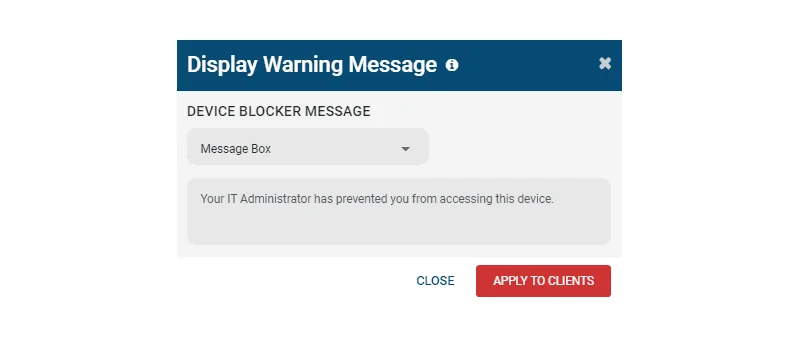
- USB access levels: Sets full, read-only or no access by device type, user or computer, and allows approved devices by serial number.
- File transfer blocking: Stops copies to USB by file extension or file signature, even when a file is renamed.
- Web upload filtering: Blocks uploads by file type and blocks file-hosting sites by category.
- Temporary access codes: Gives a contractor or auditor a single-use code that expires.
- Buy only the modules you need.
- Public per-module pricing.
- SaaS or on-premises.
- USB control is Windows-only; the macOS agent covers activity tracking such as logins and website visits.
- No built-in file or USB encryption.
- Printer control works per device, not per document, and subscriptions have a $1,440 annual minimum.
Integrations
Imports users and OUs from Active Directory, syncs with Entra ID, and forwards events to SIEM tools such as Splunk, QRadar, LogRhythm and Elastic.
Pricing and free trial
AccessPatrol $12 per user per month; full suite $20, billed annually; on-premises by quote. A 14-day trial covers up to 10 users.
The last two tools suit teams that used Teramind mainly to understand how work gets done. They don't offer DLP, and they cost less.
7. ActivTrak
👍 Best for
Teams that want productivity insights and a free starting point.
ActivTrak measures how time is spent across applications and websites, and turns that into team-level productivity reports.
Why it's a Teramind alternative
If you used Teramind for productivity reports and rarely touched its rules or DLP, you're paying for features you don't need. ActivTrak covers the reporting side, starts free for up to three users, and its entry paid plan costs $10 per user per month against Teramind's $14 Starter plan. It won't replace any of Teramind's data protection.
Key features
- Productivity reports: Shows time spent in applications and websites by user and team.
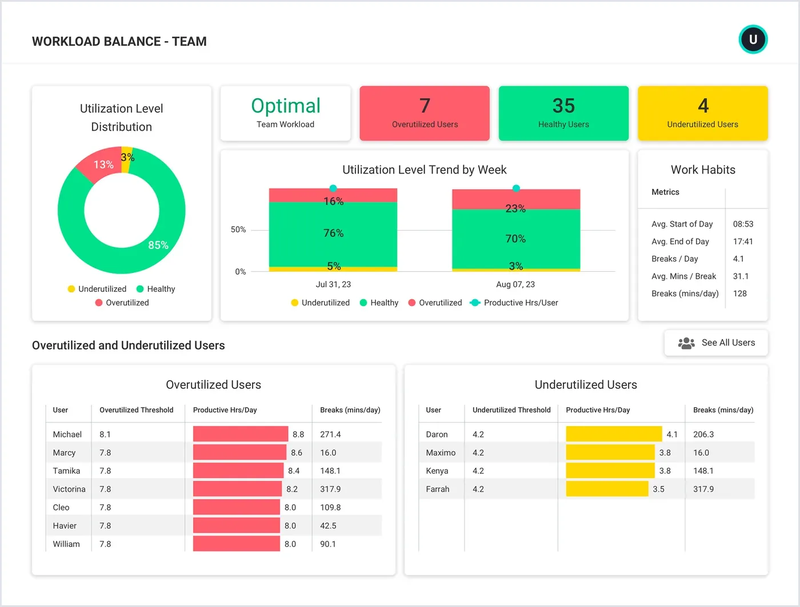
- Workload balance: Flags overutilized and underutilized users and tracks utilization week by week.
- Offline meeting tracking: Pulls meeting time from Google Calendar.
- Free plan for up to three users.
- Agents for Windows, macOS and ChromeOS.
- Detailed team-level workload and utilization reporting.
- Annual billing only.
- No DLP plan. USB activity can trigger alarms, but the agent can't see what was written to the drive.
Integrations
Entra ID and Okta for user management, Google Calendar, Slack and Microsoft Teams, and Power BI or Tableau through the ActivConnect API add-on.
Pricing and free trial
Free for 3 users; Work Activity Tracking $10, Workforce Management $15, Productivity Optimization $17 per user per month, billed annually.
8. Insightful
👍 Best for
Hybrid teams on Windows, macOS or Linux that want the lowest published entry price.
Insightful offers workforce analytics for hybrid and remote teams, with time tracking and productivity reports.
Why it's a Teramind alternative
Insightful suits the same teams as ActivTrak but goes further on platforms, with agents for Linux and virtual desktops. Its entry plan is $8 per seat per month billed annually, or $10 if you pay month to month. Like ActivTrak, it replaces Teramind's analytics, not its data protection.
Key features
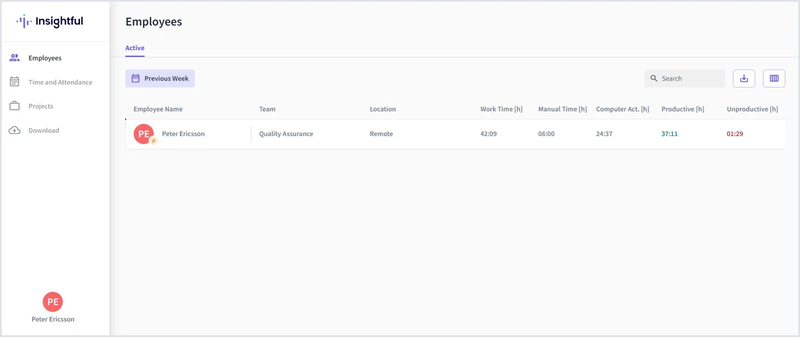
- Time and attendance: Records work time, manual time and computer activity for each employee.
- Productivity analytics: Separates productive and unproductive time by app and website.
- Project time tracking: Assigns tracked time to projects and tasks.
- Broad platform support, including Linux and virtual desktops.
- Monthly billing on the entry plan.
- On-premises deployment for workforce analytics.
- No DLP plan.
- The Insights plan requires 50 seats, and on-premises costs extra.
Integrations
Project tools including Jira, Asana, Trello, ClickUp, Azure DevOps and GitHub, plus Slack and Okta.
Pricing and free trial
Analytics $8 per seat per month billed annually, or $10 monthly; Insights $24. A seven-day trial needs no credit card.
How to Switch from Teramind
Switching monitoring tools carries two risks: losing evidence you may need later, and a gap where neither tool enforces policy. A staged switch avoids both.
- Export what you must keep. Identify open investigations and any logs your retention policy requires, and export them from Teramind before you cancel.
- Pilot in one department. Run the new tool alongside Teramind for two to four weeks. Ask the new vendor whether its agent can run next to Teramind's without conflicts.
- Rebuild your policies. Recreate your blocking rules and exception approvals in the new tool, starting in log-only mode so you can tune them before they block anyone.
- Remove the Teramind agent. Uninstall it from every endpoint and confirm no services or scheduled tasks remain.
- Update employee notices. Tell employees what the new tool collects and why, and update your acceptable use and privacy policies.
Privacy and Legal Checks Before You Deploy
Every tool on this list collects data about employees, so bring in legal and HR before rollout, not after. Requirements vary by country and state, and this section isn't legal advice.
- Tell employees. Explain what is collected, why, and who can see it.
- Collect only what you need. If you only need to stop files leaving, you may not need screen recording or keystroke logs at all.
- Set retention periods. Decide how long logs and evidence are kept, and delete them on schedule.
In the EU, the GDPR requires data minimization (Article 5) and lets member states set specific rules for employee data (Article 88). In Germany, works councils have co-determination rights over technical systems that can monitor employee behavior. In the US, New York Civil Rights Law §52-c requires private employers to give employees written notice that their phone, email and internet use may be monitored.
Questions to Ask Vendors, by Buying Role
Product pages rarely answer the questions that decide a purchase. Bring these to every demo.
| Role | Questions to ask |
|---|---|
| IT | Which systems does the agent support, and with which features? How much CPU and memory does it use? Does it integrate with Active Directory? Do policies still apply when a laptop is offline? |
| Security and compliance | Which fields does each log record? Can evidence be exported for HR or legal? Can a rule block, warn or only alert? How are exceptions approved? |
| Procurement | Is pricing per user, seat or endpoint? Is there a minimum? How long is the trial, and what does on-premises cost? |
| Legal and HR | Where is the data stored? Can collection be limited by role or channel? How are employees notified? |
FAQs About Teramind Alternatives
What does Teramind cost?
Teramind's pricing page lists $14 (Starter), $28 (UAM) and $32 (DLP) per seat per month billed annually, or $15, $30 and $35 billed monthly, with a five-seat minimum. Enterprise pricing is by quote.
Which Teramind alternatives have transparent pricing?
Veriato, Safetica, AnySecura, CurrentWare, ActivTrak and Insightful publish prices on their own sites, though some editions are still quote-based: Veriato's IRM product and the on-premises editions of Safetica and CurrentWare. Syteca and Proofpoint ITM are quote only.
Is Teramind a legit company?
Yes. Teramind is an established commercial software vendor with a public knowledge base and user reviews on platforms such as Gartner Peer Insights and Capterra. Whether it fits your needs is a separate question, which the comparison above is meant to help answer.
Is there a free Teramind alternative?
ActivTrak has a free plan for up to three users with 30 days of data history. It covers productivity analytics, not data loss prevention, so it won't replace Teramind's DLP features.
I only need time tracking. Which tool should I use?
Then you don't need most of what Teramind or the DLP tools on this list do. ActivTrak and Insightful cover activity and productivity reporting at lower per-user prices. If you mainly need timesheets, billable hours or attendance, see our roundup of employee time tracking software.
What is a less intrusive alternative to Teramind?
Productivity analytics tools such as ActivTrak and Insightful collect less detail than Teramind. If you need data protection, an endpoint DLP tool configured to control file movement, with screen recording turned off, also collects less than full activity monitoring.
What is the best Teramind DLP alternative?
Look at the endpoint data protection group: Safetica, CurrentWare and AnySecura. CurrentWare suits small teams that mainly need USB control. Safetica suits teams that want cloud or on-premises DLP across Windows and Mac. AnySecura suits Windows environments that need encryption and watermarks as well as blocking, with data kept on-premises.
Conclusion
Start with why you're leaving Teramind. Then shortlist two or three Teramind alternatives from the matching group, check the prices against the vendor's current page, and take the questions above into each demo.
If your files mostly leave from Windows laptops and you need to block and encrypt them on your own servers, we'd suggest adding AnySecura to that shortlist and judging it on the same criteria as the rest.