- [email protected]
- 15 Scotts Road, #03-12, Singapore
Stop Unauthorized Apps & Screenshots: AnySecura Secures Every Endpoint
For a long time, uncontrolled software installation has been a major pain point in enterprise IT management. To save time, many employees download installation packages from third-party websites, which often leads to bundled unwanted software, frequent pop-up ads, system slowdowns, and other hidden risks.
These unmanaged applications are often hard to detect and can quietly make their way onto endpoints. Once running without control, they not only degrade the user experience but can also pose serious threats to enterprise information security and operational efficiency. As a result, strengthening application control has become essential—not only to protect corporate data assets, but also to achieve more refined and effective IT management.
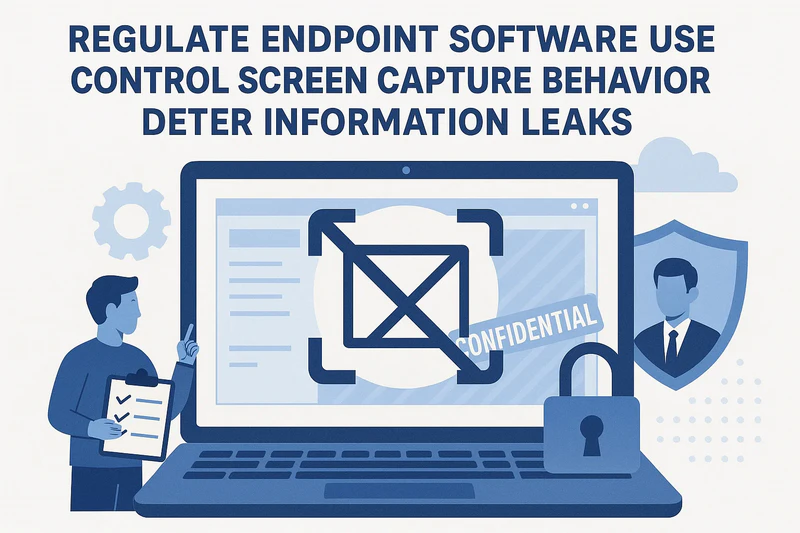
To address this, AnySecura provides targeted application control capabilities that continuously manage and track software installation and usage. With the latest upgrade, AnySecura further introduces controls over endpoint screen capture behavior, including screenshot logging and screenshot content backup—offering comprehensive protection for enterprise security and compliance.
The Hidden Risks of Uncontrolled Applications
- Increased Risk of Data Leakage
- Reduced System Stability and Compatibility
- Compliance and Audit Challenges
Unauthorized applications can easily become hidden channels for data leakage. Software installed privately by employees often lacks proper security validation, with weak permission mechanisms that can be exploited by malware.
A cluttered application environment can cause compatibility issues and consume excessive system resources. Redundant applications take up memory and bandwidth, directly impacting productivity and slowing down overall business operations.
Without clear visibility into endpoint software activity, IT teams struggle to manage usage behavior effectively, resulting in low operational and audit efficiency. In addition, software from unknown sources may trigger licensing disputes, exposing the organization to legal and financial risks.
AnySecura Application Control:Multi-Layer Protection for Endpoint Compliance and Security
- Standardized Software Usage on Endpoints
- Blocking High-Risk Applications
- Strict Control Over Software Installation and Removal
- Comprehensive Application Usage Analytics
- Screen Watermarks to Deter Data Leakage
- Screenshot Control and Auditing
AnySecura restricts applications unrelated to work and allows flexible time-based policies. For example, non-work applications can be blocked during working hours and relaxed during breaks—helping employees stay focused while minimizing distractions.
Administrators can restrict the launch of specific applications to prevent high-risk software from running on endpoints. For instance, USB-related programs can be disabled to block USB-borne malware. Applications can also be categorized for more granular and effective security control.
Organizations can define customized installation policies—such as blocking all installations, allowing only whitelisted software, or blacklisting specific applications. Uninstallation can also be restricted so that only approved programs can be removed, keeping endpoint environments stable and predictable.
The system automatically collects statistics on application usage time and usage ratios, presenting the data in clear visual charts. Usage can be analyzed by department, application category, and other dimensions, providing actionable insights to improve management and productivity.
Text, images, QR codes, or dot-pattern watermarks can be displayed on screens or within specific applications. These visual deterrents significantly reduce the risk of sensitive information being leaked through photos or screenshots.
AnySecura allows administrators to control screenshot permissions, enabling screenshots only on authorized endpoints. All screenshot actions are logged, and screenshot images can be backed up for auditing—ensuring full visibility and leaving no blind spots in information security.
Within an endpoint security framework, application control serves as the critical link between endpoint devices, business systems, and data assets. AnySecura Application Control standardizes software usage while preventing unauthorized installation and execution of risky applications. By ensuring software compliance and security, it also helps defend against attacks and data theft initiated through malicious applications—empowering enterprises to build a secure, efficient, and compliant endpoint application environment.