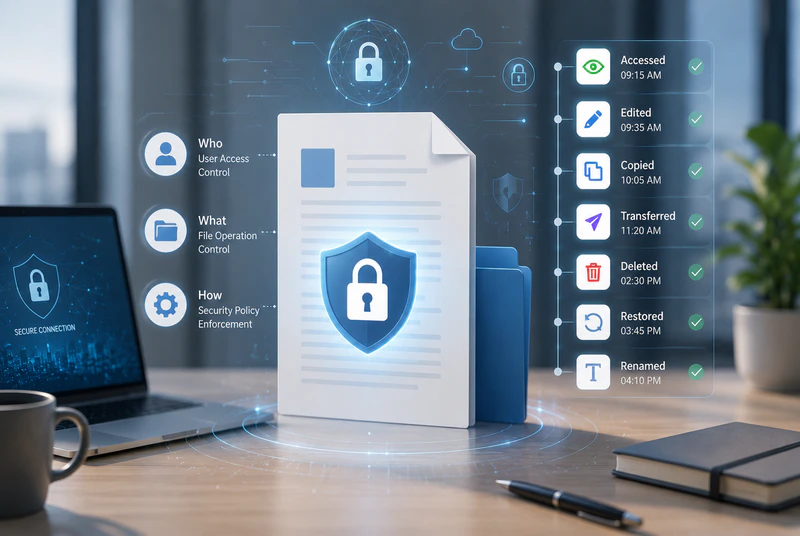
In everyday business operations, documents are constantly shared between teams, departments, partners, and customers. Without effective document access control and activity auditing, it can be difficult to control who can open, modify, copy, or delete sensitive files.
If an important document is accidentally deleted, modified, or transferred outside the organisation, security teams may struggle to stop the incident in time—or even determine who handled the file, where it went, or how it was transferred.
That is why document security requires more than basic file permissions. Businesses need protection across the entire document lifecycle, with clear controls over who can access and use a document, what changes are made, and how files are transferred.
AnySecura provides document access control and activity auditing to help businesses protect sensitive documents throughout their lifecycle, while maintaining clear visibility into document usage and file transfers for faster investigation and response.
1. Document Access Control: Decide Who Can View, Edit, and Delete
With flexible permission policies, businesses can assign different document access rights based on users, file types, folders, or document sensitivity levels. This helps reduce the risk of unauthorised access, accidental changes, and internal data loss.
Document Access, Modification, and Deletion Control
Standard electronic documents do not provide built-in protection. Once a user can access a file, they may also be able to copy, modify, or delete its contents.
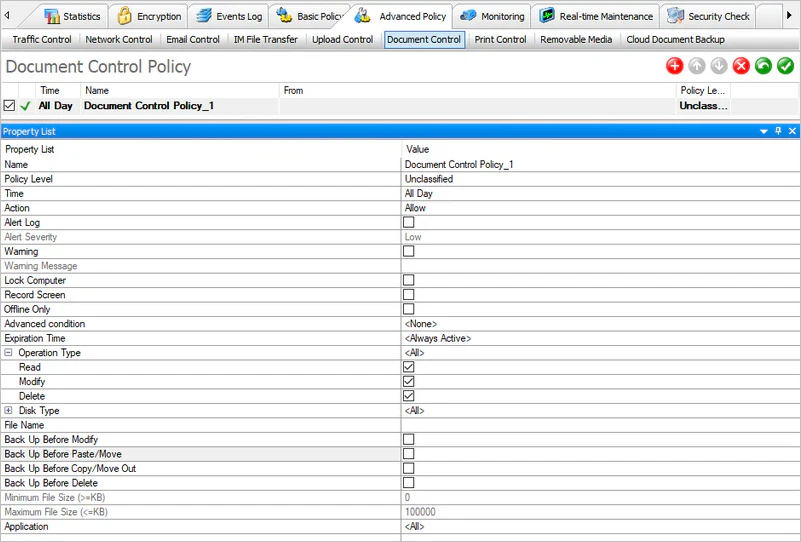
AnySecura allows businesses to control access to sensitive documents, including read, modify, and delete permissions. Administrators can apply policies to specific file types or folders, or configure more granular permissions for individual documents based on their sensitivity.
For example, selected employees can be given permission to read and modify sensitive files, while other users may have view-only access. Different departments can also be assigned different document operation permissions based on their business requirements.
By clearly defining what users can and cannot do with sensitive documents, businesses can reduce the risk of accidental data loss and insider data leakage.
Automatically Back Up Files Before High-Risk Operations
Accidental deletion, modification, or overwriting can disrupt business operations and may result in the permanent loss of important data.
AnySecura can automatically back up a file before it is copied, modified, or deleted. This preserves the previous version of the document and provides valuable evidence for subsequent investigation when an abnormal operation occurs.
Support File Transfer Requests and Self-Service Registration
When file transfer restrictions are enabled, employees may still need to send documents externally for legitimate business purposes. A convenient exception process is therefore essential.
AnySecura supports temporary file transfer permissions through approval requests or self-service registration. Employees can submit an external file transfer request themselves, and files can be released once the request meets the required conditions, without requiring administrators to manually modify endpoint policies.
This approach helps businesses maintain data loss prevention controls while minimising disruption to legitimate business workflows.

AnySecura — Secure Documents, Control Access, and Track File Activity
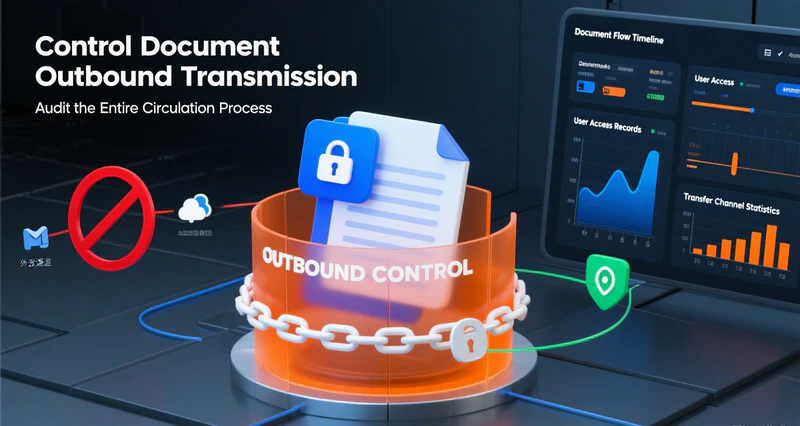
Protect sensitive documents with granular access control, comprehensive activity auditing, and file transfer monitoring. Keep every critical document operation visible, controlled, and traceable.
2. Comprehensive Document Activity Auditing: Keep a Record of Every Document Operation
Blocking risky actions is only part of document security.
When an unusual operation or data transfer occurs, security teams also need to know who handled the file, when the activity occurred, what operation was performed, and which channel was used to transfer the document.
AnySecura records document activities from creation and access through modification and deletion, while extending visibility to AI tools, cloud document services, SVN repositories, SSH tools, and remote access software. This gives businesses a more complete record of document activity across different working environments.
Comprehensive Document Activity Auditing
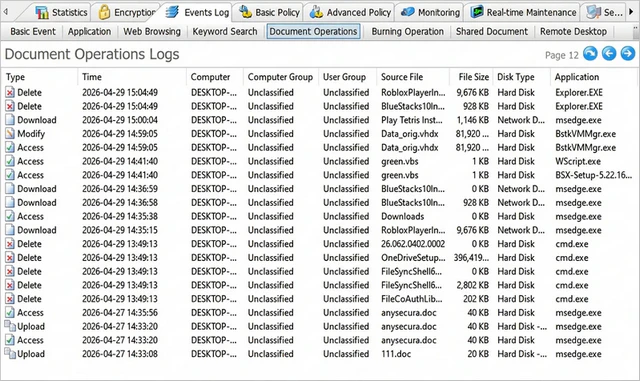
AnySecura can record document activities performed on endpoint computers, including file creation, access, modification, copying, moving, deletion, recovery, and renaming across local drives, removable storage, network paths, and shared folders.
It also records file compression and decompression activities, helping security teams identify attempts to conceal sensitive data transfers by packaging or splitting files.
For file transfers, activity logs can also indicate whether the file was encrypted or decrypted, helping administrators assess potential security risks more quickly.
Audit File Uploads and Downloads Across AI Tools, Cloud Services, and SVN
As employees use more online services and productivity tools, traditional auditing methods may not provide sufficient visibility into newer file transfer channels.
AI Tool Upload Auditing
Records document uploads through major AI clients and web-based AI services, helping administrators identify whether internal documents are being uploaded to AI tools. If a data leak occurs, these activity records can help trace the source of the incident.
Cloud Document Upload Auditing
Records employee uploads to major cloud document services, providing visibility into whether sensitive files are being transferred through cloud-based platforms.
SVN File Transfer Auditing
Records file uploads and downloads involving SVN repositories, helping development teams and security administrators track the movement of source code and other development files.
Audit File Transfers in Remote Working Environments
Remote work and remote administration introduce additional file transfer risks. Without proper auditing, employees may use remote access tools to transfer files directly to another device.
SSH File Transfer Auditing
Supports auditing for major SSH/SFTP tools, including XShell, PuTTY, WinSCP, SecureCRT, SecureFX, Xftp, and MobaXterm, providing visibility into file uploads and downloads performed through these tools.
Remote Access Tool Auditing
Supports auditing for remote access tools such as TeamViewer, VNC, and mstsc. AnySecura records connections and file transfer activities between the controlling and controlled endpoints, helping businesses monitor file transfers during remote sessions and reduce the risk of sensitive data being transferred through remote access tools.
3. From Document Control to Traceability: Make Document Security Actionable
Document security is not just about controlling what employees can do. Businesses also need to answer a critical question: Can the activity be traced when something goes wrong?
AnySecura combines document access control, activity auditing, and file transfer controls to cover key stages of document usage, modification, deletion, and transfer. It also extends auditing to AI tools, cloud document services, SVN, SSH, and remote working environments.
This enables businesses to prevent high-risk activities in advance while also quickly investigating incidents when they occur:
Who accessed or handled the file? → What did they do? → When did it happen? → Where did the file go? → Which channel was used to transfer it?
With AnySecura, important documents remain visible and controlled throughout their lifecycle. When a data security incident occurs, businesses can identify suspicious activity faster, trace the movement of sensitive files, and respond more effectively.