Most enterprise data loss prevention (DLP) strategies rely on access control, encryption, and user activity monitoring. While these measures are essential, they often fall short when sensitive information is leaked through screenshots, smartphone photos, or printed documents. These non-digital channels remain one of the biggest blind spots in enterprise data security.
To effectively protect sensitive information, organizations need more than traditional access controls—they need persistent document protection and end-to-end traceability that follows documents wherever they go.
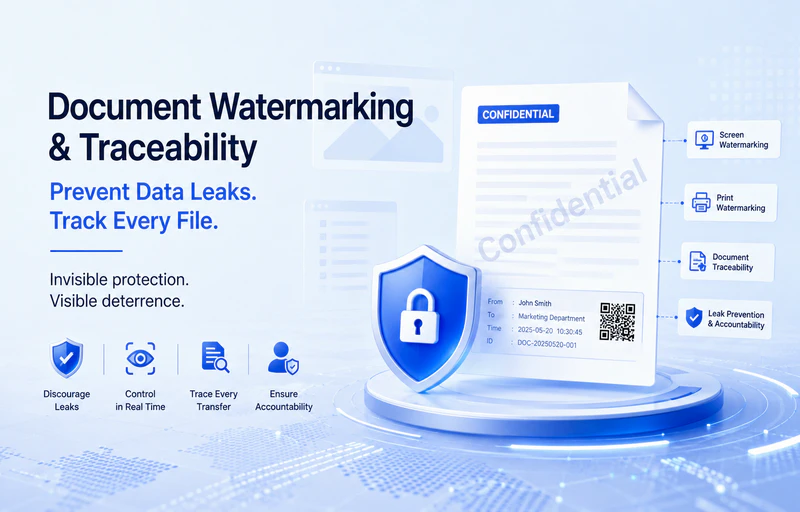
The AnySecura Watermarking & Document Traceability Solution extends security beyond conventional boundaries through intelligent document watermarking and file traceability. By combining visible and invisible watermarking with comprehensive document tracking, AnySecura helps organizations build a complete data protection framework that delivers proactive deterrence, real-time control, and post-incident forensic investigation. Every document transfer becomes traceable, every leak can be investigated, and every violation can be held accountable.
AnySecura Watermarking & Document Traceability: Discourage Data Leaks Before They Happen
The AnySecura watermarking and traceability solution protects documents throughout their entire lifecycle—from on-screen viewing and printing to external sharing and distribution—helping organizations reduce data leakage risks across multiple scenarios.
Document Watermarking: Visible or Invisible Protection for Sensitive Files
Apply watermarking policies to confidential documents that require enhanced protection. Watermarks remain embedded throughout the document lifecycle and can be configured as either:
- Visible watermarks for immediate deterrence and user awareness.
- Invisible watermarks for covert identification and forensic tracking.
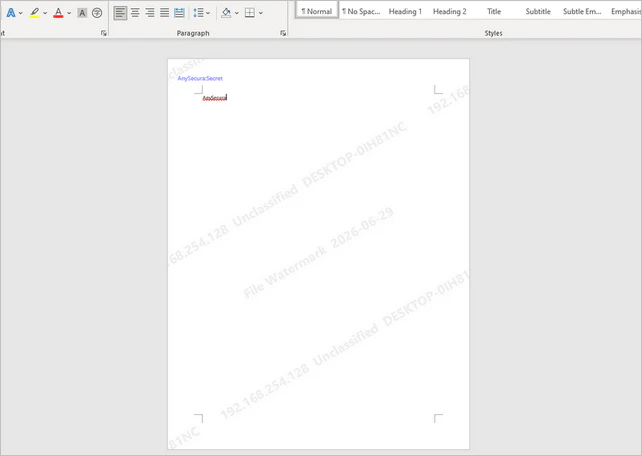
Print Watermarking: Protect Paper Documents
Printed documents remain a common source of data leakage. AnySecura supports multiple watermark formats, including:
- Text watermarks
- Image watermarks
- QR code watermarks
- Dot-matrix watermarks
- Hidden watermarks
This enables organizations to maintain document accountability even after information leaves the digital environment.
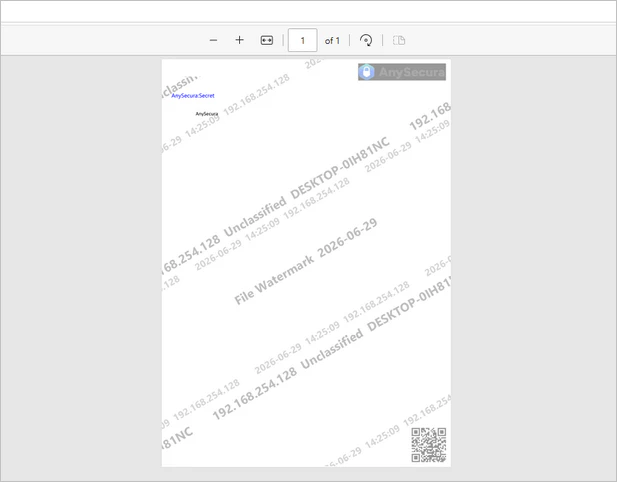
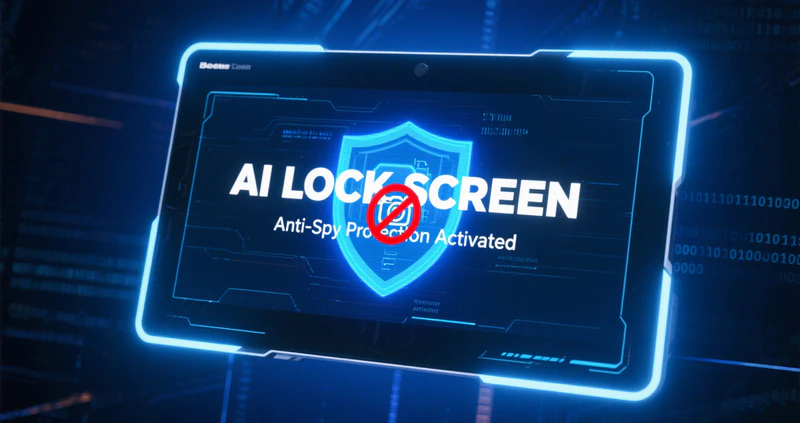
Screen Watermarking: Prevent Screenshots and Smartphone Photography
To discourage unauthorized screen captures or mobile phone photography, dynamic screen watermarks can be displayed:
- Across the entire desktop
- Within specific applications
- On designated web pages
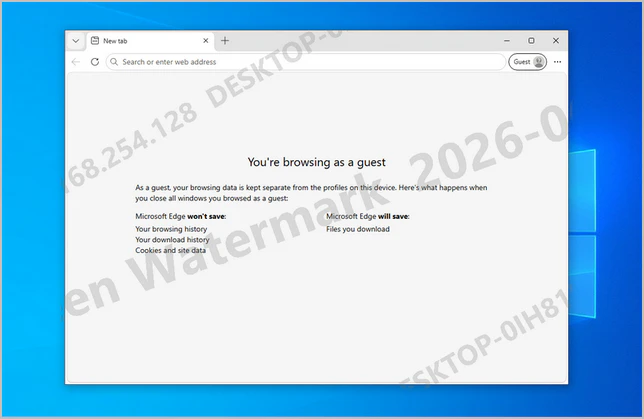
Watermarks can also be triggered automatically based on document encryption status, ensuring sensitive files receive additional protection when viewed.
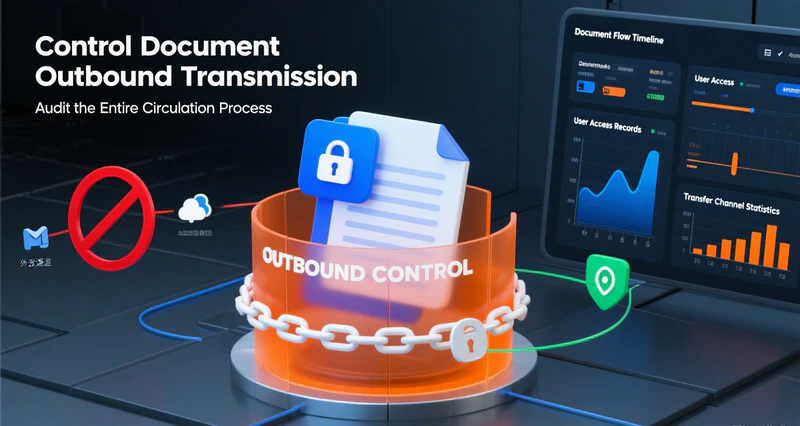
Document Traceability: Track Every External File Transfer
Whenever a protected document is shared externally, AnySecura can automatically:
- Create a backup copy of the document.
-
Record detailed transfer information, including:
- Operation type
- Timestamp
- Recipient
- Unique tracking ID
- Previous transfer history
If a data leak occurs, administrators can reconstruct the document's complete distribution path using detailed transfer logs, enabling faster investigations and accurate accountability.

AnySecura — Secure Sensitive Documents with Intelligent Watermarking
Prevent document leaks with dynamic watermarking, file traceability, audit logs, and AI-aware protection that keeps sensitive information secure across every sharing channel.
Flexible Watermarking Policies for Modern Work Environments
A one-size-fits-all security policy rarely works in today's hybrid workplace. AnySecura supports granular watermarking policies based on user roles, network environments, devices, and business scenarios, allowing organizations to strengthen security without disrupting productivity.
Consistent Protection Online and Offline
Security policies remain effective whether employees are:
- Connected to the corporate network
- Working offline
- Using VPN
- Accessing different network segments
- Working from laptops, desktops, or virtual desktop infrastructure (VDI)
For example, organizations can disable watermarks within the trusted internal network while automatically enabling them when employees work remotely or access files over external networks, eliminating security gaps caused by disconnected devices.
Automatically Watermark Sensitive Operations
AnySecura can automatically apply watermarks or embed hidden traceability information during sensitive actions such as:
- Saving documents locally
- Copying files to USB drives
- Transferring files to network storage
- Sending files through instant messaging applications
- Capturing screenshots in messaging software
- Email attachments
- File uploads
- Document decryption
This ensures protection remains in place during nearly every high-risk data transfer scenario.
Secure AI File Uploads
As AI-powered productivity tools become part of everyday work, organizations face new data security challenges.
AnySecura automatically adds watermarks or records document traceability information whenever files are uploaded through supported web browsers or popular AI applications, helping reduce the risk of sensitive data exposure when using generative AI platforms.
Visible Watermarks Internally, Invisible Watermarks Externally
Different environments require different protection strategies.
When documents are opened inside the organization, visible watermarks provide continuous visual reminders that discourage unauthorized actions.
When documents are shared with external partners or customers, invisible watermarks preserve the document's appearance while retaining forensic traceability, allowing organizations to identify the source of unauthorized redistribution without affecting the recipient's reading experience.
Automatically Update Watermarks with Every Transfer
Watermark information can be updated dynamically as documents change hands.
For example:
- Employee A shares a file, and the watermark records Employee A's identity.
- Employee B later forwards the same document, and the watermark automatically updates to reflect Employee B.
This ensures every stage of document distribution remains accurately attributed to the latest sender.
Comprehensive Audit Logs for Faster Investigations
AnySecura records detailed logs and backup copies for documents protected with watermarks or traceability information.
Using these records, security administrators can quickly determine:
- Who handled the document
- When the action occurred
- Where the document was transferred
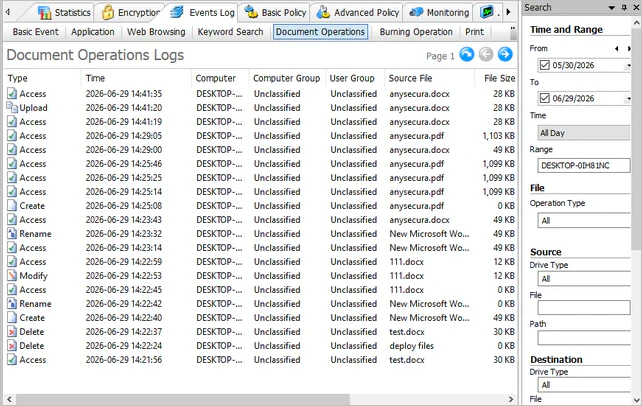
This significantly accelerates incident investigation and simplifies compliance reporting and accountability.
Protect Sensitive Documents with Complete Visibility and Accountability
The AnySecura Watermarking & Document Traceability Solution combines intelligent watermarking, automated document identification, and comprehensive audit logging to help organizations prevent, detect, and investigate data leaks.
By discouraging unauthorized behavior before incidents occur and providing reliable forensic evidence afterward, AnySecura enables enterprises to achieve a complete document security lifecycle—from prevention and protection to traceability and accountability.
Whether your organization needs to prevent insider threats, secure confidential documents, or strengthen enterprise data loss prevention (DLP), AnySecura provides the visibility and control needed to protect sensitive information across both digital and physical channels.