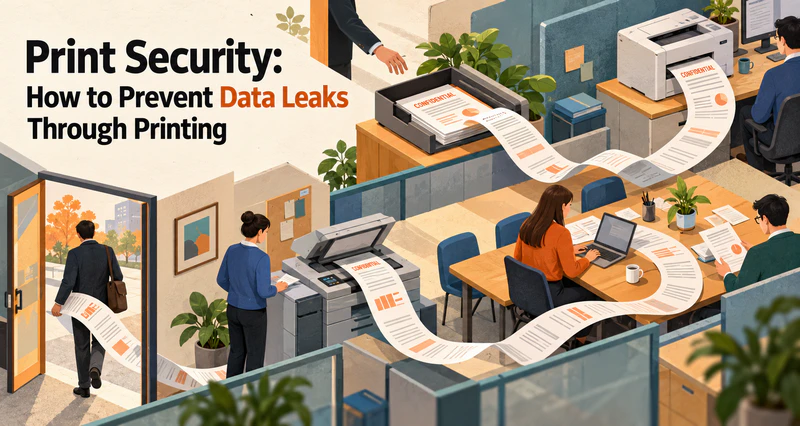
Businesses invest in access controls and file encryption to protect digital documents. However, once sensitive information is printed on paper, it can become much harder to control. Unauthorized printing, improper handling of confidential documents, and the loss of printed materials can all lead to data leaks. Without reliable tracking records, identifying the source of a leak can also be difficult.
AnySecura Print Control helps businesses strengthen print security through centralized printer permission management, sensitive content inspection, print watermarking, print content backup, and activity logging. These capabilities help organizations control how documents are printed, monitor printing activities, and retain records for security reviews and investigations.
1. Printer Permission Management: Control What Employees Can Print
1.1 Centralize Printer Controls and Enforce Printing Policies
Businesses can use AnySecura to centrally manage local, network, shared, and virtual printers. Printing permissions can be configured according to employees' roles, responsibilities, and business needs, helping reduce unauthorized printing.
For sensitive information handled by business systems such as ERP and OA platforms, organizations can also restrict printing where required. This helps reduce the risk of sensitive business data being improperly exported through print functions.
When employees need temporary access to restricted printing functions, they can submit permission requests for approval. This allows businesses to accommodate legitimate work requirements without granting unnecessary long-term printing privileges.
1.2 Detect Sensitive Content and Block Unauthorized Printing
Printer permissions alone may not be enough to prevent data leaks. Employees with legitimate printing access could still attempt to print documents containing confidential information.
With sensitive content inspection, AnySecura can check documents against predefined rules before printing. When a document matches configured sensitive information criteria, the system can block the print job according to the applicable policy.
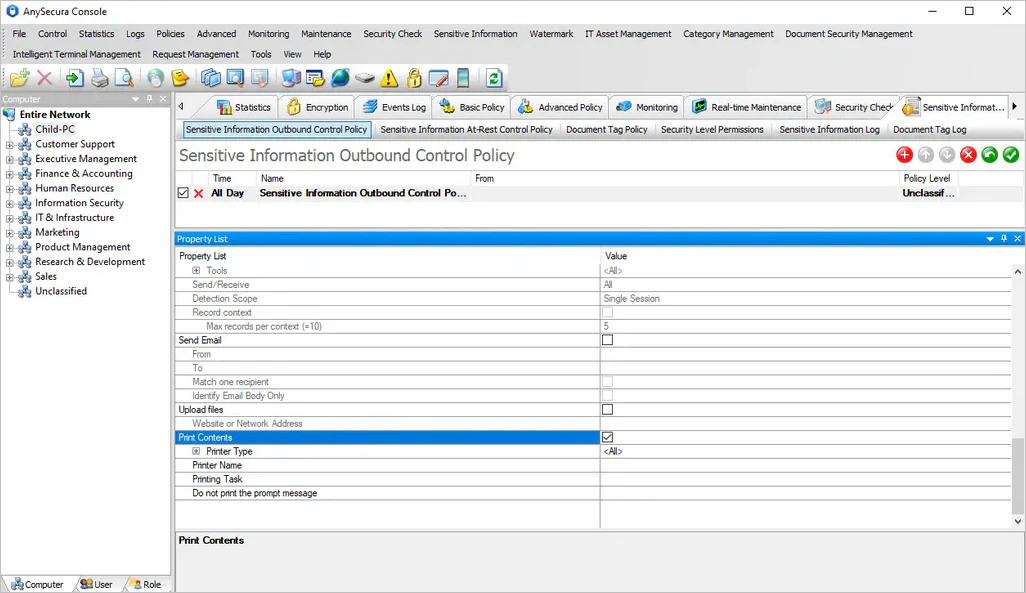
This adds a content-based layer of print security beyond conventional permission controls. Businesses can manage not only who is allowed to print, but also which documents can be printed under specific security rules.
1.3 Apply Different Printing Rules Based on Document Tags
Not all documents require the same level of protection. Core technical files, financial records, and routine office documents may need different printing restrictions.
By integrating print control with Document Tagging, businesses can apply printing policies based on document tags or security classifications. For example, documents marked as highly sensitive can be subject to stricter printing restrictions, while ordinary office documents can remain accessible for legitimate business use.
This approach helps organizations apply appropriate security controls to documents based on their sensitivity without unnecessarily disrupting everyday workflows.
2. Print Activity Monitoring: Improve the Traceability of Printed Documents
2.1 Add Print Watermarks to Help Trace Document Origins
Once a printed document leaves the workplace, it is difficult to enforce digital access controls on the physical copy. If the document is shared without authorization, identifying its origin can become a major challenge.
AnySecura supports multiple print watermark options, including company logos, custom text, image watermarks, QR code watermarks, and dot-matrix watermarks. Businesses can choose suitable formats to display copyright notices, user-related identifiers, or other identifying information on printed documents.
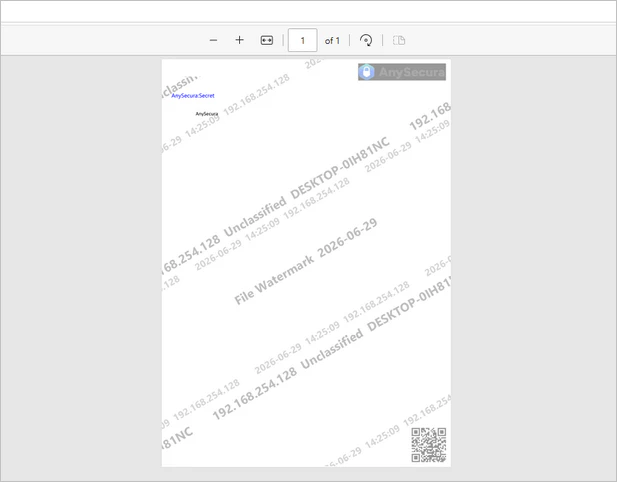
If a printed document is circulated outside its intended audience, these watermarks can provide useful clues for identifying its origin and supporting a subsequent investigation.
2.2 Integrate Screen Monitoring to Support Incident Investigations
Print logs provide useful information about printing activities, but they may not fully explain the circumstances surrounding a suspicious print job.
Where supported by the deployed modules and configuration, AnySecura Print Control can work with screen monitoring to capture relevant screen activity when a print operation occurs. These visual records can provide additional context for reviewing unusual printing behavior.
By examining screen records alongside print timestamps, user information, and document details, administrators can better understand the circumstances of a printing event and assess whether further investigation is needed.

AnySecura — Strengthen Your Print Security
Manage printing permissions, block sensitive document printing, apply print watermarks, and audit every print job from one platform.
3. Print Auditing and Evidence Collection: Support Security Investigations
3.1 Back Up Printed Content for Later Review
Recording who printed a document and when it was printed may not be sufficient to understand the full scope of an incident. Retaining relevant print content can provide additional information for security reviews.
Depending on the deployed features and configured policies, AnySecura can back up printed content in image or text form, allowing administrators to review the content when necessary.
These records help businesses verify what was printed and provide additional reference material when investigating suspicious printing activity or potential data leaks.
3.2 Audit Print Logs to Identify Suspicious Activity
Print logs are an important part of print auditing and data loss prevention. They help businesses review printing activities, investigate policy violations, and identify potentially risky behavior.
AnySecura can record key details of printing activities, such as the print time, user, document name, and page count. The specific information available depends on the enabled features and configuration. Administrators can search and filter these records to review printing behavior and identify activity that may violate company security policies.
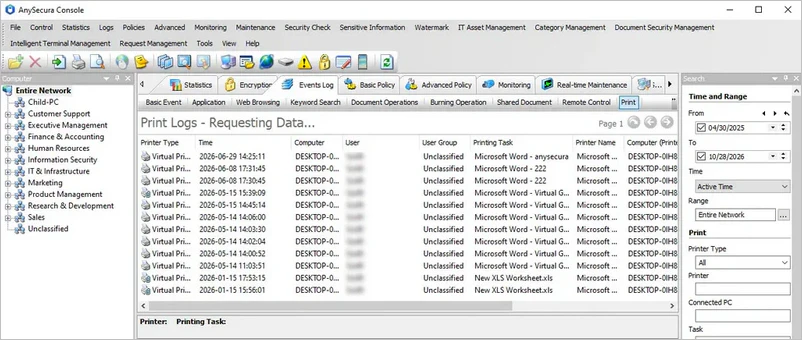
If a business suspects that confidential information has been leaked through printing, administrators can examine print logs alongside watermark information, backed-up print content, and relevant screen records. Combining these sources can help reconstruct the sequence of events, identify potential sources of risk, and inform improvements to existing security policies.
4. Strengthen Data Security Across the Printing Process
Print security requires more than restricting printer access or investigating incidents after a data leak occurs. Businesses need a coordinated approach that combines printer permission management, sensitive content inspection, document tagging, print watermarking, content backup, and activity auditing.
AnySecura Print Control helps businesses enforce printing policies, reduce the risk of unauthorized document output, and improve the traceability of printed materials. With print content backup and activity logs, organizations can also review printing activities more effectively and investigate potential security incidents.
Strengthen Your Print Security with AnySecura
Discover how AnySecura can help your business manage printing permissions, protect sensitive documents, and improve print auditing.