Every day, businesses create and use large volumes of documents. Some may not have obvious sensitivity labels, yet still contain customer information, financial data, R&D materials, trade secrets, or other confidential information.
Without proper protection, these sensitive documents can easily leave the organization through USB drives, cloud storage, email, instant messaging apps, and other channels. In many cases, businesses only realize that sensitive files were left unprotected after a data leakage incident has already occurred.
To address this challenge, AnySecura combines sensitive content detection with document encryption, external sharing control, security tags, classification levels, watermarking, and activity logging. It helps organizations identify sensitive documents on endpoints and automatically apply the appropriate security policies based on their content.
From identifying and protecting sensitive documents to controlling external transfers and tracking user activity, AnySecura provides a more complete approach to data leakage prevention. Organizations can identify which files contain sensitive information and control how those files are used.
01 Encrypt Sensitive Documents from the Point of Discovery
Many sensitive documents stored on employee endpoints may not be encrypted or clearly classified. Relying entirely on employees to identify and protect these files can easily lead to gaps in data protection.
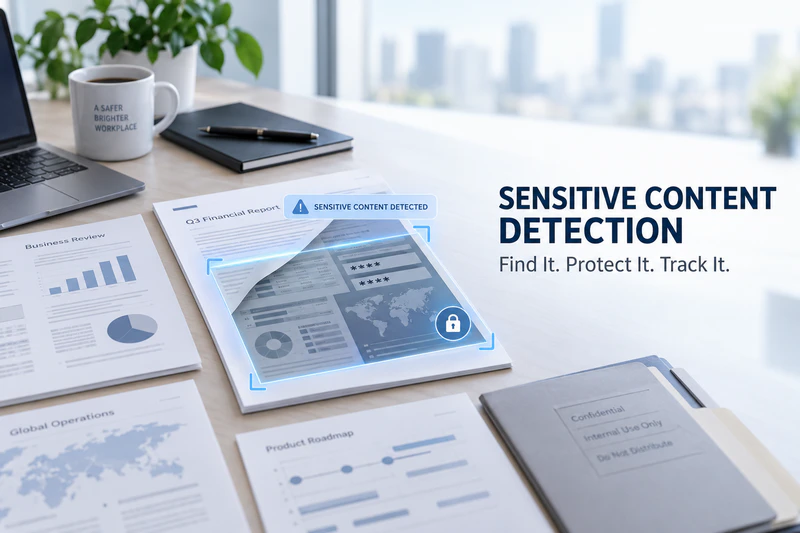
AnySecura uses sensitive content detection to identify documents containing specific types of sensitive information and can apply security measures such as encryption, security tags, classification levels, and watermarks based on predefined policies.
Scan and encrypt:
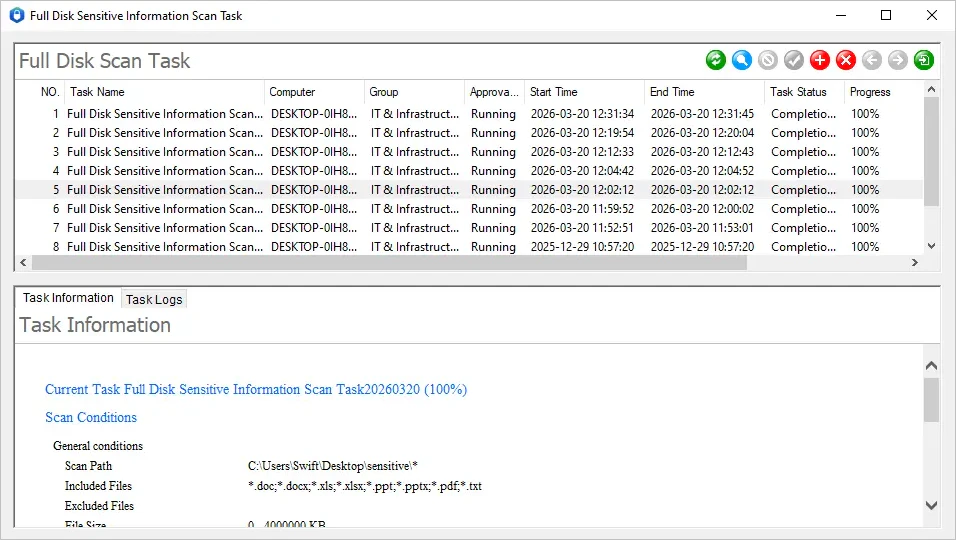
AnySecura can scan documents on endpoints to identify files containing sensitive information and help organizations understand where sensitive data is stored. When an unencrypted sensitive document is identified, AnySecura can work with its document encryption capabilities to automatically encrypt the file and provide an additional layer of protection.
Automatically apply tags and classification levels:
When a document contains specific sensitive information, predefined rules can automatically assign security tags or classification levels. This gives sensitive documents a clear security identity and makes them easier to manage and control.
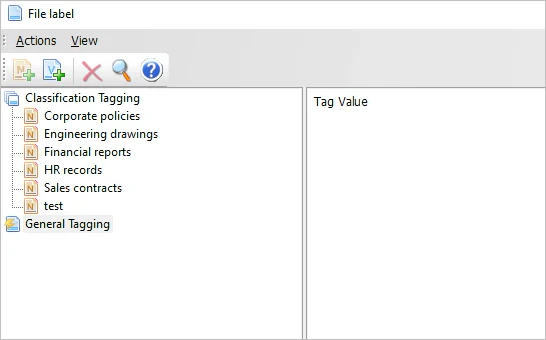
Protect documents as they enter or change on endpoints:
AnySecura can monitor document activities such as creation, modification and saving, downloading, and receiving files. When a document matches predefined sensitive content, tag, or classification rules, the system can automatically apply encryption or watermarking policies to reduce the risk of accidental data exposure.
02 Control External Transfers to Prevent Sensitive Documents from Leaving the Organization
Encryption alone is not enough to protect sensitive documents. Even an encrypted file may still be exposed if users can freely transfer it through unauthorized channels.
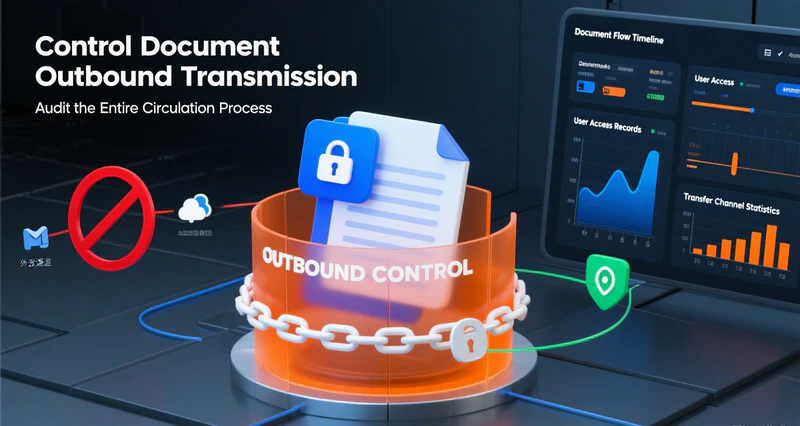
AnySecura combines sensitive content detection with endpoint data protection to identify and control attempts to transfer sensitive documents outside the organization.
Block unauthorized external transfers:
When sensitive documents are transferred through USB drives, network drives, instant messaging applications, email, printing, cloud storage uploads, or other channels, AnySecura can identify the activity and block unauthorized transfers according to predefined security policies.
Capture screen activity when needed:
When a sensitive document transfer triggers a security policy, AnySecura can work with screen monitoring to record the relevant screen activity. This provides additional evidence for security investigations and incident tracing.
Track approved external sharing:
For sensitive documents that are authorized for external sharing, organizations can back up the documents according to their policies and apply visible or invisible watermarks containing information such as the user and operation time.
If a document is later found outside the organization, related activity records and watermark information can help identify its source and trace the associated operation, making data leakage investigations more efficient.
03 Control Copy and Paste to Prevent Fragmented Data Leakage
Sensitive information does not always leave an organization as an entire document.
Users may copy customer information, technical details, financial data, or other sensitive content from a document and paste it into another application, document, or communication tool. Because only part of the original document is transferred, this type of data leakage can be more difficult to detect and may bypass traditional file-based controls.
AnySecura can record and control copy-and-paste activities involving sensitive content. Based on security policies, organizations can restrict sensitive information from being copied between different applications or windows, reducing the risk of sensitive data being leaked in small fragments.
04 Keep a Complete Activity Trail for Investigation and Tracking
Identifying and blocking sensitive data leakage is only part of the process. Organizations also need to know who accessed or used a sensitive document, what actions were performed, and whether unusual activity occurred.
AnySecura records activities related to sensitive content detection, document encryption, copy and paste, and external transfers, providing a detailed activity trail for investigation and document tracking.
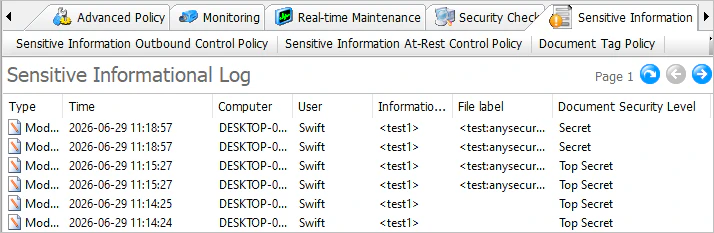
Record sensitive activities:
The system records sensitive content scan results, document encryption status, copy-and-paste activities, and sensitive document transfer events. This gives organizations greater visibility into how sensitive information is identified, used, and transferred.
Trace activities through activity logs:
Organizations can use activity logs to review sensitive document usage, copy-and-paste activities, and external transfers. Information such as the associated user, operation time, and specific activity can help identify unusual behavior and provide useful evidence for incident investigation and future security policy adjustments.
If a data leakage incident occurs, organizations can use activity logs, operation records, and watermark information to investigate what happened and trace the relevant activity instead of having to rely solely on post-incident analysis.

AnySecura — Detect and Protect Sensitive Documents
Find sensitive documents on endpoints and automatically apply encryption, classification, watermarking, and transfer controls. Keep sensitive data protected from discovery to external sharing.
From Sensitive Content Detection to Protection at Every Step
The value of sensitive content detection is not simply finding which documents contain sensitive information. More importantly, it allows organizations to connect that information with practical security controls.
AnySecura combines document encryption, security tags, classification levels, watermarking, external transfer control, copy-and-paste control, and activity tracking. Security policies can then be applied based on the content and security attributes of each document.
From identifying sensitive documents to monitoring how they are used and transferred, organizations can establish a more complete data leakage prevention process. This helps reduce the risks associated with overlooked sensitive files, unauthorized transfers, and improper document handling while giving security teams better visibility into sensitive data activity.
Conclusion
Document leaks rarely happen at just one point in the document lifecycle. Sensitive information can be exposed when a document is opened, decrypted, copied, printed, captured in a screenshot, sent externally, or transferred again.
AnySecura combines smart document watermarking, dynamic watermarking, print watermarking, screen watermarking, and document tracking logs to record key information throughout the document lifecycle. Whether documents are being used internally, shared with external partners, or transferred through email, instant messaging, websites, or AI tools, organizations can configure tracking policies according to their security requirements.
By combining document security and document tracing, AnySecura helps organizations protect sensitive documents during everyday work while providing useful information for security audits and data leak investigations when abnormal activity occurs.