
Modern call centers rely on more than just phone systems. To improve service quality, ensure compliance, and coach agents effectively, companies need the right monitoring tools. These Call Center Monitoring Software may include call recording, live call monitoring, quality scorecards, speech analytics, and even screen monitoring to understand what agents do during customer interactions.
This article provides a clear comparison of popular call center monitoring software and a practical choose cheat sheet to help different types of companies quickly find the solution that best fits their size, budget, and goals.
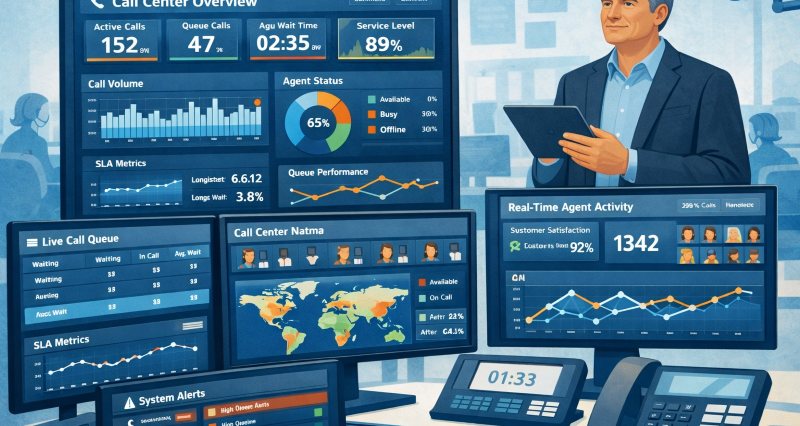
If you are still not sure how to choose the right solution, you can first read our related articles to learn which features matter most and the best practices for implementing call center monitoring effectively.
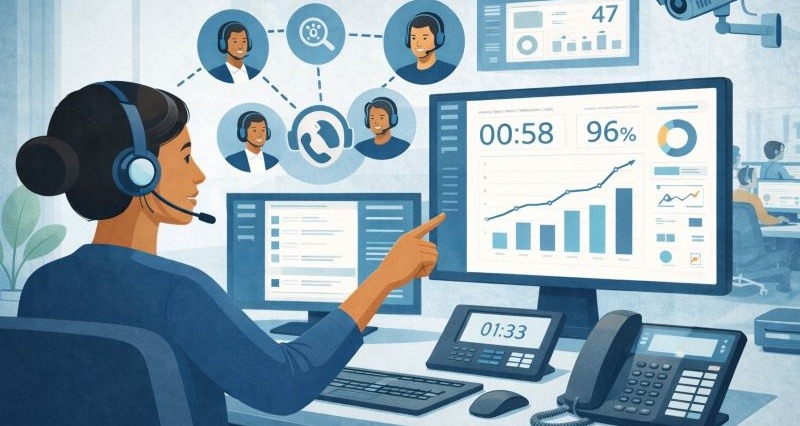
Learn what call center monitoring is, why it matters, and how to do it right using best practices and the right tools. Learn more>>
Top 10 Call Center Monitoring Software in 2026
Quick Overview of 10 Call Center Monitoring Software
| Tool Name | Key Pros | Agent Scale | Deployment |
|---|---|---|---|
| NICE Cxone | Full CCaaS + QA + AI + compliance in one platform | 500�?0,000+ | Cloud |
| ⭐AnySecura | Screen monitoring, activity logs, audit reporting | 50�?,000+ | On-prem / Hybrid |
| Genesys Cloud CX | Strong omnichannel with built-in QA | 100�?,000+ | Cloud |
| Verint Quality Management | Best-in-class compliance and QA automation | 300�?0,000+ | Cloud / On-prem |
| Talkdesk Quality Management | Modern UI, balanced CCaaS and QA | 50�?,000 | Cloud |
| ManageEngine Endpoint Central | AI transcription and auto-QA on 100% of calls | 100�?,000 | Cloud (overlay) |
| Observe.AI | AI transcription and auto-QA on 100% of calls | 100�?,000 | Cloud (overlay) |
| CallMiner | Deep speech analytics and compliance insights | 500�?0,000+ | Cloud / Hybrid |
| Scorebuddy | Simple QA scorecards and coaching | 30�?,000 | Cloud (overlay) |
| CloudTalk | Affordable and easy for SMBs | 10�?00 | Cloud |
NICE Cxone
NICE CXone stands out for its breadth of features. It integrates contact center telephony with quality management in one cloud suite. It offers 100% call recording, omnichannel interaction handling, built-in evaluations and scorecards, and advanced AI analytics for QA. Supervisors can monitor live calls and even coach or barge in when needed. The platform’s Enlighten AI automatically scores calls and flags compliance issues across all interactions, which is a cutting-edge differentiator for large-scale operations.

The greatest strength of NICE CXone is its end-to-end capability and reliability. Enterprises praise it for handling large volumes while maintaining quality control. All calls can be recorded and analyzed, ensuring no customer interaction goes unchecked. Its AI-driven insights help identify trends in agent behavior and customer sentiment automatically, reducing the load on QA teams. Moreover, the system includes workforce optimization and training tools, meaning quality monitoring directly ties into coaching programs and agent improvement. This integration leads to highly consistent service and compliance across big call centers.
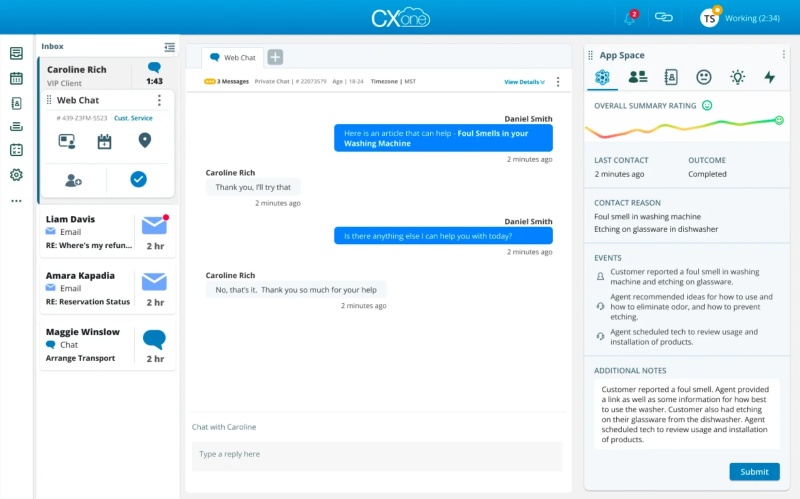
The main drawback of CXone is its complexity and cost. As an enterprise solution, it comes with a steep learning curve and requires substantial training to use effectively. Additionally, the price point is high, with per-user licensing and add-ons for advanced analytics, making it a significant investment.
- Large call centers and BPOs that need comprehensive QA with AI analytics
- Enterprises in highly regulated industries (finance, healthcare) requiring 100% coverage.
- Organizations seeking an all-in-one cloud platform (routing, recording, QA, WFM).
- Small businesses or startups on tight budgets.
- Your IT policy demands fine-grained user access controls or audit logs.
- You support a large team and need native multi-language and enterprise SSO integration.
AnySecura
AnySecura focuses on agent screen activity during real customer interactions. It records agent screens only when approved work applications (such as CRM, billing systems, or internal tools) are in use, and can show both live screen views and recorded playback. Supervisors can see exactly which systems were opened, which steps were taken, and where agents hesitated or skipped required actions. This makes AnySecura a practical companion to call recording tools, adding visual context that audio alone cannot provide.
In addition to capturing agent screen activity during calls, it tracks how agents access data, interact with systems, and move information across applications, both during and between customer interactions. The platform can work alongside existing call center systems (such as ACD, CTI, VoIP, and IVR) and analyze real agent workflows against defined rules or standards. This makes it possible to spot workflow gaps, risky behavior, or inefficiencies that audio-only monitoring cannot reveal.

AnySecura does not replace speech analytics or sentiment analysis tools. To get full call center monitoring value, AnySecura must be used alongside a call recording or CCaaS system.
- Call centers that already have call recording and want to understand agent workflows and screen behavior
- Teams with compliance, audit, or process accuracy requirements, such as finance, insurance, or customer support
- Managers who want evidence-based coaching instead of subjective feedback
- Teams looking for telephony, call routing, or IVR in one system
- Organizations that only care about audio quality or sentiment analysis
Genesys Cloud CX
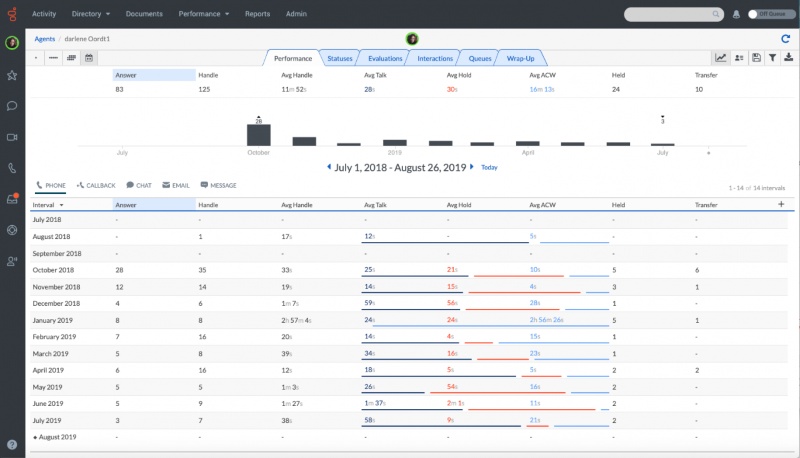
Genesys Cloud CX combines full contact center functionality with built-in Quality Management (QM) tools. It provides omnichannel recording, as well as live monitoring modes (silent listen, whisper coaching, barge-in) so supervisors can oversee calls in real time and coach agents during calls (without the customer hearing). Uniquely, Genesys includes screen recording synchronized with calls, letting you see an agent’s desktop activity alongside the call playback.
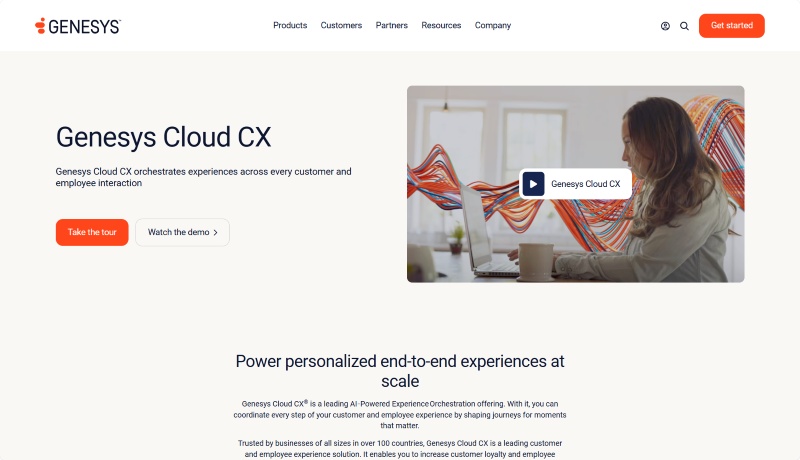
Most Enterprise will pay for Genesys Cloud CX's seamless omnichannel quality control. All interactions (from inbound/outbound calls, IVR self-service to chats, etc.) funnel through one system. It's convenient for managers to get a unified view of quality. Genesys has robust Workforce Engagement Management (WEM) features, so recorded calls and agent scores tie directly into training, workforce management, and performance dashboards. Additionally, Genesys’s app marketplace and API allow integration of speech analytics or AI assistants, extending its QA capabilities.
Genesys Cloud CX is also pricey and complex for smaller operations. Its pricing is typically on a per-agent, per-month model with extra fees for add-on modules (like WEM or advanced analytics). Also, screen recording and certain analytics may only be available in higher-tier plans.
- Large call centers and BPOs that need comprehensive QA with AI analytics
- Enterprises in highly regulated industries (finance, healthcare) requiring strict compliance and 100% call coverage.
- Organizations seeking an all-in-one cloud platform (routing, recording, QA, WFM).
- Small businesses or startups on tight budgets.
- Your IT policy demands fine-grained user access controls or audit logs.
- You support a large team and need native multi-language and enterprise SSO integration.
Verint Quality Management
Verint’s solution is unique as it focuses purely on Quality and Compliance Management rather than providing the telephony itself. It can integrate with your current contact center (Avaya, Cisco, etc.) to capture all call and screen data. It also includes an AI that flags risky language (for compliance), missing script elements, and customer sentiment cues for every call. Verint also provides real-time alerts, for example, it can notify supervisors if an agent says a forbidden phrase or if a customer’s sentiment turns very negative.
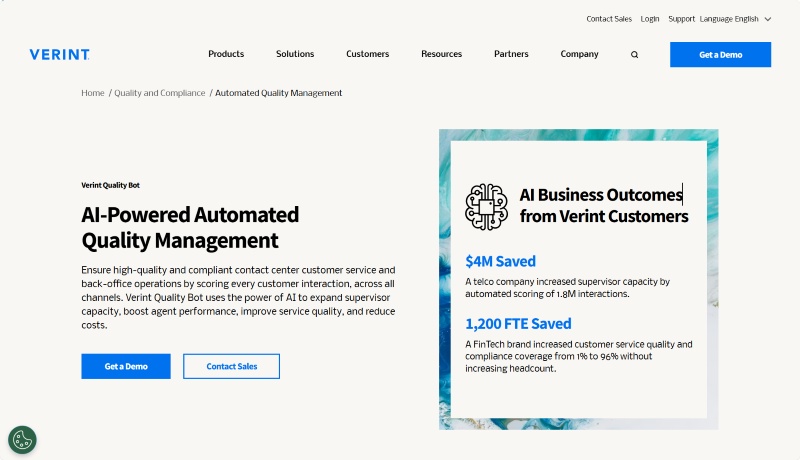
The biggest benefit of Verint is its powerful automation and analytics for QA. It dramatically increases quality coverage, companies report moving from reviewing 1-3% of calls to almost all calls using Verint’s Automated Quality Management. Verint’s system excels at compliance monitoring, automatically detecting if agents provided required disclosures or if there were any policy violations. This reduces the risk of fines and customer trust issues.
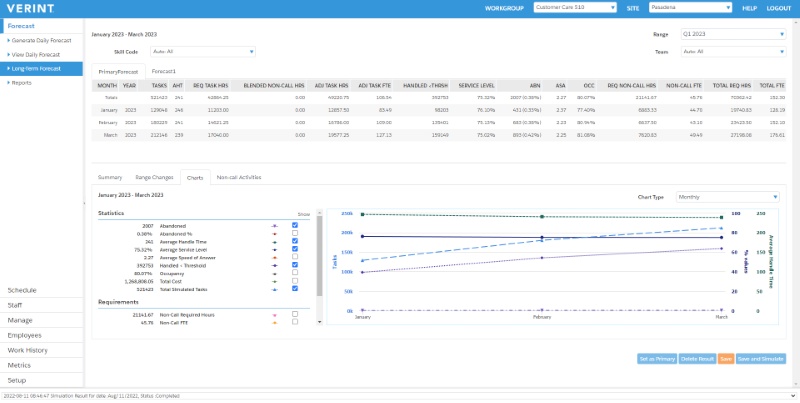
Verint is also an enterprise solution, requiring a significant investment in licenses, professional services for setup, and possibly hardware if on-premise. Implementing Verint often means integrating with multiple systems (ACD, CRM, etc.), which can be technically complex and time-consuming. Additionally, since Verint isn’t a full contact center dialer, it’s not a standalone product for someone without an existing call platform, it’s best suited to those who can integrate it into a larger ecosystem.
- Large enterprises and financial institutions that require rigorous compliance monitoring
- Contact centers that already have a telephony platform but need a world-class QA and analytics overlay to boost quality.
- Organizations with dedicated QA teams and analysts
- Small to mid-size businesses that cannot afford a high-end QA system or lack the IT support to integrate it
- Teams looking for a quick, plug-and-play monitoring tool.
- Call centers that do not have strict compliance needs
Talkdesk Quality Management
Talkdesk is primarily known as a cloud contact center platform, but it also includes a Quality Management module. As part of its omnichannel platform, Talkdesk offers call recording out-of-the-box and supports live monitoring (supervisors can listen to calls live and provide whisper coaching). Its differentiator is the use of AI-powered call quality analysis, Talkdesk has AI that transcribes calls and evaluates them for sentiment and compliance triggers. It can automatically score certain parts of an interaction (Auto-QA) or flag calls that need review (for example, if a customer said negative keywords).
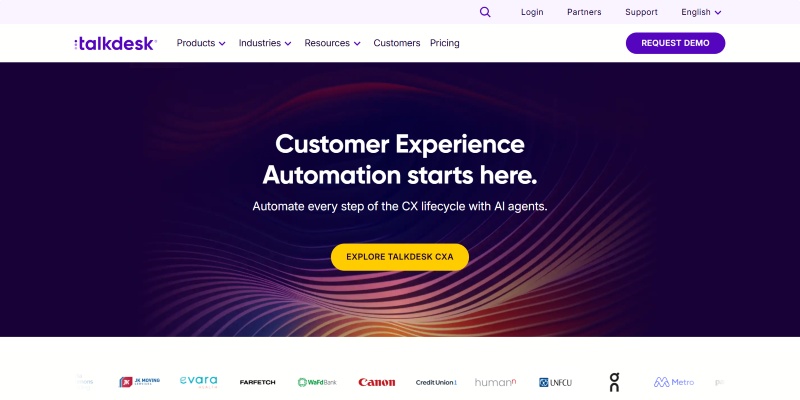
Talkdesk’s biggest advantage is all-in-one convenience with modern AI. Because it’s a unified CCaaS (Contact Center as a Service), you don’t need separate vendors for telephony, recording, and QA, it’s all integrated, simplifying your tech stack. This means quicker setup of quality processes (e.g., one-click to enable call recording and monitoring on any agent). The AI capabilities, while not as exhaustive as specialized QA tools, provide valuable insights.
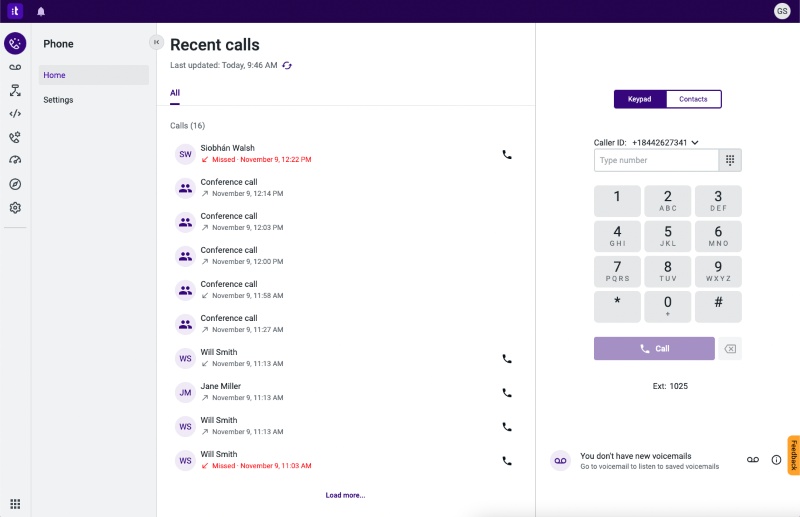
Talkdesk’s QA features, while solid, can be less advanced than dedicated quality solutions. For example, its speech analytics and auto-scoring may cover common metrics but might miss nuanced insights that more specialized products catch. Talkdesk is also a proprietary cloud system, so you have limited control over certain aspects (it may not integrate with every third-party tool you want, compared to an open system).
- Mid-sized contact centers looking to upgrade to a cloud platform that includes QA and coaching in one package.
- Companies that want some AI-driven quality insights (like automated call scoring and alerts) but in a user-friendly, easy-to-deploy solution.
- Very small teams on a tight budget
- Enterprises that require very advanced or highly customized QA analytics
- Those unwilling to switch their entire phone system
Five9
Five9 is a well-established CCaaS. Its QM allows for call and screen recording, you can capture agents�?screens alongside voice calls to see the full context of interactions. It leverages speech analytics and sentiment analysis to automatically review calls: for instance, it can transcribe calls and detect keywords or emotional tone, flagging calls where a customer was very frustrated.
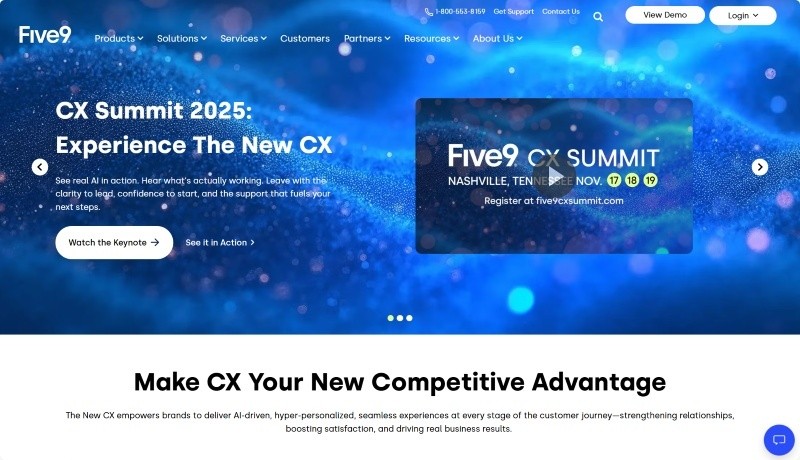
The system provides customizable QA scorecards so supervisors can score calls directly within Five9, and it keeps those evaluations in a database for reporting. Five9’s real-time dashboards show service levels and can highlight ongoing calls that meet certain criteria (like exceeding a set time or containing trigger words). It’s also known for strong CRM integrations, meaning QA data from Five9 can link to customer records or cases.
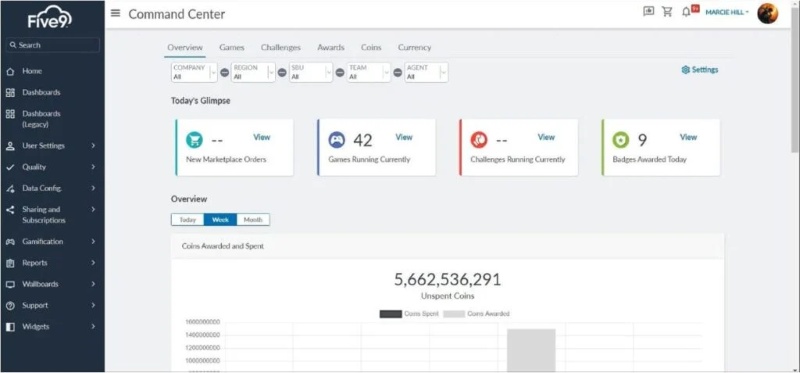
On the flip side, Five9 can have a higher total cost if you enable all the QA features. The Quality Management and Analytics capabilities might come as add-ons or in higher service tiers, meaning you’ll pay more for these advanced functions. For very small teams, this might be more investment than necessary. Additionally, while Five9’s QA features are good, some users note that the setting up scorecards or calibrations might not be as flexible as in standalone QA software.
- Contact centers of small-to-medium up to large size that want a proven cloud platform with integrated QA and don’t want to manage separate systems.
- Teams that value screen recording alongside calls.
- Very small businesses that only need basic call recording
- Companies that already have a phone system and want to add QA to it
- Enterprises seeking ultra-custom or advanced analytics
Observe.AI
Observe.AI is distinct in that it’s not a phone system, but an AI “conversation intelligence�?tool focused on quality. It integrates with many call recording systems (like pulling recordings from your cloud contact center) and then applies speech-to-text and AI analysis to them. Its differentiating features include real-time speech analytics, it can monitor calls live for certain keywords or sentiment, allowing for immediate alerts or guidance to managers. It also performs Automated QA scoring: based on your custom scorecard criteria, Observe.AI’s algorithms score each call on things like script adherence, empathy, or resolution provided.
The greatest advantage of Observe.AI is the massive boost in QA efficiency and depth of insight. By automatically transcribing and scanning every call, it ensures no conversation is overlooked, something impossible to achieve with manual QA alone. This means trends and issues become visible very quickly (e.g., if many customers say a competitor’s name or mention canceling, the system will catch that pattern). Another benefit is that you can often plug Observe.AI into your existing contact center tech, so you don’t have to uproot your telephony system to improve QA.
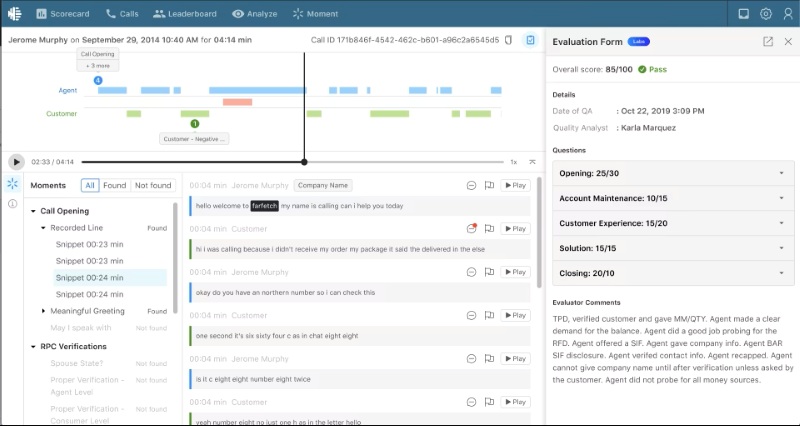
Observe.AI is an add-on layer and an AI system. As an add-on, it means you need to already have call recordings from somewhere. This might complicate your stack slightly, as you’ll be dealing with two systems (your call system + Observe.AI). Additionally, the cost can be significant, usually charged per agent or per hour of audio processed. Another consideration is that AI-driven scoring shouldn’t be treated as 100% gospel, you’ll still need human oversight to confirm and to handle the nuance that AI might miss. In short, it’s a fantastic tool, but you'll need to have the infrastructure and budget to support an AI-driven process.
- Call centers that already have a call platform and want to supercharge their QA with AI.
- Quality-focused teams with high call volum.
- Organizations in sectors like finance or healthcare where compliance is critica.
- Very small teams or low call volume environments.
- Businesses that don’t have a reliable call recording system in place yet.
- Those unwilling to invest time in AI calibration.
CallMiner
CallMiner has been in the speech analytics space for a long time. Its platform (often called CallMiner Eureka) can analyze calls post-call or in real-time, converting speech to text and then evaluating it against complex criteria. It can perform topic and trend analysis across millions of call records, for example, it can automatically categorize calls by reason or detect emerging issues (like a spike in calls about a product bug).
CallMiner is very strong in emotion and sentiment analysis, using acoustic measures as well as text to gauge customer emotion levels. Companies using CallMiner can surface business insights (e.g., why customers call, which competitor names are mentioned most) that go beyond QA and inform strategy. Its compliance capabilities are top-notch, for industries like collections, healthcare, or insurance, CallMiner can automatically document adherence to scripts and laws, significantly cutting down manual compliance checks.Additionally, CallMiner’s platform is highly customizable; organizations can define very specific categories or keywords to track. It also integrates with contact center systems to pull data and can output insights to BI tools, so it fits well into enterprise data environments.
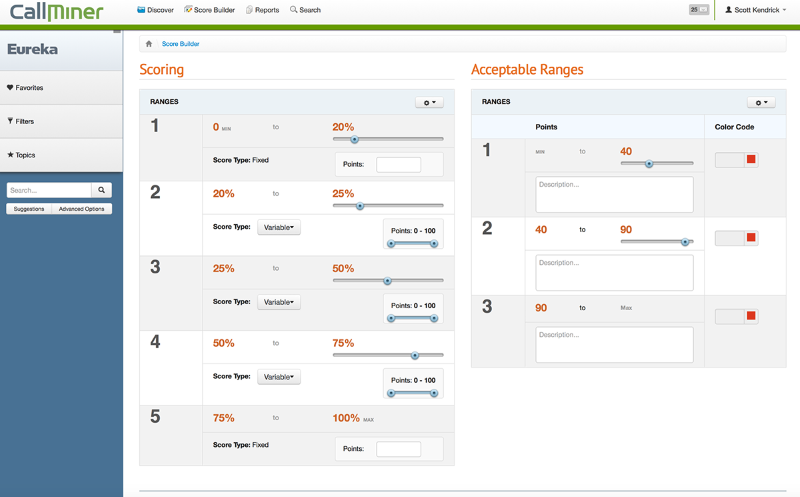
The disadvantages mainly revolve around complexity and cost. CallMiner, being an enterprise-level solution, usually requires a substantial financial investment, often priced by hours of audio processed. Also, Implementing CallMiner is also a project in itself: configuring the categories, keywords, and score calculations takes time and expertise (often with help from CallMiner’s consultants or skilled internal analysts). S In essence, CallMiner can be overkill for those with basic needs and requires commitment to get the full value.
- Large contact centers or enterprises with high call volumes that want to leverage big data from calls.
- Organizations in tightly regulated sectors (e.g., finance, collections, healthcare).
- Small businesses or teams
- Firms without a stable call recording system or limited technical support
- Those looking for a simple QA checklist tool
Scorebuddy
The heart of Scorebuddy is its custom scorecard builder. You can tailor QA scorecards with your own criteria (questions, rating scales, weights) to reflect your quality standards. Unlike many complex systems, Scorebuddy’s interface for reviewers is very user-friendly: evaluators can listen to a call and tick off scores in one screen, add comments, and save results easily. It also offers features like calibration tools (to ensure different supervisors score consistently), and reporting dashboards to spot trends in performance. It even supports agent self-assessments and peer reviews in some packages. Scorebuddy is cloud-based and known for quick deployment, a pure QA tool without extraneous features.

Because it’s laser-focused on quality scoring, it doesn’t require a long implementation. Many teams can start using it with minimal training. Creating and adjusting scorecards is straightforward (no coding or complex config), which means your QA program can be very agile, you can update criteria as your business changes. It’s also vendor-agnostic: you can use Scorebuddy alongside whatever call center system you have.
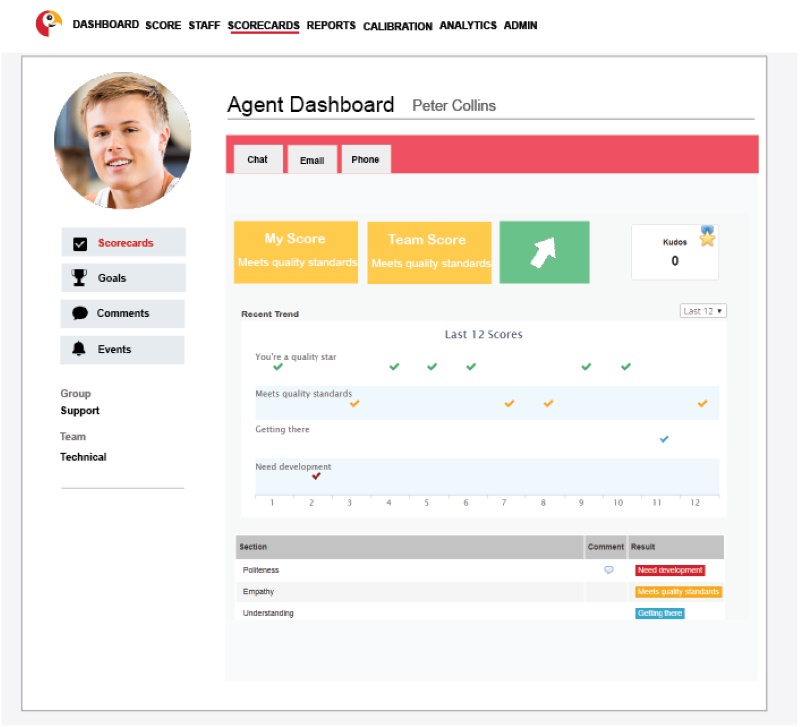
The price is that you will still need a separate call recording solution or a contact center platform to actually capture interactions. This means integration is a consideration: while Scorebuddy can import data from many systems, it’s an extra step as opposed to having everything in one suite. Another minor con could be cost scaling: while not as costly as enterprise suites, Scorebuddy is a paid per-user subscription, so very large teams might end up paying a fair amount if they have hundreds of evaluators and agents being tracked.
- Medium-sized contact centers that want to formalize and improve their QA process without overhauling their entire technology stack
- Very small teams on zero budget
- Operations that need automated call analysis or recording
- Enterprises seeking a complete WFO (Workforce Optimization) suite
CloudTalk
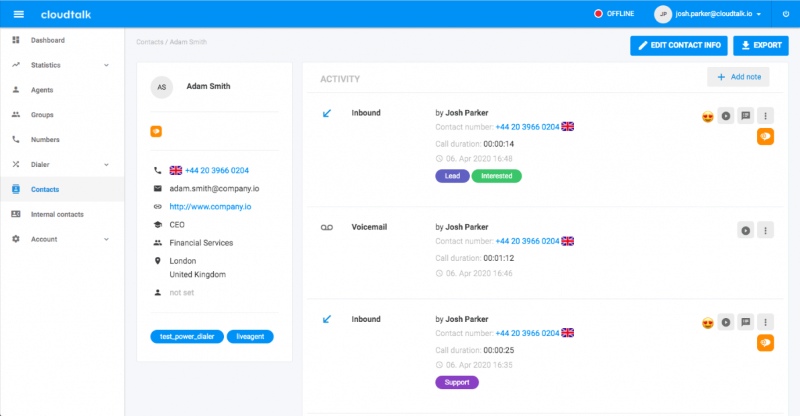
CloudTalk targets small to mid-sized businesses. It provides unlimited call recording. For live monitoring, CloudTalk offers a “Real-time dashboard�?where supervisors can see all ongoing calls and listen in silently or barge if necessary. It also has built-in analytics and statistics: you can track call activity metrics, service level, wait times, etc. While not AI-driven sentiment analysis per se, it can, for example, capture customer satisfaction via post-call surveys or note call outcomes that imply sentiment.
CloudTalk integrates seamlessly with many CRMs (like HubSpot, Zendesk, etc.), so call data and recordings link to customer profiles. The strongest advantage of CloudTalk is its cost-effective ease-of-use for quality monitoring. Small teams can set it up quickly. As it's a cloud service, deployment will be fast.
The flip side of its budget-friendliness is that CloudTalk’s QA features are relatively basic compared to enterprise solutions. For example, while it records calls, it doesn’t automatically transcribe or score them, someone still has to manually listen to evaluate quality. The “sentiment tracking�?is not the same as advanced sentiment analysis by AI; it might rely on simple metrics or customer feedback rather than true voice analysis. Also, CloudTalk may lack screen recording, so you cannot see what agents did on their computer during calls.
- Small and medium businesses who need an easy way without breaking the bank.
- Startups who want to quickly implement quality practices from day one.
- Teams that use popular CRM/helpdesk tools, CloudTalk’s integrations will help link call outcomes with customer data.
- Large enterprises or call centers with advanced QA needs.
- Companies requiring screen monitoring or advanced compliance automation.
- Organizations that already have a phone system and just want a QA add-on.
Choose the Right Call Center Monitoring Software
| Use Case / Priority | Key Selection Factor | Recommended Solutions |
|---|---|---|
| You want an all-in-one system | Enterprise, complex workflows, global teams | NICE CXone / Genesys Cloud CX |
| Mid-to-large teams, faster rollout, modern UI | Talkdesk / Five9 | |
| Mid–high budget, strong omnichannel standardization | Genesys Cloud CX | |
| You already have a call system and want an overlay | Heavy compliance and audit needs | Verint / CallMiner |
| AI auto-transcription and auto-QA | Observe.AI | |
| Standard QA workflows only | Scorebuddy | |
| Screen and endpoint behavior visibility | AnySecura | |
| Budget-sensitive (SMB) | Cheap, easy cloud deployment | CloudTalk |
| Screen monitoring with audit logs | AnySecura | |
| Screen recording and live monitoring are top priority | Strong regulation and audit requirements | Verint / NICE |
| Built-in screen features for CCaaS users | Genesys / Five9 | |
| Focus on screen and activity monitoring | AnySecura | |
| Automatic speech analytics is the main goal | Deep enterprise analytics and compliance | CallMiner |
| Fast and easy AI QA | Observe.AI | |
| CCaaS with built-in AI | NICE / Genesys |
FAQs about Call Center Monitoring Software
1. What does call center monitoring software track?
It can record calls, allow live listening, and monitor agent activity such as screen use or system access. This helps managers see what agents say and how they work.
2. Is call center monitoring legal?
Yes, when done properly. Companies must inform agents and customers, follow local laws, and monitor only work-related activity.
3. Do I need more than one monitoring tool?
Often, yes. Call recording covers audio, while screen monitoring or analytics tools provide deeper insight into agent behavior and workflows.
Conclusion
Effective call center monitoring helps teams deliver better service, stay compliant, and improve everyday workflows. By combining call recording, live monitoring, screen visibility, and analytics, managers can understand not only what was said during customer interactions, but also how the work was actually done. The goal of monitoring is not to control or punish agents, but to support them with clear feedback, better tools, and fair processes.
Ready to get started? Try AnySecura for free and see how smarter monitoring can improve agent performance and customer satisfaction, without compromising privacy or trust.


