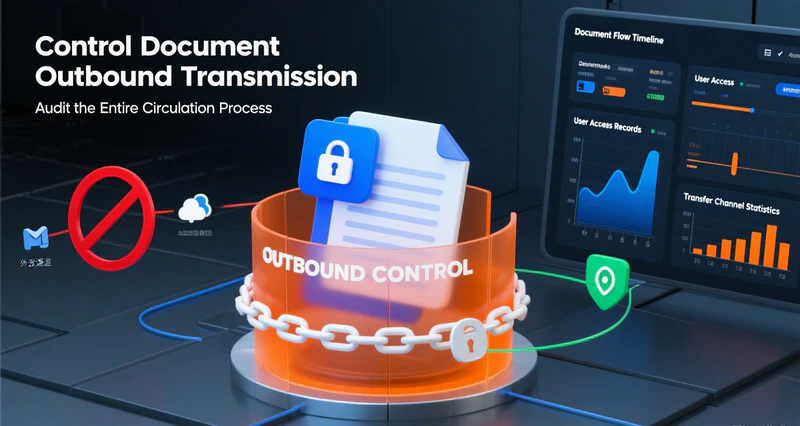

AI tools are rapidly becoming part of everyday business operations, from R&D, office work, and marketing to customer service. Whether generating content, assisting with coding, organising information, or analysing business data, AI is helping employees work more efficiently.
At the same time, however, businesses are facing a new security challenge: company data can leave the organisation’s boundaries at any time when employees use AI.
Employees may directly upload internal documents, source code, customer information, and other sensitive data to public AI platforms. They may also use AI plugins, coding assistants, or AI agents that can access local files, applications, and even business systems.
Traditional network and endpoint security policies often struggle to accurately identify these new ways of using data, or determine whether an operation was performed directly by an employee or automatically by an AI tool.
Different AI tools work in different ways, and therefore introduce different security risks.
Different AI Applications Require Different Security Strategies
Conversational AI: Frequent Use Makes Data Easy to Upload
Conversational AI is one of the most frequently used types of AI in everyday office work. It is commonly used for drafting documents, refining content, organising information, and other tasks, typically responding to individual user requests.
The key risk is unintentional data leakage. Employees may unknowingly upload sensitive documents containing trade secrets, customer data, source code, and other confidential information to public AI platforms for processing. This can result in core business data being exposed, while many such incidents are difficult to detect immediately.
Plugin-Based AI: Deep Integration Creates Control Blind Spots
Plugin-based AI is integrated into browsers, code editors, office software, and other applications through extensions or plugins. It can provide functions such as code completion, bug detection, and text optimisation while fitting naturally into employees’ existing workflows.
This type of AI can directly access business content within its host application and send it externally. Because it operates through commonly used software, it can easily bypass traditional security policies and create hidden control blind spots.
AI Agents: Autonomous Operation Makes Tracking and Control More Difficult
Unlike simple conversational AI, AI agents can independently break down tasks and call files, applications, and external services to complete a series of operations.
For example, an AI agent may read local files, call development tools, execute commands, access network services, and continue with subsequent actions based on the results.
This means security teams need to answer more questions:
- Which files did the AI agent access?
- Which applications did it launch?
- What data was sent to external services?
- Was the operation performed by an employee or automatically by AI?
- If a data leak occurs, can the specific AI tool involved be identified?
Traditional endpoint controls and activity auditing often lack sufficient context when dealing with AI applications that operate autonomously.
AI Security Application Solution
To address the security challenges introduced by different AI applications, AnySecura does not take a one-size-fits-all approach. Instead, it enables organisations to establish different security policies based on the type of AI tool, usage scenario, and sensitivity of the data involved.
Through discovery, tracking, control, and auditing, it helps organisations understand what AI is doing, control what AI can access and transmit, and provide complete activity records when abnormal behaviour occurs.
01 Security Solution for Conversational AI
Based on the organisation’s confidentiality levels and office usage requirements, the solution provides fine-grained controls for conversational AI, balancing productivity with data security.
Completely block AI in highly confidential environments: For highly confidential work scenarios, organisations can directly block access to public AI channels and completely prohibit the use of conversational AI tools to meet compliance and high-level security requirements.
For general office scenarios, fine-grained controls can be enabled:
- Prohibit document uploads: Allow employees to use AI for public information searches, content generation, and other tasks while preventing them from directly uploading local business documents to public AI platforms.
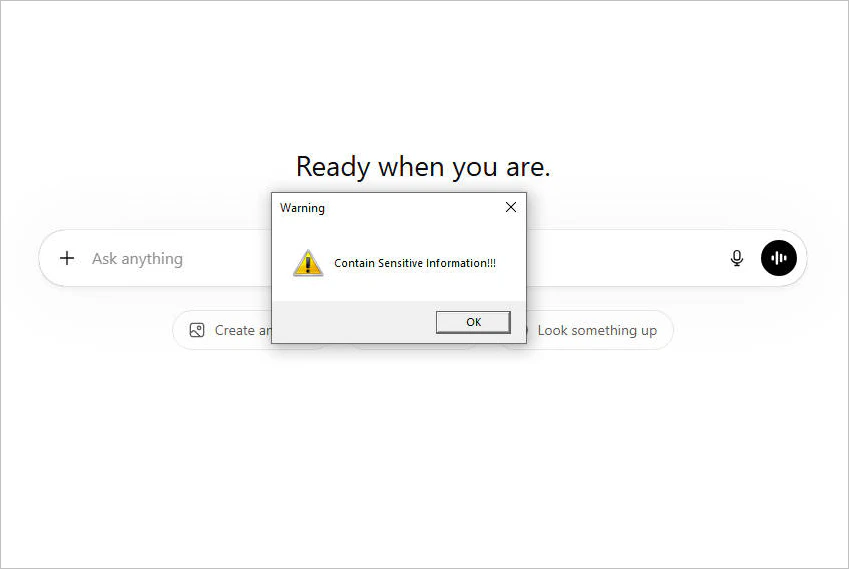
- Block sensitive documents: Through sensitive content identification, the solution monitors file uploads from browsers and supported AI clients.
Regular files can be used normally according to policy, while files containing source code, customer information, trade secrets, and other sensitive content can be blocked. Depending on the configured policy, administrators can also receive alerts or users can be shown notifications.
- Protect sensitive files through encryption: Organisations can automatically encrypt newly created or edited sensitive documents on local devices.
Even if employees attempt to upload encrypted files to AI services, the AI platform cannot directly read the protected content. When a file genuinely needs to be uploaded, exceptions can be handled through authorisation or approval processes.
- Record AI usage activities in full: Record AI-related web access, application activity, screen activity, file transfers, and other information, while also allowing uploaded files to be backed up.
When data leakage or policy violations occur, security teams can use audit records to understand how the data was accessed and transferred.
02 Security Solution for Plugin-Based AI
Browser AI extension control: Deploy controls for browser-based AI extensions, including document upload control, sensitive document blocking, and file backup during transmission to prevent hidden data exfiltration.
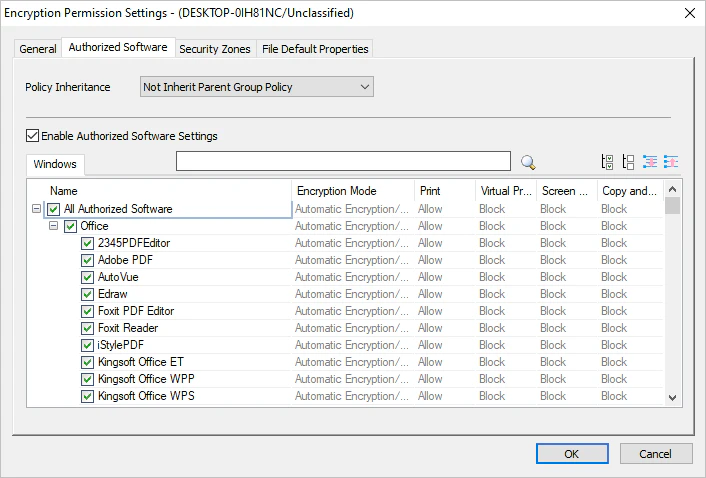
IDE AI coding plugin control: Create authorised software policies that allow designated AI plugins to read and edit encrypted files. Communication can also be restricted so that the plugin is only allowed to communicate with officially designated large language models, while other external network connections are blocked to prevent content within the host application from being sent externally without authorisation.
03 Security Solution for AI Agents
To address the new challenges brought by the high autonomy of AI agents, ineffective static controls, and unclear auditing, the solution can also build a dedicated protection framework:
Definition and identification: The solution includes a predefined library of mainstream AI tools that can be used directly to reduce configuration effort and the risk of omissions. It also supports manually adding new AI applications that are not yet included in the library.
Tracking and differentiation: Through process tracking technology, the solution can accurately identify the AI identity of a process. Even when the same program is running simultaneously, it can still apply differentiated and precise controls.
Dedicated control and auditing: Distinguish between AI and human software usage permissions and independently control the applications called by AI.
Record the launch source of every application in detail and clearly identify which specific AI tool initiated it, making the entire process traceable from end to end.
Enterprise GenAI & ChatGPT Acceptable Use Policy Template
Looking to establish clear rules for AI use in your organisation? Download this free template to define acceptable GenAI use and help employees handle sensitive data safely. Learn more>>
Typical Application: Enterprise AI Dedicated Control Solution
In addition to public AI services, more and more organisations are adopting AI products designed for enterprise users, including enterprise AI assistants, AI coding tools, and AI agents.
Enterprise AI products typically promise to protect user data and not use customer data to train large language models, making them a preferred choice for businesses. However, there are still potential security risks, including promises that are difficult to verify, data reuse, service provider maintenance vulnerabilities, supply chain leaks, and changes to service agreements.
To address the specific control requirements of enterprise AI, the solution can also provide a dedicated control solution:
Prevent personal AI tools from accessing the enterprise: AnySecura can monitor personal AI tools running on endpoints and, combined with the application control module’s blacklist and whitelist policies, prevent unauthorised personal AI tools from running in the enterprise environment.
Define the scope of enterprise AI usage: Only internal company endpoints with the client installed are allowed to use enterprise AI. Specifically authorised company computers may also use enterprise AI in personal environments.
Endpoints without the client installed are prohibited from using enterprise AI in any environment. Endpoints with the client installed are also prohibited from using enterprise AI in external environments without authorisation.
Strictly control connections to large language models: Configure blacklists to prevent all programs from accessing large language model APIs, or configure whitelists to allow only designated enterprise AI applications to access authorised large language model domains.
👉Protecting AI training data too? Explore our AI Training Data Security solution to secure training datasets across the ML pipeline.
Make AI Usage Visible, Controllable, and Traceable
AI is becoming an important tool for improving business productivity, but organisations should not lose control of their data as a result.
The solution provides differentiated security controls for different AI application scenarios, including conversational AI, AI plugins, AI coding assistants, and AI agents.
Through discovery, tracking, control, and auditing, it helps organisations understand how AI applications are running, control their access to files, applications, and network resources, and quickly trace relevant activities when abnormal behaviour occurs.
Enable employees to use AI safely while keeping the organisation in control of where its data is, what AI is doing, and what happened when something goes wrong.