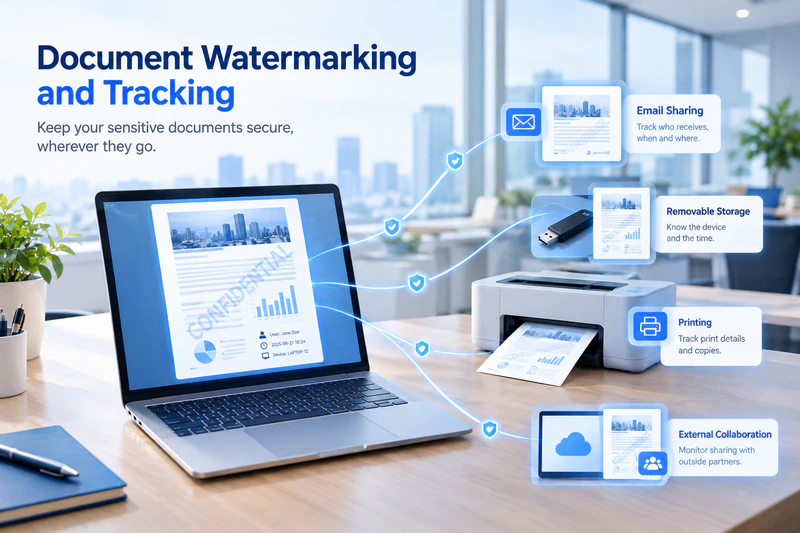
Documents are constantly shared between employees, departments, and external partners. They may also be sent through email, instant messaging apps, removable storage devices, websites, or AI tools. Without visibility into where a document has been used, which devices it has passed through, or who has handled it, it can be difficult to identify the source and determine responsibility when a data leak occurs.
AnySecura combines smart document watermarking and document tracking to record and trace document activity from internal use to external sharing. Whether it is an electronic document, a printed file, or information displayed on a screen, AnySecura can preserve relevant tracing information to help organizations detect suspicious activity and identify the source of a document leak.
Smart Document Watermarking
Add Traceable Information and Reduce the Risk of Data Leakage
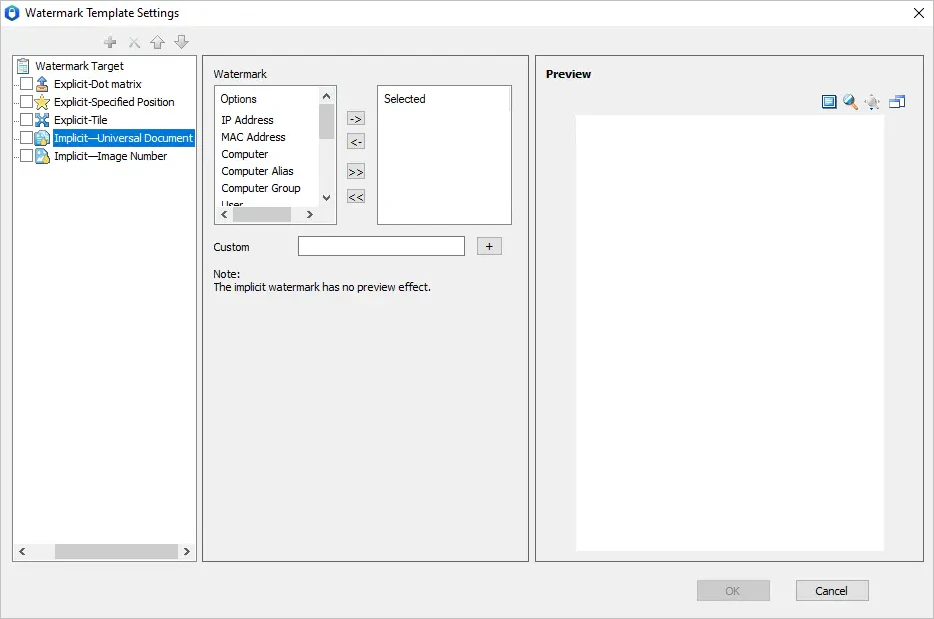
Watermarks can identify the source of a document and the person handling it while also reminding employees to handle sensitive information carefully. AnySecura supports visible, invisible, and dynamic watermarks that can be configured for different work environments, network conditions, and endpoint devices.
This allows organizations to keep important document tracing information without unnecessarily disrupting everyday work.
1. Automatically Add Watermarks to Sensitive Operations
Organizations can configure watermarking policies for sensitive document activities, including document decryption, copying files to removable or network drives, sending files through instant messaging tools, taking screenshots, sending emails, and uploading documents.
For example, AnySecura can automatically add a traceable watermark when a document is decrypted. If the file is later shared externally, the watermark can help administrators identify the device and user associated with the document.
2. Add Watermarks to AI-Related Workflows
As AI tools such as ChatGPT and Microsoft Copilot become part of everyday work, employees are increasingly uploading company documents through browsers and AI applications. This creates another potential channel for sensitive data leakage.
AnySecura allows organizations to configure watermarking policies for document uploads through supported browsers and AI clients. Even when employees download or synchronize company documents to a personal device for use outside the office, the files can retain relevant watermark information, adding an additional layer of document tracing for AI-related workflows.
3. Configure Different Watermarks for Internal and External Use
Different work scenarios may require different watermarking policies. Using the same watermark everywhere can either create unnecessary friction for employees or provide insufficient protection for sensitive documents.
AnySecura supports different watermark settings for internal and external environments.
For internal work, organizations can use visible watermarks to provide a clear visual reminder and discourage unauthorized sharing of sensitive documents.
For external collaboration, invisible watermarks can be used to preserve document tracing information without affecting normal document viewing or editing.
4. Use Dynamic Watermarks to Track Every Document Transfer
A traditional static watermark usually records information about the initial operation. When the same document is forwarded multiple times, it can be difficult to determine which transfer led to a data leak.
AnySecura supports dynamic watermarking. When a document is forwarded, transferred, or sent externally, its watermark information can be updated based on the latest operation, including information such as the current user, endpoint, and time.
This helps organizations maintain traceability across multiple stages of document sharing and narrow down the potential source of a leak when an incident occurs.
Want to add a watermark to a Word document? 👉See our guide on How to Add a Watermark in Word for a quick walkthrough.
Physical Document Security
Protect Printed Documents and Screens with Watermarking
Document leaks do not only happen through digital channels. Printed documents can be taken out of the workplace, while screenshots, smartphone photos, and screen recordings can also expose sensitive information.
For this reason, AnySecura extends document watermarking and tracing beyond digital file transfers with print and screen watermarking.
1. Use Print Watermarks to Protect Paper Documents
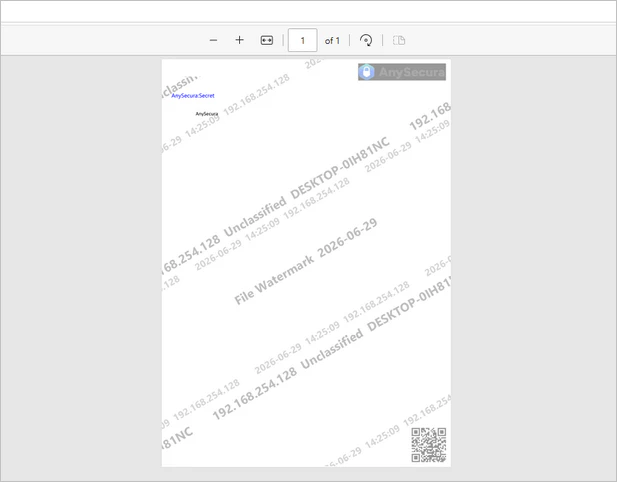
Once a digital document has been printed, it becomes much harder to track where the physical copy goes. AnySecura supports configurable print watermarking policies based on factors such as printers, applications, and document security levels.
Printed documents can include information such as the user, time, and document source. This provides a visible reminder to handle confidential documents carefully while also providing useful information for tracing a printed document if it is lost or leaked.
2. Use Screen Watermarks to Reduce Screenshot and Camera-Based Leaks
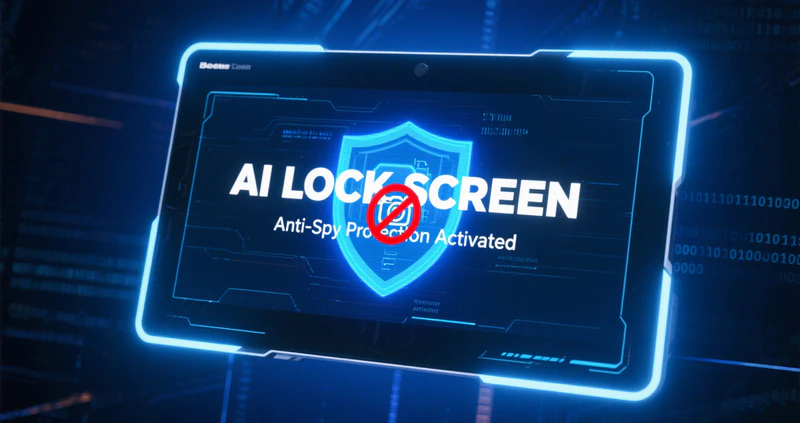
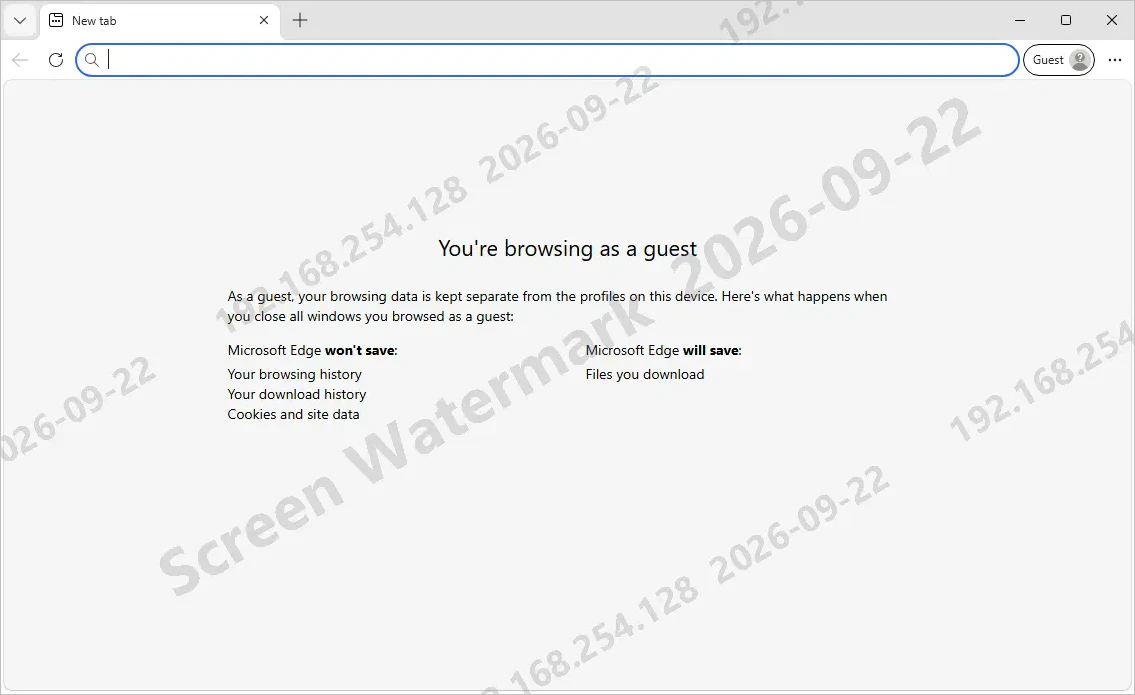
Screenshots, smartphone photography, and screen recording are often overlooked when organizations focus on document security. AnySecura supports dynamic screen watermarks that can be displayed according to organizational policies.
Watermarks can be applied to the entire screen, specific applications, or selected web pages. Organizations can also configure watermarks to appear automatically when designated encrypted applications are running, while authorized non-encrypted applications can remain watermark-free.
This provides an additional deterrent against unauthorized screenshots, photography, and recording while helping organizations identify the relevant user or activity if sensitive information is exposed.
Document Flow Tracking
Track Where Documents Go and How They Are Used
Watermarks are only part of document tracing. AnySecura can also record document flow information when files are transferred through removable storage devices, instant messaging tools, email, websites, AI tools, and other channels.
This gives administrators greater visibility into how sensitive documents move through the organization and beyond.
1. Automatically Record Document Transfer Information
Organizations can configure document tracking policies based on their security and compliance requirements.
For example, AnySecura can add invisible document flow information to decrypted files. When a document is subsequently sent through email, instant messaging, websites, or other channels, administrators can use the recorded information to retrieve relevant tracing data and understand which endpoints the document passed through and what operations were performed.
Because the information is embedded without visibly changing the document, employees can continue to work with the file normally while organizations retain useful data for security audits and incident investigations.
2. Review Document Tracking Logs to Identify the Source of a Leak
When a document leak occurs, administrators need to answer several basic questions: Where did the document leave the organization? Which devices did it pass through? Who handled it? And where did the abnormal activity occur?
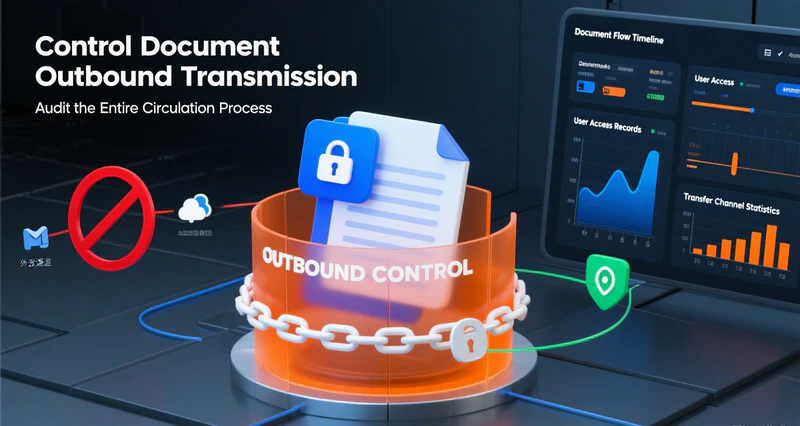
AnySecura provides document flow logs that allow administrators to review relevant document activity and trace the file's movement. Depending on the configured policies, records can include endpoints involved, operations performed, decryption activity, and external sending activity.
For further investigation, administrators can also review screen monitoring records to understand what happened during the relevant operation. This provides additional context for incident investigation and helps narrow down the source of a potential data leak.

AnySecura — Track and Protect Sensitive Documents
Protect sensitive files with smart watermarking, document tracking, and traceable file activity. See where documents go, who handles them, and what happens when they leave your organization.
Conclusion
Document leaks rarely happen at just one point in the document lifecycle. Sensitive information can be exposed when a document is opened, decrypted, copied, printed, captured in a screenshot, sent externally, or transferred again.
AnySecura combines smart document watermarking, dynamic watermarking, print watermarking, screen watermarking, and document tracking logs to record key information throughout the document lifecycle. Whether documents are being used internally, shared with external partners, or transferred through email, instant messaging, websites, or AI tools, organizations can configure tracking policies according to their security requirements.
By combining document security and document tracing, AnySecura helps organizations protect sensitive documents during everyday work while providing useful information for security audits and data leak investigations when abnormal activity occurs.