
The internet has become an indispensable part of people's lives. However, it is also rife with content unsuitable for kids - ranging from adult websites to harmful material such as violence and gambling.
This guide will provide a detailed list of age-inappropriate websites to block for children, and show you how to restrict access to harmful content on both computers and mobile phones using different methods, thereby creating a safer digital environment for the family.
💡 Best Tool to Block Websites for Kids
AnySecura is one of the most popular parental control tools currently available. Compared to website blockers, AnySecura offers more advanced control functions, such as real-time internet behavior monitoring, application usage management, and detailed usage report analysis, allowing you to fully safeguard your child's online safety.
Part 1. Why Parents Need to Block Websites?
While the internet offers children opportunities to learn, explore, and connect, it also harbors harmful content that can jeopardize their growth and development. Children might accidentally visit inappropriate websites due to their curiosity, or be directed to risky pages by malicious advertisements. Therefore, blocking specific websites is not merely a simple restriction measure, but also an important means to create a safe and healthy online environment for children.
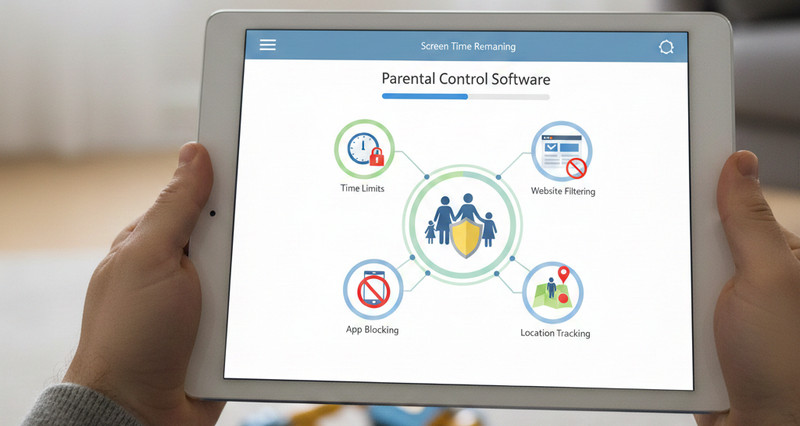
Discover the 9 best parental control software and apps for 2026 to manage screen time, block harmful content, and monitor multiple devices. Learn more>>
Part 2. 70+ Websites to Block for Kids Online Safety
This article has compiled a list of websites that need to be blocked based on 8 categories. This list is for parents' reference and for setting up blockades, in order to help children have a safer and healthier online experience.
1. Porn Websites
Adult websites are one of the most age-inappropriate categories that parents should block. They lack strict age verification mechanisms and may have a negative impact on children's physical and mental health.
- Pornhub.com
- XVideos
- XNXX.com
- OnlyFans
- RedTube
- YouPorn.com
2. Graphic Violence Sites
Graphic violence websites are also among the harmful websites to block, as this type of content can be harmful to children's mental health.
- BestGore.com (shut down, but there are still mirror sites available): Displays extremely graphic and unedited violent scenes.
- LiveLeak.com (been shut down, but there are many similar websites): The content includes disturbing images and videos such as war crimes, various accidents, and execution scenes.
- Documenting Reality
- GoreGrish
- Kaotic.com
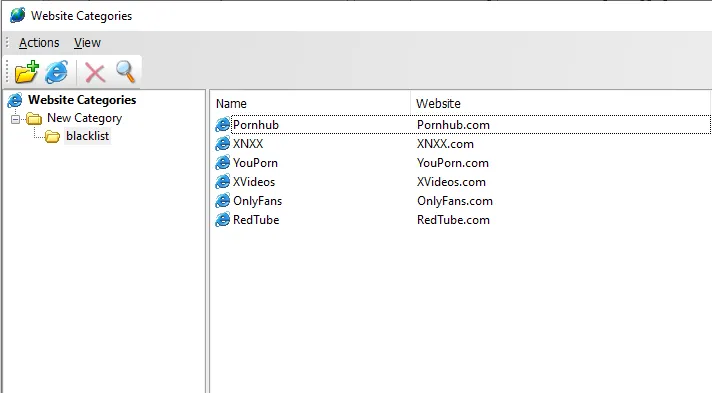
💡 With AnySecura, parents can add pornographic and violent and bloody websites to the blacklist. The system will automatically block access to these harmful content, thereby creating a safer online environment for children.
3. Online Forums & Unregulated Communities
These blocked websites allow anonymous posting and lack effective management and censorship, which may expose children to inappropriate discussions, harassment, or harmful content.
- 4chan.org: An anonymous imageboard with minimal content moderation and rife with violent and illegal material.
- Reddit.com: Certain subreddits may lack moderation and contain content unsuitable for minors.
- KiwiFarms.net: There are activities of stalking, harassment and organized bullying.
- 8kun.top
- SomethingAwful.com: Contains adult jokes, vulgar language and other topic contents that are age-inappropriate for teenagers.
- Incels.me (shut down, but alternatives exist)
- Topix.com (shut down, but clones exist)
- Voat.co (shut down, but mirrors still exist)
- Discord.com: Unregulated gaming forums may contain inappropriate content.
- Quora.com: Some Q&A sections may not be suitable for kids to view.
- Ask.fm: An anonymous social Q&A platform that may contain content detrimental to minors.
- Whisper: An anonymous social media application that may involve harmful interactions.
Stuck with a Discord Blocked screen at school? Learn 8 fast, working methods to get Discord unblocked on school WiFi or Chromebooks. Learn more>>
4. Dating and Hookup Websites
The dating platform is specifically designed for adults and usually includes functions such as private messaging, location sharing, and interaction with strangers. These blocked websites are not suitable for the cognitive and social development stages of minors.
- Tinder.com
- Bumble.com
- Badoo.com
- OkCupid.com
- Hinge.co
- PlentyOfFish.com
- Zoosk.com
- Match.com
- eHarmony.com
- AdultFriendFinder.com
- Seeking.com
- AshleyMadison.com
- Grindr.com
- Yubo.live
- MeetMe.com
5. Chat Rooms & Live Chat Platforms
The following lists of websites to block involve real-time interactions with strangers, which can expose children to cyberbullying, scams, grooming attempts, or inappropriate conversations.
- Omegle.com (shut down, but alternatives exist)
- Chatroulette.com
- Tinychat.com
- OmeTV
- Chatib.us
- Wireclub.com
- StrangerMeetup.com
- Emeraldchat.com
- Kik Messenger
- Y99.in
- Camsurf
- ChatRandom.com
- Monkey.app / Monkey.cool
💡 Use AnySecura to track how devices are used, limit browser or app access, and even manage the device remotely, making it easier to reduce exposure to inappropriate websites.
6. Gambling and Betting Websites
For children, online gambling websites are considered high-risk platforms, as they can encourage addictive behavior and lead to financial loss.
- Bet365.com
- 888casino.com
- PokerStars.com
- DraftKings.com
- FanDuel.com
- BetMGM.com
- Bovada.lv
- WilliamHill.com
- Unibet.com
- LeoVegas.com
- 22Bet.com
- Betway.com
- Stake.com
- Roobet.com
- BetOnline.ag
7. Illegal & Hacking Websites
These websites are often associated with hacking discussions, pirated content, or illegal online activities, making them unsafe websites to block for kids.
- Hackforums.net
- Nulled.to
- Cracked.io
- Exploit.in
- BreachForums (and similar communities)
8. Harmful Ideology Websites
Below websites should be included in any list of websites to block for kids, as they may expose children to harmful ideologies and misleading information that can affect their beliefs.
- Stormfront.org: A harmful website that promotes racial hatred and extremist propaganda.
- 8kun.top
- DailyStormer.su
- Gab.com
- BitChute.com (specific channels)
- Odysee.com (unmoderated content sections)
- Rumble.com (certain communities)
- Parler.com
- KiwiFarms.net (also fits forums category)
Part 3. The Best Way to Block Websites for Kids on Computer
There are several ways to block websites on a computer, such as using browser extensions or system settings. However, children can easily bypass these simple website blockers using hacking methods, and then easily circumvent and access blocked websites. To manage the websites to block for children more reliably, AnySecura offers a more comprehensive and difficult-to-evade solution.
Parents can add all high-risk category websites to the blacklist, or create a whitelist to restrict children to only access certain websites. Unlike browser plugins that can be disabled or uninstalled, AnySecura runs as a non-closable website blocker in the background and is always active, ensuring that your website blacklist settings are always in effect at all times.
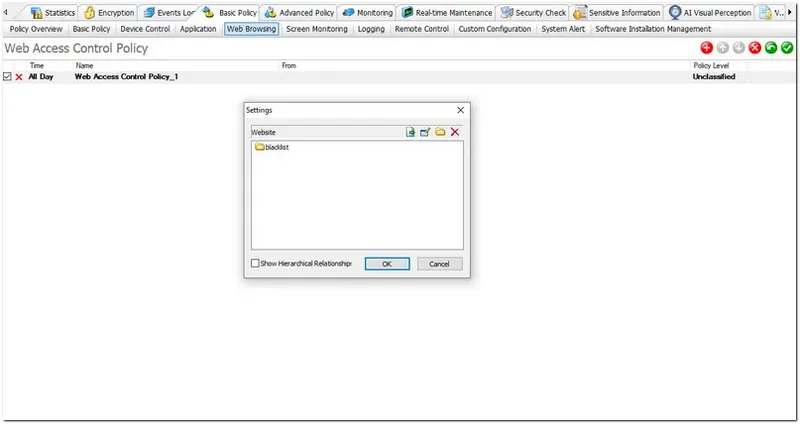
Moreover, parents can also customize harmful keywords. Once AnySecura detects dangerous content within communication apps, the real-time monitoring system will immediately notify the parents, allowing them to intervene promptly before any potential harm occurs.
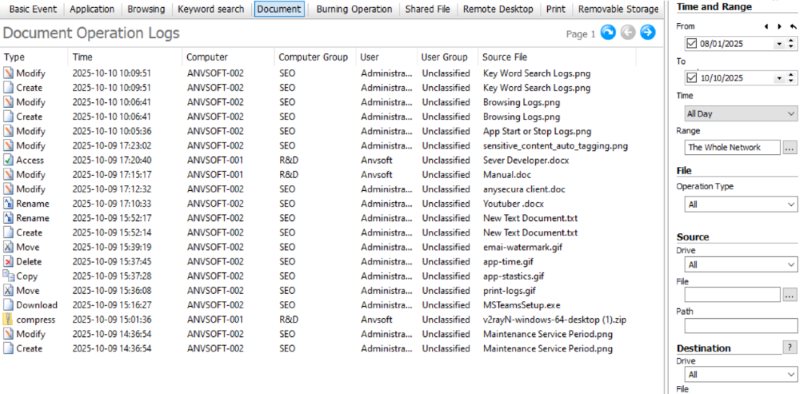
In addition to the aforementioned functions, AnySecura also integrates screen usage time management, social security monitoring and application supervision, making it one of the powerful tools for parents to comprehensively control their children's online behavior safety and reduce potential risks.
Part 4. How to Block Inappropriate Websites on Phone?
Here are several common and practical methods to help you quickly block websites for your children on mobile phone.
💡 Tip: Different browsers handle restrictions differently. If you want a more detailed step-by-step guide for each browser, refer to:
>>> Block Inappropriate Websites on Chrome
>>> Block Inappropriate Websites on Safari
1. Use Built-in Parental Controls
This is the simplest and free method to help parents block inappropriate websites.
How to Block Websites on iPhone:
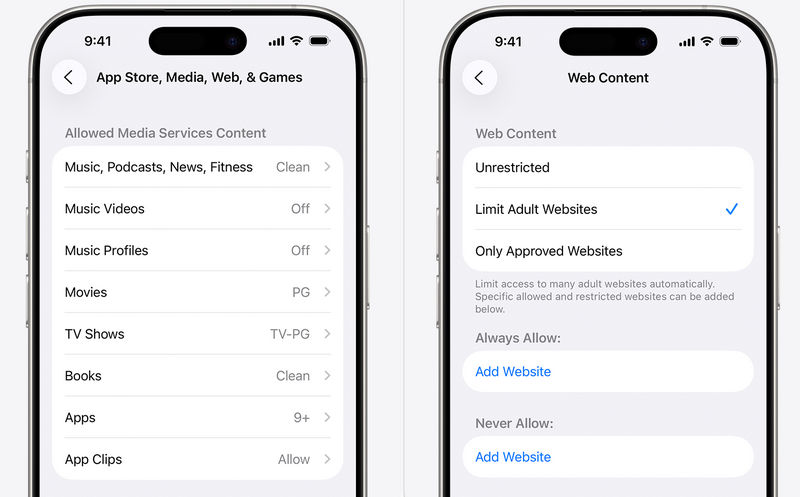
Settings — Screen Time — Content & Privacy Restrictions — App Store, Media, Web, & Games — Web Content — Choose Limit Adult Websites or Only Approved Websites
How to Block Websites in Android Phone:
Install and set up Google Family Link — Select your child — Controls — Google Chrome and Web — Manage sites — Choose Blocked sites to manage the inappropriate websites to block
2. Enable Safe Browsing and Search on Browsers
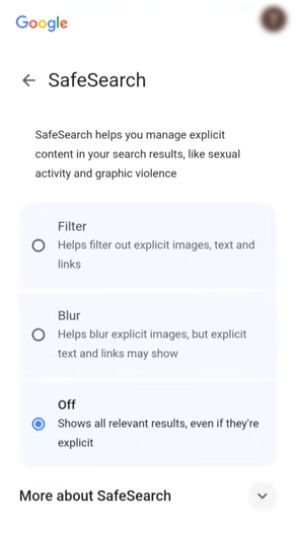
Many browsers offer safe search or restricted mode, which can reduce minors' exposure to inappropriate content. For instance, enabling Google SafeSearch in Chrome can filter out inappropriate content in search results, and Safari's Limit Adult Websites can directly restrict access to adult websites.
3. Block Websites via DNS
In the Wi-Fi settings of your mobile phone, change the DNS to a filtering service such as OpenDNS or Cloudflare Family DNS. This will automatically block the marked malicious websites without the need for you to manually set up a list of websites.
4. Use Router-Level Blocking
Manually add the websites you want to block in the management interface of your home router. All devices connected to this Wi-Fi will be restricted from accessing the unsafe websites listed in the blacklist.
5. Use Third-Party Parental Control Apps
This is the most comprehensive and powerful method. Such applications not only support customizing the websites to be blocked, but also offer advanced features such as real-time monitoring and cross-device synchronization. However, these parental control apps usually require payment to access their full functionality.
FAQ About Unsafe Websites to Block
Can kids circumvent blocked websites?
Yes. Kids can bypass website block by switching networks, using VPNs, or changing DNS settings. To ensure that the blocked websites cannot be bypassed, it is recommended to enable the parental control feature built into the mobile phone system, or use a third-party parental management application to prevent access to inappropriate websites.
How can I block specific websites on Google Chrome?
There are two main ways to block specific websites in the Chrome browser: using browser extensions or Google Family Link. Install extensions such as BlockSite from the Chrome Web Store. After installation, you just need to add the websites you want to block to the blacklist.
Can I block websites in Safari?
Yes. Safari allows you to block websites using the Screen Time feature on your iPhone, iPad, or Mac. As mentioned in Part 4 of the article, you can select "Limit Adult Websites" and manually add specific URLs you wish to block under the "Never Allow" section.
What is the best blocker available?
If you are looking for a comprehensive and reliable blocker, AnySecura is undoubtedly an excellent choice. It integrates multiple functions such as website blocking, application management, screen time control, and online security monitoring all in one. At the same time, children cannot easily turn off this parental control app, and it is also difficult for them to find a way to bypass the blocked websites.
Conclusion
Blocking inappropriate websites is an important step in ensuring children's online safety. You can combine the various methods and tools mentioned earlier, such as using AnySecura, or through the system's built-in parental control function, browser settings, etc., to block this list of websites. While using these tools, it is also recommended that parents maintain communication with their children and guide them to develop healthy and good online habits.


