
Roblox provides children with a creative and socially interactive gaming platform, but it also comes with risks - including inappropriate game content and excessive screen time. If you are looking for effective ways to block games or limit your child's gaming duration on Roblox, this guide will introduce three practical methods to you.
Part 1. Is Roblox Safe for Kids? Why Parents Need to Block Roblox Games?
Roblox is one of the most popular gaming platforms worldwide, with hundreds of millions of active users globally. It is particularly popular among children and teenagers, and a significant portion of its large user base consists of minors under the age of 16.
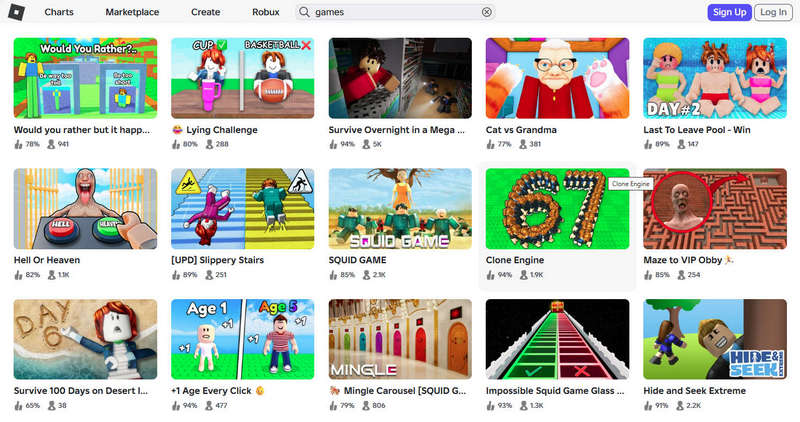
Although Roblox is very popular, it is not completely safe for kids. The platform offers a wide variety of games of different types and themes, many of which contain violent or restricted content. Such age-inappropriate game content may have a negative impact on minors.
Apart from the issue of content security, there is also the problem of game addiction. Data shows that the average daily usage time for teenagers is approximately 2.8 hours. This can lead to problems such as insufficient sleep and a decline in academic performance.
Based on the above reasons, parents need to take control measures, such as blocking games on Roblox, so as to ensure the safety of their children while not depriving them of the pleasure of playing games.
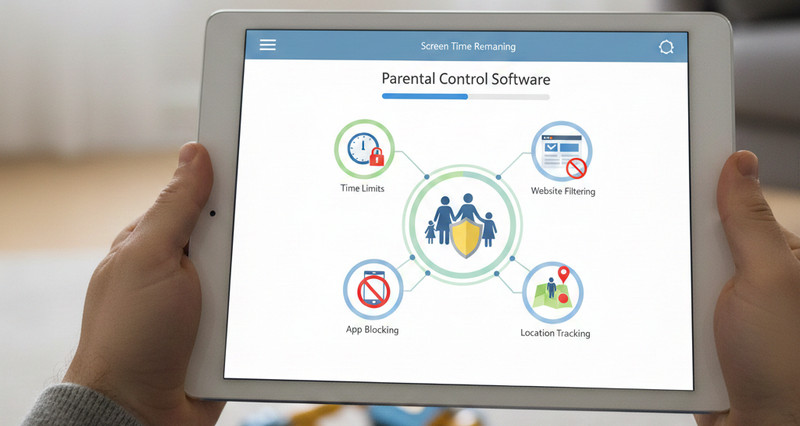
Discover the 9 best parental control software and apps for 2026 to manage screen time, block harmful content, and monitor multiple devices. Learn more>>
Part 2. How to Block Games on Roblox (Complete Guide for Parents)
The following are three methods for effectively blocking game content on Roblox.
| Method | Ease of Setup | What It Blocks | Can Child Bypass? | Best For |
|---|---|---|---|---|
| Roblox Parental Controls | Easy | Specific Roblox games, screen time, age-restricted content | Yes, switching other accounts | Filtering inappropriate Roblox content |
| Screen Time (iOS/Android) | Easy | Roblox app usage | Yes, using another device | Manage Roblox daily limits on smartphones and tablets |
| AnySecura (PC/Mac) | Medium | Roblox app, website access, usage time | Cannot be bypassed ⚠️ | Advanced PC Roblox monitoring and anti-bypass protection |
| Router & DNS | Medium | Roblox website | Yes, switching to mobile data or using a VPN | Whole-home network Roblox website block |
2.1 Use Roblox Parental Controls (Official Way)
Roblox will carry out a major upgrade to its parental control feature in June 2026, introducing new age-based accounts and granular game blocking tools, thereby giving parents greater control.
Use age-based account to block games on Roblox:
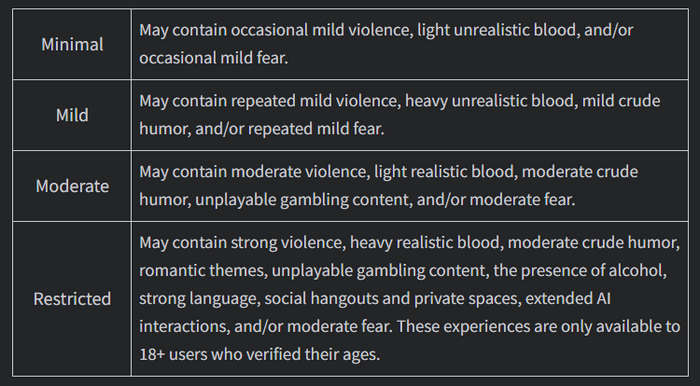
Roblox will introduce two new types of accounts: Roblox Kids (for children aged 5 to 8) and Roblox Select (for those aged 9 to 15). These accounts will be restricted from accessing certain game content.
For example, the Roblox Kids account will only allow access to Minimal and Mild labeled content, while the Roblox Select account will allow access up to Moderate games.
They were all unable to access the restricted games, which might contain intense violence and realistic bloody scenes.
Use granular game controls to block games on Roblox:
According to the latest child safety updates of Roblox, a new feature will allow parents to block specific games for children under the age of 15, enabling them to have more precise control over the content their children can access.
Set screen time limits to block games on Roblox:
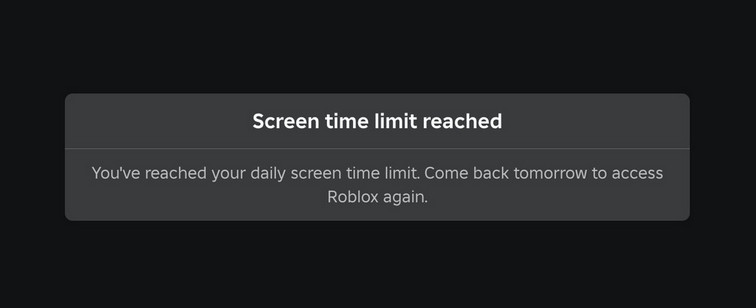
Roblox's parental control features the Screen Time function, which allows parents to set the daily limit for how long children can play. Once the limit is reached, the system will display a prompt and automatically lock the game, and the child will not be able to enter the game that day.
2.2 Use Device-Level Controls
Although the parent control for Roblox can block games on Roblox, if children create new accounts to access it, they can bypass these restrictions. Therefore, parents can take device-level restrictions to directly block Roblox application on your children' devices.
For Mobile Devices (iOS & Android)
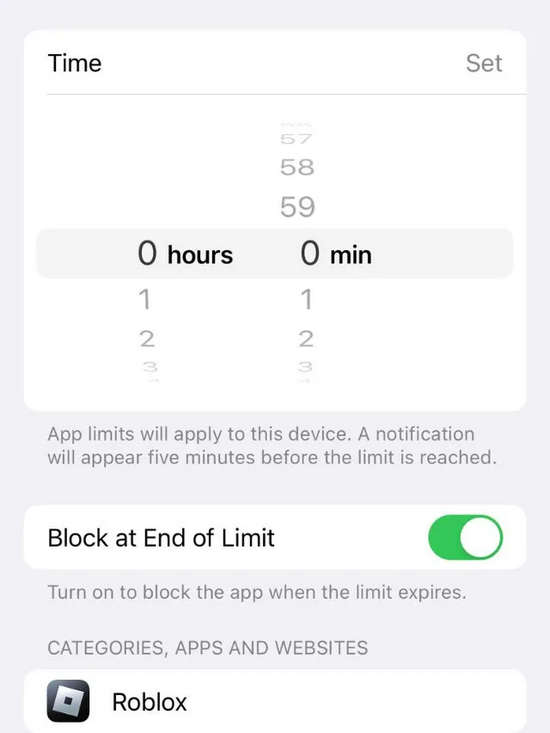
- iOS: On the parent's iPhone, go to Settings > Screen Time > Family > select your child's device > App Limits > Tap Add Limit > Choose Roblox > Set a daily time limit > Enable Block at End of Limit
- Android: Open the Family Link app > Select your child's profile > Tap Controls > App limits > Find and select Roblox > Tap Set limit or Block > Set the time and tap Done
For Windows PC & Mac (Advanced Control with AnySecura)
For children who play Roblox on computers, AnySecura can offer system-level protection that is difficult to bypass.
It not only can limit the total daily usage time, but also enables parents to further set fixed usage periods. It can restrict children's gaming time to, for example, from 8 to 9 p.m. every night. Once it exceeds 9 p.m., Roblox will not be able to start. At the same time, AnySecura allows you to block access to both the Roblox app and the roblox.com website simultaneously, effectively preventing children from unblocking Roblox by switching accounts.
In addition, parents can also check the usage duration of their children on Roblox. Compared to simply blocking, this method is more conducive to understanding the children's usage habits and providing reasonable guidance. Moreover, AnySecura also supports real-time monitoring and activity log viewing. Once it is detected that the children spend too much time on Roblox or certain websites, parents can remotely operate through their own devices and terminate the relevant processes with one click, thus achieving more efficient and timely intervention.
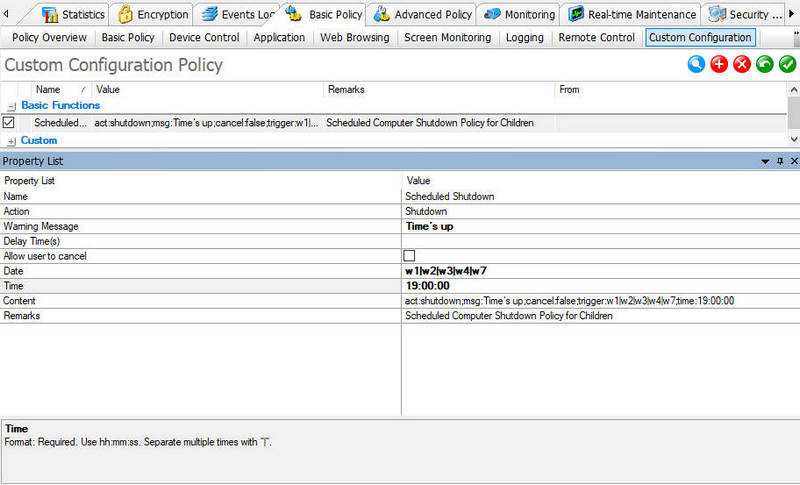
AnySecura allows parents to block Roblox on computers through features such as Time Type schedules and Application Control Policies.
Parents can first create custom schedules like Study Time or Bedtime under Category Management > Time Type, and then apply these restrictions to Roblox app through Basic Policy > Application. This ensures that Roblox is automatically blocked during selected periods, helping parents better manage children's gaming time.
👉 Detailed tutorial: How to Set and Manage Screen Time with AnySecura
2.3 Use Network-Level Controls
Another effective way to restrict access to Roblox is through network-level controls, such as router settings and DNS filtering.
Router Settings
Parents can add roblox.com to a blacklist within their home Wi-Fi router's settings interface. Any device connected to this Wi-Fi network will be unable to access the Roblox website through a browser.
DNS Filtering
On your router or device, change the DNS server to a family-safe DNS service. These DNS services can automatically block access to Roblox and other inappropriate websites.
👉 You May Also Need: 70+ Inappropriate Websites to Block for Kids to Ensure Online Safety (2026)
Although both routers and DNS filtering can restrict access to the Roblox website, they cannot block the Roblox application itself. Therefore, if parents wish to achieve more comprehensive control, they can utilize parental control tools like AnySecura. Parents can continuously manage the usage of Roblox and also control access to both the Roblox application and web pages simultaneously.
FAQ About How to Block Roblox
How to make Roblox safe for kids?
You can ensure the child safety by using the official parental control feature provided by Roblox.
Content maturity setting: Restrict access to age-appropriate games only.
Chat: Manage and monitor your child's Experience Chat and Party Chat interactions.
Spending: Set a spending limit to avoid online scams and extortion.
Screen Time: Combine the use of Roblox's Screen Time feature with device-level parental control tools such as AnySecura, to prevent children from being overly addicted to games.
How to block certain games on Roblox?
Starting from June 2026, Roblox will allow parents to block a specific game for their children under the age of 15 as a new parental control feature called Granular Game Blocking. Even if a game's age rating is appropriate for your child's age group, you can prohibit them from playing it.
Is there a way to hide games on Roblox?
Currently, Roblox does not offer a function to hide games from children's accounts. However, parents can use the content maturity settings to control the types of content that their children can access on Roblox, thereby blocking some games that are currently inappropriate for the children's age.
Conclusion
Although parental controls Roblox has some practical functions, there is still a possibility that they can be bypassed. For parents who are looking for a more comprehensive solution, AnySecura can integrate application blocking, screen usage time management, and activity monitoring functions into one place, providing a one-stop management experience.


