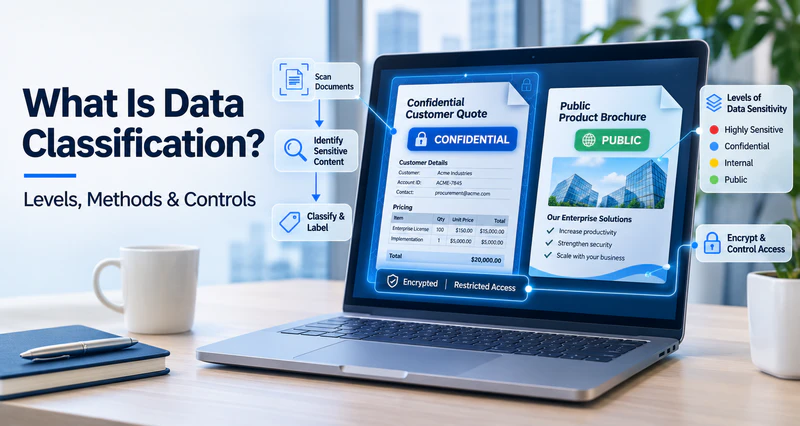
Picture two files on the same laptop. One is a customer quote. The other is a product brochure that’s already public. To the computer, they’re just files. To the business, they couldn’t be more different. If the quote leaks, you might lose a customer. The brochure could be forwarded a hundred times and nobody would care.
If a company never says which data matters, even good security tools treat every file the same. Either everything gets locked down and work slows to a crawl, or nothing is protected well and the risk quietly piles up. So what is data classification? It’s the practice of sorting data by sensitivity and value, so each file gets the right level of protection. In this guide, we’ll cover how to set classification levels, how manual and automated methods compare, and how to enforce controls once your data is labeled. You’ll also find a free data classification matrix template at the end.
What Is Data Classification?
Data Classification Definition
Data classification means sorting data into categories or levels. You base the sorting on how sensitive the data is, how much it’s worth to the business, and which regulations apply. The result usually shows up as a label on the data. That label tells people how important the file is, who can use it, and how to handle it.
Boiled down, data classification answers three questions:
- If this data is leaked, changed, or lost, how much damage would it do to the business?
- Who should be able to get to it, and in what situations?
- How much protection does it need?
Data Classification vs. Related Concepts
Data classification is easy to confuse with two nearby ideas.
Data classification vs. data categorization. Categorization organizes data by topic, department, or purpose, so it’s easier to find and analyze. Classification starts from security and risk. It exists to decide how data should be protected.
Data classification vs. data discovery. Discovery finds out what data you have and where it lives. Classification then decides how much each piece matters. They usually go hand in hand: discover first, classify next, then apply controls by level.
Why Data Classification Matters
Company data keeps growing, and it’s scattered everywhere. It sits on employee laptops, shared folders, email, and all sorts of apps. But not every file needs the same protection. If you lock everything down at the highest level, daily work suffers. People get frustrated and start finding ways around the rules. If you protect everything at the lowest level, your truly sensitive data is left out in the open.
Here’s what classification gets you:
- Protection where it counts. Once you know which data is critical, you can decide where encryption, auditing, and access limits are worth the effort. You stop spreading protection evenly across everything.
- Easier compliance and customer audits. Privacy laws, industry rules, payment card standards, and customer contracts often ask for different handling of different data. Classification is how you show you know what you hold and how each type is protected.
- Lower risk of leaks. Say an employee emails the wrong person, copies files they shouldn’t, or takes documents when they leave. In each case, the system needs to know the data’s level before it can raise the right alert or block the action.
- Less disruption to everyday work. Low-sensitivity data can move freely. Controls only kick in where they’re really needed.
- Policies you can actually enforce. Plenty of companies have a rule that says confidential files must not be shared outside the company. But without classification, nobody can say which files count as confidential. The rule never gets enforced.
Data Classification Levels and Examples
The Common Four-Level Framework
The most common setup for data classification levels has four tiers:
| Level | Meaning | Typical Examples |
|---|---|---|
| Public | Fine to share with anyone. A leak causes no harm. | Press releases, job postings, published product materials |
| Internal | For use inside the company only. A leak has a minor impact. | Internal notices, routine meeting minutes, process documents, org charts |
| Confidential | Involves business or personal privacy. A leak causes real damage. | Customer data, contracts, quotes, financial statements, employee records |
| Restricted | The most sensitive data. A leak could have serious legal or business consequences. | Core source code, M&A plans, regulated personal data, key technical drawings |
Note: This is a common practice, not a universal standard. Countries, industries, and organizations don’t agree on how many levels to use or what to call them. Government and defense have their own classification systems. Finance and healthcare often build their levels around regulatory requirements.
Data Classification Examples
Here’s where data from some common departments usually lands. Treat these as examples only. Every company should assess its own data.
| Department | Data Examples | Typical Level |
|---|---|---|
| Marketing | Published brochures, public case studies | Public |
| Administration | Internal notices, policy documents | Internal |
| Sales | Customer lists, quotes, contracts | Confidential |
| Finance | Unreleased financial statements, salary data | Confidential or higher |
| R&D | Core source code, product design drawings | Restricted or higher |
| Human Resources | Employee personal files, performance reviews | Confidential |
Adding More Levels
Four levels is a good place to start. But if your business is more complex, your compliance needs are stricter, or you want finer control over your most sensitive data, you can add levels. You can also merge or rename them.
Think of a company that holds ordinary business documents, core technical assets, and highly restricted strategic material. A single “Confidential” level probably won’t cover all of that. That company might pull its most critical data into its own level and apply tighter controls to it. A smaller company with simpler data might do fine with three levels, or even fewer.
Design Tips and Common Mistakes
A few principles help when you’re designing levels:
- Keep the number of levels reasonable. Three to five usually works. Too many levels make it hard for employees to choose, and they add maintenance work. Too few can’t show real differences in how data should be controlled.
- Base levels on the impact of a leak. Think about financial loss, legal liability, damage to reputation, and business disruption. Don’t split data only by department or file type.
- Write definitions people can use. Each level needs a description, criteria, and examples. Employees should be able to decide on their own without asking every time.
- Give every level specific handling requirements. A level with no controls is just a label. Design the levels and the controls together. This is also the heart of a data classification policy.
- Leave room to adjust. The value of data changes over time. An unreleased earnings report gets less sensitive once it’s published. Your scheme should allow regular reviews.
And here are the mistakes we see most often:
- Too many levels with fuzzy boundaries, so employees can’t tell two neighboring levels apart.
- Levels with no handling rules, so the labels become a formality.
- Copying another company’s levels without thinking about your own data and business.
- Setting a level once and never looking at it again.
Tip: If you’d like a ready-made set of level definitions and handling requirements, you can use our Data Classification Matrix Template. It builds on the four-level framework above.
How to Classify Data: Manual vs. Automated
Three Ways to Decide a Level
To decide which level a piece of data belongs to, you can look at three kinds of clues.
- Content-based classification looks at what’s actually inside the file. Does it have national ID numbers, bank card numbers, phone numbers, contract terms, project code names, or source code patterns?
- Context-based classification looks at where the file came from and how it’s used. That includes its source, where it’s stored, which department it belongs to, which app created it, and who owns it. A file exported from an R&D system, or sitting in a finance shared folder, can be treated as a higher level by default.
- User-based classification leaves the decision to the person who creates or uses the data. It’s the most flexible approach, but it leans heavily on human judgment.
Content and context work well when you have lots of data and clear rules. User judgment works well when business context matters. In practice, most companies mix all three.
Manual Data Classification
With manual classification, employees pick a level when they create or handle a file. The upside is that they understand the business context. They often know best how valuable a file really is, and it’s easy to get started. The downsides are just as clear:
- It depends on employees paying attention and judging well, so files get missed or labeled wrong.
- It’s hard to keep standards consistent across people and departments.
- Labeling a huge pile of existing files by hand is close to impossible.
- Busy employees may just skip it.
Automated Data Classification
Automated classification runs on preset rules. The system finds and labels sensitive data by itself. It might look at keywords, regular expressions (like the format of ID numbers or bank card numbers), data fingerprints, file types, or file locations. Here’s what it does well:
- It covers large volumes of existing files and handles new files right away.
- Standards stay consistent and don’t depend on personal judgment.
- It adds no extra work for employees.
Note: But it needs upkeep too. If the rules are too broad, you get false positives. Ordinary files get labeled too high and are restricted for no good reason. If the rules are too narrow, truly sensitive files slip through. You’ll need to tune the rules based on real results.
Best Practice: Automation First, Human Review Second
For most companies, the best setup is to let automation handle the big volumes of data where the rules are clear. People then deal with the edge cases and review results from time to time. You get coverage and consistency, and you keep human judgment in the loop. Employees also need to understand the standards and know how to handle each level. Without that, even great technology won’t get you far.
After Classification: Enforcing Controls with AnySecura
In general, the higher the level, the tighter the controls. Public data needs little more than a review before it’s published. Internal data stays inside the company. Confidential and Restricted data call for encryption, limited access, and a full record of who did what.
Policy documents and employee awareness aren’t enough to enforce this. You need tools that work on endpoints and fit into everyday workflows. AnySecura is a data loss prevention (DLP) and endpoint security platform built for enterprise endpoints. It puts identification, labeling, protection, control, and auditing in one place. That way, classification results can drive policy enforcement directly.
Learn what DLP does, how it detects sensitive data, and where businesses use it. Learn more>>
Find Sensitive Data with Sensitive Content Inspection
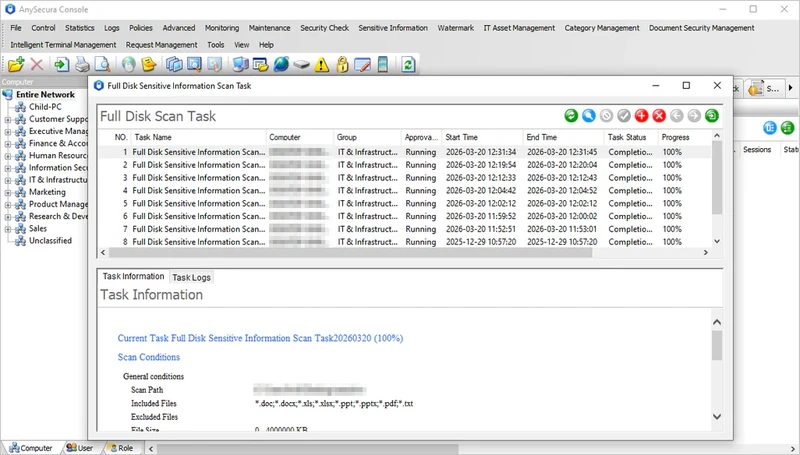
Classification starts with knowing which files are sensitive. AnySecura’s Sensitive Content Inspection checks what’s inside files. It looks for personal information, financial data, contract terms, technical materials, and other sensitive features.
- It covers files you already have. Enterprise endpoints often hold years of old files, and labeling them one by one isn’t realistic. Content inspection can find the sensitive ones in bulk.
- It takes the pressure off people. New files get checked against the same rules, so nobody has to wait for each employee to decide.
The inspection results give you the basis for classification. They also lay the groundwork for automated data classification.
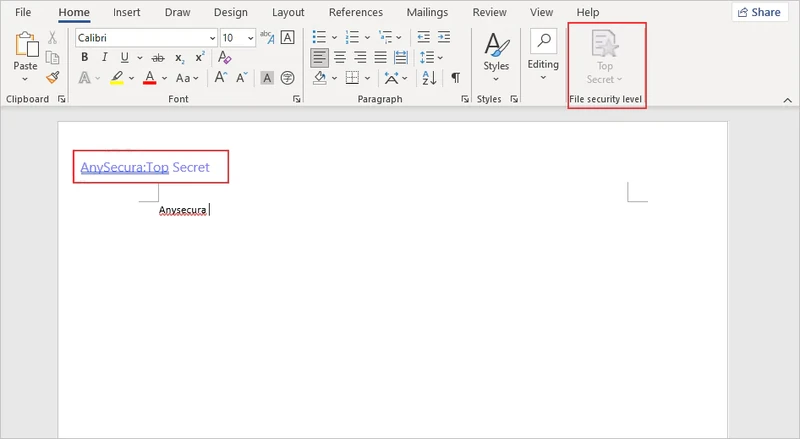
Label Files with Document Tagging
Once a level is identified, it has to stay with the file. AnySecura’s Document Tagging attaches the classification result to the file as a label. That does two things:
- Employees can see it. When they see the label, they know which level the file is and how to handle it. That means fewer mistakes.
- The system can read it. The label becomes the basis for every control that follows. The system uses it to decide whether to encrypt, whether to allow sharing, and who can open the file.
Without a label, later controls can’t be applied by level. That’s why this step matters so much.
Protect Files with Transparent Encryption
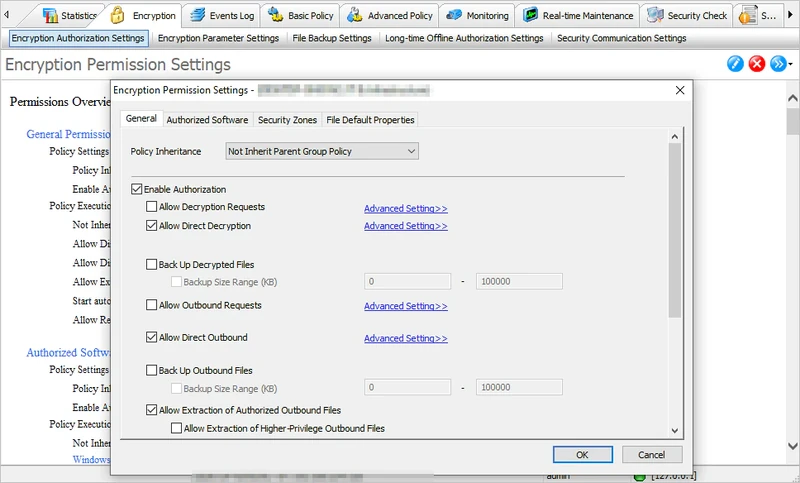
For Confidential files and above, encryption is the most basic and most effective protection. AnySecura’s Transparent Encryption encrypts files automatically inside the controlled environment. Authorized employees open and edit files as usual and barely notice it’s there. If a file is copied or forwarded outside the controlled environment, it can’t be opened without authorization.
For a company, that means a file taken out on a USB drive, a cloud drive, or a chat tool is still unreadable to whoever ends up with it. A lost file no longer turns into a data leak.
Control Who Uses Data and How It Can Leave
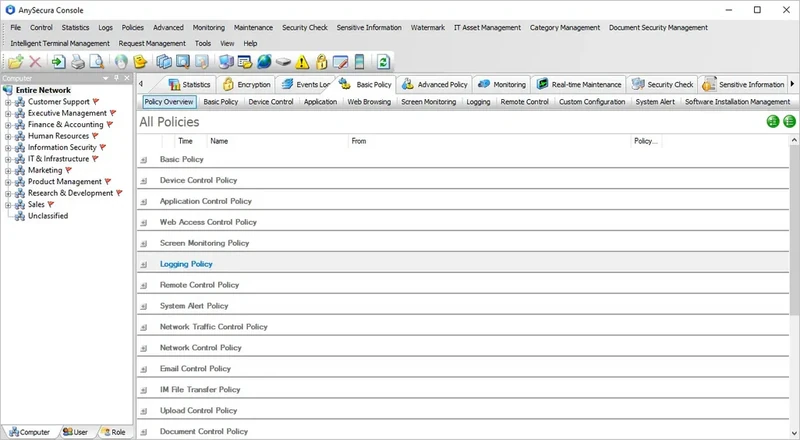
Different levels of data call for different access rights, and every route where data can leave needs a guardrail. AnySecura covers this with three capabilities:
- Access Control limits who can view or edit a file, based on role, department, or permission. An Internal file may be open to everyone, while a Restricted file is limited to a handful of people.
- Channel controls limit the routes data can leave through. Removable Media Control covers USB drives, Print Control covers printing, and Web Access Control restricts which websites can be reached.
- Audit records how files are accessed and used. When something goes wrong, you can trace what happened. These records also work as evidence for compliance reviews and customer audits.
Access follows the data’s level. Highly sensitive data gets a smaller circle, while low-sensitivity data faces as few barriers as possible.
Example: The Life of a Customer Quote
Let’s walk through how this works in practice:
- A salesperson saves a customer quote.
- The system runs Sensitive Content Inspection and finds customer information and pricing data in the file.
- The file is labeled Confidential.
- The file is encrypted automatically. Only authorized members of the sales team can open it normally.
- If someone tries to open the file with unauthorized software, they can’t read it.
- Throughout all of this, access and activity are logged, so events can be traced later.
Employees barely have to do anything extra here. The company’s protections are in place the whole time.

Learn how PoLP works, why it reduces risk, and how to apply it across endpoints without disrupting daily work. Learn more>>
Data Classification Process and Common Challenges
Six Steps to Get Started
- Discover your data (Data Discovery). Find out what data the company has, where it’s stored, and who creates and uses it. Start with the core business areas, like R&D, finance, sales, and human resources.
- Define levels and rules. Pick a classification framework. For each level, write a definition, criteria, examples, and handling requirements.
- Classify and label. Mix automated identification with human confirmation. Label both existing data and new data.
- Tie controls to levels. Link each level to policies for encryption, access control, sharing limits, and auditing. A label should trigger real protective action.
- Train and communicate. Help employees see why classification matters and what each level requires. This cuts down resistance and gets people on board.
- Review and improve. Check classification results and rule hits regularly. Adjust levels and rules as the business and regulations change.
Common Challenges
- Inconsistent standards. Different departments label the same type of data differently. Use one set of level definitions and give plenty of examples.
- Employees who resist or don’t get it. When levels are too complex or the process feels heavy, people pick at random or skip it. Keep the number of levels small, let automated classification do most of the work, and offer training.
- Data spread across many channels. Files live on endpoints, in email, and in many apps, which makes consistent standards hard. Use a solution that covers endpoints and the main channels data moves through.
- False positives and missed detections. Inaccurate automated rules lead to over-restriction or gaps in protection. Tune the rules based on real results.
- Rules that never get updated. Business needs and regulations keep changing. Set up a regular review.
Data Classification Matrix Template (Free Download)
To help you get started faster, we’ve built a free Data Classification & Handling Matrix Template. It’s an editable Excel file for security, IT, and compliance teams. You use it to classify real assets, assign owners, and set rules for how each type of data can be stored, shared, and deleted.
One thing to be clear about. This template extends the four-level framework above. It isn’t an industry standard. It uses five levels: Public, Internal, Secret, Confidential, and Top Secret.
Here’s what’s inside:
- An asset inventory. List the data your teams actually work with, like CRM exports, payroll files, source code, contracts, and public web content. For each one, record its level, data owner, access roles, retention period, PII flag, review date, and technical safeguards.
- Handling rules by level. See at a glance whether each level can go to email, cloud storage, USB drives, print, mobile devices, or third parties. Employees get a straight answer to “Can I email this, upload it, print it, or put it on USB?”
- Decision guidance and compliance mappings. Help data owners agree on the right level, and connect each level to your compliance requirements.
The template includes a definition for each level, example data types, and the matching handling requirements. You can use it as is, or add and remove levels and adjust definitions to fit your own business and compliance needs.
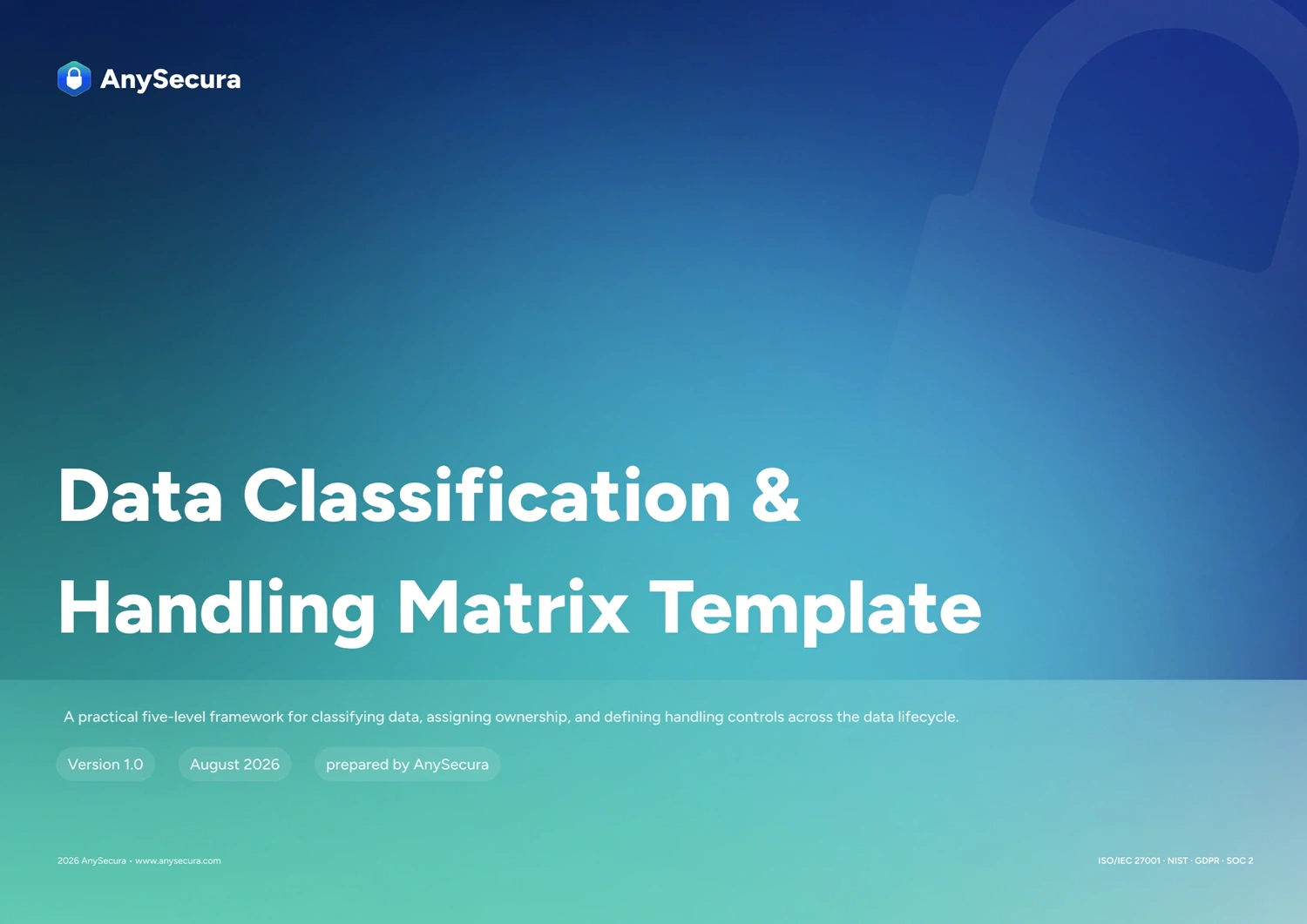
Build your classification scheme with an editable Excel matrix covering five sensitivity levels, data examples, access rules, and handling requirements. Adapt it to your business before putting the rules into practice. Download>>
FAQ About Data Classification
What’s the difference between data classification and data categorization?
Categorization organizes data by topic or purpose, which makes it easier to search and analyze. Classification sorts data into levels based on sensitivity and risk. Its goal is to decide how data should be protected.
How many data classification levels should a company have?
There’s no single answer. Three to five levels is common. What matters most is that the definitions are clear, employees can apply them correctly, and each level has matching handling requirements.
Who’s responsible for data classification?
Data owners, usually the business departments, judge how valuable the data is. The security or compliance team sets standards and oversees enforcement. The IT team handles the technical side.
How are data classification and DLP related?
Classification answers which data matters. DLP answers how to keep that data from leaking. Classification gives DLP policies something to work from. Together, they make protection more targeted.
How should I choose between manual and automated classification?
We’d suggest automation first and human review second. Automation is a good fit for large volumes of data with clear rules. People handle edge cases and check the results.
Will labels get in the way of employees’ daily work?
A well-designed scheme keeps disruption low. Low-level data can move freely, and controls focus on highly sensitive data. Measures like encryption can also be transparent to authorized users.
Conclusion
At its core, data classification helps a company see which data needs the most protection, then apply the right level of control. A good scheme has three parts: sensible level design, a mix of automated and manual methods, and labels tied to real handling controls.
If you’re building or improving your data classification scheme, download our data classification matrix template as a starting point. And if you want classification results to drive encryption, access control, and usage control on your endpoints, take a look at AnySecura’s endpoint data protection solution.