Does your marketing intern need access to the finance folder? No. Under the principle of least privilege, every user, app, and system gets only the access it needs to do its job. Nothing extra. If a password leaks or someone clicks the wrong thing, the damage stays contained instead of turning into a company-wide mess.
So what is the principle of least privilege? Here's how it works, where it shows up, and how to put it to work in your business.
What Is the Principle of Least Privilege?
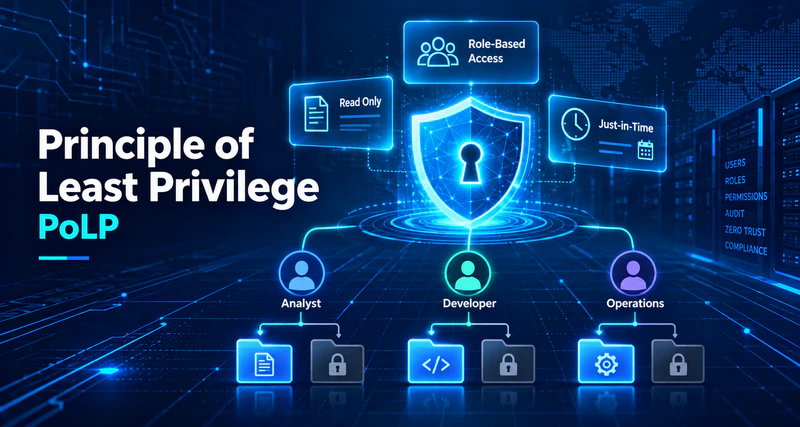
The principle of least privilege is to give people the access their job requires and skip the extras handed out "just in case."
A salesperson needs customer records and sales orders. They don't need financial reports, and they've got no reason to be poking around system settings. Access should follow what someone actually does all day. It shouldn't come with keys to everything the company owns.
And this isn't just an HR problem. IT admins, applications, service accounts, API keys, contractors — all of them play by the same rule.
What least privilege means in cybersecurity
In security, a permission does two jobs. It decides whether someone can reach a resource, and it decides what they can do once they get there.
Most permissions fall into five buckets:
- File permissions: view, edit, copy, delete, or share files
- Application permissions: run specific programs or change app settings
- System permissions: install software, change system configurations, or take admin actions
- Network permissions: reach specific servers, network resources, or internal business systems
- Data permissions: query, modify, export, or delete database records
Every one of them should trace back to a real work need. Nobody needs it? Don't grant it.
A simple example of least privilege
Three employees, three different jobs, three different sets of permissions.
| Role | Permissions needed for the job | Not granted by default |
|---|---|---|
| Sales representative | View and update their own customer records | View all financial data, change system configurations |
| Finance employee | Handle financial records and reports within their authorization | Access R&D source code, change IT system settings |
| IT support tech | Do authorized device maintenance | Hold long-term access to all business data |
Everyone can still do their job. And the people in unrelated roles are far less likely to trip over something they shouldn't see.
Two things people get wrong about least privilege
"Least privilege means you don't trust your employees."
It doesn't. Trustworthy people still make mistakes. Accounts still get stolen. Software still has bugs. Tightening permissions keeps the damage small when any of that happens. It's not a character judgment.
"Fewer permissions equals safer."
Not quite. Permissions need to fit the work. Lock everything down and people can't do their jobs, so they go find workarounds. Now you've got a new problem, and you don't even know about it.
How the Principle of Least Privilege Works
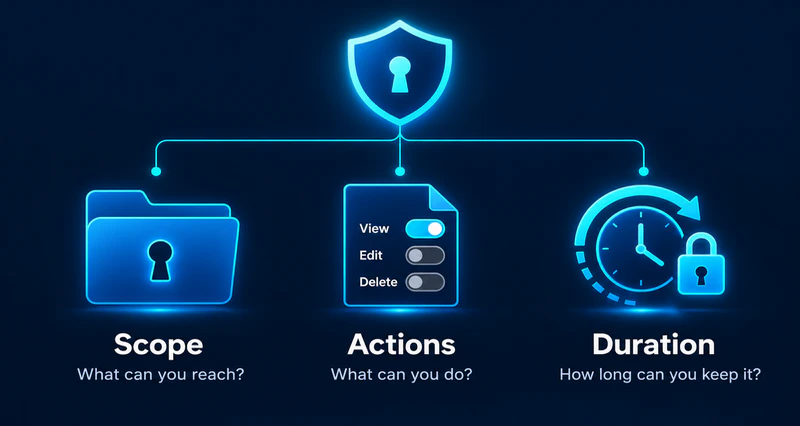
Least privilege rests on three pillars: limit scope (what can you reach), limit actions (what can you do), and limit duration (how long can you keep it). Get all three right and your attack surface shrinks significantly.
The three questions that define least privilege
- What can this person reach?
- What can they do once they get there?
- How long should they keep that access?
Build your access rules around those three pillars, then revisit them as roles and business needs shift.
Limit access scope and allowed actions
Being able to open a file shouldn’t mean being able to change it. If someone only needs to read a project report, give them the report, not the whole project folder. They likely don’t need to edit, delete, or share it either. Files, apps, and databases each have their own permission levels. Plenty of people only need read access. The ones who maintain a resource may need more.
Separate "can I reach this?" from "what can I do with it?" and people get their work done without wandering into places they don't belong.
Assign permissions by role and business need
Role-based access control (RBAC) is the common approach. Permissions get tied to job responsibilities. Finance works with financial data. Developers get the code and technical docs for their projects. Everyone else has no reason to touch security settings.
The catch? Same job title doesn't always mean same access. Two sales reps handling different customers sit in the same department, but neither one needs to see the other's accounts.
So roles can't be your only factor. Project, scope of work, actual business need — all of it counts. Go by roles alone and access ends up wider than it should be.
Limit how long permissions stay active
Some permissions earn their keep every day. Others exist for one task and then have no reason to stick around. An IT admin might need high-level access while working on a server. Work's done? They don't need it anymore.
That's where just-in-time (JIT) access comes in. You give someone permissions when the task starts, then take them away when it's done or the time window runs out. The result is pretty simple: fewer high-level permissions lying around for months on end, which means fewer chances for misuse or for an attacker to stumble onto something they shouldn't have.
Why the Principle of Least Privilege Is Important
Give an employee or an app more access than it needs, and one mistake, one stolen account, or one software bug can reach far more than it should.
Least privilege reins that in. Four ways it pays off:
It reduces insider threats and accidental data leaks
Most internal data problems aren't malicious. Somebody sends the wrong file. Somebody overwrites something important. Somebody opens sensitive data that has nothing to do with their job. These are the kinds of insider threats that least privilege helps contain.
Limit people to the data they need and the actions they're cleared for, and a slip like that has much less room to cause harm.
Does that stop every leak? No. Someone cleared to view customer data isn't automatically cleared to send it outside the company. That's a separate problem, and it's why you also need data loss prevention and similar controls to govern how sensitive information gets used and moved.
It limits the damage from a stolen account
An employee clicks a phishing email. An attacker walks off with their login credentials.
What happens next hinges on how much access that account carries. Broad admin rights? The attacker can reach important systems and sensitive data. Limited permissions? Far less within reach.
Least privilege won't stop an account from getting stolen. It will shrink the loss when it happens. Pair it with multi-factor authentication (MFA) to protect the accounts themselves.
It reduces the attack surface
Accounts and apps with too many permissions give attackers more to work with.
An app needs to read a handful of database records, but somebody gave it write access to the entire database. That app has a flaw? An attacker can now do far more damage than the job ever called for. Admin rights nobody bothers to remove work the same way.
Clear out the extras, restrict the high-level actions, and your critical systems have less exposed and less to keep track of.
It supports security management and compliance
Least privilege makes it clearer who can reach sensitive information and what they can do with it. That makes day-to-day management and permission reviews easier. It also helps with the access control requirements in regulations and standards like GDPR and ISO 27001, where they apply. This connects to broader compliance monitoring efforts.
What Is the Difference Between Least Privilege and Zero Trust?
People mention these two in the same breath, but they're solving different problems.
Least privilege decides how much access a user or system gets. Zero Trust is the wider philosophy. It doesn't trust any request by default. Every request gets checked first: who's asking, what device they're on, what the situation looks like.
| Principle of least privilege (PoLP) | Zero Trust | |
|---|---|---|
| Core goal | Grant only the access that's necessary | Reduce implicit trust and verify access requests |
| Main focus | Permissions of users, apps, and systems | Identity, devices, access context, and protected resources |
| Common measures | Permission limits, regular reviews, temporary access | Identity checks, device checks, fine-grained access control |
| Main benefit | Reduces unnecessary actions and privilege misuse | Lowers the risk of unauthorized access and lateral movement |
Least privilege is an important part of a Zero Trust architecture.
An employee authenticates and logs in. That doesn't mean they can open every business file. Login confirms the person is who they claim to be. Permission management is what decides where they can go and what they can do once they're there.
Principle of Least Privilege Examples
You don't need an enterprise IT department to apply least privilege. File sharing, computer management, database access, vendor work — it all counts.
Managing access to sensitive business files
A sales team works with customer quotes. Regular reps only need to view them. Sales managers may need to change prices and terms.
So set permissions by responsibility:
- Regular sales reps: view quotes for their own customers
- Sales managers: view and edit quotes within their area
- Everyone else: no access unless there's a real work need
The team keeps working normally, and there's far less risk of a quote getting changed or deleted by someone who shouldn't be touching it.
Restricting admin rights on employee computers
In a typical Windows office, most people don't need admin rights to use office software, browse the web, or handle files.
Admin rights let a user install software, change system configurations, and take other high-level actions. Work from an admin account all day, run one piece of malware, and that malware inherits the account's privileges. Now it can do real harm. You can reduce this risk by learning how to encrypt files on Windows to protect sensitive data even if an account is compromised.
Standard user accounts for daily work are the better setup. Installing software, maintaining the system — that kind of thing goes through an approval process and happens only when it genuinely needs to.
Normal work carries on. Fewer unnecessary high-privilege actions floating around.
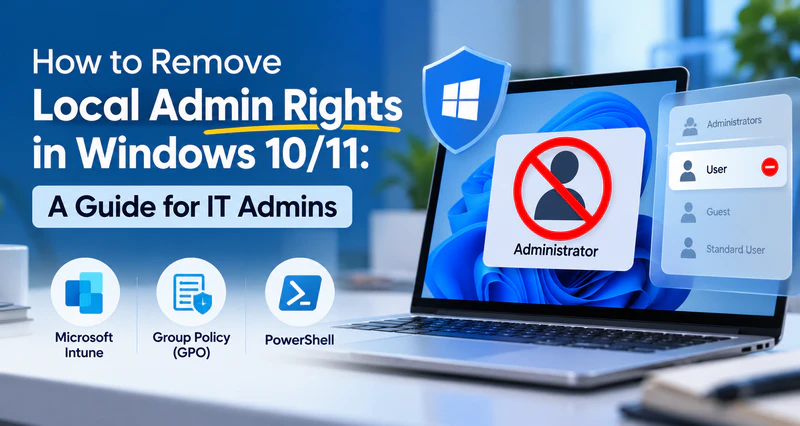
Put least privilege into practice with step-by-step instructions for removing local admin rights using Intune, Group Policy, or PowerShell. Learn more>>
Limiting application and database permissions
Apps and service accounts need the same treatment.
A sales reporting system reads records from a database to generate reports. It never modifies or deletes the original data. So why give it write, delete, or admin rights on that database?
Open up read access to the relevant data only. Now if the app has a vulnerability, an attacker working through that service account can't do much.
Giving third-party vendors temporary access
Sometimes you need an outside IT provider or contractor inside your systems. Device maintenance, a joint project, whatever the case may be.
A provider needs to remotely maintain one server. Following least privilege, you'd:
- Let them reach only that server
- Grant only the actions the maintenance task requires
- Limit access to the approved maintenance window
- Revoke the temporary permissions once the work is done
They get the job done. They don't walk away holding system access they no longer need.
How to Implement the Principle of Least Privilege in 5 Steps
Before you can apply least privilege, you need to know who has access to what, and whether that access makes sense. Then you can set up rules to manage it.
Tip
These five steps are a good starting point. Adapt them to your company's size, industry, and existing security tools.
Step 1: Take inventory of users, assets, and existing permissions
List your user accounts, devices, applications, and sensitive data, along with the access each one has.
Dig into these questions:
- Which employees have admin rights?
- Who can reach sensitive files and databases?
- Which apps or service accounts carry high-level permissions?
- Do any outside partners still have access to internal systems?
- Are there accounts nobody has touched in a long time?
That gives your IT team a clear view of excessive permissions, expired access, and accounts that pose a real risk.
Step 2: Set access rules based on business needs
With permissions mapped out, define what each role and person actually needs.
A finance employee might need to edit everyday financial records. Deleting important records or changing key system settings? That belongs with an authorized owner.
When you're setting access rules, think about:
- Splitting access by role, department, or project
- Keeping view, edit, and delete as separate permissions
- Applying stricter conditions to sensitive data and important systems
- Keeping everyday accounts and admin accounts separate
Rules should be clear. Just don't make them so tight that people can't get their work done.
Step 3: Remove unnecessary permissions
Rules set. Now compare them against what's actually in place and close the gaps.
What that usually means:
- Removing admin rights regular employees don't need
- Revoking old permissions when someone changes roles
- Disabling accounts for former employees and contractors whose work has ended
- Restricting apps and service accounts from resources they have no business touching
- Cleaning up high-privilege accounts that haven't been used in ages
For important business systems, assess the impact before you change anything. Roll it out in stages if that's what it takes to avoid disruption.
Tip
Don't remove all excess permissions at once. Prioritize the highest-risk accounts first, verify that business operations continue normally, then proceed to the next batch.
Step 4: Use on-demand access for temporary tasks
Some jobs need elevated permissions. They don't need them forever.
An IT technician repairing a server may need admin access. Repair's done? Revoke it. Right away.
JIT access handles these temporary grants well. For sensitive systems, layer in approval workflows, multi-factor authentication, and activity logs.
The task still gets done. The risk that comes with long-term high privileges goes down.
Step 5: Keep monitoring and review permissions regularly
Employees change roles. Projects end. New systems get introduced.
Which means least privilege isn't something you set up once and forget. It needs regular checks and adjustments.
What to watch for:
- Does each employee's current access still fit their role?
- Any unusual access or unnecessary high-privilege actions?
- Were temporary permissions revoked on schedule?
- Should accounts that haven't been used in months be disabled?
- Do newly added systems follow the existing access rules?
Access logs, endpoint activity records, and security audits help your IT team catch problems and adjust permissions in time.
Regular reviews also stop permissions from piling up, so access control stays in line with what the business actually needs.
How AnySecura Implements Least Privilege with Endpoint Data Protection
Setting permissions is only half the job. Once someone can open a file, nothing stops them from copying it to a USB drive, uploading it to a personal cloud account, or running some unapproved app. Access rules like Windows or file-server permissions can't see any of that.
That's where AnySecura comes in. It runs on each endpoint and enforces the permission you meant to give, so "view only" really means view only. It also covers the five steps above, from finding out who has what to reviewing it later.
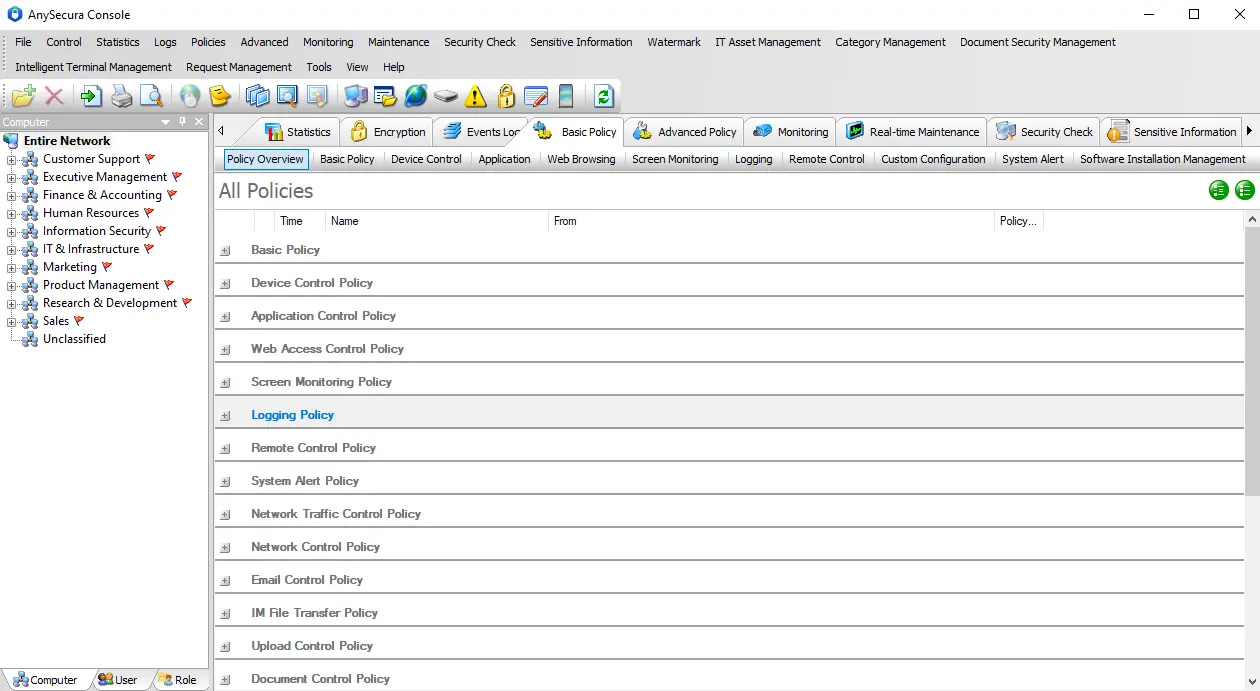
How AnySecura supports each step
| Least privilege step | What AnySecura does |
|---|---|
| Step 1: Take inventory | IT Asset Management scans every endpoint, records hardware and installed software, and tracks changes in real time. It also flags unauthorized or pirated software, so you can see what's out there before you set rules. |
| Step 2: Set access rules by role | Transparent Encryption assigns file access by role, department, or job responsibility, so only the right people can open a given file. Document Control sets who can read, modify, or delete sensitive documents. Removable Media Control only allows registered USB drives and sets read or write rights by department and person. |
| Step 3: Remove unnecessary permissions | Application Control blocks high-risk and non-work apps with whitelists or blacklists, and restricts who can install or uninstall software. Device Control restricts unauthorized peripherals such as USB storage, Bluetooth, and phones, and keeps newly added devices out by default. |
| Step 4: Temporary access on demand | Instead of leaving broad rights open, employees send a request and an admin approves it. This works for temporary USB use (multi-level approval), temporary printing rights, web file uploads, and new device registration. Every approved action is logged. |
| Step 5: Monitor and review | Document Control logs file actions like create, edit, copy, move, and delete, takes a screenshot on high-risk actions, and backs up the original before a sensitive file is changed or deleted. USB logs show which drive was used on which computer and what was done with it. IT manages all of this from the central console. |
| Beyond permissions: What happens to data after access | Transparent Encryption's read-only mode allows viewing but blocks copying, printing, and screenshots. Sensitive Content Inspection finds sensitive data by keyword, pattern, or file property and applies your rules when it moves. Files stay encrypted even if a copy leaves the company. |
A quick example
A sales rep needs to read customer quotations, nothing more. Here's what that looks like with AnySecura:
- The quotation folder is limited to the sales team, and the rep gets read-only access.
- They can open and read the file, but copying, printing, and screenshots are blocked, and a USB drive that isn't registered won't work on their computer.
- If they truly need to take a copy out, they submit a request and a manager approves it for that one case.
- Every file action is logged, so IT can review who touched what and when.
The rep does their job. The permission you gave is the permission they actually have, and anything beyond it needs a yes from someone else.
In short, least privilege decides who gets access. AnySecura makes sure that access is used the way you intended on every endpoint.
Frequently Asked Questions
What is the main goal of the principle of least privilege?
Making sure users, apps, and systems have only the permissions they need to do their work. That cuts down on unnecessary access, privilege misuse, and the potential loss if an account gets stolen.
What are some simple examples of least privilege?
An employee can view the files they need for work but can't casually edit or delete another department's data. Another common one: someone uses a standard Windows account day to day and can perform admin tasks only after getting approval.
What is the difference between least privilege and separation of duties?
Least privilege is about how much access a person should have. Separation of duties splits important operations among different people, so no single person can carry out a whole sensitive process alone.
A finance employee can submit a payment request, but a different authorized person has to approve it. Both reduce the risk of misuse. They just focus on different things.
What are the risks if a company doesn't follow the principle of least privilege?
When employees and apps have excessive permissions, mistakes, unauthorized access, and sensitive data leaks all become more likely. And if an attacker takes over a high-privilege account, more business systems and important data can be affected.
Conclusion
The principle of least privilege is a key foundation for access control and data security. Grant only the permissions the work requires, and revoke them promptly once they're no longer needed.
Access control alone can't cover every data security risk, though. Combine it with identity verification, regular permission reviews, and endpoint data protection to keep important business information safe.
If you want least privilege to hold up on real computers, AnySecura helps you do that. Document control limits what people can do with files, transparent encryption protects data that leaves, application control blocks unapproved software, and removable media control stops USB copying.
Want to see it in action? Book a demo and we'll show you how AnySecura enforces permissions on your endpoints.