
How to Use External Release Configuration Templates in Document Security Management - AnySecura Manual
This guide will show you how to streamline your document sharing process by using templates within AnySecura's Document Security Management. You'll learn to create reusable external release configurations, saving you time on repetitive setup tasks.
We'll walk through the template management console, where you can easily import, export, or duplicate settings. This gives you the flexibility to maintain consistent security policies while efficiently managing your own library of trusted configurations.
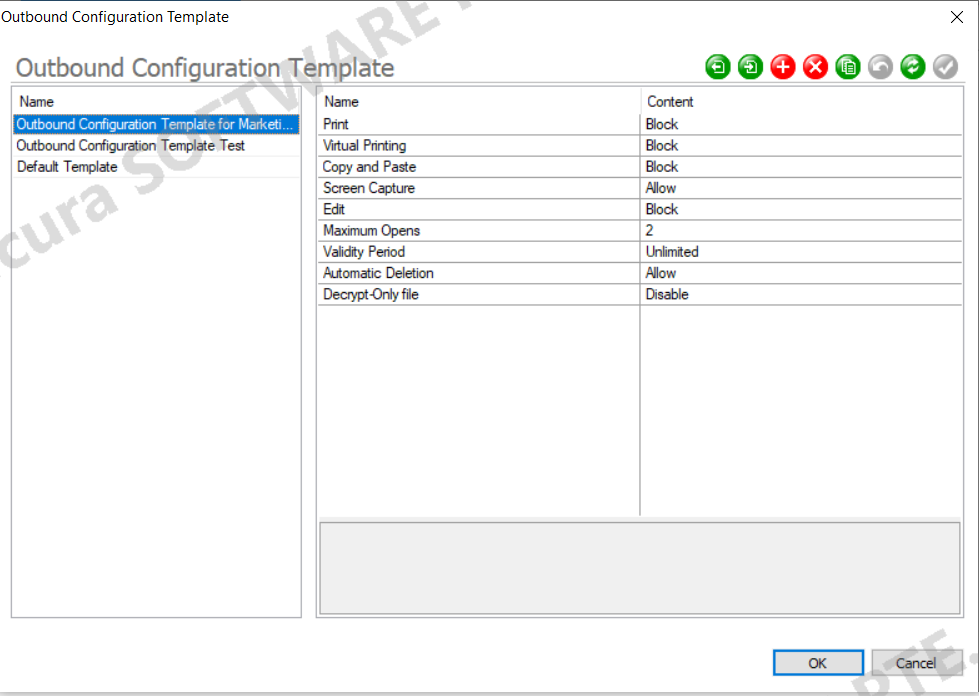
In the console, go to Document Security Management → Outbound Recipients Management →Tools → Outbound Configuration Template Management. Administrators can create and manage templates for external release configurations, enabling easy reuse of common settings.
Icon Button Description
| Icon Button | Description |
|---|---|
 |
Import — Import an external release configuration template file |
 |
Export — Export the selected template as a file |
 |
New — add a new template |
 |
Delete — remove the selected template |
 |
Copy — duplicate the selected template |
 |
Restore — cancel creation or modification of a template |
 |
Save — save changes for the template to take effect |
Each administrator can only use and manage templates they created and cannot view templates created by others. Templates exported by other administrators can be imported.