
How to Use System Event Logs in Logs - AnySecura Manual
Welcome to the AnySecura system event logs, your central hub for understanding the health and activity of your backup environment. By navigating to Logs → System, you'll gain visibility into critical events like server restarts, network access attempts, and communication statuses.
These logs categorize events—from email reports to client conflicts—providing clear descriptions that help you pinpoint issues. When troubleshooting a client connection problem, this is your first stop to quickly identify the root cause and ensure smooth operations.
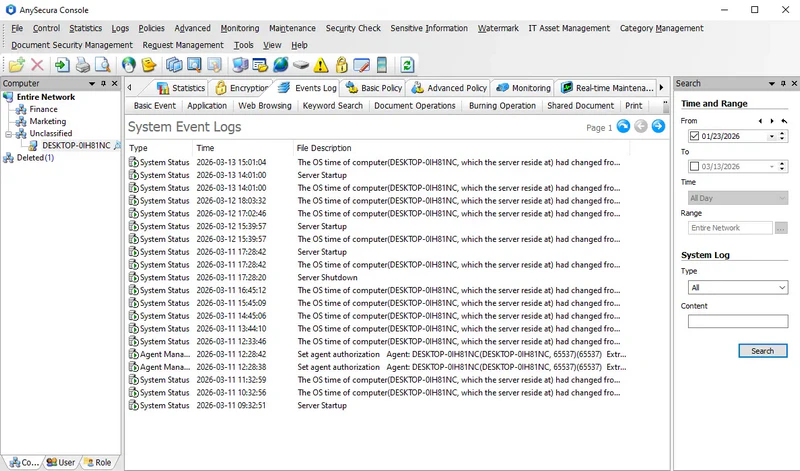
Select Logs → System to view server startup and shutdown records, unauthorized network access reports, communication errors between server and clients, server time logs, client login conflicts, automatic client log deletions, and email report logs.
System event logs include:
| Attribute | Description |
|---|---|
| Type | Event categories such as System Status, System Settings, Email Reports, Client Conflicts, New Client Detection, Client Pre-checks, Client Management Info, and Patch Download Info. |
| Description | Details describing the event corresponding to the type. |
Note:
- If a client cannot connect to the server or communication issues occur, check the system event logs to identify the cause.