
How to Use Desktop Application Request Self-Approval in Request Management - AnySecura Manual
This guide will show you how to use the Desktop Application Request feature within AnySecura's Request Management module. You'll learn how to quickly gain approval for actions like printing or file transfers when your computer is restricted by policy.
By using the self-approval function, you can authorize these requests yourself within your permitted scope, allowing you to proceed with your work immediately without waiting for an administrator's review.
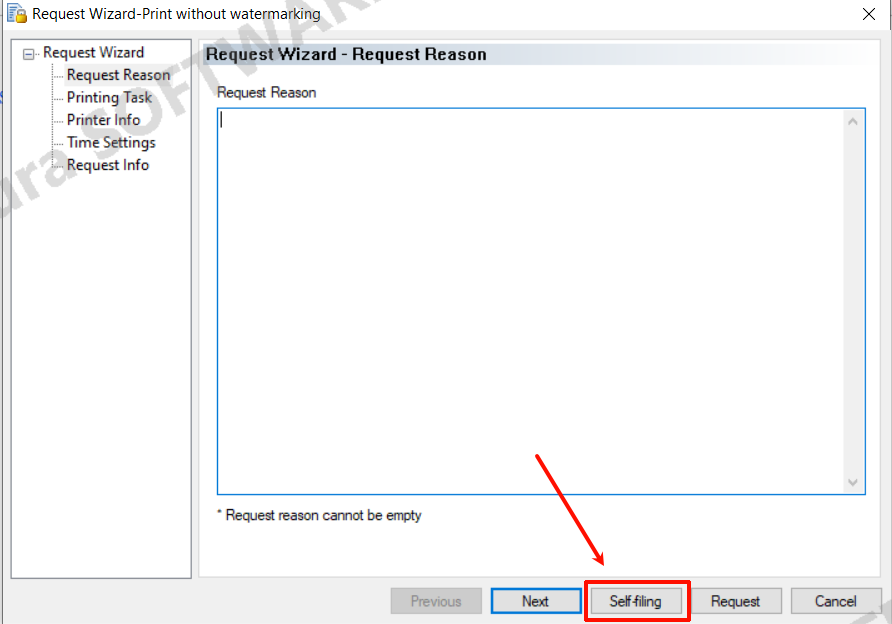
Computers or users restricted by printing, device control, removable media, email, IM file transfer, upload, document control, sensitive information transfer, or document watermark policies can self-approve requests within their allowed scope if they have the “Allow Application” self-approval permission.
Client self-approval operates similarly to regular client requests. Right-click the client tray icon, select “Desktop Management Application” to open the request wizard, choose the appropriate request type, then click the “Self-Approval” button in the wizard. Once completed, the requested action can be executed immediately.