
How to Use Software Center Client Logs in AnySecura | User Guide
Understanding the health of your software deployments is key to maintaining a secure and efficient environment. This guide will show you how the Software Center Client Logs within AnySecura provide a clear window into every installation and upgrade attempt across your network.
You'll learn to interpret the detailed event types, from successful completions to cancellations or failures, giving you the insight needed to quickly troubleshoot issues and ensure your software management is running smoothly.
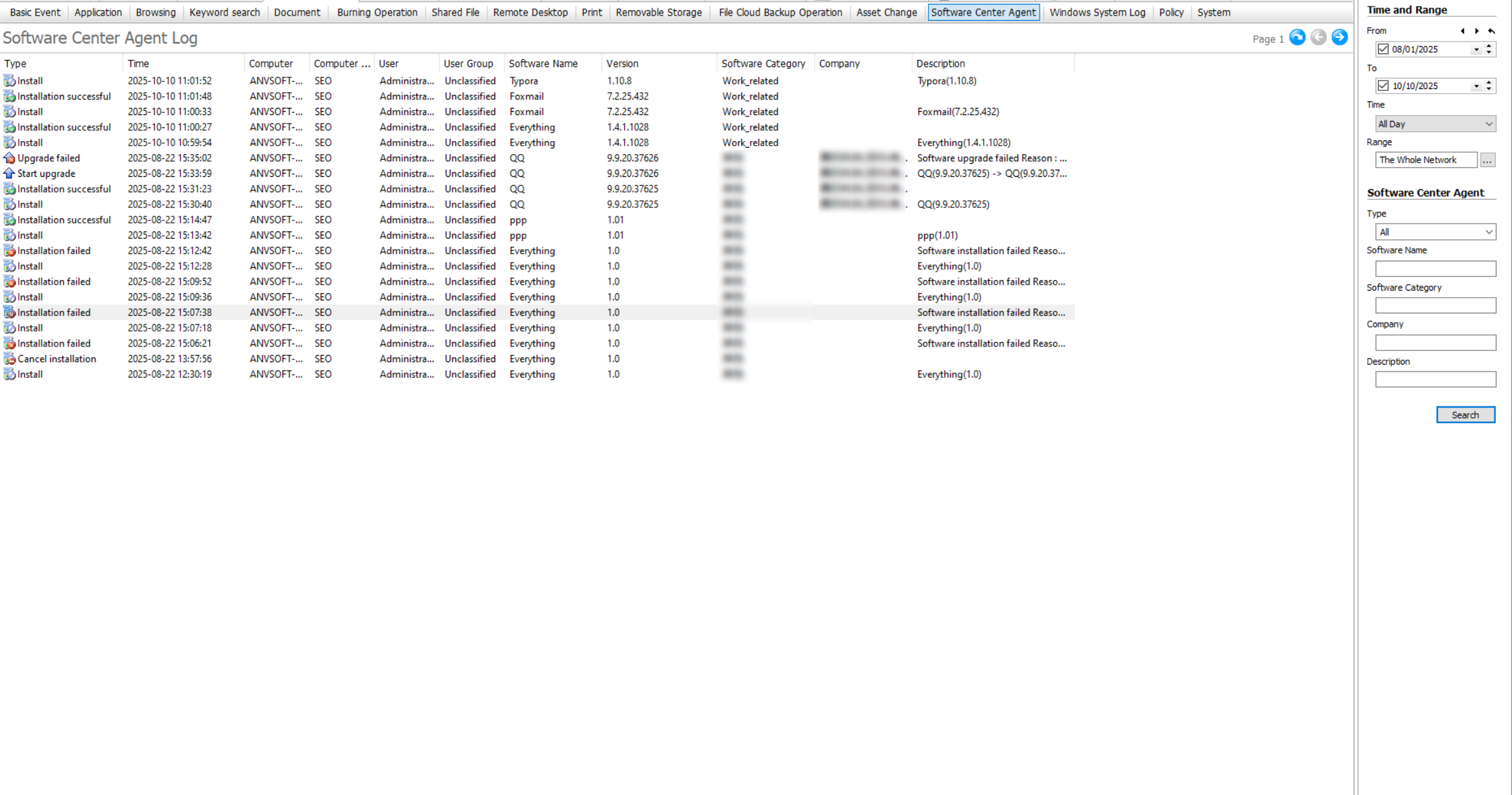
The Software Center client logs record operations related to installing or upgrading software through the Software Center client process on the client computer. Administrators with the "Logs -> Software Center Client Logs" permission can view this log.
The types of logs recorded by the Software Center client include the following:
| Setting | Description |
|---|---|
| Start Installation | Software installation or reinstallation using the Software Center client. |
| Cancel Installation | Cancelling the installation during download/installation. |
| Installation Failed | Manual termination of the installation wizard or an error occurred during software installation. |
| Installation Successful | Software successfully installed through the Software Center client. |
| Start Upgrade | Software upgrade using the Software Center client. |
| Cancel Upgrade | Cancelling the upgrade during download/upgrade. |
| Upgrade Failed | Manual termination of the upgrade wizard or an error occurred during software upgrade. |
| Upgrade Successful | Software successfully upgraded through the Software Center client. |
The default content displayed in the Software Center client logs includes: Type, Time, Computer, Computer Group, User, User Group, Software Name, Version, Vendor, and Description. Additional content that can be displayed via right-click includes: Display Name, Software ID, Software Architecture, Copyright Status, Platform, and Supported Operating Systems.