
How to Use Web Browsing Policies in Policies - AnySecura Manual
Welcome! This guide will show you how to use AnySecura's web browsing policies to manage internet access effectively. You'll learn to create rules that block distracting or harmful sites, helping to boost productivity and safeguard your network.
By mastering these policies, you can precisely control access, whether by blocking entire categories of websites or permitting only specific, trusted URLs. This gives you the power to tailor a secure and focused browsing environment for your team.
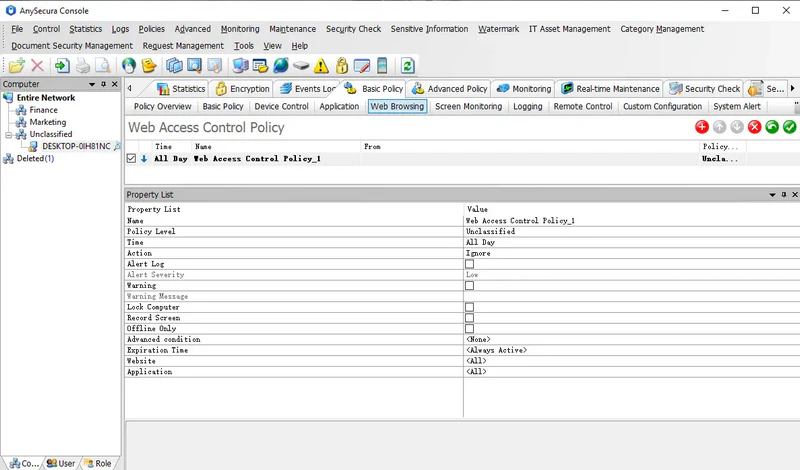
Web browsing policies allow administrators to control employees' access to websites, block non-work-related or malicious sites, improve productivity, and protect internal network security.
Administrators can add specific websites or control access by website category. Website categories can be configured or modified under Category Management → Website Categories. Similarly, in the application section, administrators can add individual applications or assign an application category; access to specified websites through these applications will then be controlled.
Website names can be full URLs or include wildcards, e.g., *.google.com, *mail*, *game*, *.com/mail/*.
Policy Example:
To prevent employees from visiting unauthorized websites, you can create web browsing policies to block these sites or allow access only to specific ones. For instance, to allow access to only certain websites:
- Create a policy to block all websites.
- Create a second policy to allow specific websites (adding all permitted sites).
With this setup, employees can access only the specified websites, while all other sites are blocked.