
How to Use Screen Recording Policies in Policies - AnySecura Manual
This guide will help you understand how to configure the Screen Recording policy within the AnySecura Policies module, turning a powerful but data-intensive feature into a practical tool for your organization.
You'll learn how to precisely target specific applications for recording and adjust the snapshot interval, allowing you to balance detailed visibility with efficient data management.
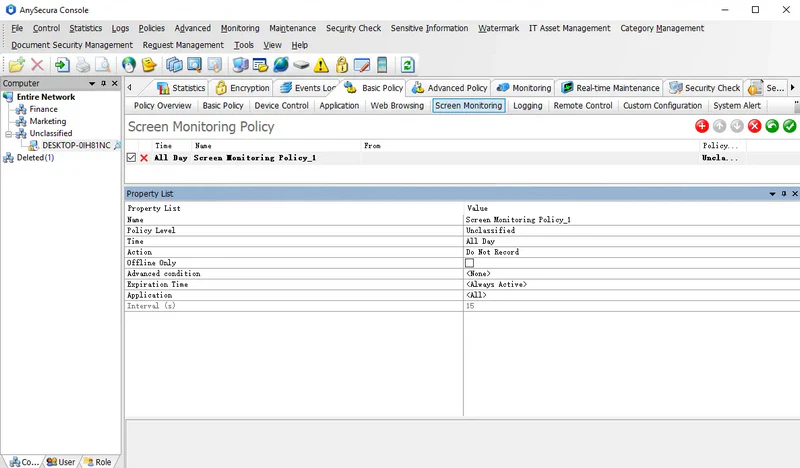
Screen history can record all actions on client machines. Due to large data volumes, recording is disabled by default. Administrators can enable and configure screen recording policies based on actual needs.
Policy Attributes:
| Attribute | Description |
|---|---|
| Application | Specifies which applications to record. Default is <All>. Administrators can target specific applications of interest. |
| Interval | Sets the time interval between screen snapshots. Default is 15 seconds (i.e., one snapshot every 15 seconds). Valid range: 1-99,999 seconds. Only effective in Record mode. |
By setting different recording intervals for different applications, important programs can be recorded more frequently, while less critical programs can be recorded less often or not at all.
Note:
- Shorter intervals generate more data. Administrators should adjust the interval according to actual requirements.