
How to Use Document Security Attributes in Windows Encrypted Client - AnySecura Manual
This guide will help you master the two core security attributes for your encrypted documents: Setting Permissions and Access Permissions. You'll understand how Setting Permissions designates who can manage these very controls, while Access Permissions defines who can actually open and edit the file.
With this knowledge, you'll be able to confidently use the AnySecura Windows Encrypted Client to apply precise, granular control over your sensitive information. You'll learn the practical steps to modify these attributes directly from your desktop, ensuring your documents are protected exactly as intended.
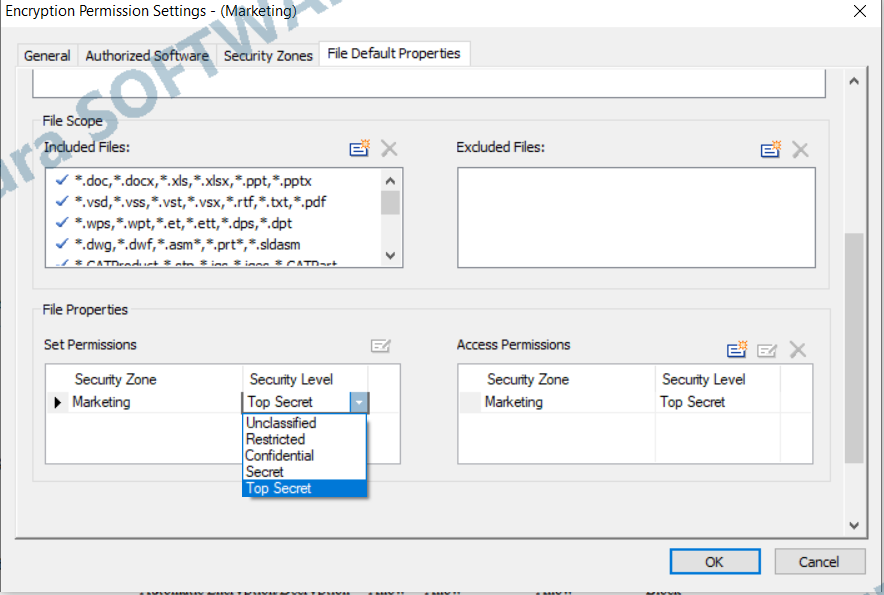
A document’s security attributes include Setting Permissions and Access Permissions:
- Setting Permissions: Defines who can modify the document’s security attributes. Only one security area and level can be assigned.
- Access Permissions: Defines who can open or edit the encrypted document. Multiple security areas and levels can be assigned.
Clients with direct permission to modify encrypted document security attributes can use the Encryption tab in File Explorer or the scan tool, or right-click and select Modify Security Attributes to change the document’s security attributes.