
How to Use Local and Remote Scan Tools in Document Security Management - AnySecura Manual
This guide introduces you to the powerful scanning tools within the AnySecura Document Security Management module. You'll learn how to manage encrypted files directly on your own console, giving you full control over document security from a central point.
Building on that local control, we'll then explore how to extend these operations to remote clients. This allows you to securely manage documents on other computers in your network, ensuring consistent protection across your entire organization.
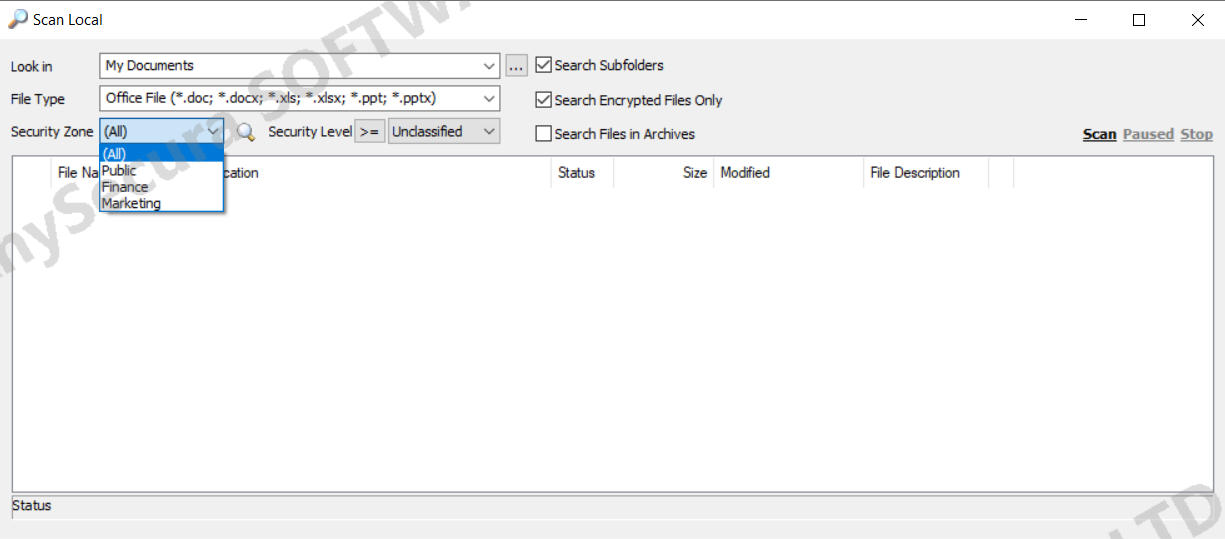
Local Scan on Console
In the Document Security Management window, select Tools → Local Scan Tool to scan encrypted files on the console’s local computer. You can perform encryption, decryption, generate external files, and modify document properties.
Remote Document Management
In the AnySecura console main window, select a client in the Computers panel, then right-click and choose Encryption Management → Remote Encrypted Document Management. This allows scanning of encrypted files on the specified client and performing encryption, decryption, external file generation, and document property modifications remotely. Operations can only be performed on online clients.
Note:
- Mac and Linux clients do not currently support remote document management.